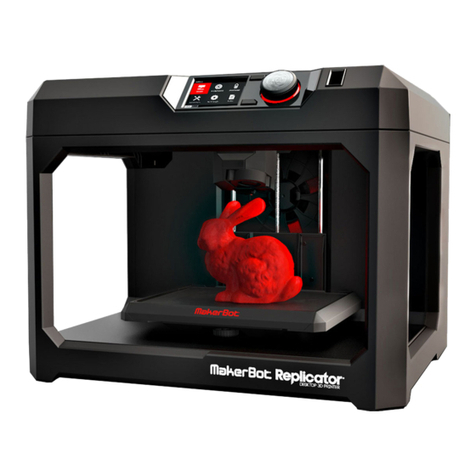
IdeaFormer IR 3 User manual

1
XX

XX

XX
目录
一、 注意事项.......................................................................................................... 1
1.1 规范使用电源................................................................................................1
1.2 打印过程注意事项........................................................................................1
1.3 产品维护........................................................................................................ 1
二、 产品简介.......................................................................................................... 3
2.1 产品参数....................................................................................................... 3
2.2 产品概述....................................................................................................... 4
三、安装说明............................................................................................................ 5
3.1 材料清单....................................................................................................... 5
3.2 安装步骤....................................................................................................... 7
四、使用说明.......................................................................................................... 12
4.1 调平............................................................................................................. 12
4.2 换耗材......................................................................................................... 14
4.3 模型打印..................................................................................................... 15
五、故障排除.......................................................................................................... 19
售后服务............................................................................................................ 22
公司简介............................................................................................................ 22

XX
Directory
Ⅰ.Attention................................................................................................................2
1.1 Standard use of power supply........................................................................2
1.2 Printing attention........................................................................................... 2
1.3 Printer maintenance.......................................................................................2
Ⅱ.Product Introduction............................................................................................. 3
2.1 Product parameter.......................................................................................3
2.2 Product overview......................................................................................... 4
Ⅲ.Installation Instructions.........................................................................................5
3.1 Material list.....................................................................................................5
3.2 Installation steps.......................................................................................... 7
Ⅳ.Use Instructions................................................................................................ 12
4.1 Leveling.........................................................................................................12
4.2 Change filament........................................................................................... 14
4.3 Model printing..............................................................................................15
Ⅴ.Frequently Asked Questions................................................................................20
After-sales Service.............................................................................................. 22
Company Profile................................................................................................. 22

1
珠海贝尔科技有限公司
Zhuhai Bell Technology Co., Ltd
一、注意事项
1.1 规范使用电源
请使用本机附带的电源适配器;
请勿在手湿时插拔电源插头,请勿触碰安全提示的部件;
请务必将插头完全插入电源插座;
请勿改装设备插头,避免造成机器损坏、触电、火灾等事故;
长时间不使用打印机时,请将电源线从电源插座上拔下。
1.2 打印注意事项
禁止在打印过程中或刚打印完成的时候,触碰打印机内部的结构和打印件,以免造成人身伤害;
禁止在打印机工作时,移动或触碰正在运行的部件,避免意外伤害;
禁止在倾斜或台面不稳定的环境下使用该产品;
请在通风良好、阴凉、平整的环境下使用打印机;
如遇到紧急情况,请直接关闭打印机电源;
打印长度超过机身长度的模型时,建议使用托盘承接模型;
Z轴方向上长度与实际模型有误差时,可以尝试调节 Z step;
机架角度有偏差时可能会对模型精度有影响;
打印完后长时间不用的情况下,建议耗材从打印机取下。
1.3 产品维护
请勿尝试进行该手册未描述的方法拆卸本机,以免造成打印机损坏或其他严重的安全事故;
定期在断电的情况下,使用干抹布对本机进行清洁;
根据需要给予直线导轨适当的润滑;
打印前仔细检查喷嘴出丝是否顺畅,开始打印前清理干净喷嘴以及热床;
使用过程中若发现螺丝、螺母等松动,则应暂停打印后使用扳手等工具拧紧;
打印的模型尺寸不要超过打印机实际允许打印范围,否则影响模型打印的成功率;
打印机不能在温度过高、负载过大的情形下工作,避免超负荷工作造成设备损坏;
打印结束后需要清理好喷嘴、热床等部件以延长其使用寿命;
加热打印头进行清洁时,请勿用手直接触碰打印头,以免烫伤。

2
珠海贝尔科技有限公司
Zhuhai Bell Technology Co., Ltd
Ⅰ.Attentions
1.1 Standard use of power supply
Use the power adapter that comes with the machine;
Do not use the plug with wet hands and do not touch the parts with safety tips;
Make sure the plug is plugged into the power socket;
Do not modify the equipment to prevent printer damage ;
If you do not use printer for a long time, unplug the power cord from the power socket.
1.2 Printing attention
Do not touch the heating structure inside the printer while the printer is printing ;
Do not touch the running parts when the printer is working to avoid accidental damage ;
Do not use the product on an inclined or unstable platform ;
Please use the printer on a well-ventilated and flat platform ;
In case of emergency, please turn off the printer directly;
When printing a model whose length exceeds the length of the body, it is recommended to
use a tray to accept the model;
When there is an error between the length in the Z-axis direction and the actual model, you
can try to adjust the Z step;
The deviation of the rack angle may affect the accuracy of the model;
If it’s not used for long time after printing, it is recommended to remove filament from printer.
1.3 Printer maintenance
Do not attempt to disassemble the machine in a way not described in this manual to avoid
printer damage or other serious safety accidents ;
Periodically clean the printer with a dry cloth when the power is off ;
Properly lubricate the linear guide rail as required;
Carefully check whether the nozzle is flowing smoothly before printing and clean the nozzle
and the hot bed before printing;
If screws and nuts are found to be loose during use, please stop printing and tighten them with
wrenches or other tools;
The size of the printed model should not exceed the allowable printing range of the printer,
otherwise the success rate of model printing will be affected;
The printer cannot work under the condition of too high temperature and too heavy load, so
avoid the equipment damage caused by the overload;
After printing,it is necessary to clean the nozzle, hot bed and other parts to extend service life;
When heating the print head for cleaning, do not directly touch the print head with your hands
to avoid scalding.

3
珠海贝尔科技有限公司
Zhuhai Bell Technology Co., Ltd
二、产品简介
Ⅱ.Product Introduction
2.1 产品参数 Product parameter
型 号 Type no :
IR 3
打印技术 Printing technology:
堆积熔融 FDM
打印尺寸 Print size:
250×250×∞mm (X*Y*Z)
产品尺寸 Product size:
575×436×506mm
包装尺寸 Package size:
670×520×285mm
打印精度 Print accuracy:
±0.2
打印层厚 Layer thickness:
0.1-0.4mm
喷嘴直径 Nozzle diameter:
0.4mm
打印速度 Printing speed:
<200mm/s 建议 30~80mm/s ,Normal 30-80mm/s
耗 材 Filament materials:
PLA
切片软件 Slicing software:
IdeaFormer Cura、Ideamaker
输入格式 Input format:
STL, OBJ
输出格式 Output format:
GCODE
打印方式 Printing method:
SD 卡
机身结构 Body structure:
全金属框架 All metal structure
操作系统 Operating system::
Windows
输入电压 Input voltage:
110V/220V AC;50/60Hz
输出电压 Output voltage:
24V
工作环境温度 Environment temperature:
8℃~40℃
喷嘴温度 Nozzle temperature:
Max 250ºC
热床温度 Hot bed temperature:
Max 90ºC
产品重量 Machine weight:
16.8kg
包装重量 Packed weight:
21.5kg

4
珠海贝尔科技有限公司
Zhuhai Bell Technology Co., Ltd
2.2 产品概述 Product overview
①双齿轮挤出机
Double gear extruder
②断料传感器
Filament detection sensor
③耗材架
Filament holder
④调平螺母
Heat bed leveling nut
⑤数据线插口
Data line socket
⑥内存卡插口
SD card socket
⑦屏幕亮度调节旋钮
Screen brightness adjustment
⑧重启按钮
Restart button
⑨旋钮
Knob
⑩45°角码
45°corner brace
⑪打印头
Print head
⑫Y 轴限位开关
Y-axis limit sensor
⑬传送带防翘挡板
Conveyor belt anti-warping baffle
⑭同步带张紧轮
Timing belt tensioner
⑮滚筒调节螺丝
Drum adjusting screw
⑯模型分离板
Model separation plate

5
珠海贝尔科技有限公司
Zhuhai Bell Technology Co., Ltd
三、安装说明
Ⅲ.Installation Instructions
3.1 材料清单 Material list
①XY 轴框架
XY axis frame
④挤出机
Extruder
⑦固定板
Fixed plate
⑩三角板
Triangular plate
⑬M4*6 圆头内六角螺丝
M4*6 Hexagon socket
round head screw
②传送带平台
Conveyor belt platform
⑤打印头
Print head
⑧机箱
control box
⑪电源线
power cable
⑭M4*8 圆头内六角螺丝
M4*8 Hexagon socket
round head screw
③45°角码
45°corner brace
⑥耗材架
Filament holder
⑨连接线
connection line
⑫耗材
Filament
⑮M4*20 圆头内六角螺丝
M4*20 Hexagon socket
round head screw

6
珠海贝尔科技有限公司
Zhuhai Bell Technology Co., Ltd
⑯M5*18 圆头内六角螺丝
M4*20 Hexagon socket
round head screw
⑲剪钳
Diagonal pliers
㉒镊子
Tweezers
㉕读卡器
card reader
㉘喷嘴
Nozzle
⑰M4 T 型螺母
M4 T-nut
⑳扎带
Cable tie
㉓数据线
Data line
㉖扳手
Wrench
㉙喉管
Heat break
⑱挤出机配件包
Extruder accessories
㉑通针
Needle
㉔内存卡
SD card
㉗铁氟龙管
Teflon tube
㉚说明书
Instructions
Table of contents