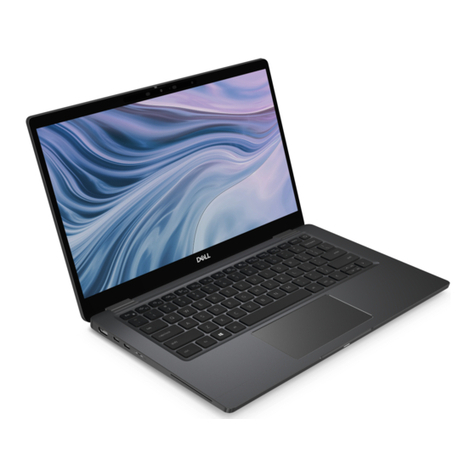
Huawei matebook 16s cref-x User manual

Quick Start Guide
Quick Start Guide
Guide de démarrage rapide
快速指南
快速入門指南
Panduan Mulai Cepat
Hướng Dẫn Khởi Động Nhanh
Guía de inicio rápido
Manual de Referência Rápida
Краткое руководство пользователя
Жылдам бастау нұсқаулығы
CREF-X


English..............................................................................................................................................1
English (United Kingdom)...............................................................................................................2
Français............................................................................................................................................ 3
简体中文.............................................................................................................................................4
香港繁體.............................................................................................................................................5
.............................................................................................................................................6
..................................................................................................................................................8
Bahasa Melayu...............................................................................................................................10
Tiếng Việt .......................................................................................................................................12
Español (Latinoamérica)............................................................................................................... 13
Português (Brasil)..........................................................................................................................14
Русский ......................................................................................................................................... 15
Қазақ тілі........................................................................................................................................ 18
i

English
Before using the device, view the user guide and other device information at https://consumer.huawei.com/en/support/.
Powering on and charging
When using your computer for the first time, just plug it in to a power supply and it will turn on.
When you turn on your computer again, press and hold the power button until the keyboard lights up.
Your computer has a built-in rechargeable battery, and you can charge it using the adapter and charging cable that
came with it. The indicator blinks white during charging.
Force shutdown: Press and hold the power button for more than 10 seconds. Do note that this will result in loss of any
unsaved data.
Safety Information
• To prevent possible hearing damage, do not listen at a high volume for long periods.
• Please consult your doctor and the device manufacturer to determine if using your device may interfere with the
operation of your medical device.
• Avoid using the device in a dusty, damp, or dirty place, or near a magnetic field.
• Ideal temperatures: 0°C to 35°C for operating, -10°C to +45°C for storage.
• When charging, an adapter should be plugged into a socket nearby and easily accessible. Use approved power
adapters and chargers.
• Ensure that the power adapter meets the requirements of IEC/EN 62368-1 and has been tested and approved
according to national or local standards.
• The device's rated input current is the same as the maximum output current of the adapter that comes with the
device.
• The Thunderbolt™ 4 port can provide 5V DC/3A MAX power to other devices. The USB-A port can provide 5V
DC/2A MAX power to other devices. The USB-C port can provide 5V DC/2A MAX power to other devices.
• When using the device, avoid placing it on soft surfaces (such as blankets, pillows, and sofas), as doing so may
block the air vent and cause the device to overheat.
• Unplug the charger from electrical outlets and the device if the device is not used for a long time.
• Keep the battery away from fire, excessive heat, and direct sunlight. Do not place it on or in heating devices. Do not
disassemble, modify, throw, or squeeze it. Do not insert foreign objects into it, submerge it in liquids, or expose it to
external force or pressure, as this may cause it to leak, overheat, catch fire, or even explode.
• Do not attempt to replace the battery yourself — you may damage the battery, which could cause overheating, fire,
and injury. The built-in battery in your device should be serviced by Huawei or an authorized service provider.
Disposal and recycling information
The symbol on the product, battery, literature, or packaging means that the products and batteries should be
taken to separate waste collection points designated by local authorities at the end of the lifespan. This will ensure that
EEE waste is recycled and treated in a manner that conserves valuable materials and protects human health and the
environment. For more information, please contact your local authorities, retailer, or household waste disposal service
or visit the website https://consumer.huawei.com/en/.
RF Exposure Information
For the countries that adopt the SAR limit of 2.0 W/kg over 10 grams of tissue. The device complies with RF
specifications when used at a distance of 0.0 cm from your body. The highest reported SAR value: body SAR: 0.47
W/kg.
EU Regulatory Conformance
Hereby, Huawei Device Co., Ltd. declares that this device CREF-X is in compliance with the following Directive: RED
2014/53/EU, RoHS 2011/65/EU, ErP 2009/125/EC. The full text of the EU declaration of conformity, the detailed ErP
information and most recent information about accessories & software are available at the following internet address:
https://consumer.huawei.com/certification.
Restrictions in the 5 GHz band:
The 5150 to 5350 MHz frequency range is restricted to indoor use in: AT, BE, BG, CH, CY, CZ, DE, DK, EE, EL, ES,
FI, FR, HR, HU, IE, IS, IT, LI, LT, LU, LV, MT, NL, NO, PL, PT, RO, SE, SI, SK, TR, UK(NI).
In accordance with the relevant statutory requirements in the UK, the 5150 to 5350 MHz frequency range is restricted
to indoor use in the United Kingdom.
Frequency Bands and Power
1

Wi-Fi 2.4GHz: 20 dBm, Bluetooth 2.4GHz: 13 dBm, Wi-Fi 5GHz: 5150-5350 MHz: 23 dBm, 5470-5725 MHz: 23 dBm,
5725-5850 MHz: 14 dBm, Wi-Fi 6GHz: 5945-6425 MHz: 23 dBm
Supported frequency bands may vary by country or region.
Disposal and recycling information (India)
This symbol on the device or on its packaging indicates that the device (including its electrical accessories) should not
be disposed of as normal household garbage.
Do not dispose this product with Regular Household, Dry and Wet Waste. If you wish to discard this product, please
contact on the details below and follow the correct method of disposal as guided:
E-mail: service.hw[email protected], Service hotline: 1800-209-6555 (Toll-Free) 9AM-9PM all 7 days, except public
holidays.
For further information, log on to:
Huawei E-waste Policy: https://consumer.huawei.com/in/support/e-waste-process-policy/.
Official Recycling Partner: Reteck Envirotech Private Limited.
Plot-4A, Sanghi Udyog, Near Navade Railway Station, Tal-Panvel, Dist. - Raigad, Taloja MIDC-410208.
www.reteck.in / www.reteck.co
Reduction of hazardous substances(India)
This device is compliant with the E-Waste (Management) Rules, 2016 and does not contain hazardous substances
regulated by the Rules except for the applications of exemption.
Trademarks and Permissions
The computer is preinstalled with a third-party operating system or is not preinstalled with any systems. The trademark
of the third-party operating system belongs to the third party. For example, "Microsoft" and "Windows" are trademarks
of Microsoft.
Thunderbolt and the Thunderbolt logo are trademarks of Intel Corporation or its subsidiaries.
English (United Kingdom)
Before using the device, view the user guide and other device information at https://consumer.huawei.com/uk/support/.
Powering on and charging
When using your computer for the first time, just plug it in to a power supply and it will turn on.
When you turn on your computer again, press and hold the power button until the keyboard lights up.
Your computer has a built-in rechargeable battery, and you can charge it using the adapter and charging cable that
came with it. The indicator blinks white during charging.
Force shutdown: Press and hold the power button for more than 10 seconds. Do note that this will result in loss of any
unsaved data.
Safety Information
• To prevent possible hearing damage, do not listen at a high volume for long periods.
• Please consult your doctor and the device manufacturer to determine if using your device may interfere with the
operation of your medical device.
• Avoid using the device in a dusty, damp, or dirty place, or near a magnetic field.
• Ideal temperatures: 0°C to 35°C for operating, -10°C to +45°C for storage.
• When charging, an adapter should be plugged into a socket nearby and easily accessible. Use approved power
adapters and chargers.
• Ensure that the power adapter meets the requirements of IEC/EN 62368-1 and has been tested and approved
according to national or local standards.
• The device's rated input current is the same as the maximum output current of the adapter that comes with the
device.
• The Thunderbolt™ 4 port can provide 5V DC/3A MAX power to other devices. The USB-A port can provide 5V
DC/2A MAX power to other devices. The USB-C port can provide 5V DC/2A MAX power to other devices.
• When using the device, avoid placing it on soft surfaces (such as blankets, pillows, and sofas), as doing so may
block the air vent and cause the device to overheat.
• Unplug the charger from electrical outlets and the device if the device is not used for a long time.
2

• Keep the battery away from fire, excessive heat, and direct sunlight. Do not place it on or in heating devices. Do not
disassemble, modify, throw, or squeeze it. Do not insert foreign objects into it, submerge it in liquids, or expose it to
external force or pressure, as this may cause it to leak, overheat, catch fire, or even explode.
• Do not attempt to replace the battery yourself — you may damage the battery, which could cause overheating, fire,
and injury. The built-in battery in your device should be serviced by Huawei or an authorised service provider.
Disposal and recycling information
The symbol on the product, battery, literature, or packaging means that the products and batteries should be
taken to separate waste collection points designated by local authorities at the end of the lifespan. This will ensure that
EEE waste is recycled and treated in a manner that conserves valuable materials and protects human health and the
environment. For more information, please contact your local authorities, retailer, or household waste disposal service
or visit the website https://consumer.huawei.com/en/.
RF Exposure Information
For the countries that adopt the SAR limit of 2.0 W/kg over 10 grams of tissue. The device complies with RF
specifications when used at a distance of 0.0 cm from your body. The highest reported SAR value: body SAR: 0.47
W/kg.
EU Regulatory Conformance
Hereby, Huawei Device Co., Ltd. declares that this device CREF-X is in compliance with the following Directive: RED
2014/53/EU, RoHS 2011/65/EU, ErP 2009/125/EC. The full text of the EU declaration of conformity, the detailed ErP
information and most recent information about accessories & software are available at the following internet address:
https://consumer.huawei.com/certification.
Restrictions in the 5 GHz band:
The 5150 to 5350 MHz frequency range is restricted to indoor use in: AT, BE, BG, CH, CY, CZ, DE, DK, EE, EL, ES,
FI, FR, HR, HU, IE, IS, IT, LI, LT, LU, LV, MT, NL, NO, PL, PT, RO, SE, SI, SK, TR, UK(NI).
In accordance with the relevant statutory requirements in the UK, the 5150 to 5350 MHz frequency range is restricted
to indoor use in the United Kingdom.
Frequency Bands and Power
Wi-Fi 2.4GHz: 20 dBm, Bluetooth 2.4GHz: 13 dBm, Wi-Fi 5GHz: 5150-5350 MHz: 23 dBm, 5470-5725 MHz: 23 dBm,
5725-5850 MHz: 14 dBm, Wi-Fi 6GHz: 5945-6425 MHz: 23 dBm
Supported frequency bands may vary by country or region.
Trademarks and Permissions
The computer is preinstalled with a third-party operating system or is not preinstalled with any systems. The trademark
of the third-party operating system belongs to the third party. For example, "Microsoft" and "Windows" are trademarks
of Microsoft.
Thunderbolt and the Thunderbolt logo are trademarks of Intel Corporation or its subsidiaries.
Français
Avant d'utiliser l'appareil, consultez le Guide d'utilisation et les autres informations relatives à l'appareil à l'adresse
https://consumer.huawei.com/fr/support/.
Mise en marche et rechargement
Lors de la première utilisation de votre ordinateur, branchez-le simplement à une source d'alimentation et il
s'allumera.
Lorsque vous rallumerez votre ordinateur, maintenez enfoncé le bouton marche/arrêt jusqu'à ce que le clavier
s'éclaire.
Votre ordinateur est équipé d'une batterie rechargeable intégrée, que vous pouvez recharger à l'aide de
l'adaptateur et du câble de rechargement fournis. Le voyant clignote en blanc une fois pendant le chargement.
Forcer l'arrêt : Appuyez sur le bouton marche/arrêt pendant plus de 10 secondes. Veuillez noter que cela entraînera
la perte de toute donnée non sauvegardée.
Informations relatives à la sécurité
• Une écoute prolongée à un niveau de volume élevé peut causer des dommages auditifs.
•Veuillez consulter votre médecin ainsi que le fabricant de l'appareil pour déterminer si l'usage de votre appareil
est susceptible d'aecter le fonctionnement de votre dispositif médical.
•Évitez d'utiliser l'appareil dans un endroit poussiéreux, humide ou sale, ou à proximité d'un champ magnétique.
3

•Températures idéales : 0 °C à 35 °C en fonctionnement, -10 °C à +45 °C pour le stockage.
•Lors de la charge, l'adaptateur doit être branché sur une prise à proximité et être facilement accessible. Utilisez
des adaptateurs et chargeurs approuvés.
•Assurez-vous que l'adaptateur secteur répond aux exigences de la norme IEC/EN 62368-1 et qu'il a été testé et
approuvé conformément aux normes nationales ou locales.
•Le courant d'entrée nominal de l'appareil est le même que le courant de sortie maximum de l'adaptateur
secteur livré avec l'appareil.
•Le port Thunderbolt™ 4 peut fournir une alimentation maximale de 5V DC/3A à d'autres appareils. Le port USB-
A peut fournir une alimentation maximale de 5V DC/2A à d'autres appareils. Le port USB-C peut fournir une
alimentation maximale de 5V DC/2A à d'autres appareils.
•Lorsque vous utilisez l'appareil, évitez de le placer sur des surfaces molles (telles que des couvertures, des
oreillers ou des canapés), car cela pourrait bloquer la grille d'aération et provoquer une surchaue de l'appareil.
•Débranchez le chargeur de la prise électrique et de l'appareil si celui-ci n'est pas utilisé pendant une période
prolongée.
•Gardez la batterie à l'écart du feu, de la chaleur excessive et de la lumière directe du soleil. Ne la placez pas sur
ou dans des appareils de chauage. Ne la démontez pas, ne la modiez pas, ne la jetez pas et ne l'écrasez pas.
N'insérez pas d'objets étrangers dans celle-ci, ne la plongez pas dans des liquides et ne l'exposez pas à une
force ou une pression externe, car cela pourrait provoquer des fuites, une surchaue, un incendie ou même une
explosion.
•N'essayez pas de remplacer la batterie vous-même – vous pourriez l'endommager, ce qui pourrait provoquer
une surchaue, un incendie et des blessures. La batterie intégrée de votre appareil doit être réparée par Huawei
ou un prestataire de service agréé.
Informations relatives à l'élimination et au recyclage
Le symbole sur le produit, la batterie, la documentation ou l'emballage indique que les produits et les
batteries arrivés en n de vie doivent être placés dans des points de collecte de déchets distincts désignés à cet
eet par les autorités locales. De la sorte, les déchets EEE seront recyclés et traités de manière à préserver des
matériaux précieux et à protéger la santé humaine et l'environnement. Pour en savoir plus sur les lieux de collecte
et la manière de mettre au rebut vos déchets électriques et électroniques, contactez les autorités locales, votre
détaillant ou le service des ordures ménagères, ou rendez-vous sur le site https://consumer.huawei.com/en/.
Exposition aux radiofréquences
Pour les pays qui ont adopté la limite DAS de 2,0 W/kg sur 10 grammes de tissu. L'appareil est conforme aux
spécications RF si l'appareil est utilisé à une distance de 0,0 cm de votre corps. Valeur DAS la plus élevée
déclarée : DAS au corps : 0,47 W/kg.
Conformité réglementaire UE
Par la présente, Huawei Device Co., Ltd. déclare que cet appareil est conforme à la directive suivante : RED
2014/53/UE, RoHS 2011/65/UE, ErP 2009/125/CE. Le texte intégral de la déclaration de conformité UE, les
informations détaillées ErP et les informations les plus récentes sur les accessoires et logiciels sont disponibles à
l'adresse Internet suivante : https://consumer.huawei.com/certication.
Marques de commerce et autorisations
Un système d'exploitation tiers est préinstallé sur l'ordinateur ou aucun système n'est préinstallé. La marque
déposée du système d'exploitation tiers appartient à la tierce partie. Par exemple, « Microsoft » et « Windows »
sont des marques déposées de Microsoft.
Thunderbolt et le logo Thunderbolt sont des marques commerciales d'Intel Corporation ou de ses liales.
简体中文
在使用设备前,请访问 https://consumer.huawei.com/cn/support/ 查阅用户指南等更多设备信息。
开机与充电
首次开机时,必须先连接电源适配器,计算机会自动开机。
再次开机时,按下电源键,至键盘灯亮起后松开。
计算机内置(不可拆卸)可充电电池。连接随附的电源适配器和充电线缆可对计算机充电,充电状态时充电指示灯为白色
闪烁。
强制关机:长按电源键 10 秒以上,可强制关机。强制关机会导致未保存的数据丢失,请谨慎使用。
4

安全信息
•为防止可能的听力损伤,请勿长时间使用高音量。
•请咨询您的医生和设备制造商,以确定本设备不会干扰您的医疗设备使用。
•避免在多尘、潮湿或肮脏的环境中或磁场附近使用本设备。
•请在温度 0℃ ~ 35℃ 范围内使用本设备,并在 -10℃ ~ +45℃ 范围内存放设备。
•设备充电时,请将电源适配器连接到就近便于插接的插座。使用经过认证的电源适配器和充电器。
•确保电源适配器符合 IEC/EN 62368-1 的要求,并通过国家或当地测试和批准。
•整机额定输入电流与匹配发货适配器最大输出电流相同。
•本产品 Thunderbolt™ 4 接口可以提供 5V DC/3A MAX 的供电能力,USB-A 接口可以提供 5V DC/2A MAX 的
供电能力,USB-C 接口可以提供 5V DC/2A MAX 的供电能力。
•使用设备时,请勿放置在柔软表面(如毛毯、枕头、沙发等)上,以免遮挡或覆盖通风孔,可能导致设备温度过高。
•当长时间不使用设备时,请断开充电器与设备的连接并从电源插座上拔掉充电器。
•确保电池远离火源及极热环境,切勿将其置于阳光直射的地方。切勿将其置于加热设备上或加热设备内。切勿拆解、
改装、抛掷或挤压电池。切勿使用异物刺穿电池或将电池浸入液体中,避免外力撞击或者压力,以免引起电池漏液、
过热、起火或爆炸。
•切勿自行更换电池,以免损坏电池,造成电池过热、起火和人身伤害。必须由华为或授权服务提供商更换或维修内置
电池。
处理与回收信息
此符号出现在产品、电池、资料或彩盒上时表示该产品和电池在使用寿命结束时必须送至当地管理部门指定的收
集点。分开收集和回收电子废弃物将有助于节约资源,并确保其以保护人类健康和环境的方式进行回收。欲了解更多信
息,请咨询您的当地管理部门、零售商或生活废物处理机构,或访问以下网址:https://consumer.huawei.com/en/ 。
射频能量暴露情况
对于限定了每 10 克组织中电磁辐射比吸收率(SAR)不超过 2.0 瓦/公斤的国家或地区,本设备在距离身体 0.0 厘米外
使用时符合射频规范。已知最高 SAR 值如下:身体 SAR 值:0.47 瓦/公斤。
欧盟合规
Huawei Device Co., Ltd.特此声明,本设备遵循以下指令:RED 2014/53/EU、RoHS 2011/65/EU 和 ErP
2009/125/EC。您可以在以下网站查阅欧盟合规声明全文、能源相关产品详情以及有关附件和软件的最新信息:
https://consumer.huawei.com/certification 。
商标声明
计算机预置第三方操作系统或无操作系统,其中第三方操作系统的商标归第三方所有,例如 Microsoft 和 Windows 是
Microsoft 集团公司的商标。
Thunderbolt 文字及 Thunderbolt 标识属于英特尔在美国和/或其他国家或地区的商标。
香港繁體
在使用裝置前,請瀏覽 https://consumer.huawei.com/hk/support/ 以查閱用戶指引等更多裝置資訊。
開機與充電
首次開機時,必須先連接電源配接器,然後電腦便會自動開機。
再次開機時,長按電源鍵,直到鍵盤燈亮起後便可鬆開。
電腦內置(不可拆卸)可充電電池。連接隨附的電源配接器和充電線纜便可為電腦充電;電腦處於充電狀態時,充電指示
燈為白色並會閃爍。
強制關機:長按電源鍵 10 秒以上即可強制關機。強制關機會導致未儲存的數據遺失,請小心使用。
安全資訊
• 為防止聽力受損,請勿長時間以高音量收聽音樂或其他音訊。
•請向您的醫生和裝置製造商查詢,以確定本裝置不會干擾您使用醫療設備。
•請避免在多塵、潮濕、骯髒或靠近磁場的環境中使用本裝置。
•本裝置的合適操作溫度範圍為 0°C 至 35°C,存放溫度範圍則為 -10°C 至 +45°C。
•充電時,請將電源配接器連接至就近方便插入連接的插座。請使用經認證的電源配接器和充電器。
5

•確保電源配接器符合 IEC/EN 62368-1 的要求,並通過國家或當地測試和批准。
•整機額定輸入電流與對應發貨配接器最大輸出電流相同。
•本產品的 Thunderbolt™ 4 連接埠可以提供 5V DC/3A 的供電能力,本產品的 USB-A 連接埠可以提供 5V DC/2A MAX 的
供電能力,USB-C 連接埠可以提供 5V DC/2A MAX 的供電能力。
•使用裝置時,請勿將其放置在毛氈、枕頭、梳化等柔軟表面上,以免遮擋或覆蓋通風孔,導致裝置溫度過高。
•長時間不使用裝置時,請中斷充電器和裝置的連線,並從電源插座上拔出充電器。
•請確保電池遠離火源及極熱環境,切勿將之置於陽光直射的地方,或置於加熱裝置上或加熱裝置內。請勿拆解、改裝、
拋擲或擠壓電池。請勿使用異物刺穿電池或將之浸入液體中,並避免外力撞擊電池,以免引起電池漏液、過熱、起火
或爆炸。
•請勿自行更換電池,以免損壞電池,造成電池過熱、起火和人身傷害。內置電池的更換或維修工作必須由華為或授權
服務供應商完成。
處理與回收資訊
若此符號出現在產品、電池、資訊或彩盒上,則代表此產品和電池在使用壽命結束時,必須送往當地管理部門指
定的收集點。分開收集和回收電子廢棄物有助節約資源,並確保以保護人類健康和環境的方式回收相關物件。如欲了解更
多資訊,請向您所在當地的管理部門、零售商或生活廢物處理機構查詢,或瀏覽以下網址:
https://consumer.huawei.com/en/ 。
射頻能量暴露情況
如果國家或地區限定了每 10 克人體組織的平均射頻能量吸收比率 (SAR) 不得超過 2.0 瓦/公斤,在距離身體 0.0 厘米外使
用本裝置便為符合射頻規定。已知最高 SAR 值如下。身體 SAR 值:0.47 瓦/公斤。
歐盟合規
華為終端有限公司謹此聲明,本裝置遵循以下指令:RED 2014/53/EU、RoHS 2011/65/EU 和 ErP 2009/125/EC。您可以
在以下網站查閱歐盟合規聲明全文、能源相關產品的詳細資訊,以及有關附件和軟件的最新資訊:
https://consumer.huawei.com/certication 。
商標和許可
電腦預載第三方作業系統或無作業系統,其中第三方作業系統的商標歸第三方所有,例如 Microsoft 和 Windows 為
Microsoft 集團公司的商標。
Thunderbolt 文字及 Thunderbolt 標誌屬於 Intel 在美國和/或其他國家或地區的商標。
https://consumer.huawei.com/th/support/
/
: / 10
•
6

•
•
•: 0 °C 35 °C -10 °C +45 °C
•
• IEC/EN 62368-1
•
• Thunderbolt™4 5V DC/3A
USB-A 5V DC/2A USB-C
5V DC/2A
• (
)
•
•
•
Huawei
EEE
7
Table of contents
Languages:
Other Huawei Laptop manuals

Huawei
Huawei 53010CPY User manual

Huawei
Huawei MateBook D 14 User manual

Huawei
Huawei BoM-WFQ9 User manual

Huawei
Huawei MateBook 14 User manual

Huawei
Huawei 53013DSJ User manual

Huawei
Huawei DRC-W38 User manual

Huawei
Huawei 53010TLB User manual

Huawei
Huawei MRC-W10 User manual

Huawei
Huawei MACHD-WDH9 User manual

Huawei
Huawei BoM-WDQ9 User manual

Huawei
Huawei Matebook X Pro User manual

Huawei
Huawei KLVDZ-WFE9 User manual

Huawei
Huawei MateBook Boh-WAQ9R User manual

Huawei
Huawei HKD-W76 User manual

Huawei
Huawei MateBook 14 User manual

Huawei
Huawei WRTB-WFE9L User manual

Huawei
Huawei BoD-WDE9 User manual

Huawei
Huawei MateBook 13 User manual

Huawei
Huawei HVY-WAP9 User manual

Huawei
Huawei BohL-WDQ9 User manual