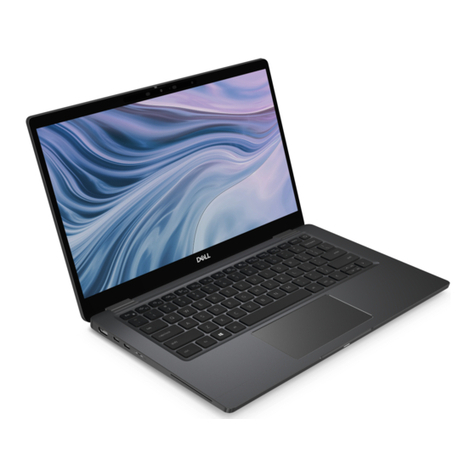
HP Spectre Manual

HP SpectreXT
Maintenance and Service Guide
IMPORTANT! This document is intended for HP
authorized service providers only.

© Copyright 2012 Hewlett-Packard
Development Company, L.P.
Intel is a trademark of Intel Corporation in
the U.S. and other countries. Microsoft and
Windows are U.S. registered trademarks of
Microsoft Corporation. SD Logo is a
trademark of its proprietor.
The information contained herein is subject
to change without notice. The only
warranties for HP products and services are
set forth in the express warranty statements
accompanying such products and services.
Nothing herein should be construed as
constituting an additional warranty. HP shall
not be liable for technical or editorial errors
or omissions contained herein.
First Edition: May 2012
Document Part Number: 684443-001

Safety warning notice
WARNING! To reduce the possibility of heat-related injuries or of overheating the device, do not
place the device directly on your lap or obstruct the device air vents. Use the device only on a hard,
flat surface. Do not allow another hard surface, such as an adjoining optional printer, or a soft
surface, such as pillows or rugs or clothing, to block airflow. Also, do not allow the AC adapter to
contact the skin or a soft surface, such as pillows or rugs or clothing, during operation. The device
and the AC adapter comply with the user-accessible surface temperature limits defined by
the International Standard for Safety of Information Technology Equipment (IEC 60950).
iii

iv Safety warning notice

Table of contents
1 Product description ........................................................................................................................................ 1
2 External component identification ................................................................................................................ 3
Display .................................................................................................................................................. 3
Button, speakers, and other components ............................................................................................. 4
Keys ..................................................................................................................................................... 6
Lights .................................................................................................................................................... 7
TouchPad ............................................................................................................................................. 8
Left side ................................................................................................................................................ 9
Right side ........................................................................................................................................... 10
Rear .................................................................................................................................................... 12
Bottom ................................................................................................................................................ 12
3 Illustrated parts catalog ............................................................................................................................... 13
Service tag ......................................................................................................................................... 13
Computer major components ............................................................................................................. 14
Display assembly subcomponents ..................................................................................................... 17
Mass storage device .......................................................................................................................... 18
Miscellaneous parts ............................................................................................................................ 18
Sequential part number listing ............................................................................................................ 19
4 Removal and replacement procedures ....................................................................................................... 22
Preliminary replacement requirements ............................................................................................... 22
Tools required .................................................................................................................... 22
Service considerations ....................................................................................................... 22
Plastic parts ....................................................................................................... 22
Cables and connectors ..................................................................................... 22
Drive handling ................................................................................................... 23
Grounding guidelines ......................................................................................................... 23
Electrostatic discharge damage ........................................................................ 23
Packaging and transporting guidelines ............................................. 25
Component replacement procedures ................................................................................................. 26
Service label ...................................................................................................................... 27
Base enclosure .................................................................................................................. 27
Battery ............................................................................................................................... 29
RTC battery ....................................................................................................................... 31
v

Solid-state drive ................................................................................................................. 33
WLAN module .................................................................................................................... 34
Fan ..................................................................................................................................... 35
RJ-45 module cover ........................................................................................................... 35
System board ..................................................................................................................... 37
Heat sink ............................................................................................................................ 40
Speakers ............................................................................................................................ 41
USB/Audio board ............................................................................................................... 43
TouchPad module .............................................................................................................. 45
TouchPad LED board ........................................................................................................ 46
Power connector cable ...................................................................................................... 47
Power button board ........................................................................................................... 49
Display panel ..................................................................................................................... 51
Webcam assembly ............................................................................................................ 55
Backlit keyboard ................................................................................................................ 56
WLAN antenna cables ....................................................................................................... 58
Top cover ........................................................................................................................... 59
5 Setup Utility (BIOS) and System Diagnostics ............................................................................................ 61
Using Setup Utility .............................................................................................................................. 61
Starting Setup Utility .......................................................................................................... 61
Changing the language of Setup Utility ............................................................................. 61
Navigating and selecting in Setup Utility ............................................................................ 62
Displaying system information ........................................................................................... 62
Restoring factory settings in Setup Utility .......................................................................... 63
Exiting Setup Utility ............................................................................................................ 63
Updating the BIOS ............................................................................................................. 63
Determining the BIOS version ........................................................................... 64
Downloading a BIOS update ............................................................................. 64
Using System Diagnostics .................................................................................................................. 65
6 Specifications ................................................................................................................................................ 66
Computer specifications ..................................................................................................................... 66
13.3-inch display specifications .......................................................................................................... 66
7 Backup and recovery .................................................................................................................................... 68
Restoring the system .......................................................................................................................... 68
Creating restore media ....................................................................................................................... 68
Performing a system recovery ............................................................................................................ 69
Using the dedicated recovery partition .............................................................................. 69
vi

Restoring using the restore media ..................................................................................... 71
Changing the computer boot order .................................................................................... 71
Backing up and recovering your information ...................................................................................... 71
Using Windows Backup and Restore ................................................................................ 72
Using Windows system restore points ............................................................................... 73
When to create restore points ........................................................................... 73
Create a system restore point ........................................................................... 73
Restore to a previous date and time ................................................................. 73
8 Power cord set requirements ...................................................................................................................... 74
Requirements for all countries ............................................................................................................ 74
Requirements for specific countries and regions ............................................................................... 74
9 Recycling ....................................................................................................................................................... 76
Index ................................................................................................................................................................... 77
vii

viii

1 Product description
Category Description
Product Name HP ENVY Spectre XT Ultrabook PC
Processors Intel® Core™' i7-3667U (2.0GHz, turbo up to 3.1GHz) 1600MHz/4M L3
Intel® Core™ ' i7-3517U (1.9GHz, turbo up to 3.0GHz) 1600MHz/4M L3
Intel® Core i5-3317U (1.7GHz, turbo up to 2.6GHz) 1600MHz/3M L3
Chipset Intel® HM76 - Platform Controller Hub (PCH - Panther Point-M)
Graphics Intel® HD Graphics 4000 discrete-class graphics. Supports BD and or HD-DVD playback with HD
decode, and DX11 support and HDMI support
Panel 13.3" HD WLED BrightView (1366x768) (3.64mm) SVA at 45% Color Gamut Slim, Shuriken, 200
nits
All display assemblies include 2 wireless local area network (WLAN) antenna cables.
Supports 16:9 wide aspect ratio
Support for non-flush glass panel cover (non-PMMA)
Memory Supports up to 4GB max system memory (on-board)
DDR3L - 1600MHz dual channel support
Supports up to 4096MB (256M x 16 x 8PCs ) - 1600 MHz
Drives mSATA SSD configurations:
●128-GB SSD
●256-GB SSD
Audio and video Dual array digital microphones
Two integrated stereo speakers
HP TrueVision high-definition webcam (fixed, no tilt, 1280×720 by 30 frames per second)
Ethernet Integrated 10/100/1000 GB network interface card (NIC)
Wireless Integrated WLAN options by way of wireless module
Two WLAN antennas built into display assembly
Supports the following WLAN formats:
●Intel® Centrino® Advanced-N 6235 + Bluetooth combo w/* 2 Antennas (802.11 a/g/n))
External media card Push-push insertion/removal
1

Category Description
HP Multi-Format Digital Media Reader supports the following digital card formats:
●MultiMediaCard
●Secure Digital (SD) Card
●Secure Digital High-Capacity (SDHC) Card
●Secure Digital Extended Capacity (SDxC) Card
Ports ●3-pin AC power (non-smart pin)
●Audio-in (mono microphone), supports jack detection
●Audio-out (stereo headphone), supports jack detection
●HDMI version 1.4b supporting 1920p, 1920 ×1200 @ 60Hz
●RJ-45 (Ethernet, includes link and activity lights)
●USB 3.0 port
●USB 2.0 charging port
Backlit keyboard/
pointing devices
97% Duracoat, island-style backlit keyboard, no spill-resistance (in black finish)
Backlit, island-style keyboard (NA CTO onlly)
TouchPad with multi-touch gestures
Taps enabled as default
Power requirements Supports the following HP AC adapters:
●65-W (non-smart) PFC RC V EM 3-wire HP AC adapter
Supports the following batteries:
●4-cell, 45WHr 3.05 AH Li-ion battery
Operating system Preinstalled:
●Windows 7 Home Premium (64-bit)
●Windows 7 Professional (64-bit)
●Windows 7 Ultimate (64-bit)
Serviceability End-user replaceable parts:
●AC adapter
2 Chapter 1 Product description
This manual suits for next models
1
Table of contents
Other HP Laptop manuals

HP
HP Pavilion 11 x360 PC Manual

HP
HP L2000 Special Edition User manual

HP
HP ProBook 440 G2 Manual

HP
HP ENVY x360 m6 Convertible Manual

HP
HP 540 - Notebook PC User manual

HP
HP Chromebook x360 14b Assembly instructions

HP
HP 240 14 inch G9 Manual

HP
HP Mini 100e User manual

HP
HP 14-dk0 Series Manual

HP
HP ENVY 14 Manual

HP
HP 540 - Notebook PC Manual

HP
HP CQ58-200 User manual

HP
HP EliteBook 820 G1 Manual

HP
HP Envy 15-1270 User manual

HP
HP Pavilion XF315 Quick start guide

HP
HP Compaq Presario User manual

HP
HP Envy 15 Assembly instructions

HP
HP Chromebook 11 G8 Education Edition Manual

HP
HP Compaq Presario CQ62 Assembly instructions

HP
HP 2133 Mini-Note Manual