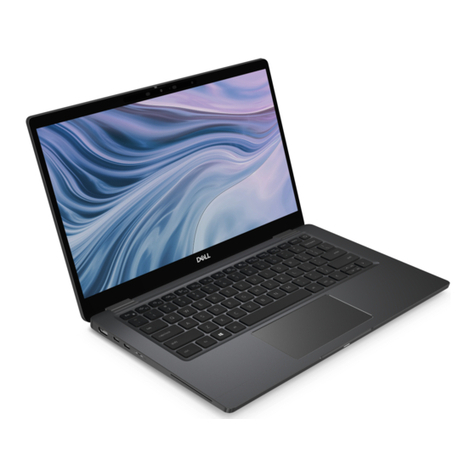
HP Spectre Pro x360 G2 Manual

HP Spectre Pro x360 Convertible PC G2
Maintenance and Service Guide
IMPORTANT! This document is intended for
HP authorized service providers only.

© Copyright 2016 Hewlett-Packard
Development Company, L.P.
Bluetooth is a trademark owned by its
proprietor and used by HP Inc. under license.
Intel and Core are U.S. registered trademarks of
Intel Corporation. Windows is either a
registered trademark or trademark of
Microsoft Corporation in the United States
and/or other countries. SD Logo is a trademark
of its proprietor.
The information contained herein is subject to
change without notice. The only warranties for
HP products and services are set forth
in the express warranty statements
accompanying such products and services.
Nothing herein should be construed as
constituting an additional warranty. HP shall
not be liable for technical or editorial errors or
omissions contained herein.
First Edition: January 2016
Document Part Number: 850191-001
Product notice
This guide describes features that are common
to most models. Some features may not be
available on your computer.
Not all features are available in all editions of
Windows 10. This slate may require upgraded
and/or separately purchased hardware, drivers,
and/or software to take full advantage of
Windows 10 functionality. See for
http://www.microsoft.com details.

Safety warning notice
WARNING! To reduce the possibility of heat-related injuries or of overheating the device, do not
place the device directly on your lap or obstruct the device air vents. Use the device only on a hard, at
surface. Do not allow another hard surface, such as an adjoining optional printer, or a soft surface, such as
pillows or rugs or clothing, to block airow. Also, do not allow the AC adapter to contact the skin or a soft
surface, such as pillows or rugs or clothing, during operation. The device and the AC adapter comply
with the user-accessible surface temperature limits dened by the International Standard for Safety
of Information Technology Equipment (IEC 60950).
iii

iv Safety warning notice

Table of contents
1 Product description ....................................................................................................................................... 1
2 External component identication .................................................................................................................. 4
Locating hardware ................................................................................................................................................. 4
Locating software .................................................................................................................................................. 4
Display .................................................................................................................................................................... 5
Keys ........................................................................................................................................................................ 6
Lights ...................................................................................................................................................................... 7
Speakers ................................................................................................................................................................. 7
TouchPad ................................................................................................................................................................ 8
Left side ................................................................................................................................................................. 9
Right side ............................................................................................................................................................. 11
3 Illustrated parts catalog .............................................................................................................................. 12
Locating the serial number, product number, and model number .................................................................... 12
Computer major components .............................................................................................................................. 13
Miscellaneous parts ............................................................................................................................................. 15
4 Removal and replacement preliminary requirements ..................................................................................... 17
Tools required ...................................................................................................................................................... 17
Service considerations ......................................................................................................................................... 17
Plastic parts ....................................................................................................................................... 17
Cables and connectors ...................................................................................................................... 17
Grounding guidelines ........................................................................................................................................... 18
Electrostatic discharge damage ........................................................................................................ 18
Packaging and transporting guidelines .......................................................................... 19
Workstation guidelines ................................................................................ 19
5 Removal and replacement procedures ........................................................................................................... 21
Unlocking the device and disabling Always On Remote Management (select HP devices only) ........................ 21
Bottom cover ....................................................................................................................................................... 22
Battery ................................................................................................................................................................. 23
WLAN module ...................................................................................................................................................... 24
Solid-state drive .................................................................................................................................................. 26
Fan ........................................................................................................................................................................ 27
Speakers .............................................................................................................................................................. 28
v

TouchPad .............................................................................................................................................................. 29
Card reader board ................................................................................................................................................ 30
System board ....................................................................................................................................................... 31
Heat sink .............................................................................................................................................................. 34
Keyboard .............................................................................................................................................................. 35
Display assembly ................................................................................................................................................. 37
Audio jack board .................................................................................................................................................. 39
Power connector cable ........................................................................................................................................ 40
6 Using Setup Utility (BIOS) ............................................................................................................................. 41
Starting Setup Utility (BIOS) ................................................................................................................................ 41
Updating Setup Utility (BIOS) .............................................................................................................................. 41
Determining the BIOS version ........................................................................................................... 42
Downloading a BIOS update .............................................................................................................. 42
Synchronizing a tablet and keyboard (select products only) .............................................................................. 43
7 Using HP PC Hardware Diagnostics (UEFI) ....................................................................................................... 44
Downloading HP PC Hardware Diagnostics (UEFI) to a USB device .................................................................... 45
8 Specications .............................................................................................................................................. 46
9 Backing up, restoring, and recovering ........................................................................................................... 47
Creating recovery media and backups ................................................................................................................ 47
Creating HP Recovery media (select products only) ......................................................................... 48
Using Windows Tools ........................................................................................................................................... 49
Restore and recovery ........................................................................................................................................... 49
Recovering using HP Recovery Manager ........................................................................................... 50
What you need to know before you get started ............................................................. 50
Using the HP Recovery partition (select products only) ................................................. 51
Using HP Recovery media to recover .............................................................................. 51
Changing the computer boot order ................................................................................ 52
Removing the HP Recovery partition (select products only) ......................................... 52
10 Statement of Volatility .............................................................................................................................. 53
Non-volatile memory usage ................................................................................................................................ 55
Questions and answers ....................................................................................................................................... 58
Using HP Sure Start (select models only) ............................................................................................................ 59
11 Power cord set requirements ...................................................................................................................... 60
Requirements for all countries ............................................................................................................................ 60
vi

Requirements for specic countries and regions ................................................................................................ 60
12 Recycling .................................................................................................................................................. 62
Index ............................................................................................................................................................. 63
vii

viii

1 Product description
Category Description
Product Name HP Spectre Pro x360 Convertible PC G2
Processor ●Intel™ Core® i7-6600U 2.60-GHz (SC turbo up to 3.4-GHz) processor (1600-MHz FSB,
4.00-MB L2 cache, dual core, 15 W)
●Intel Core i5-6300U 2.40-GHz (SC turbo up to 3.00-GHz) processor (1866-MHz FSB,
3.00-MB L2 cache, dual core, 15 W)
●Intel Core i5-6200U 2.30-GHz (SC turbo up to 2.80-GHz) processor (1866-MHz FSB,
3.00-MB L2 cache, dual core, 15 W)
Chipset Intel processor controller hub (PCH)
Graphics Internal Graphics: Intel HD Graphics 520
Support for HD decode, DX12, and HDMI
Panel 13.3-in (2560×1440), BrightView, quad high-denition (QHD), white-light emitting (WLED),
UWVA, TouchScreen with ush glass and MultiTouch enabled; eDP1.3+PSR at 72% Color
Gamut (CG), 16:9 ultra-wide aspect ratio; typical brightness: 340 nits, (2.55-mm)
13.3-in (1920×1080), BrightView, full high-denition (FHD), WLED, UWVA, TouchScreen with
ush glass and MultiTouch enabled; eDP1.2 at 72% Color Gamut (CG), 16:9 ultra-wide aspect
ratio; typical brightness: 340 nits, (2.85-mm)
Memory Support for LPDDR3-1866 dual channel
Supports 8192-MB (256-MB×16×4×2 pieces) and 4096-MB (128-MB×32×4×2 pieces)
congurations
Primary storage Support for single PCIe / SATA M2 solid-state drive conguration as storage (scope M2
2260/2280 DS solid-state drive) in the following congurations:
●512-GB solid-state drive supporting three-level cell (TLC)
●256-GB solid-state drive supporting TLC
●256-GB self-encrypting (SED), solid-state drive supporting multilevel cell (MLC)
and Opal2
●180-GB solid-state drive supporting MLC
●128-GB solid-state drive supporting TLC
Audio and video Webcam: HP TrueVision Full HD, xed (no tilt), with activity light, 1920×1080 by 30 frames
per second, with wide eld of vision (88 degrees)
Dual array digital microphones with appropriate beam-forming, echo-cancellation, noise-
suppression software
Support for voice recognition
HD Audio (Conexant cx7501)
Two speakers
Wireless Integrated wireless local area network (WLAN) options by way of wireless module
Two built-in WLAN antennas (in display assembly)
1

Category Description
Wireless (continued) Support for Intel Dual band wireless-AC 8260 802.11AC 2×2 WiFi + Bluetooth 4.0
Combo Adapter
Support for Miracast and Intel WiDi Pro
External media cards HP multiformat Micro Digital Media Reader Slot with push-push technology. Reads data from
and writes data to digital memory cards such as Secure Digital® (SD).
Ports ●AC adapter HP Smart plug (4.5-mm barrel)
●Audio: one combo audio-out (headphone)/audio-in (microphone) jack, supports jack
auto-detection
●miniDisplayPort 1.2 supporting maximum 3200×2000 @ 60 Hz resolution
●High-denition multimedia interface (HDMI) v.1.4b, supporting up to 1920×1200
at 60 Hz
●USB 3.0 (3)
Keyboard/pointing devices Full-size, backlight, island-style keyboard
Touchpad requirements:
●ClickPad with imaging sensor
●Multi-touch gestures enabled
●Taps enabled as default
●Support for Microsoft® Windows® 8 modern TrackPad gestures, drivers for
Windows 7 Professional
Power requirements Support for 45-W HP Smart adapter (non-PFC, RC, 3- and 2-wire, 4.5-mm)
Support for a 3-cell, 56-WHr, 4096-mAHr, Li-ion battery (includes cable)
Security Optimize for Windows 10 security features: Device Guard, NextGen Credentials, Virtual
Secure Mode
Support for Intel AT-p Ready support
Support for BitLocker
Support for Trusted Platform Module 1.2 (TP 2.0M)
Operating system Preinstalled: Windows 10 Professional 64-bit
Restore media-SSRD/SSRU:
Windows 10 SSRD
Windows 10 SSRU
Certied: Microsoft WHQL
Web-only support:
●Windows 10 Enterprise 64-bit
●Windows 10 Home 64-bit
●Windows 10 Professional 64-bit
●Windows 8.1 Chinese Market 64-bit
●Windows 8.1 Emerging Markets 64-bit
●Windows 8.1 Multilanguage 64-bit
●Windows 8.1 Professional 64-bit
2 Chapter 1 Product description
Table of contents
Other HP Laptop manuals

HP
HP 510 - Notebook PC User instructions

HP
HP Pavilion TX1340EA User manual

HP
HP Laptop User manual

HP
HP PROBOOK 4425S User instructions

HP
HP Pavilion g4-1300 User manual

HP
HP EliteBook 8540W User instructions

HP
HP Compaq NX9020 User guide

HP
HP Compaq Business nx9110 User manual

HP
HP mt45 Manual

HP
HP Compaq NC4000 Manual

HP
HP Spectrext Manual

HP
HP EliteBook 820 G2 Installation instructions

HP
HP Envy 15-1050 User manual

HP
HP Pavilion dv8300 Manual

HP
HP nc4000 - Notebook PC Manual

HP
HP ProBook 4535s User instructions

HP
HP Compaq Presario User manual

HP
HP Pavilion DM3-1040 User manual

HP
HP ProBook 430 G8 Assembly instructions

HP
HP ProSignia 120 Manual