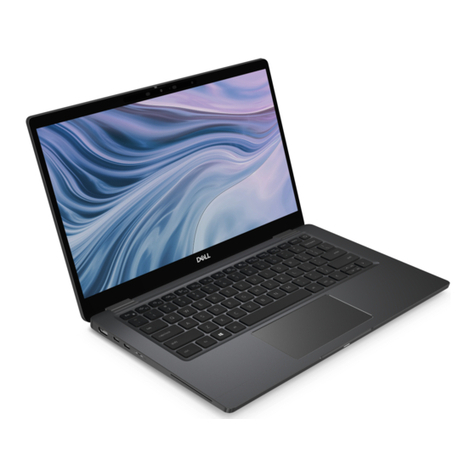
HP Pavilion 15-bc200 Manual

HP Pavilion Notebook PC
Model 15-bc200~15-bc299
Maintenance and Service Guide
IMPORTANT! This document is intended for HP authorized service
providers only.

© Copyright 2016 HP Development Company,
L.P.
NVIDIA and Quadro are trademarks and/or
registered trademarks of NVIDIA Corporation in
the U.S. and other countries. Red Hat
Enterprise Linux is a registered trademark of
Red Hat, Inc. in the United States and other
countries. Bluetooth is a trademark owned by
its proprietor and used by HP Inc. under license.
Intel, Pentium, and Core are trademarks of Intel
Corporation in the U.S. and other countries.
Windows is either a registered trademark or
trademark of Microsoft Corporation in the
United States and/or other countries.
Product notice
This guide describes features that are common
to most models. Some features may not be
available on your computer.
Not all features are available in all editions of
Windows 8. This computer may require
upgraded and/or separately purchased
hardware, drivers and/or software to take full
advantage of Windows 8 functionality. See
http://www.microsoft.com for details.
The information contained herein is subject to
change without notice. The only warranties for
HP products and services are set forth in the
express warranty statements accompanying
such products and services. Nothing herein
should be construed as constituting an
additional warranty. HP shall not be liable for
technical or editorial errors or omissions
contained herein.
Second Edition: December 2016
First Edition: April 2016
Document Part Number: 854539-002

Safety warning notice
WARNING! To reduce the possibility of heat-related injuries or of overheating the device, do not place the
device directly on your lap or obstruct the device air vents. Use the device only on a hard, at surface. Do not
allow another hard surface, such as an adjoining optional printer, or a soft surface, such as pillows or rugs or
clothing, to block airow. Also, do not allow the AC adapter to contact the skin or a soft surface, such as
pillows or rugs or clothing, during operation. The device and the AC adapter comply with the user-accessible
surface temperature limits dened by the International Standard for Safety of Information Technology
Equipment (IEC 60950-1).
iii

iv Safety warning notice

Table of contents
1 Product description ....................................................................................................................................... 1
2 External component identication .................................................................................................................. 5
Right side ............................................................................................................................................................... 5
Left side ................................................................................................................................................................. 6
Display .................................................................................................................................................................... 7
Top .......................................................................................................................................................................... 8
TouchPad ............................................................................................................................................. 8
Lights ................................................................................................................................................... 9
Button and speakers ......................................................................................................................... 10
Keys ................................................................................................................................................... 11
Using the action keys ........................................................................................................................ 11
Bottom ................................................................................................................................................................. 12
Rear ...................................................................................................................................................................... 14
Locating system information .............................................................................................................................. 14
3 Illustrated parts catalog .............................................................................................................................. 16
Computer major components .............................................................................................................................. 16
Display assembly subcomponents ...................................................................................................................... 19
Miscellaneous parts ............................................................................................................................................. 20
4 Removal and replacement procedures preliminary requirements .................................................................... 22
Tools required ...................................................................................................................................................... 22
Service considerations ......................................................................................................................................... 22
Plastic parts ....................................................................................................................................... 22
Cables and connectors ...................................................................................................................... 23
Drive handling ................................................................................................................................... 23
Grounding guidelines ........................................................................................................................................... 24
Electrostatic discharge damage ........................................................................................................ 24
Packaging and transporting guidelines .......................................................................... 25
Workstation guidelines ................................................................................................... 25
Equipment guidelines ..................................................................................................... 26
5 Removal and replacement procedures for authorized service provider parts .................................................... 27
Component replacement procedures .................................................................................................................. 27
Base enclosure .................................................................................................................................. 27
v

Display assembly ............................................................................................................................... 29
Hard drive .......................................................................................................................................... 31
SSD (M.2) ........................................................................................................................................... 33
Memory .............................................................................................................................................. 34
WLAN module .................................................................................................................................... 37
Battery ............................................................................................................................................... 39
USB board .......................................................................................................................................... 42
Power button board .......................................................................................................................... 43
Fan ..................................................................................................................................................... 45
Heat sink for discrete graphics memory ........................................................................................... 46
Heat sink for CPU and graphics ......................................................................................................... 48
Speakers ............................................................................................................................................ 51
System board .................................................................................................................................... 53
RTC battery ........................................................................................................................................ 55
Power connector ............................................................................................................................... 56
TouchPad ........................................................................................................................................... 58
Display panel ..................................................................................................................................... 61
Webcam ............................................................................................................................................. 67
6 Using HP PC Hardware Diagnostics (UEFI) ....................................................................................................... 69
Downloading HP PC Hardware Diagnostics (UEFI) to a USB device .................................................................... 69
7 Backing up, restoring, and recovering ........................................................................................................... 71
Creating recovery media and backups ................................................................................................................ 71
Creating HP Recovery media (select products only) ......................................................................... 71
Using Windows tools ........................................................................................................................................... 72
Restore and recovery ........................................................................................................................................... 73
Recovering using HP Recovery Manager ........................................................................................... 73
What you need to know before you get started ............................................................. 73
Using the HP Recovery partition (select products only) ................................................. 74
Using HP Recovery media to recover .............................................................................. 74
Changing the computer boot order ................................................................................ 75
Removing the HP Recovery partition (select products only) ......................................... 76
8 Specications .............................................................................................................................................. 77
Computer specications ...................................................................................................................................... 77
39.62 cm (15.6-in) display specications ........................................................................................................... 78
Hard drive specications ..................................................................................................................................... 78
Solid-state drive specications ........................................................................................................................... 79
vi

9 Power cord set requirements ........................................................................................................................ 80
Requirements for all countries ............................................................................................................................ 80
Requirements for specic countries and regions ................................................................................................ 80
10 Recycling .................................................................................................................................................. 82
Index ............................................................................................................................................................. 83
vii

viii

1 Product description
Category Description
Product Name HP Pavilion Notebook PC
Processors Intel Core™ i7-7700 HQ (2.8GHz, turbo up to 3.8 GHz), 2400 MHz/6 MB L3, Quad, TDP 45W, cTDP 35 W
Intel Core i5-7300 HQ (2.5 GHz, turbo up to 3.5 GHz), 2400 MHz/6 MB L3, Quad, TDP 45W, cTDP 35 W
Chipset Intel HM175
Graphics Internal graphics:
Intel HD Graphics 630
Hybrid graphics:
Nvidia N17 P-G0 (GeForce GTX 1050M) with up to 2048 MB of dedicated video memory (12 8Mx32 GDDR5 x 4
PCs, 1.5V/7Gbps)
Nvidia N17P-G0 (GeForce GTX 1050M) with up to 4096MB of dedicated video memory (256Mx32 GDDR5 x 4
PCs, 1.5V/7Gbps)
Support HD Decode, DX12, and HDMI
Support Optimus
Support GPS (GPU Performance Scaling)
Panel 16:9 Ultra Wide Aspect Ratio
15.6" FHD WLED AntiGlare (1920x1080) slim-at (3.2mm) UWVA, eDP
15.6" FHD WLED AntiGlare (1920x1080) slim-at (3.2mm) UWVA, eDP
Touch solution with ush glass, multitouch enabled
Memory Two SODIMM slots - customer non-accessible/non-upgradeable
DDR4-2400 Dual Channel Support
Supports up to 16GB max system memory
4096MB (4096MB x 1)
6144MB (2048MB x 1 + 4096MB x 1)
8192MB (4096MB x 2)
8192MB (8192MB x 1)
12288MB (8192MB +4096MB)
16384MB (8192MB x 2)
Hard drive Supports all 7mm/9.5mm, SATA 2.5" HDDs
Support M.2 SATA Storage
Accelerometer / HDD protection support
Single HDD congurations
1TB (7200) 9.5mm
2 TB (5400) 9.5mm
1

Category Description
PCIe NVMe TLC M.2 SSD
256 GB
512 GB
HDD+SSD congurations
1TB (7200) 9.5mm HDD + 256GB PCIe NVMe TLC M.2 SSD
1TB (7200) 9.5mm HDD + 128GB M.2 SATA-3 SSD (Value)
2TB (5400) 9.5mm HDD + 128 GB M.2 SATA-3 SSD (Value)
Optical drive (External
USB)
9.5 mm tray load - SATA - External USB ODD (Aluminium material)
DVD+/-RW Double-Layer SuperMulti
Camera and
Microphone
HP TrueVision HD:
HP Wide Vision HD Camera - indicator LED, USB2.0, BSI sensor, f2.0, 88° WFOV
720p by 30 frames per second
Dual array Digital Microphones w/ appropriate software - beam forming, echo cancellation, noise suppression
Enable HP Noise Cancellation
Audio B&O Play
Support HP Audio Boost
Dual Speakers
Ethernet Integrated 10/100/1000 NIC
Wireless Integrated Wireless options with dual antennas (M.2/PCIe):
Intel Dual Band Wireless-AC 7265 802.11 ac 2x2 WiFi + BT 4.2 Combo Adapter (non vPRO)
Intel WiDi support
Compatible with Miracast-certied devices
External media cards HP Multi-Format Digital Media Card Reader
Support SD/SDHC/SDXC
Push-Push Insertion/Removal
Internal card
expansion
One M.2 slot for WLAN
One M.2 slot for SSD
Ports Hot Plug / Unplug and auto detect for correct output to wide-aspect vs. standard aspect video
(auto adjust panel resolution to t embedded panel and external monitor connected)
HDMI v2.0 supporting: up to 4096x2160 @ 60Hz
Headphone / Microphone Combo Jack
USB 2.0 Ports on Unit:
1 (left side)
USB 3.0 Ports on Unit:
2 (1 on the left side ; 1 on the right side)
RJ-45 / Ethernet
2 Chapter 1 Product description
This manual suits for next models
1
Table of contents
Other HP Laptop manuals

HP
HP Pavilion 14 Manual

HP
HP Pavilion dv9600 - Entertainment Notebook PC User manual

HP
HP Pavilion 15 Manual

HP
HP Compaq NX7300 User manual

HP
HP Pavilion DV5-2070 User manual

HP
HP EliteBook 8740W User instructions

HP
HP ENVY 17 Manual

HP
HP Pavilion g7-1200 User manual

HP
HP ZBook Studio x360 G5 Manual

HP
HP EliteBook 828 G3 Manual

HP
HP EliteBook 850 G5 Notebook PC Manual

HP
HP EliteBook 820 G2 Manual

HP
HP Compaq NW8000 User manual

HP
HP ZHAN 66 Pro 14 G3 Manual
HP
HP Notebook User manual

HP
HP 12 A003NG User manual

HP
HP 4710s - ProBook - Core 2 Duo 2.53 GHz Manual

HP
HP ProBook 4340s User manual

HP
HP Presario CQ60-106ER Manual

HP
HP 6930p - EliteBook - Core 2 Duo 2.8 GHz Manual