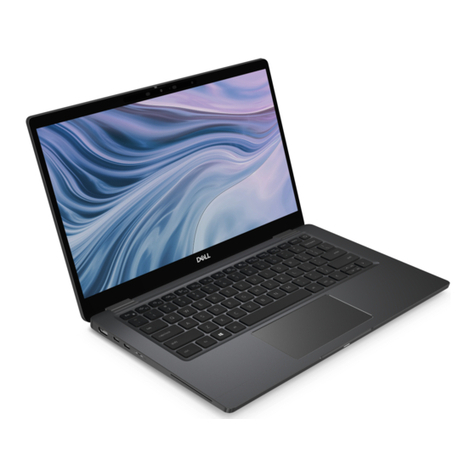
HP mt42 Manual

HP mt42 Mobile Thin Client
Maintenance and Service Guide

© Copyright 2015, 2016 HP Development
Company, L.P.
AMD and AMD Radeon are trademarks of
Advanced Micro Devices, Inc. Bluetooth is a
trademark owned by its proprietor and used by
HP Inc. under license. Microsoft and Windows
are either registered trademarks or trademarks
of Microsoft Corporation in the United States
and/or other countries.
The information contained herein is subject to
change without notice. The only warranties for
HP products and services are set forth in the
express warranty statements accompanying
such products and services. Nothing herein
should be construed as constituting an
additional warranty. HP shall not be liable for
technical or editorial errors or omissions
contained herein.
Second Edition: January 2016
First Edition: October 2015
Document Part Number: 813464-002
Product notice
This user guide describes features that are
common to most models. Some features may
not be available on your computer.
Software terms
By installing, copying, downloading, or
otherwise using any software product
preinstalled on this computer, you agree to be
bound by the terms of the HP End User License
Agreement (EULA). If you do not accept these
license terms, your sole remedy is to return the
entire unused product (hardware and software)
within 14 days for a full refund subject to the
refund policy of your seller.
For any further information or to request a full
refund of the price of the computer, please
contact your seller.

Important Notice about Customer Self-Repair parts
CAUTION: Your computer includes Customer Self-Repair parts and parts that should only be accessed by an
authorized service provider. See Chapter 5, "Removal and replacement procedures for Customer Self-Repair
parts," for details. Accessing parts described in Chapter 6, "Removal and replacement procedures for
Authorized Service Provider only parts," can damage the computer or void your warranty.
iii

iv Important Notice about Customer Self-Repair parts

Safety warning notice
WARNING! To reduce the possibility of heat-related injuries or of overheating the device, do not place the
device directly on your lap or obstruct the device air vents. Use the device only on a hard, at surface. Do not
allow another hard surface, such as an adjoining optional printer, or a soft surface, such as pillows or rugs or
clothing, to block airow. Also, do not allow the AC adapter to contact the skin or a soft surface, such as
pillows or rugs or clothing, during operation. The device and the AC adapter comply with the user-accessible
surface temperature limits dened by the International Standard for Safety of Information Technology
Equipment (IEC 60950-1).
v

vi Safety warning notice

Table of contents
1 Product description ....................................................................................................................................... 1
2 External component identication .................................................................................................................. 4
Right ....................................................................................................................................................................... 4
Left ......................................................................................................................................................................... 5
Display .................................................................................................................................................................... 6
Top .......................................................................................................................................................................... 7
TouchPad ............................................................................................................................................. 7
Lights ................................................................................................................................................... 8
Buttons and speakers .......................................................................................................................... 9
Keys ................................................................................................................................................... 10
Bottom ................................................................................................................................................................. 12
Front ..................................................................................................................................................................... 13
Locating system information .............................................................................................................................. 13
3 Illustrated parts catalog .............................................................................................................................. 15
Computer major components .............................................................................................................................. 15
Display assembly subcomponents ...................................................................................................................... 18
Plastics Kit ........................................................................................................................................................... 19
Miscellaneous parts ............................................................................................................................................. 19
4 Removal and replacement procedures preliminary requirements .................................................................... 21
Tools required ...................................................................................................................................................... 21
Service considerations ......................................................................................................................................... 21
Plastic parts ....................................................................................................................................... 21
Cables and connectors ...................................................................................................................... 22
Drive handling ................................................................................................................................... 22
Grounding guidelines ........................................................................................................................................... 23
Electrostatic discharge damage ........................................................................................................ 23
Packaging and transporting guidelines .......................................................................... 24
Workstation guidelines ................................................................................................... 24
Equipment guidelines ..................................................................................................... 25
5 Removal and replacement procedures for Customer Self-Repair parts ............................................................. 26
Component replacement procedures .................................................................................................................. 26
Bottom cover ..................................................................................................................................... 26
vii

Battery ............................................................................................................................................... 29
SSD ..................................................................................................................................................... 30
Memory modules ............................................................................................................................... 31
WLAN/Bluetooth combo card ............................................................................................................ 33
WWAN module ................................................................................................................................... 35
Keyboard ........................................................................................................................................... 37
6 Removal and replacement procedures for Authorized Service Provider parts ................................................... 40
Component replacement procedures .................................................................................................................. 40
RTC battery ........................................................................................................................................ 41
Internal base plate ............................................................................................................................ 42
Heat sink/fan assembly .................................................................................................................... 44
Power button board .......................................................................................................................... 46
Touchpad button board ..................................................................................................................... 47
USB/audio board ................................................................................................................................ 48
System board .................................................................................................................................... 49
Speaker assembly ............................................................................................................................. 51
Display assembly ............................................................................................................................... 52
Top cover ........................................................................................................................................... 56
7 Computer Setup (BIOS) and MultiBoot ........................................................................................................... 57
Using Computer Setup ......................................................................................................................................... 57
Starting Computer Setup .................................................................................................................. 57
Navigating and selecting in Computer Setup ................................................................................... 57
Restoring factory settings in Computer Setup ................................................................................. 58
Updating the BIOS ............................................................................................................................. 58
Determining the BIOS version ......................................................................................... 58
Downloading a BIOS update ........................................................................................... 59
Using MultiBoot ................................................................................................................................................... 60
About the boot device order ............................................................................................................. 60
Choosing MultiBoot preferences ....................................................................................................... 60
Setting a new boot order in Computer Setup ................................................................. 60
Dynamically choosing a boot device using the f9 prompt ............................................. 61
Setting a MultiBoot Express prompt .............................................................................. 61
Entering MultiBoot Express preferences ........................................................................ 61
Using HP Sure Start (select models only) ............................................................................................................ 61
8 Using HP PC Hardware Diagnostics (UEFI) ....................................................................................................... 62
Downloading HP PC Hardware Diagnostics (UEFI) to a USB device .................................................................... 62
viii

9 Device management .................................................................................................................................... 64
10 Diagnostics and troubleshooting ................................................................................................................ 65
Lights ................................................................................................................................................................... 65
Wake-on LAN ....................................................................................................................................................... 65
Power-on sequence ............................................................................................................................................. 66
Power-on diagnostic tests ................................................................................................................................... 66
Troubleshooting ................................................................................................................................................... 66
Basic troubleshooting ....................................................................................................................... 66
Conguring a PXE server ..................................................................................................................................... 67
11 Restoring the ash image ........................................................................................................................... 68
System requirements .......................................................................................................................................... 68
Getting started ..................................................................................................................................................... 68
Formatting a USB ash drive ............................................................................................................................... 68
Unpacking the image and tools for deployment ................................................................................................. 69
Deploying with PXE .............................................................................................................................................. 69
12 Adding an image restore tool ...................................................................................................................... 70
13 Power cord set requirements ...................................................................................................................... 71
Requirements for all countries ............................................................................................................................ 71
Requirements for specic countries and regions ................................................................................................ 71
14 Statement of memory volatility .................................................................................................................. 73
Nonvolatile memory usage ................................................................................................................................. 75
Questions and answers ....................................................................................................................................... 77
Using HP Sure Start (select models only) ............................................................................................................ 78
15 Specications ............................................................................................................................................ 79
Input power .......................................................................................................................................................... 79
Operating environment ....................................................................................................................................... 79
16 Recycling .................................................................................................................................................. 80
Index ............................................................................................................................................................. 81
ix

x
Table of contents
Other HP Laptop manuals

HP
HP ENVY x360 Convertible PC Manual

HP
HP OMEN 15 Manual

HP
HP Spectre Ultrabook PC Manual

HP
HP Pavilion ZT3000 Parts list manual

HP
HP EliteBook 745 G2 User manual

HP
HP OmniBook 7100 User manual

HP
HP Mini 210-2080 User manual

HP
HP Compaq Notebook series User guide

HP
HP Pavilion 14-c000 User manual

HP
HP ProBook 640 G1 Manual