HILL PUMPS EC-3000 Operator's manual

Rev 5 May 2022
USER INSTRUCTION MANUAL
EC3000 PORTABLE AIR COMPRESSOR

2
Rev 5 May 2022
Contents
Parts Included……………………………………………………………………………..3
Set Up……………………………………………………………………………………...4-6
Operating Instructions:
Connecting to a vessel…………………………………………………………….6
Switching on power………………………………………………………………...7
Setting target pressure…………………………………………………………….7
Starting a fill…………………………………………………………………………8
Pausing a fill………………………………………………………………………...9
Auto Cooling………………………………………………………………………...9
Auto Cut-Off & Depressurisation…………………………………………………10
Lubrication check timeout…………………………………………………………10
Setting units of pressure…………………………………………………………..11
Trimming calibration……………………………………………………………….12
Troubleshooting…………………………………………………………………………..13
Closedown………………………………………………………………………………...13
Storage…………………………………………………………………………………….13
Maintenance………………………………………………………………………………13
DO

3
Rev 5 May 2022
Parts Included
1x EC-3000 Compressor
1x Power Cable
1x High Pressure Filling Hose 1/8” and male Quick Release Coupling
1x Hill A73 Crank Oil
1x Hill A72 Silicone Oil

4
Rev 5 May 2022
SET UP
CAUTION - Please read and understand the following instructions
before use.
CAUTION - Once the compressor has been correctly filled with
lubricants, the compressor must be kept upright at all
times. Ensure the compressor is used on an anti-slip floor,
preferably placed on anti-slip matting.
1) Crank Oil Level
With the compressor positioned on a level surface, check that the oil
level meets the red dot on the sight glass.
Top up as necessary as per the following procedure:
— Ensure the correct oil type is used.
— Remove red crank case cap by unscrewing (anti-clockwise).
— Slowly squeeze the Hill A73 crank oil into the exposed hole until
the lubricant level meets the red dot in the sight glass. This
should approximately use a full bottle (50ml).
— Replace the red cap finger tight (clockwise).
DO NOT MIX CRANK OIL AND SILICONE OIL
DO NOT OVERFILL
After an oil change or fill, leave the oil to settle for 5 mins, if the
oil level drops below the red dot, top up with more oil until the level is
maintained.

5
Rev 5 May 2022
2) Silicone Oil Level
Top up the silicone oil reservoir as per the following procedure:
— Ensure the correct oil type is used.
— Remove silicone oil reservoir blue cap by unscrewing
(anti-clockwise).
— Slowly squeeze the Hill A72 silicone oil into the exposed hole until
the lubricant level meets the blue max level line indicated on the
reservoir. Ensure that the silicone oil uptake straw is submerged
in the reservoir.
— Replace the blue cap finger tight (clockwise).
DO NOT MIX CRANK OIL AND SILICONE OIL
DO NOT OVERFILL

6
Rev 5 May 2022
3) Power connection
Insert the C13 power cable into the C14 socket on the left hand side
of the compressor.
Please avoid using any electrical extension leads if possible.
However, if you must use a third-party extension lead, this must be as
short as possible and must be rated to minimum of 110V / 16A
or 230 V / 13 A depending on your local power supply. If unsure,
please determine what your local power supply is before operating
the compressor.
4) Connecting to a vessel
Connect filling probe to hose, ensure spanner tight or use Quick
Release Coupling fitted.
Connect filling probe to vessel.
Ensure bleed screw is closed (finger tight).
CAUTION: If using a quick release coupling, always check and
make sure the collar on the female quick disconnect is
in the forward position and secure on the male fitting
you are connecting it to. It is recommended that you
check the connection by attempting to pull the female
and male ends apart while the fitting is in the forward
position before pressurizing.

7
Rev 5 May 2022
Switching on power
Power up the compressor using the red switch on the left hand side.
The display will briefly show the Hill logo, the firmware version and the
running time.
Next, the compressor will request the user to confirm the lubricant
levels have been checked and are correct.
Press the rotary control knob to confirm the lubricant check. After this,
the display will show the first page of the main menu; the target
pressure display.
Operang Instrucons
Setting Target Pressure
The target pressure is the pressure at which the compressor will
automatically stop filling a vessel.
To set the target pressure, first navigate to the “Target Pressure”
display. This is the first display in the main menu, which appears after
the lubricant check described above.
With the target pressure display visible, press the rotary control knob
once to enable selection mode. A selection arrow will appear next
to the pressure value. With the selection arrow visible, rotate the
rotary control knob clockwise or anti-clockwise to Increase or
decrease the target pressure setting.
Once the desired target pressure is displayed, press the rotary control
knob once to confirm the target pressure selection. After confirming
the target pressure selection, the start display at the end of the main
menu will appear.

8
Rev 5 May 2022
Starting a fill
First navigate to the start display by rotating the rotary control knob
clockwise while in the main menu.
The start display shows the current cylinder block temperature and
the selected target pressure.
If the compressor detects that there is high pressure (roughly greater
than 70 BAR / 1015 PSI) in the system, this pressure will be displayed
on the lower left of the start display. The target pressure is displayed
on the lower right.
If no high pressure is detected in the system, only the target pressure
will be displayed.
With the start display visible, press the rotary control knob once to
start the compressor. After starting the compressor, the running
display will appear.
If the pressure in the system is low (roughly less than 70 BAR
/ 1015PSI), the display will show “Pressurising”.
If the pressure in the system is above this, the display will show
the current pressure on the lower left side and the target pressure on
the lower right.

9
Rev 5 May 2022
Pausing a fill
A fill can be paused at any time by pressing the rotary control knob
once.
After pausing a fill, rotating the rotary control knob in either direction
will cycle between the option to resume or abort the current fill.
Auto Cooling
The compressor is designed to operate within a specific temperature
range. The operating temperature range varies depending on the
pressure in the system.
The compressor will automatically pause for cooling when it detects
that the running temperature has exceeded the maximum operating
temperature. This is normal and no operator intervention is required.
The compressor will automatically resume after a sufficient period of
cooling.
When auto cooling is in progress, the display shows the “cooling”
indicator.
10
Rev 5 May 2022
Auto Cut-Off & Depressurisation
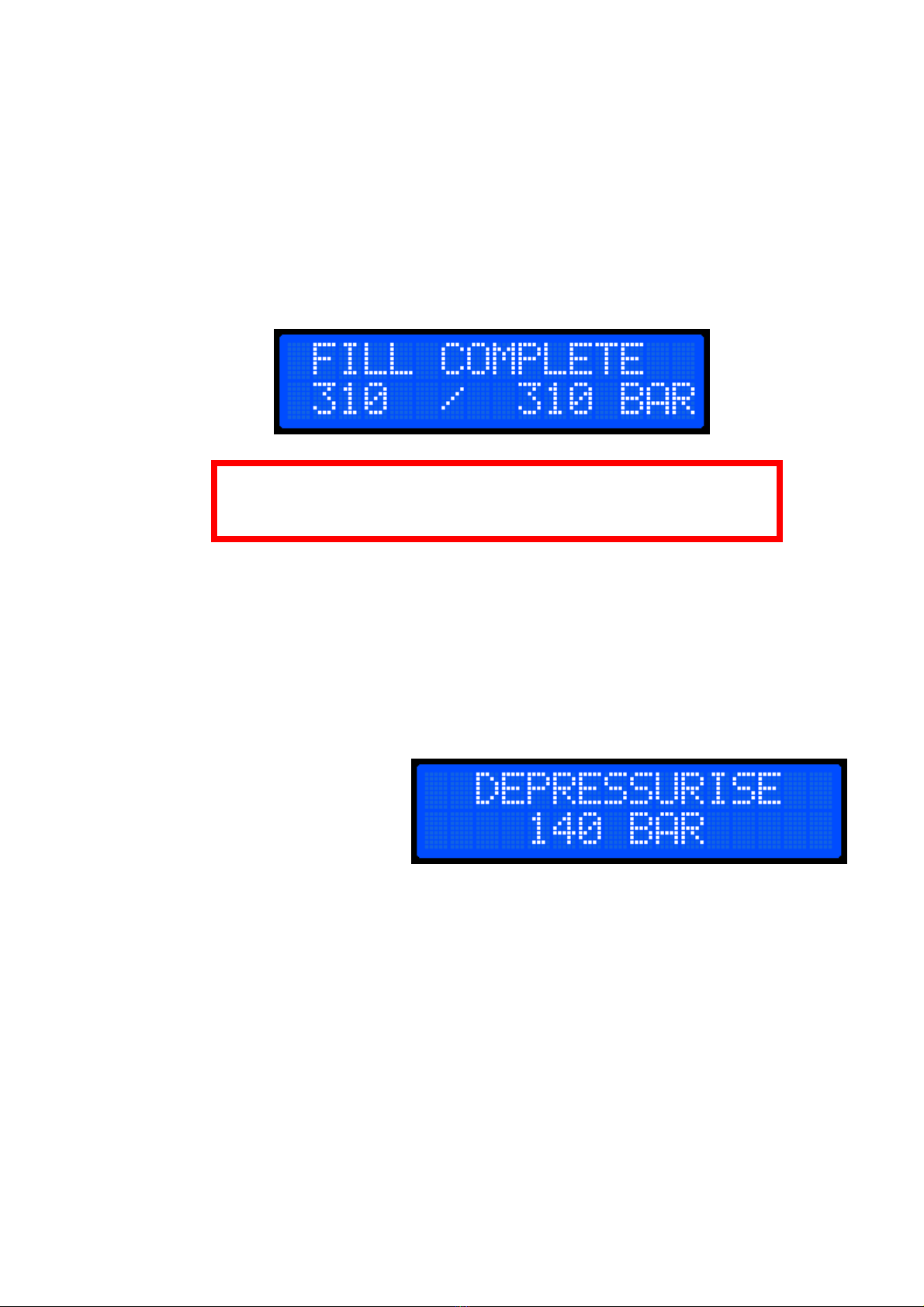
When the target pressure has been reached, the display will show
“Fill Complete”. It is normal for the achieved pressure to reduce by up
to 5% after the fill has completed, particularly in smaller vessels. This
is due to the effect of cooling and flow losses. To compensate for this,
the user may wish to increase the target pressure, permitting that the
vessel is sufficiently rated.
DO NOT disconnect the vessel until the compressor has been
fully depressurised.
Depressurise the compressor by unscrewing the bleed screw; using a
rag for this is advised. Whilst depressurising, some moisture and
silicone may be expelled from the water separator.
Suitable precautions should be taken to protect any floor coverings
under the compressor.
The display will show the progress of the depressurisation.
When the compressor detects that the pressure is low (roughly below
70 BAR / 1015PSI) the display will return to the main menu.
The bleed screw should remain unscrewed to allow the compressor to
fully depressurise. After this, the vessel can be safely disconnected.
Lubrication check timeout
During long fills, the compressor will occasionally automatically stop
and request that the lubricant levels are checked.
At this time it is also necessary to fully bleed the water separator to
prevent excess moisture accumulation. If connected to a vessel
without a non-return valve, close the valve on the bottle and bleed the
compressor as described above. Users in particularly humid climates
may need to bleed the water separator more often.
Other manuals for EC-3000
2
Table of contents
Other HILL PUMPS Air Compressor manuals