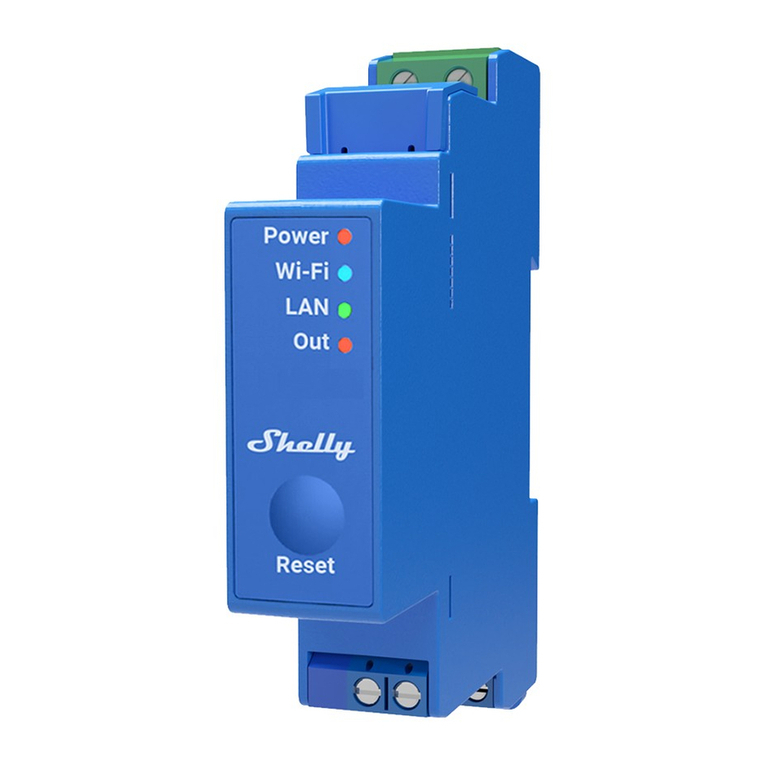
HDL HDL-MPR02-RF.18 User manual

Wireless 2CH Relay
HDL-MPR02-RF.18
www.hdlautomation.com
User manual

User Manual
HDL-MPR02-RF.18
Wireless Relay –User Manual
Document updates:
Version
Date
Description
V1.0
2015.09.05
Finish new document

User Manual
HDL-MPR02-RF.18
Wireless Relay –User Manual
INDEX
1. Overview........................................................................................................................................1
1.1 General Information...........................................................................................................1
1.1.1 Description...............................................................................................................1
1.1.2 Dimensions..............................................................................................................1
1.2 Functionalities Description............................................................................................... 1
1.3 Device Description.............................................................................................................2
2. Safety Instructions....................................................................................................................... 2
3. Technical Data.............................................................................................................................. 3
4. Important Notes............................................................................................................................ 4
5. Software Configuration................................................................................................................4
5.1 Basic Information............................................................................................................... 4
5.1.1 Wireless Setting via Mesh Gateway................................................................... 4
5.1.2 Device configuration.............................................................................................. 6
5.1.3 Remark.................................................................................. 错误!未定义书签。
5.2 Channel............................................................................................................................... 7
5.2.1 Channel Information...............................................................................................7
5.2.2 Mains frequency..................................................................................................... 7
5.2.3 Status restore when power on............................................................................. 7
5.3 Configuration...................................................................................................................... 8
5.3.1 Setting For Keys..................................................................................................... 8
5.3.2 Remark.....................................................................................................................8
5.3.3 Switch type.............................................................................................................. 9
5.3.4 Unqualifiedde........................................................................................................ 11
5.3.5 Delay time..............................................................................................................11
5.3.6 Dimming................................................................................................................. 12
5.3.7 Target......................................................................................................................12
5.3.8 Low limit................................................................................................................. 13
6. Note.............................................................................................................................................. 14

User Manual
HDL-MPR02-RF.18
Wireless Relay – User Manual 1
1. Overview
1.1 General Information
1.1.1 Description
HDL-MPR02-RF.18 wireless 2 channels relay, has 4CH dry contact, can control target by
switch. This module should be configured by wireless gateway.
1.1.2 Dimensions
Wall box
1.2 Functionalities Description
2CH relay output
Support switch on delay, protection delay, switch off delay, switch off delay
The 4CH dry contact supports: mechanical switch and electronic switch, can control
the target, has dimming function
The dry contact supports: mechanical switch, single on, single off, single on/off,
combination on/off, muti-function, parallel switch
Each switch type can set switch mode, dimmable two-way, dimmable increase,
dimmable reduce.
Control type: scene, sequence, universal switch, single channel lighting control,
broadcast scene, broadcast channel, curtain switch, GPRS control switch, panel
17mm
36mm
36mm
44mm

User Manual
HDL-MPR02-RF.18
Wireless Relay – User Manual 2
control, security module, z-audio control
Support IEEE.802.15.4
Support online upgrading
Support easy programming
1.3 Device Description
2. Safety Instructions
When power on, cannot touch the power, load, load, dry contact terminal, avoid
electric shock.
Never let the liquids get into the module, it will damage this device.
Ensure good ventilation.
Output channel – The following list is the recommended for output channel. To protect
the relay, please connect a 16A breaker for each channel.
Recommended load type and power (work in AC220V)
Motors 1HP (1HP=746W)
Incandescent lamp load 3500W
Inductive transformer 450W
Programming button: if it is working
properly, the green light will flicker,
press the button three times
continuously, the green light will
flicker quickly, enter the setup mode
(the gateway should enter the setup
mode at the same time,so that can
set the wireless parameters for it)
L
N
Dry contact
Programming button
Antenna
L
N

User Manual
HDL-MPR02-RF.18
Wireless Relay – User Manual 3
Electronic transformer 500W
Halogen lamp 3500W
Mercury vapor lamp
*Uncompensated lamp: 700W
*Parallel compensated lamp 700W
Fluorescent lamp T5/T8
*Uncompensated lamp 875W
*Parallel compensated lamp 500W
*DUO lamp 500W
Dulux lamp
*Uncompensated lamp 375W
*Parallel compensated lamp 375W
3. Technical Data
Electrical Parameter:
Input voltage
AC85-265V, 50/60Hz
Output current
8A
Power consumption
Max.0.45W
4CH/3A
Wireless transmit power
+10dbm
8A
Wireless receive sensitivity
-90dbm
Indoor communication distance
<=30m
RSSI receive signal receiving
>-80dbm
Wireless central frequency:
WPAN (China)
780 to 786MHz
SRD (Europe)
864 to 870MHz
ISM (North America)
904 to 928MHz
Default band
780MHz
Default PSK
HDL-SecurityKey0
Environmental Condition:
Working temperature
-5%~45%

User Manual
HDL-MPR02-RF.18
Wireless Relay – User Manual 4
Working relative humidity
Up to 90%
Storage temperature
-20%~+60%
Storage relative humidity
Up to 93%
Approved
CE
RoHS
Product Information:
Dimensions
44×36×17 (mm)
Weight
39.7g
Housing material
PC
Installation
Wall box
Protection degree
IP20
Fire and null wire
1.5mm2(the module provides 15cm wire)
Load cable
1.5mm2(the module provides 15cm wire)
Stripping length
5~7mm
4. Important Notes
This module should work with wireless gateway
Connection – Check the connection, avoid short circuit
When power on, cannot touch the power, load and dry contact terminal, avoid the
electric shock
The subnet ID of wireless relay should be same as wireless gateway
5. Software Configuration
5.1 Basic Information
5.1.1 Wireless Setting via Mesh Gateway
Before user can configure the wireless relay normally, need to set the wireless parameters
for it via mesh gateway, and the mesh gateway needs to work in mesh mode.

User Manual
HDL-MPR02-RF.18
Wireless Relay – User Manual 5
1- Set the free frequency and unique PSK PWD for the gateway
2- Press the ‘PROG’ button 3 times continuously, the red LED will flash quickly that means
the gateway enters the wireless setup mode.
3- Press the programming button of wireless 2CH relay 3 times continuously, the green
LED will flash quickly, enter the setup mode.
4- Click the ‘Search’ button, the wireless relay will be shown as below
5- Select the mode, you will be able to change its ID and remark it (the subnet ID must be
same as the gateway)

User Manual
HDL-MPR02-RF.18
Wireless Relay – User Manual 6
6- Click ‘Modify Setting of Selection’, then all its wireless parameters will follow the
gateway’s (Band, Frequency and PSK).
7- Click ‘all Node Exit Setup’, then the wireless devices will exit the wireless setup mode
8- Go to the HDL Buspro setup tool’s main interface to search and add the wireless relay,
then can start to configure it.
5.1.2 Device Information
Displays the device’s information.

User Manual
HDL-MPR02-RF.18
Wireless Relay – User Manual 7
5.2 Channel
5.2.1 Channel Information
Switching on delay: When receives the on command, will not switch on immediately but
after the delay time.
Protection delay: If a protection delay of 1 minute is set, and the relay channel is turned
off, it cannot be turned on again until 1 minute later. This is useful for loads which are not
suitable to be rapidly turned on and off.
Off delay: when receives the off command, will not switch off immediately but after the
delay time.
Remark: Do the remark for easy management.
5.2.2 Mains frequency
It supports 50Hz/60Hz
5.2.3 Status restore when power on
Click ‘Enable’, when power on the wireless relay, it will turn back to the status before
power off.
Table of contents