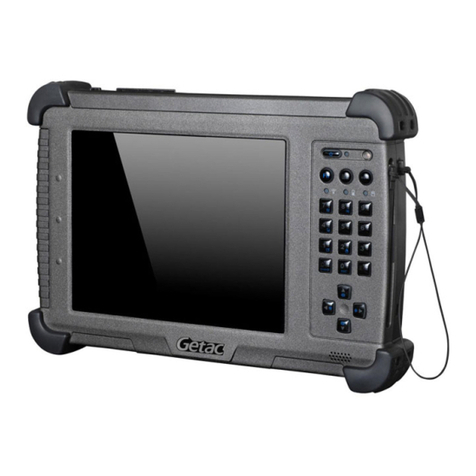
HARMAN/BECKER BE 7928 User manual

User’s Manual
HARMAN/BECKER AUTOMOTIVE SYSTEMS
BE 7928

Trademarks
All brand and product names are trademarks or registered trademarks of their
respective companies.
Disclaimer
Specifications and manuals are subject to change without notice. Mio Technology

assumes no liability for damage incurred directly or indirectly from errors,
omissions, or discrepancies between the device and the manuals.


i
Table of Contents
Table of Contents...................................................................................i
Precautions and Notices .....................................................................iii
1Getting Started................................................................................1
1.1
Understanding Hardware Components................................................ 1
Front Components ............................................................................... 1
Back Components................................................................................ 2
Left-Side Components ......................................................................... 3
Right-Side Components....................................................................... 3
Top Components.................................................................................. 4
Bottom Components ............................................................................ 4
1.2
Performing the Initial Start Up.............................................................. 5
1.3
Connecting to AC Power and Charging the Battery............................. 6
1.4
Using Your Device in a Vehicle............................................................7
Connecting the Car Charger................................................................ 7
1.5
Operating Basics.................................................................................. 8
Turning On and Off ..............................................................................8
Navigating on the Screen..................................................................... 8
1.6
Inserting a SD/MMC Card.................................................................... 9
1.7
Using the FM Transmitter................................................................... 10
2Connecting a Blutooth Phone......................................................11
2.1
General............................................................................................... 11
Phone number download................................................................... 11
Last mode / auto-connect phone........................................................ 11
Quick access...................................................................................... 11
2.2
Phone Main Menu.............................................................................. 12
Dial number........................................................................................ 12
Phone book........................................................................................ 13
Connect phone................................................................................... 13
Phone / Bluetooth settings................................................................. 14

ii
3Troubleshooting and Maintenance.............................................. 15
3.1
Resetting Your System ...................................................................... 15
3.2
Troubleshooting ................................................................................. 15
Power Problems................................................................................. 15
Screen Problems................................................................................ 15
Connection Problems......................................................................... 16
GPS Problems.................................................................................... 16
3.3
Maintaining Your Device.................................................................... 17
4Regulatory Information ................................................................19
4.1
Regulations Statements..................................................................... 19
European Notice ................................................................................ 19
4.2
FCC Notice......................................................................................... 23
4.3
Specially Notice.................................................................................. 24
4.4
Safety Precautions............................................................................. 24
About Charging .................................................................................. 25
About the AC Adapter........................................................................ 25
About the Battery ............................................................................... 25

iii
Precautions and Notices
For your own safety, do not operate the controls of the product while driving.
Use this product prudently. The product is intended for use solely as a
navigation aid. It is not for precise measurement of direction, distance,
location or topography.
The calculated route is for reference only. It is the user’s responsibility to
follow the traffic signs and local regulations along the roads.
When you get out of the car, do not leave your device on the dashboard
subjected to direct sunlight. Overheating of the battery can cause malfunction
and/or danger.
GPS is operated by the United States government, which is solely responsible
for the performance of GPS. Any change to the GPS system can affect the
accuracy of all GPS equipments.
GPS satellite signals cannot pass through solid materials (except glass). When
you are inside a tunnel or building, GPS positioning is not available.
A minimum of 4 GPS satellite signals is needed to determine current GPS
position. Signal reception can be affected by situations such as bad weather or
dense overhead obstacles (e.g. trees and tall buildings).
Other wireless devices in the vehicle might interfere with the reception of
satellite signals and cause the reception to be unstable.

iv
A car holder is needed when using the device in a car. Be sure that you place
the device in an appropriate place, so as not to obstruct the driver’s view, or
deployment of airbags.
Do not mount where the driver’s
field of vision is blocked. Do not place unsecured
on the dashboard.
Do not mount in front of
airbag panels. Do not mount in front of an
airbag field of deployment.

1
1 Getting Started
1.1 Understanding Hardware Components
NOTE: Depending upon the specific model purchased, the color of your device may not
exactly match the device shown in this manual.
Front Components
Ref
Component Description
Touch Screen Displays the output of your device. Tap the screen with your
fingertip to select menu commands or enter information.
Phone button Accepts or rejects the incoming calls.
Day/Night
button Switches between the Day view and the Night view when
using the Navigation program.
Power Button Press the button for more than 3 seconds to power on and off.
Back Button Press briefly to go back to the previous screen.

2
Home button Press to navigate to your home if you have set the home
address.
Main/Map
button Switches between the Main screen and the Map screen.
Bluetooth
Indicator Flashes in blue to indicate that Bluetooth is on.
Charge
Indicator Glows bright amber to indicate that the battery is charging,
and turns green when the battery is fully charged.
Bac Components
Ref
Component
Description
Speaker Sends out music, sounds and voice.
Cradle
Connector Connects to the device cradle or TMC cradle.
Table of contents
Popular Tablet manuals by other brands

Laser
Laser MID-1060 Quick operation guide

MUNBYN
MUNBYN IRT09J Easy setup guide

Motorola
Motorola MC3090R - Win CE 5.0 Professional 520 MHz quick start guide

Dell
Dell Latitude ST Setup and features information

Lenovo
Lenovo IdeaTab S6000L Hardware Maintenance Manual

Venturer
Venturer WT9L11 quick start guide