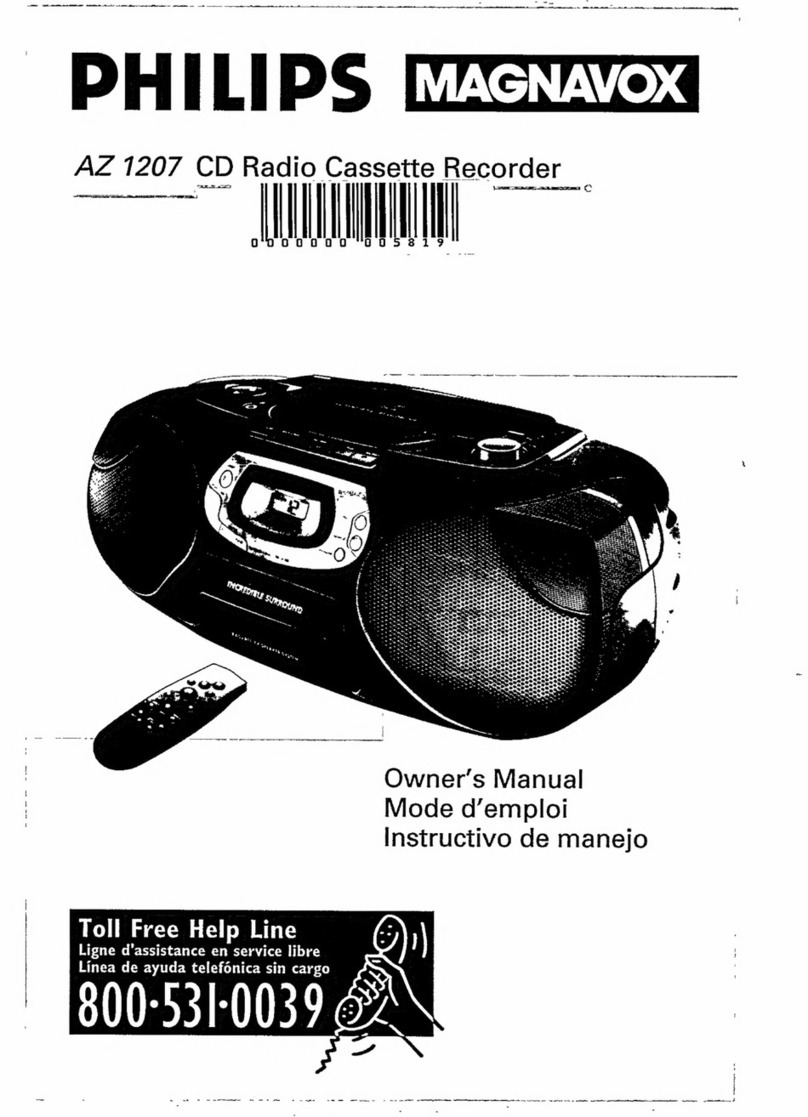
Hannlomax HX- 311CD User manual

CD/MP3 Boombox with Radio and USB
Model : HX- 311CD
INSTRUCTION MANUAL
Note: Please read and follow these instructions before using your unit
1 Read these instructions Keep these instructions Heed all warnings Follow all instructions
2 Do not use this apparatus near water
3 Clean only with dry cloth
4 Do not block any ventilation openings Install in accordance with the manufacturer’s instructions
5 Do not install near any heat sources such as radiators, heat registers, stoves, or other apparatus (including amplifiers) that produce heat
6 Do not defeat the safety purpose of the polarized or grounding-type plug A polarized plug has two blades with one wider than the other A
grounding type plug has two blades and a third grounding prong The wide blade or the third prong are provided for your safety If the
provided plug does not fit into your outlet, consult an electrician for replacement of the obsolete outlet
7 Protect the power cord from being walked on or pinched particularly at plugs, convenience receptacles, and the point where they exit from
the apparatus
8 Only use attachments/accessories specified by the manufacturer
9 Use only with the cart, stand, tripod, bracket, or table specified by the manufacturer, or sold with the apparatus
When a cart is used, use caution when moving the cart/apparatus combination to avoid injury from tip-over
10 Unplug this apparatus during lightning storms or when unused for long periods of time
11 Refer all servicing to qualified service personnel Servicing is required when the apparatus has been damaged in
any way, such as power-supply cord or plug is damaged, liquid has been spilled or objects have fallen into the
apparatus, the apparatus has been exposed to rain or moisture, does not operate normally, or has been dropped
12 Grounding or Polarization – This product may be equipped with a polarized alternating-current line plug (a plug having one blade wider
than the other) This plug will fit into the power outlet only one way This is a safety feature If you are unable to insert the plug fully into the
outlet, try reversing the plug If the plug should still fail to fit, contact your electrician to replace your obsolete outlet Do not defeat the
safety purpose of the polarized plug
13 Alternate Warnings – This product is equipped with a three-wire ground-type plug, a plug having a third (grounding) pin This plug will only
into a grounding-type power outlet This is a safety feature If you are unable to insert the plug into the outlet, contact your electrician to
replace your obsolete outlet Do not defeat the safety purpose of the grounding-type plug
14 Ventilation – Slots and openings in the cabinet are provided for ventilation and to ensure reliable operation of the product and to protect it
from overheating, and these openings must not be blocked or covered The openings should never be blocked by placing the product on
a bed, sofa, rug, or other similar surface This product should not be placed in a built-in installation such as a bookcase or rack unless
proper ventilation is provided or the manufacturer’s instructions have been adhered to
15 The MAINS plug or an appliance coupler is used as the disconnect device, the disconnect device shall remain readily operable
16 回: CLASS II apparatus with double insulation, and no protective earth provided
17 Caution Marking and rating plate was located at bottom enclosure of the apparatus
18 To reduce the risk of fire or electric shock, do not expose this apparatus to rain or moisture
19 The apparatus shall not be exposed to dripping or splashing and that no objects filled with liquids, such as vases, shall be placed on
apparatus
20 The mains plug is used as disconnect device The mains plug of apparatus should not be obstructed OR should be easily accessed
during intended use To be completely disconnect the power input, the mains plug or apparatus shall be disconnected from the mains
21 Battery shall not be exposed to excessive heat such as sunshine, fire or the like
22 Excessive sound pressure from earphones and headphone can cause hearing loss
FCC NOTICE
This equipment has been tested and found to comply with the limits for a Class B digital device, pursuant to Part 15 of the FCC Rules These
limits are designed to provide reasonable protection against harmful interference in a residential installation This equipment generates, uses
and can radiate radio frequency energy and, if not installed and used in accordance with the instructions, may cause harmful interference to
radio communications
However, there is no guarantee that interference will not occur in a particular installation If this equipment does cause harmful interference to
radio or television reception, which can be determined by turning the equipment off and on, the user is encouraged to try to correct the
interference by one or more of the following measures:
– Reorient or relocate the receiving antenna
– Increase the separation between the equipment and receiver
– Connect the equipment into an outlet on a circuit different from that to which the receiver is needed
– Consult the dealer or an experienced radio/TV technician for help
-1-
This device complies with part 15 of the FCC Rules Operation is subject to the following two conditions :
(1) This device may not cause harmful interference, and (2) this device must accept any interference received, including interference that
may cause undesired operation
LOCATION OF CONTROLS
1. Speaker 1 . LCD display
2. POWER / SOURCE Button 11. CD door
3. MODE/MEMORY/PROG Button 12. Handle
4. VOLUME – Button 13. FM Telescope Antenna
5. VOLUME + Button 14. Battery Door
6. SKIP / TUN < Button 15. Aux-in Jack
7. SKIP / TUN > Button 16. AC Socket
8. M+ / STOP Button 17 USB Slot
9. PLAY / PAUSE Button
AC OPERATION
Connect the plug to the AC socket of the unit and the other end to a standard AC outlet
ATTENTION
1 Do not plug or unplug the power cable while you have wet hands;
2 When planning not to use this unit for a long time, disconnect the power cable from the wall
outlet;
3 When disconnecting the power cord from the wall outlet, do not pull on the cord in order to
avoid shock risks caused by damaged cable
BATTERY OPERATION
Disconnect the AC Cord Set completely Open the Battery Compartment Door and insert 6
pieces UM-2 "C" size batteries into the battery compartment with battery polarity as shown
inside the battery compartment
SEQUENCE OF FUNCTION MODE
The sequence of the function mode is : “CD → USB → AUX → FM Radio → AM Radio”
-2-

AUX IN CONNECTION
1 Press POWER / SOURCE button and select the Aux-in mode The display will show
“AUX”
2 Insert one side of the audio cable (requires 3 5mm stereo plug, not supplied) into the
line-out jack or phones jack on your audio device and the other side to the aux-in jack on
the unit
3 Turn on your audio device and follow the playback instruction
4 Press VOLUME + or VOLUME – Button for the desired volume level;
5 To stop this function, press POWER/SOURCE button to turn off your audio device
RADIO OPERATION
Press POWER / SOURCE button and select the desired radio mode ( AM / FM )
MANUAL STATION SELECTION
1 Press the SKIP/TUN > or SKIP/TUN < button step by step to tune to the desired radio stations
2 Press VOLUME + or VOLUME – Button for the desired volume level;
SEARCH STATION OPERATION
1 Press and hold the SKIP/TUN > or SKIP/TUN < button for approx 1 second, it will start to
search the next radio station in the direction of the search
2 The search operation simply finds stations with strong signals Stations with weak reception
can only be tuned in manually
3 Press VOLUME + or VOLUME – Button for the desired volume level;
ANTENNA
For best reception, fully extend the FM Antenna to receive FM stations For AM reception, the
unit has a built-in antenna, turn the whole unit for best reception
FM STEREO
When turn to a FM Stereo Broadcast, “ST” will be shown on the LCD display
MEMORIZE RADIO STATIONS
1 Tune to the desired station
2 Press MODE/MEMORY/PROG button, the LCD display will show ‘ P 1
3 Press SKIP/TUN > or SKIP/TUN < button and select the desired number of your program
4 Press MODE/MEMORY/PROGRAM to store the radio station in the memory
5 Repeat steps from 1 to 3 to store more tracks in memory You can store up to 20 radio
stations in the memory ( 20 stations for AM and 10 stations for FM )
TO SELECT THE RADIO STATION IN THE MEMORY
Press M+ / STOP button for the radio station memory and press the M+ / STOP button skip up to
the next memory station
CD/MP3 PLAYBACK FUNCTION
To play a CD/MP3 disc, please follow the steps underneath:
1 Press POWER / SOURCE button and select the CD mode
2 Open the CD door, Insert the disc with the printed side facing up and close the CD door;
3 Disc information (total number of tracks) will appear on the LCD display and play
automatically
4 For MP3 disc, press and hold the MODE/MEM/ PROG button and LCD display will show
“FOLDER” Use SKIP/TUN > or SKIP/TUN < button to select the folder you want to listen
5 Press VOLUME + or VOLUME – Button for the desired volume level;
6 Press STOP button to stop playing the disc
-3-
Programming the CD/MP3 disc
The programming of the CD/MP3 disc should be done during STOP mode
1 Press MODE/MEM/ PROG button, LCD display will show ‘ PXX ‘ (XX indicates the preset
number of track to be programmed)
2 Press the SKIP/TUN > or SKIP/TUN < buttons to select the desired track
Press the MODE/MEM/ PROG button again to store this track in memory
3 Repeat steps from 2 to 3 to store more tracks in memory You can store up to 20 tracks in
the memory for CD disc and 99 tracks in the memory for MP3 disc
4 Press the PLAY/PAUSE button to play the disc in the programmed order
5 To stop playing, press the STOP/M+ button
6 To cancel the programming list, press the STOP/M+ button and open the CD door or press
SOURCE button
PLAYING MP3 FILES WITH USB
1 Press the POWER / SOURCE Button to select the USB mode
2 Plug your USB device into the USB port on the unit, the unit will start reading the files in the
USB device, it will show the total number of tracks of the device after reading and play from
track 001 automatically
3 Press and hold the MODE/MEM/ PROG button and LCD display will show “FOLDER” Use
SKIP/TUN > or SKIP/TUN < button to select the folder you want to listen
4 During playing, press the PLAY/PAUSE Button to temporarily pause playing To resume,
press the Play/Pause Button again
Skip Mode
1 During play or pause mode, press the SKIP/TUN > Button to go to the next track
2 During play or pause mode, press the SKIP/TUN < Button to go back to the previous track
Different Play Mode
Press the Mode Button to select different kinds of play mode with the following sequence
For Audio CDs : Repeat One Repeat All Normal
For MP3 Files : Repeat One Repeat Folder Repeat All Normal
Repeat One– repeat the track being played
Repeat All – repeat all the tracks in the storage media
Repeat Folder – repeat all the tracks in the entire album/folder
Normal – play the tracks in sequence
SPECIFICATIONS
Frequency Range: AM 520 - 1710 KHz
FM 87 5 - 108 MHz
Power Supply: AC 120V ~ 60Hz
Battery: 6 pcs “C‘’ size ( 6 X 1 5V )
Specifications are subject to change without further notice
-4-
Other Hannlomax CD Player manuals