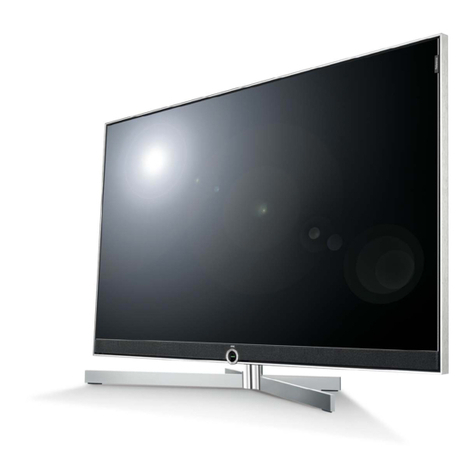
Haier HL42K User manual

MODEL: L32K1
L42K1
L47K1
P42K1
P50K1
TELEVISION
OWNER`S MANUAL
Please READ thismanual carefully before
operating your TV, and retain it for future
reference.

CONTENTCONTENT
BEFORE OPERATING
Warning..............................................................................................................1
Important Safety Instructions..............................................................................2
Buttons and interface location........................................................................... 4
Remote controller...............................................................................................6
Remote controller key function...........................................................................7
External equipment connections........................................................................8
BASIC OPERATING
Switching on/off the TV set................................................................................13
Choose the Menu language............................................................................. 13
Choose the Input Source ................................................................................. 13
Searching Channel............................................................................................14
Watching TV Program........................................................................................16
Picture Control Functions................................................................................. .17
Sound Control Functions....................................................................................19
Timer Functions..................................................................................................21
Function Menu...................................................................................................22
Adjust Menu.......................................................................................................23
Lock Setup ........................................................................................................24
OTHERS
Others functions................................................................................................26
Teletext .............................................................................................................27
Maintenance......................................................................................................29
Troubleshooting.................................................................................................30
Specifications ...................................................................................................31
Format..............................................................................................................32
Accessories
Remote controller User's manual Alkaline battery
(AA) 2 Power cable
+100
DNR MENU
F.LIST
SAP CC
H.LOCK
P.SIZE
CH
MUTE
S.MODE P.MODE
RECALL
VOL
DISPLAY
SLEEP
INPUT
HDMI FREEZE
OK

CAUTION
*To avoid electric hazards, it is strongly suggested that the back cover not be opened, as
there is no any accessory inside the casing.
*If necessary, please contact authorized after-sales services.
*A lighting flash mark in a triangle: Apotentially hazardous situation, which, if not avoided,
could result in serious injury by high voltage.
*An exclamation mark in a triangle: Major part or accessory of which technical specifications
must be followed if it is to be replaced.
Warning:
To avoid fire or electric hazards, never place your television receiver in an area
with heavy moisture. Attention should be paid to avoid accidental scratches or
impacts onto the screen.
WARNING
RISK OF ELECTRIC SHOCK
DO NOT OPEN
Caution:
Please read this manual carefully before using your television and keep this
manual in a good place for future reference.
To achieve the best performance of your television, read this User's Manual
carefully and properly store it for future reference.
Information of screen displays and figures in the User's Manual may vary due
to technical innovations.
Caution:
Unauthorized disassembly of this product is prohibited.
Warning
TO REDUCE THE RISK OF ELECTRIC SHOCK DO NOT REMOVE COVER (OR BACK). NO
USER SERVICEABLE PARTS INSIDE. REFER TO QUALIFIED SERVICE PERSONNEL.
1
Important Safety Instructions
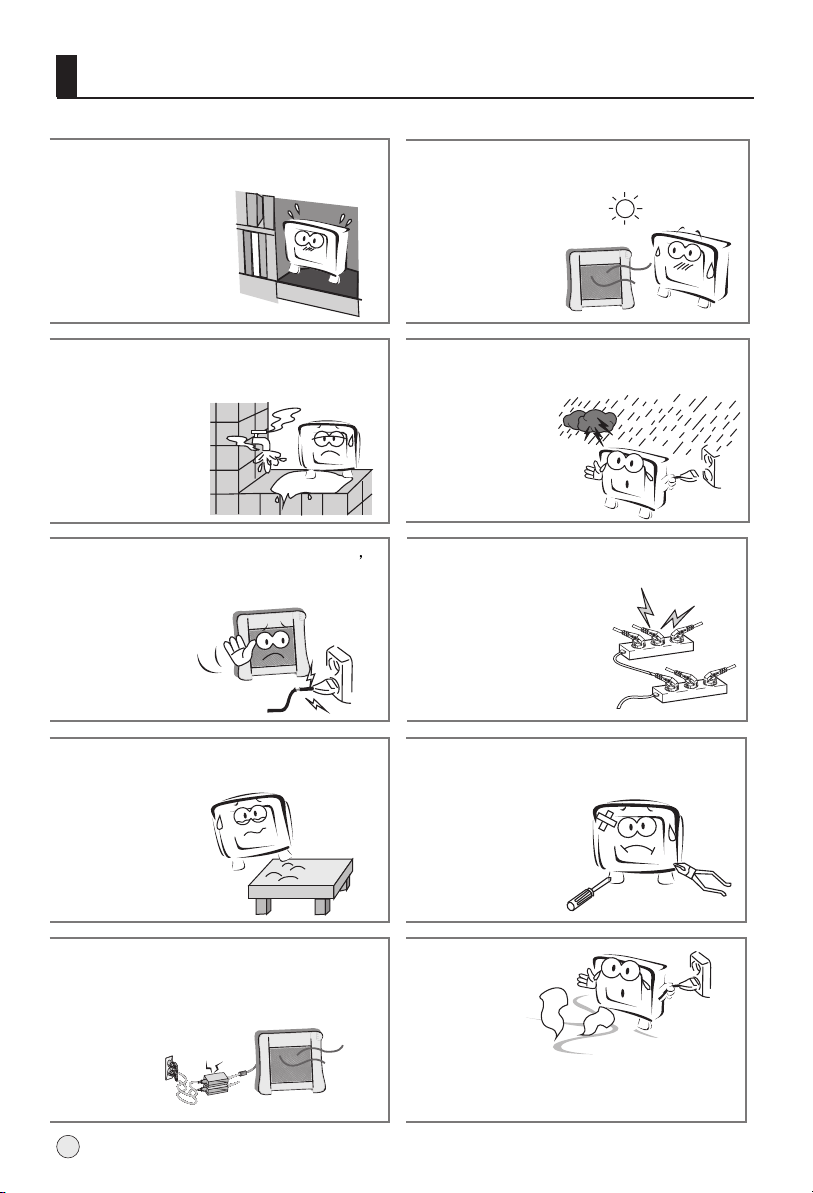
The product should be tightly fixed to avoid
drop damages and even fire.
To avoid fire hazards, do not use this
product under direct sunlight or closely
to heat sources.
Do not locate the product close to water
or oil, which may cause fire hazards.
Unplug the power supply and antenna of
the product when there is a rainstorm,
especially
Thunderstorm.
Do not use damaged or worn electric plugs
and keep electric cord away from heat sources
to avoid electric shocks or fire hazards.
Do not connect excessive sockets in parallel
or share the same socket by multiple plugs
to avoid fire hazards.
The product must be placed on a solid and
stable surface to avoid collapse.
Unauthorized disassembly of the television
is prohibited to avoid electric shocks or fire
hazards. Contact
authorized after-sales
service if technical
service is needed.
Keep the product away from a transformer
or heat source to avoid fire hazards.
Disconnect the product from power supply
and contact authorized after-sales service
if abnormal sound is heard in the product.
2

Important Safety Instructions
Don't use or store inflammable materials
near the product to avoid explosion or fire
hazards.
Don't place the product in a humid area to
avoid fire hazards.
The antenna of the product should be away
from electric cable to avoid
electric shocks.
Never touch the plug when your hand is wet
as this might cause electric shocks.
Always make sure that the televisionis well
plugged as poor electric
connection might cause fire.
When antenna is used, measures should be
taken to prevent water
from flowing down
along the cable into
the television.
Unplug the television, use soft fabric, never
chemicals, if you are going to make
cleaning of the product.
Make sure that no
water drops in the
product.
The plug and electric cable must be kept
clean to avoid electric
shocks or fire
hazards.
Disconnect the television from power supply
and antenna when there is a
rainstorm or thunderstorm
to avoid electric shocks
or fire hazards.
Disconnect the television from power supply
to avoid electric shocks or fire
hazards in a long
vocation.
3

Front panel Control
- This is a simplified representation of front panel.
- Here shownmay be somewhatdifferent from your TV.
Buttons and interface location
4
Side
TV/AV
MENU
VOL+
VOL-
CH+
CH-
Menu Button
Source Button
Volume Up/Down
Button
Program Up/Down
Button
POWER Standby
VIDEO2
IN
HDMI1
R
L
Right audio input
Left audio input
Video input
Earphone output
HDMI input

Buttons and interface location
Rear panel Control
5
HDMI Input Connnect a signalto HDMI
PC Input
AV1
Connect the monitoroutput connector froma PC tothe jack
Component Input
Connect a componentvideo/audiodevice to thesejacks.
Input
Connect audio/video outfrom an audio/videodevice to thesejacks.
S-Video Input Connect S-Video outfrom a S-Videodevice to thesejacks.
Earphone jack Earphone Audiooutput terminal
Antenna Input Connect cable orantenna signals to the TV, either directly or
through your cablebox.
Video/Audio output terminal
Connect ordinary video/audioor other applianceaudio input terminals.
COMPONENTIN
ANTIN

Remote controller
Precautions
Battery loading
1.Slide open the cover of the battery compartment on the back of the remote controller.
2.Load two 5# (AA)alkaline batteries in the compartment. (plus and minus poles to
respective mark)
3.Replace the cover of the battery compartment.
Make sure that there is no obstacle
between the remote controller and
television set.
As strong light may interfere the
signals, change your position to
operate the remote controller if
the television cannot be turned
on or off as you expect.
Keep the remote controller away from
heat source or humid area to ensure
effective performance of the remote
controller.
Make sure that two AA alkaline batteries
are loaded. The batteries must be of the
same type. The batteries must be
located properly. The batteries are not
rechargeable.
6
3
2
1

Remote controller key function
7
- The remote controller cannotbe operated unlessthe batteries areproperly loaded.
Function introduction
- When usingthe remote control,aim it atthe remote controlsensor on theTV.
STILL
SLEEP PIP
TV/AV
P.STD S.STD
H.LOCK
CH.LIST EXIT
SCAN
SWAP
TIMER ZOOM
ABC@ DEF
JKL%
GHI$ MNO
STUVPQR& WXYZ
*#()
MUTE
DISPLAY
CH+
CH-
VOL- VOL+
MENU
MUTE
Switches the soundon or off
Power On/Standby
any other programmedequipment
off.
DISPLAY Display ON/OFF
SLEEP
Displaying sleep time,adjustable
Digits
Program direct option(whenedit
program, every presscan set
different sign byturns among the
digits and signon top of them)
RECALL button
Return to thelast channel viewed.
MENU
main menu entry, menu exitor
return to nexthigher level menu.
CHANNEL UP/DOWN
Selects available channels
found with auto program.
S.STD
Selects the soundappropriate
for the program'scharacter.
STILL
Freezes the currently-viewed
picture, but audiocontinues.
Press STILL button again to
resume the normalpicture.
VOLUME UP/DOWN
Increases/decreases the
sound level.
P.STD
Selects the pictureappropriate
for the program`scharacter.
I/II (NICAM)
SCAN
Program scan button
PIP(no available)
TV/AV
Input source display
Teletext buttons
buttons which haveletters
on top alsocan use in TV.
Lock button
(enter the LockSet menu)
Channel list button
EXIT
clears all on-screendisplays and
returns to TVviewing from anymenu.
TIMER
Time display(only when
there is teletextin TV)
ZOOM
Adjust picture aspectratio

ANT IN
External Equipment Connections
Note
* It is recommended that you'd better use 75
* Don't bind antenna cable and electric wire together.
coaxial cable to remove the
disturbance caused by airwave.
outdoor
antenna
(not supply)
300 twin-lead cable
Antenna adapter
75 coaxial cable
Plug
(additional purchase)
Antenna input
75 standard
coaxial type
- Antenna or Cable Service without a Cable Box Connections
- For optimum picture quality, adjust antenna direction if needed.
To improve picture quality in a poor signal area, purchase
and install a signal amplifier.
If the antenna needs to be split for two Tv`s, install a 2-
WaySignal Splitter in the connections.
If the antenna is not installed properly, contact your dealer
for assistance.
(not supply)
8
This manual suits for next models
5
Table of contents
Other Haier TV manuals

Haier
Haier 29F9D User manual

Haier
Haier L32A7A-A1 User manual

Haier
Haier DTA-2196PF User manual

Haier
Haier HS-2198 User manual

Haier
Haier HL42B-B User manual

Haier
Haier L40A8A-A1 User manual

Haier
Haier NS-13CTV User manual

Haier
Haier L26A9A User manual

Haier
Haier HLH406BB Instruction manual

Haier
Haier L1527 User manual

Haier
Haier HL42XP22 User manual

Haier
Haier DTA-1496 User manual

Haier
Haier HL15WHITE User manual

Haier
Haier HTAF2918 User manual

Haier
Haier 21F8A User manual

Haier
Haier HTAF21C User manual

Haier
Haier TV-8888-34 User manual

Haier
Haier 29F3A User manual

Haier
Haier HT-2588 User manual

Haier
Haier 29T7A User manual