Haier 21F3A User manual

COLOUR TV RECEIVER
OWNER'S MANUAL
MAIN FUNCTIONS
Please read this manual carefully before operating
the unit, and keep it for future reference.
Slide Curtain Power On/Off Display
218 Channels Preset
Multiple Picture & Sound Modes
On/Off Timer
Child Lock
Soft Change Channel Function
Count Time
ChannelsAppointment
DVD Video Component Input Terminals
21T3A-T
21F3A-T
21T3A
21F3A


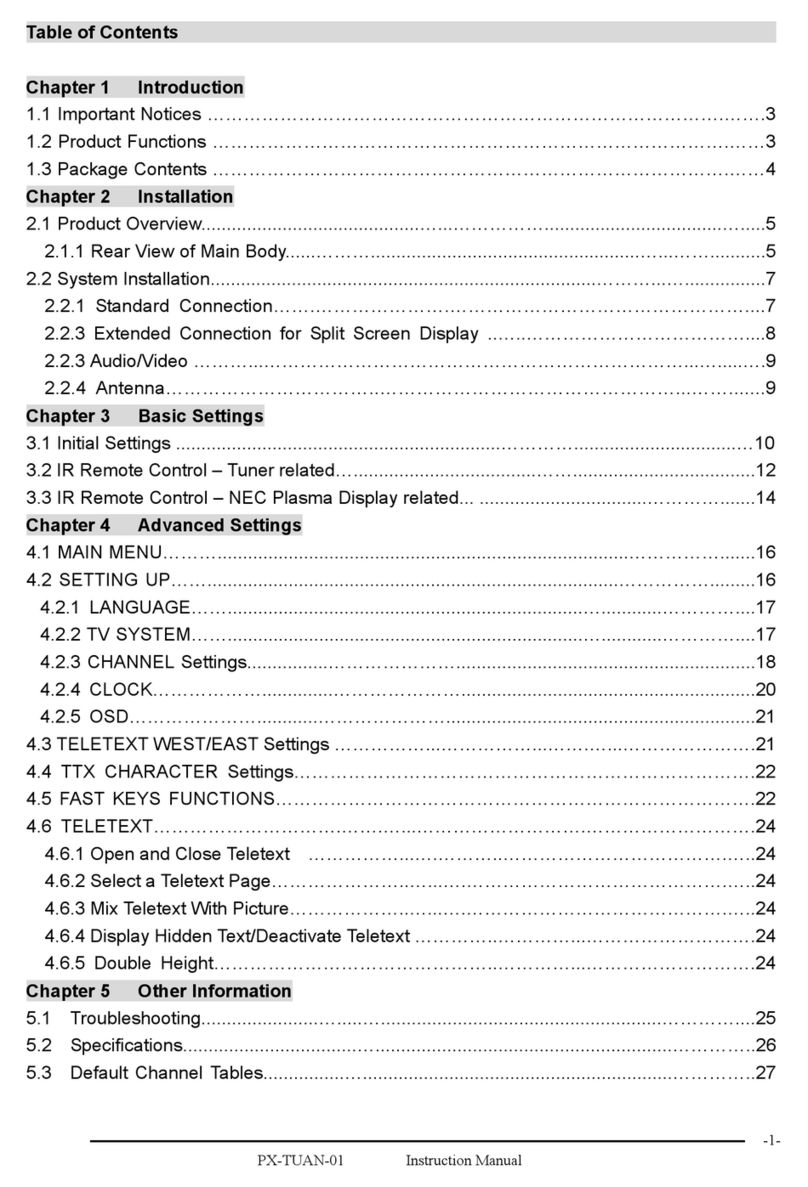
CONTENTS
Before Operation
Basic Operation
Others
Technical operation
Warning and Cautions
Installation
Antenna connection
Preparation for theremote control
Position of keysand plug-ins
Front panel
Back panel
the remote control
Power on andpower off
Viewing TV programs
Viewing TV programs
Program scan andscreen display
Tuning
Automatic search. ..
Manual search
MFT
Skip
Adjusting the pictureand the sound
S.C.C,count and mute
Setting the Timer
Timr off.. .
Setting the otherfunction
Language and screenprotection
Curtain function andcalendar display
Channel exchange
Setting the lock
Changing your password
Connecting Additional Equipments
Connecting additional equipment
Troubleshooting
Specifications
Using
Multiple picture modes. . . . . . . . . . . . . . . . . . . . . . . . . . . . . . . . . . . . ... .. . . . . . . . . . . . .
Game
Game control buttonsand method ofplaying the game
Multiple sound modes
Sleep timer andtimer on
Channels appoinment
Setting the lock

Warning and Cautions
1. When you clean the TV set, please
pull out the power plug from AC outlet.
Don't clean the cabinet and the
screen with benzene, petrol and other
chemicals.
4. To prevent the TV set from firing
and electric shock, don't expose the
TV set to rain or moisture.
2. In order to prolong the using life of
the TV set, please place it on a
ventilated place.
5. Don't open the back cover,
otherwise it is possible to damage the
components in the TV set and harm
you.
3. Don't place the
TV set in the
sunshine or near
heat source.
6. When the TV set isn't going to be
used for long time or it is in thunder
and lightening, please pull out the
plug from AC outlet and the antenna
plug from the cover of the TV set.
Explanation on the display tube
In general, it is not needed to clean the tube surface. However, necessary,
it's surface can be cleaned with a dry cotton cloth after cutting off the power.
Don't use any cleanser. If using hard cloth, the tube surface will be damaged.

Installation
Antenna connection
Generally speaking, to enjoy a clearer picture, we recommend that you use a CATV
system or an outdoor antenna .In different places, the suitable antenna type and position
are different.
Note
* It is recommended that you'd better use 75
* Don't bind antenna cable and electric wire together.
coaxial cable to remove the
disturbance caused by airwave.
Preparation for the remote control
Battery installation Tips for remote operation
Remove the batteries cover. !The battery life should be about one year
under normal use.
! When the remote control will not be used
for a long period of time or when the
batteries are worn out, remove the batteries
to prevent leakage.
! Do not throw the batteries into a fire.
Dispose of used batteries in the specified
manner.
! Do not drop, dampen or disassemble the
remote control.
Insert two size AA batteries matching
the +/-polarities of the battery to the +/-
marks inside the battery compartment.
!
!
300 twin-lead cable
Antenna adapter
75 coaxial cable
Plug
(additional purchase) AC power socket
Antenna input
75 standard
coaxial type
Mixer
additional
purchase

Position of Keys and Plug-ins
Back panel
Front panel
Power
switch
Menu
Channel
position up/down
TV/AV
switch
Volume
up/ down
Signal receiver
Power indicator
Headphone
socket
Video
R/L
audio
Audio input terminal
Antenna input socket
Video Cr inputterminal
Audio output terminal
Video Cb inputterminal
Video Yinput terminal
Video input terminal
Video output terminal
S-VIDEO input terminal
Please do not use the side and back AV terminals simultaneously.

Using the Remote Control
TV/AV
-/--
WID
BAR
DISP SYSTEM SCAN
WATCH
S.STDP.STD
LOCK
CH+
CH-
VOL+VOL- MENU
HIT
PRE BACK
CALENDAR
FIRE LIGHT
FIRE
EXIT
MODE RESTART
Buttons and Descriptions
TV and AV Exchange Button
Toexchange between TVand
other available videoinputs
Mute Button
Press to conceal thesound of programs.
Screen Display Button
System Adjust Button
Direct-digit Choosing Button
Directly select channelnumbers
Lock Setting button
Used for settinglock for channel-
searching, channel,AVand clock,etc.
Menu Select/Adjust Button
Use this buttonto adjust themenu,
the volume andthe channels, aswell
as to controlthe game.
Chromaic Belt LengthAdjust Button
(not available)
Program Play-forward Button
Calendar
Game Background SelectButton
BAR Button(not available)
Fire Button(can call thecalendar)
Background Lamp ControlButton
(not available)
Restart Game Button
Game Exit Button
Program Play-backward Button
Chromatic Belt Width Adjust Button
(not available)
Sound Mode Select Button
There are high,normal and low three
kinds of sound modes.
Stopwatch Button
Digit Select Button
Change the channel position number
between one digit, two-digits and three
-digits.
Picture Mode SelectButton
There are DYNAMIC,STANDARD,
MILD,MEMORY, PICTURE MUTEand
COLOR MUTE sixmodes of picture.
Program Scan Button
DC Standby Button
Sleep TimerButton
The stopwatch canwork 1 hourwithout
interruption and whenyou use this
function,do not operateother
function button aswell.

Power On and Power Off
Below are methods on how to power on/off the TV set with the switch on the TV and
on the remote control.
Power on/off
Connect/disconnect to the power
1.Connect the power supply wire, then press
power switch button, the red power indicator will
light, in several seconds the picture will appear
on the screen.
2. If the TV is in the state of standby, press the
button on the remote control.
3. Press the button on the remote control
to get into the standby state.
4. Press the button on the TV set to
completely turn off the TV.
NOTE
1.You can also press the 0-9
button to call off the standby
status instead of pressing the
DC Standby button. Press the
digit button of the preset channel
(limited to one digit) , you can
complete the selection of channel while you turn on the
TV set( To operate the preset of TV channel, please see
TUNING on page 9-12).
2.When you do not use the remote control, you can
directly press the the button on the television to call off
the standby status.
Power supply auto-off function
When the B.B(black background) is set ON,
and there is no signal , game screen protection
works, and ,in15 minutes later, it will change
into standby status.
DC Standby Button
Direct-digit Choosing Button
Menu
Channel
position up/down
TV/AV
switch
Volume
up/ down
Power
switch
Signal receiver
Power indicator

VOLUME
COLOR AUTO
SOUND DK
select adjust
PRE BACK
SYSTEM
Viewing TV Programs
The channels amountto 218(0-218).
Viewing TV programs
How to select the TV program
1.Use the direct-digit choosing button
2.Use CH+/- button
Press CH+ to increase the channel position number.
Press CH- to decrease the channel position number.
Press the button from 0-9 to select a one digit channel.
If you want to select a two-digits channel, press the
Digit Select button and change it into two-digits mode,
then press the number of the channel.
If you want to select a three-digits channel, press the
Digit Select button and change it into three-digits mode,
then press the number of the channel.
3.Use PRE button and BACK button
Press PRE button, you can go back to the channels you
viewed (as many as four).
Then, press Back button, you can return to the channels you
were watching just now (as many as four) .
For example, if you have viewed channel 1,2,3,4,5,6 after the
TV is powered on, and the channel you are watching now is
number 7, then press PRE button, you can view channel 6,5,
4,3, and you may press the Back button to return to channel 7.
If the channel position number you select is larger than 218,
the TV will use the first two number as the channel position.
Choose the proper volume you like
Press VOL+/- button to adjust the volume.
If the color or sound of one channel is abnormal
It might be because the color or sound
system has been set improperly.You may
follow the instructionbelow to adjustit.
Press SYSTEM button, and you can see
the form.
Press CH+/- button, and move the indicator to COLOR,
and press VOL+ button to select the proper color(AUTO,PAL,
SECAM,NTSC4.43 and NTSC3.58 will appear alternately).
Press CH+/- button, and move the indicator
to SOUND, and press VOL+/- button
to select the proper sound (DK and BG will
appear alternately).
If the color of the picture is abnormal
If the sound is abnormal
MENU
CH+
CH-
VOL- VOL+
If tne VOL STORE is set ON, the volume of
the pre-fifty channel will be stored
independently.
Press VOL+ to increase the volume, press
VOL- to decrease the volume.
Direct-digit Choosing
button
Digit Select
button
COLOR AUTO
select adjust
SOUND DK

Screen display
SCAN
½ÚÄ¿ä¯ÀÀ¼°ÆÁÄ»ÏÔʾ¹¦ÄÜ
Viewing TV Programs(coutinued)
Program scanning function is to let the television automatically scan all
preconcerted channel program(abouttwo seconds perchannel).
Program scan and screen display
Program scanning function
1.If you want to scan the programs
and select your favorite channel ,
just press the SCAN button, then
the television will start scanning
from the present channel with a
rate of two seconds per channel
and until all the preconcerted
programs have been displayed
once, the TV set will return to the
starting channel.
2.If you want to terminate this
function during thescanning, press
the SCAN button again, and the
program will stay at the present channel.
DISP Usually, when you press the DISP button, the channel
number will appear on the top right corner of the screen
and press it again, the screen's top left corner will
display the presenttime( the adjustmentof time please
see Setting the Timer ).If press it for a third time, the
channel number and time will both disappear .
Other manuals for 21F3A
3
This manual suits for next models
3
Table of contents
Other Haier TV Receiver manuals

Haier
Haier LET19C400F User manual

Haier
Haier D29FA11-AKM User manual

Haier
Haier LET32T1000HFM User manual

Haier
Haier 29F5D User manual

Haier
Haier 21F6B-T User manual

Haier
Haier 21FA10-AM User manual

Haier
Haier LET19C600F User manual

Haier
Haier L26A9A User manual

Haier
Haier L20AV6-A0 User manual

Haier
Haier WL19T1 User manual