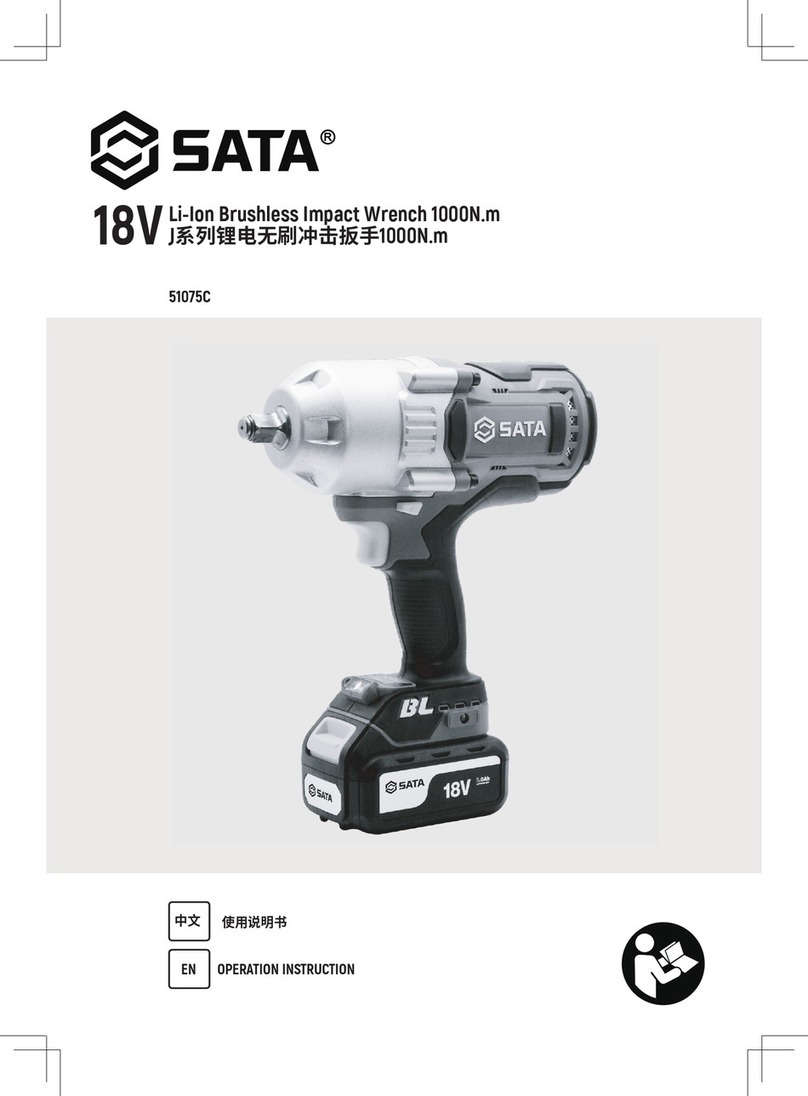
GreenWorks ID24B00 User manual

24V 1/4'' IMPACT DRIVER
ID24B00
www.GreenWorksTools.com
Read all safety rules and instructions carefully before operating this tool.
TOLL-FREE HELPLINE: 1-888-90WORKS (888.909.6757)
OWNER’S MANUAL

2
CONTENTS
Contents ................................................................................................................................... 2
............................................................................................................... 2
Safety information..................................................................................................................... 3
Symbols .................................................................................................................................... 6
Know your driver ....................................................................................................................... 7
Assembly .................................................................................................................................. 8
Operation.................................................................................................................................. 9
Maintenance ............................................................................................................................13
Warranty ..................................................................................................................................14
Exploded View .........................................................................................................................15
Parts List..................................................................................................................................16
Coupler ................................................................................................................................. 1/4"
Motor .............................................................................................................................. 24V DC
No-load Speed.........................................................................................................0-3000 min-1
Impact Frequency ....................................................................................................... 3900 min-1
Torque........................................................................................................... 1375 in.lb./155 Nm
Weight without battery ......................................................................................... 0.84 kg/1.85 lb
* Use only Greenworks BAG series or LB24A020 / 29842 / 29852 battery.
PRODUCT SPECIFICATIONS

3
SAFETY INFORMATION
WARNING
Read all safety warnings and all instructions. Failure to follow the warnings and instructions may
result in electric shock, re and/or serious injury.
• Save all warnings and instructions for future reference.The term “power tool” in the warnings
refers to your main operated (corded) power tool or battery-operated (cordless) power tool.
1) WORK AREA SAFETY
• Keep work area clean and well lit. Cluttered or dark areas invite accidents.
• Do not operate power tools in explosive atmospheres, such as in the presence of ammable
liquids, gases or dust. Power tools create sparks which may ignite the dust or fumes.
• Keep children and bystanders away while operating a power tool. Distractions can cause you
to lose control.
2) ELECTRICAL SAFETY
• Power tool plugs must match the outlet. Never modify the plug in any way. Do not use any
adapter plugs with earthed (grounded) power tools. Unmodied plugs and matching outlets will
reduce risk of electric shock.
• Avoid body contact with earthed or grounded surfaces such as pipes, radiators, ranges and
refrigerators. There is an increased risk of electric shock if your body is earthed or grounded.
• Do not expose power tools to rain or wet conditions. Water entering a power tool will increase
the risk of electric shock.
• Do not abuse the cord. Never use the cord for carrying, pulling or unplugging the power tool.
Keep cord away from heat, oil, sharp edges or moving parts. Damaged or entangled cords
increase the risk of electric shock.
• When operating a power tool outdoors, use an extension cord suitable for outdoor use. Use
of a cord suitable for outdoor use reduces the risk of electric shock.
• If operating a power tool in a damp location is unavoidable, use a ground fault circuit
interrupter (GFCI) protected supply. Use of a GFCI reduces the risk of electric shock.
3) PERSONAL SAFETY
• Stay alert, watch what you are doing and use common sense when operating a power tool. Do
not use a power tool while you are tired or under the inuence of drugs, alcohol or medication.
A moment of inattention while operating power tools may result in serious personal injury.
• Use personal protective equipment. Always wear eye protection. Protective equipment such as
dust mask, non-skid safety shoes, hard hat, or hearing protection used for appropriate conditions
will reduce personal injuries.
• Prevent unintentional starting. Ensure the switch is in the off position before connecting to
a power source and/ or battery pack, picking up or carrying the tool. Carrying power tools with
your nger on the switch or energizing power tools that have the switch on invites accidents.
• Remove any adjusting key or wrench before turning the power tool on. A wrench or a key left
attached to a rotating part of the power tool may result in personal injury.
• Do not overreach. Keep proper footing and balance at all times. This enables better control of
the power tool in unexpected situations.
• Dress properly. Do not wear loose clothing or jewelry. Keep your hair, clothing and gloves
away from moving parts. Loose clothes, jewelry or long hair can be caught in moving parts.
• If devices are provided for the connection of dust extraction and collection facilities, ensure
these are connected and properly used. Use of dust collection can reduce dust-related hazards.
• Do not wear loose clothing or jewelry. Contain long hair. Loose clothes, jewelry, or long hair can
be drawn into air vents.

4
SAFETY INFORMATION
• Do not use on a ladder or unstable support. Stable footing on a solid surface enables better
control of the power tool in unexpected situations.
• Hold power tool by insulated gripping surfaces, when performing an operation where the
cutting accessory may contact hidden wiring. Contacting a “live” wire may make exposed metal
parts of the power tool “live” and could give the o perator an electric shock.
4) POWER TOOL USE AND CARE
• Do not force the power tool. Use the correct power tool for your application. The correct
power tool will do the job better and safer at the rate for which it was designed.
• Do not use the power tool if the switch does not turn it on and off. Any power tool that cannot
be controlled with the switch is dangerous and must be repaired.
• Disconnect the plug from the power source and/or the battery pack from the power tool
before making any adjustments, changing accessories, or storing power tools. Such
preventive safety measures reduce the risk of starting the power tool accidentally.
• Store idle power tools out of the reach of children and do not allow persons unfamiliar with
the power tool or these instructions to operate the power tool. Power tools are dangerous in
the hands of untrained users.
• Maintain power tools. Check for misalignment or binding of moving parts, breakage of parts
and any other condition that may affect the power tool’s operation. If damaged, have the
power tool repaired before use. Many accidents are caused by poorly maintained power tools.
• Keep cutting tools sharp and clean. Properly maintained cutting tools with sharp cutting edges
are less likely to bind and are easier to control.
• Use the power tool, accessories and tool bits, etc. in accordance with these instructions,
taking into account the working conditions and the work to be performed. Use of the power
tool for operations different from those intended could result in a hazardous situation.
5) BATTERY TOOL USE AND CARE
• Recharge only with the charger specied by the manufacturer. A charger that is suitable for
one type of battery pack may create a risk of re when used with another battery pack.
• Use power tools only with specifically designated battery packs. Use of any other battery
packs may create a risk of injury and re.
• When battery pack is not in use, keep it away from other metal objects, like paper clips,
coins, keys, nails, screws or other small metal objects, that can make a connection from one
terminal to another. Shorting the battery terminals together may cause burns or a re.
• Under abusive conditions, liquid may be ejected from the battery; avoid contact. If contact
accidentally occurs, ush with water. If liquid contacts eyes, additionally seek medical help. Liquid
ejected from the battery may cause irritation or burns.
• When using in direct sunshine, keep out of water and don’t expose to rain.
• Store indoors, and do not expose to rain or water, avoid direct sunshine.
6) SERVICE
• Have your power tool serviced by a qualied repair person using only identical replacement
parts. This will ensure that the safety of the power tool is maintained.
7) SPECIFIC SAFETY RULES
• Hold power tool by insulated gripping surfaces, when performing an operation
where the fastener may contact hidden wiring or its own cord. Fasteners contacting a
"live" wire may make exposed metal parts of the power tool "live" and could give the
operator an electric shock.
• Know your power tool. Read operator’s manual carefully. Learn its applications and limitations, as well
as the specic potential hazards related to this power tool. Following this rule will reduce shock, re or

5
SAFETY INFORMATION
serious injury.
• Always wear eye protection with side shields marked to comply with ANSI Z87.1. Following this rule will
reduce the risk of serious personal injury.
• Protect your lungs. Wear a face or dust mask if the operation is dusty. Following this rule will reduce the
risk of serious personal injury.
• Protect your hearing. Wear hearing protection during extended periods of operation. Following this rule
will reduce the risk of serious personal injury.
• Battery tools do not have to be plugged into an electrical outlet; therefore, they are always in operating
condition. Be aware of possible hazards when not using your battery tool or when changing accessories.
Following this rule will reduce the risk of electric shock , re, or serious personal injury,
• Do not place battery tools or their batteries near re or heat. This will reduce the risk of explosoion and
possibl injury.
• Do not crush, drop or damage battery pack. Do not use a battery pack or charger that has been dropped
or received a sharp blow. A damaged battery is subject to explosion. Properly dispose of a dropped or
damaged battery immediately.
• Batteries can explode in the presence of a source of ignition, such as a pilot light. To reduce the risk of
serious personal injury, never use any cordless product in the presence of open ame. An exploded
battery can propel debris and chemicals. If exposed, ush with water immediately.
• Do not charge battery tool in a damp or wet location. Following this rule will reduce the risk of electric
shock.
• For best results, your battery tool should be charged in a location where the temperature is more than
50°F but less than 100°F. To reduce the risk of serious personal injury, do not store outside or in vehicles.
• Under extreme usage or temperature conditions, battery leakage may occur. If liquid comes in contact
with your sink, wash immediately with soap and water. If liquid gets into your eyes, ush them with clean
water for at least 10 minutes, then seek immediate medical attention. Following this rule will reduce the
risk of serious personal injury.
• Save these instructions. Refer to them frequently and use them to instruct others who may use this tool.
If you loan someone this tool, loan them these instructions also to prevent misuse of the product and
possible injury.
CALIFORNIA PROPOSITION 65
WARNING
This product and some dust created by power sanding, sawing, grinding, drilling, and other
construction activities may contain chemicals, including lead, known to the State of California to cause
cancer, birth defects, or other reproductive harm. Wash hands after handling.
Some examples of these chemicals are:
• lead from lead-based paints,
• crystalline silica from bricks and cement and other masonry products and,
• arsenic and chromium from chemically treated lumber.
Your risk from exposure to these chemicals varies, depending on how often you do this type of work.
To reduce your exposure, work in a well-ventilated area and with approved safety equipment, such as
a dust mask that is specially designed to lter out microscopic particles.

6
SYMBOLS
The following signal words and meanings are intended to explain the levels of risk associated with
this product.
SYMBOL SIGNAL MEANING
DANGER: Indicates an imminently hazardous situation, which, if not avoided,
will result in death or serious injury.
WARNING: Indicates a potentially hazardous situation, which, if not avoided,
could result in death or serious injury.
CAUTION: Indicates a potentially hazardous situation, which, if not avoided,
may result in minor or moderate injury.
CAUTION: (Without Safety Alert Symbol) Indicates a situation that may result
in property damage.
Some of the following symbols may be used on this product. Please study them and learn their
meaning. Proper interpretation of these symbols will allow you to operate the product better and
safer.
SYMBOL NAME DESIGNATION/EXPLANATION
Safety Alert Precautions that involve your safety.
Read The Operator’s
Manual
To reduce the risk of injury, user must read and
understand operator’s manual before using this product.
Eye Protection Always wear eye protection with side shields marked to
comply with ANSI Z87.1.
Ear Protection Protect your hearing. Wear hearing protection during
extended periods of operation.
Wet Conditions Alert Do not expose to rain or use in damp locations.
V Volts Voltage
min Minutes Time
or DC Direct Current Type or a characteristic of current
min-1 Per Minute Revolutions, strokes, surface speed, orbits etc., per
minute
Nm Newton Meter Torque
in.lbs Inch Pound Torque
noNo Load Speed Rotational speed, at no load
n: Impact Frequency Impact Frequency
RPM Rotational speed Rotational speed
IPM/BPM Impact Frequency Impact Frequency

7
KNOW YOUR DRIVER
The safe use of this product requires an understanding of the information on the product and in
this operator’s manual as well as a knowledge of the project you are attempting. Before use of this
product, familiarize yourself with all operating features and safety rules.
DIRECTION OF ROTATION SELECTOR (FORWARD/REVERSE/CENTER LOCK)
The direction of rotation (forward/reverse/center lock) selector located above the switch trigger will
change the direction of bit rotation.
BUILT-IN COUPLER
The tool has a built-in coupler. The coupler has been designed to accept 1/4in. hex bits.
LED WORKLIGHT
The LED worklight, located on the front of the tool, illuminates when the switch trigger is depressed.
This provides extra light for increased visibility.
BIT STORAGE
When not in use, bits provided with the compact drill can be placed in the storage area located on
the top of the tool.
Fig.1
Coupler
Switch trigger
Direction of rotation selector
LED work light
Bit storage Single-head Bit

8
ASSEMBLY
UNPACKING
This product has been shipped completely assembled.
• Carefully remove the product and any accessories from the box. Make sure that all items listed in
the packing list are included.
• Inspect the product carefully to make sure no breakage or damage occurred during shipping.
• Do not discard the packing material until you have carefully inspected and satisfactorily operated
the product.
If any parts are damaged or missing, please call 1-888-90WORKS(888.909.6757) for assistance.
WARNING
Do not use this product if it is not completely assembled or if any parts appear to be missing or
damaged. Use of a product that is not properly and completely assembled could result in serious
personal injury.
WARNING
If any parts are damaged or missing do not operate this product until the parts are replaced. Use of
this product with damaged or missing parts could result in serious personal injury.
WARNING
Do not attempt to modify this product or create accessories not recommended for use with this
product. Any such alteration or modication is misuse and could result in a hazard leading to possible
serious personal injury.
PACKING LIST
PART NAME FIGURE QTY
24V 1/4" Cordless Impact Driver 1
Single-head Bit 1
Owner’s Manual 1

9
OPERATION
WARNING
To prevent accidental starting that could cause serious personal injury, always remove the battery pack
from the product when assembling parts.
WARNING
Do not allow familiarity with products to make you careless. Remember that a careless fraction of a
second is sufcient to inict serious injury.
WARNING
Always wear eye protection with side shields marked to comply with ANSI Z87.1. Failure to do so
could result in objects being thrown into your eyes resulting in possible serious injury.
WARNING
Do not use any attachments or accessories not recommended by the manufacturer of this product.
The use of attachments or accessories not recommended can result in serious personal injury.
APPLICATIONS
You may use this tool for the following purposes:
■Driving long deck screws while building a deck
■Driving carriage bolts into deck posts
■Driving screws into block walls and concrete
■Driving screws into metal studs
BATTERY PROTECTION FEATURES
Greenworks®lithium-ion batteries are designed with features that protect the lithium-ion cells and
maximize battery life. If the tool stops during use, release the trigger to reset and resume operation.
If the tool still does not work, the battery needs to be recharged.
TO INSTALL/REMOVE BATTERY PACK
Fig.2
Battery pack
Depress latch to
release battery pack
To install:
• Place the direction of rotation selector in the center position.

10
OPERATION
• Insert the battery pack into the product as shown.
• Make sure the latch on the battery pack snap in place and that battery pack is secured in the
product before beginning operation.
To remove:
• Depress the latch on the battery pack.
• Remove the battery pack from the tool.
WARNING
Always remove battery pack from your tool when you are assembling parts, making adjustments,
cleaning, or when not in use. Removing battery pack will prevent accidental starting that could cause
serious personal injury.
WARNING
Battery products are always in operating condition. Therefore, the switch should always be locked
when not in use or carrying at your side.
VARIABLE SPEED SWITCH TRIGGER
To turn the driver ON, depress the
switch trigger. To turn it OFF, release
the switch trigger.
Fig.3
OFF
ON
The variable speed switch trigger delivers higher speed with increased trigger pressure and lower
speed with decreased trigger pressure.
NOTE: You might hear a whistling or ringing noise from the switch during use. Do not be concerned;
this is a normal part of the switch function.
DIRECTION OF ROTATION SELECTOR (FORWARD/REVERSE/CENTER LOCK)
Fig.4
The direction of bit rotation is reversible and is controlled by a selector located above the switch
trigger. With the impact driver held in normal operating position, the direction of rotation selector
should be positioned to the left of the switch trigger for forward rotation. The direction is reversed
when the selector is to the right of the switch trigger .
Table of contents
Languages:
Other GreenWorks Impact Driver manuals

GreenWorks
GreenWorks 3800302a User manual

GreenWorks
GreenWorks CD24B00 User manual

GreenWorks
GreenWorks IS24L00 User manual

GreenWorks
GreenWorks DDG301 User manual

GreenWorks
GreenWorks 3800107a User manual

GreenWorks
GreenWorks GD24IW400 User manual

GreenWorks
GreenWorks 37032a User manual

GreenWorks
GreenWorks 3802907AU User manual

GreenWorks
GreenWorks ISG402 User manual

GreenWorks
GreenWorks IW24L00 User manual