
Gefei MIO DEC User manual
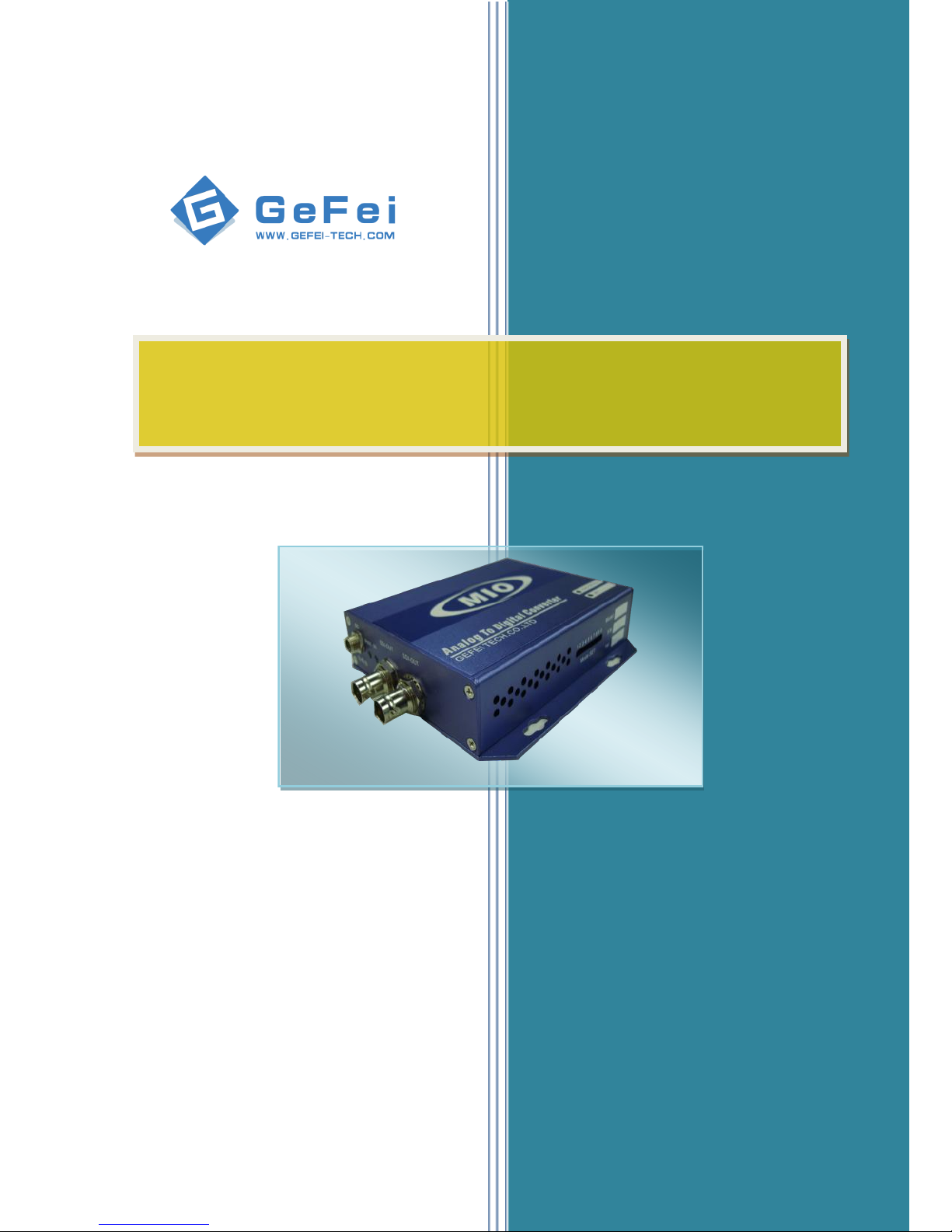
MIO DEC Analog video to SDI converter
User Manual V1.0
www.gefei-tech.com
[Gefei Tech.Co.,Ltd]

Table of Content
ⅠDescription............................................................................................................................ 1
ⅡInterfaces on the panel ......................................................................................................... 2
2.1 Overview .............................................................................................................. 2
2.2 Right panel ........................................................................................................... 2
2.3 Left panel ............................................................................................................. 3
2.4 Front panel ........................................................................................................... 3
ⅢTechnical Specifications:........................................................................................................ 6
ⅣContact Us............................................................................................................................. 7

Copyright
Copyright © 2009 Gefei Tech. Co., Ltd All rights reserved. This document may not be copied in
whole or in part.
Trademarks
Gefei-Tech,Magi,MIO,VIO,XIO,MVS,MRS are either registered trademarks or trademarks
of Gefei Tech. Co., Ltd in China and/or other countries. Other trademarks used in this
document are either registered trademarks or trademarks of the manufacturers or vendors of
the associated products.
Disclaimer
Product options and specifications subject can be changed without notice. The information in
this manual is furnished for informational use only, is subject to change without notice, and
should not be construed as a commitment by Gefei Tech. Co., Ltd. Gefei Tech. Co., Ltd
assumes no responsibility or liability for any errors or inaccuracies that may appear in this
publication.
Revision Status
Rev Date
Description
November 11, 2010
Initial release of the MIO DEC User Manual
Firmware V1.0

MIO DEC analog video to SDI converter User manual
1 / 7
MIO DEC
ⅠDescription
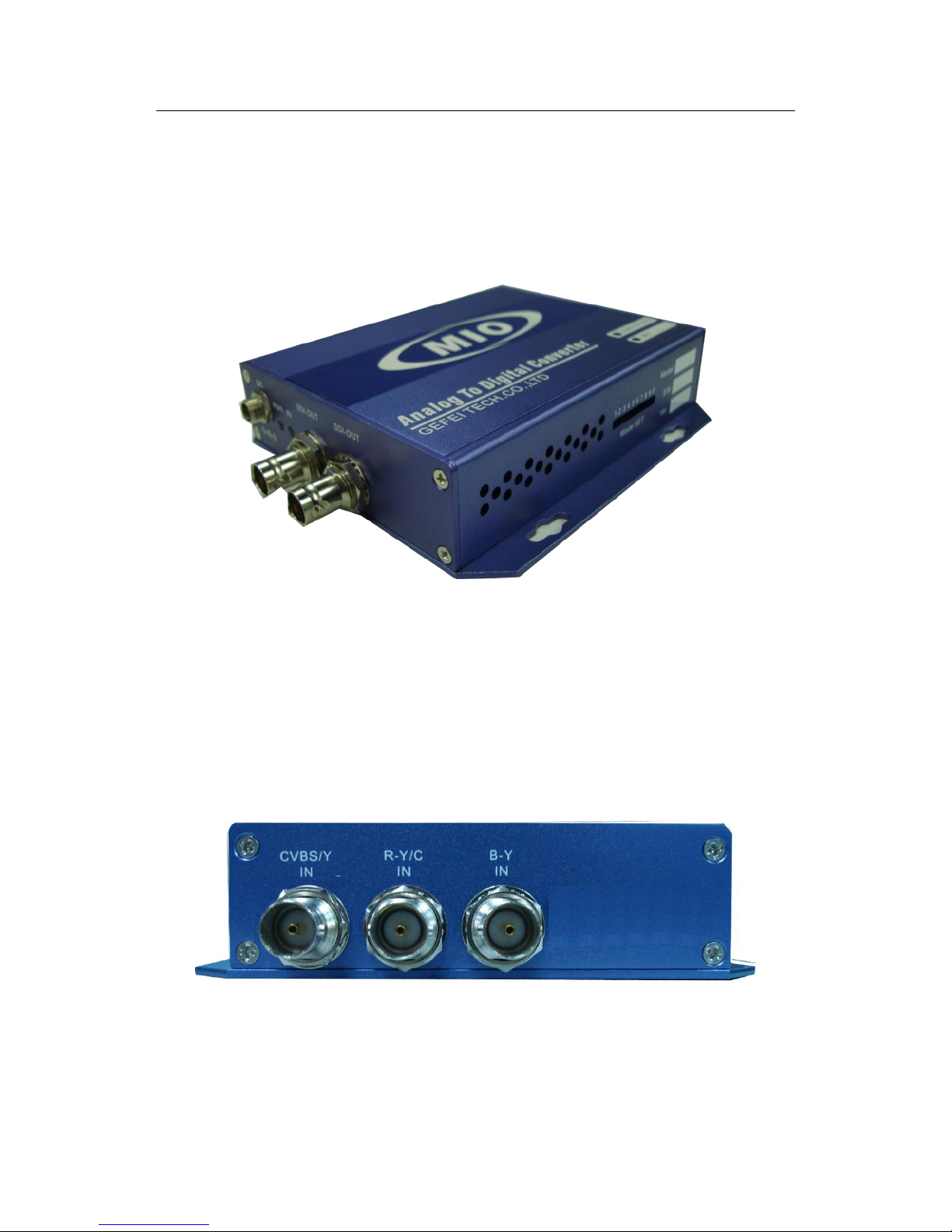
Based on Mini BOX platform, MIO DEC is a small converter which can convert analog video to
serial digital video signal. The SDI output can be converted from analog composite video signal,
analog component video signal, or S-video signal by simple mode switch. And it supports the
input format of 576i 50 and 480i 60.
The LED lights on the Mini box indicate the status of input signal and power, so as to let the
user know the information immediately.
Be known for compact function, the converter is widely used in variety of environments, like
TV program post production, studio, broadcast, etc.
MIO DEC analog video to SDI converter User manual
2/7
ⅡInterfaces on the panel
2.1 Overview
Load Default: Insert a thin thing though the hole and press the button to restore the default
settings. The default parameters: auto gain, CVBS input, PAL standard.
SET: Insert a thin thing though the hole and press the button to make the settings of DIP
Switch taking effect.
2.2 Right panel
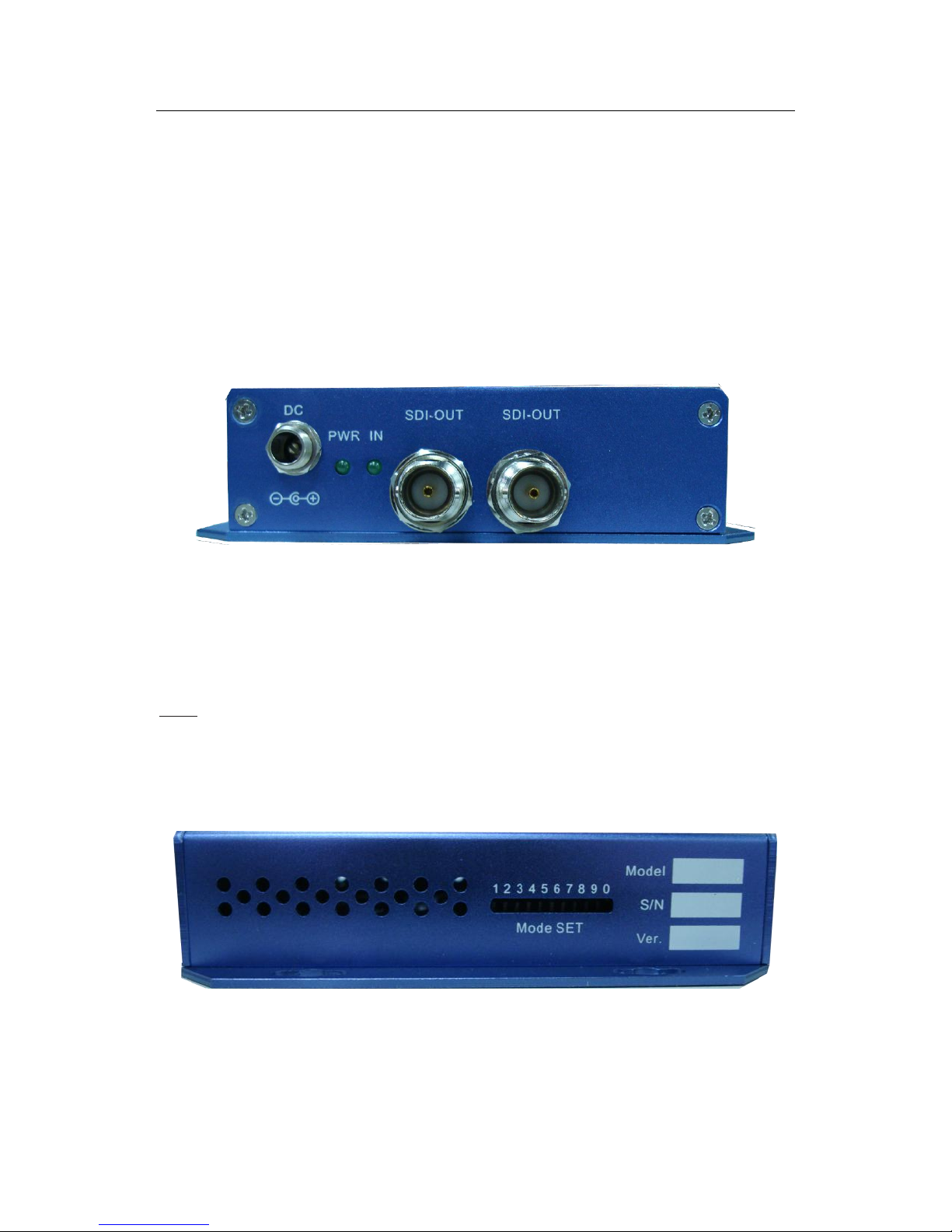
ANALOG IN:BNC interface, inputs analog video signal.( supports CVBS/YUV/YC)
i. When analog composite signal is selected, the first input interface is CVBS signal (from
MIO DEC analog video to SDI converter User manual
3/7
left), others are invalid;
ii. When analog component signal is selected, the input interfaces from left are Y signal,
R-Y signal, and B-Y signal;
iii. When analog S video signal is selected, the input interfaces from left are Y, C, and the
third interface is invalid.
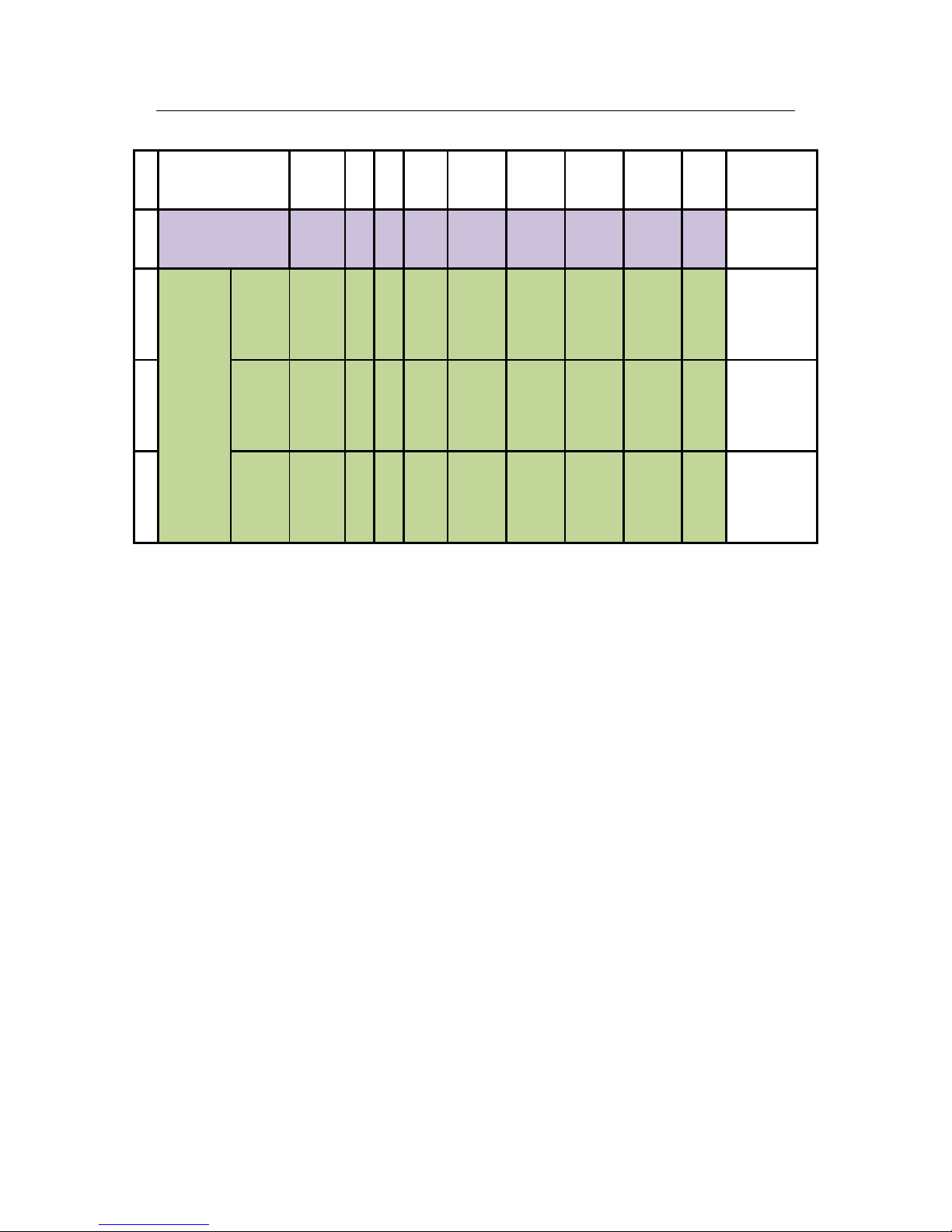
2.3 Left panel
DC IN:Power supply with 12V 1A.
PWR:Power indicator, the indicator shows green as the power is working normally.
IN:Status indicator of input signal, the indicator shows green when the input signal is locked with no
errors.
Note: The indicator only shows the status of the first input interface (from left);
SDI-OUT:BNC interface. It provides two identical output of digital video signal.
2.4 Front panel
MODE SET is DIP dial switch; Users can set the DIP to get more functions according to their
actual demand. Please refer to the specific meanings switch table:
MIO DEC analog video to SDI converter User manual
4/7
DIP switch:
1
2
3
4
5
6
7
8
9
10
1
Auto gain
M/A
/
/
/
OFF
OFF
OFF
OFF
ON
Adjustment
2
Analog
video
input
CVBS
input
M/A
/
/
/
OFF
OFF
OFF
ON
OFF
Adjustment
3
YUV
input
M/A
/
/
/
OFF
OFF
OFF
ON
ON
Adjustment
4
YC
input
M/A
/
/
/
OFF
OFF
ON
OFF
OFF
Adjustment
Remarks: Power switch DOWN =ON UP=OFF
DIP indicates by 10 figures:
1) The NO. 1 indicates manual or automatic configuration. Place it at ON, the device is under
manual status, it can configure the function by setting the DIP switch; Place it at OFF, the
equipment is under auto status, the function is planned to be set by the computer.
2) NO. 0 (10) determines whether the device under adjustment status. Put it at ON, it
indicates the device under adjustment status, users can adjust the other switches to
achieve the functions in the list; Put it at OFF, the device is under working status, the DIP
switch is invalid.
3) NO.5~9, through the different settings to achieve specific functions, for example: set
NO.5-9 as: OFF OFF OFF OFF ON,it means the gain of analog video signal can be adjusted,
then press “SET” button (On the right corner of cover) to make adjustment into effect.

MIO DEC analog video to SDI converter User manual
5/7
Note:
1. When user sets the DIP switch, only if the NO. 1 and NO.10 are at ON, can the DIP switch
takes effect. Others (No.2-4) are reserved without any use in this product.
2. After adjust parameters manually, please make sure all switches are at OFF to under
working condition.

MIO DEC analog video to SDI converter User manual
6/7
ⅢTechnical Specifications:
Analog video input:
Input interface: 3*BNC connection (Selectable CVBS/YUV/YC input model)
Impedance: 75Ω
System: PAL/NTSC
Max cable length: ≤200 (Belden 8281)
Digital video output:
Output interface: 2*SDI, BNC connection
Impedance: 75Ω
Format: SMPTE 259M-C;270Mb/s
Eye pattern: 800mV±10%
Rise time: 750~1500PS(20%-80%)
Fall time: 750~1500PS(20%-80%)
The difference between rise and fall: ≤500PS
Jitter: <0.2UI
Status indicator:
Input signal status indicator
Power indicator
(Indicate by shining or extinguishing of the green LED)
Power consumption:
Power: 12VDC 1A
Dimension: 123mm*92mm*29mm

MIO DEC analog video to SDI converter User manual
7/7
ⅣContact Us
Technical support
Tel:010-58858188
Fax:010-58858189
Website
www.gefei-tech.com
E-mail:support@gefei-tech.com
Address
Beijing Gefei Tech. Co., Ltd
A-603 Power Creative Plaza
NO.1 Shangdi E.Rd.
Haidian District Beijing 100085
To Find More information , please visit www.gefei-tech.com
Table of contents
Other Gefei Media Converter manuals


