Firefly GT820 User manual

1
User Manual for Firefly Microscope GT820Version: 2.0
DIGITAL MICROSCOPE
THANKS FOR SELECTING A FIREFLY MICROSCOPE
To take full advantage of this product’s advanced capabilities,
and to properly and safely use this product, please read the manual carefully.
GT820
User Manual

2
User Manual for Firefly Microscope GT820Version: 2.0
Copyright 2012 by Firefly Global.
All
rights are
reserved.
No one is
permitted to
reproduce
or
duplicate,
in any form, this manual or any part
thereof
with
out
permission
from Firefly
Global (www.Fireflyglobal.com).
Firefly
Global
assumes
no
responsibility
for any injury, or for any illega
l
or
impr
oper
use of
the
product,
that may result from failure to use this
product
in
accordance
with the
instructions, cautions, warnings,
or
ind
i
cati
ons
for use
published
i
n
this
manual.
Software
in this
product
is copyright of
Firefly
Global and its
vendors.
All
rights
are reserved.
The
software
is
protected
by U.S. and international copyright
l
a
ws
and
international
treaty
provisions
applicable
worldwide.
Under such laws,
the
licensee
is
entitled
to
use
the copy
of the
software incorporated
w
i
t
h
this instrument
as
intended
in the
operation
of the
product
in which it is
embe
dded
.
The
software
may not be
cop
i
ed
,
decompiled,
reverse-engineered, d
i
sass
e
m
ble
d
or
otherwise reduced
to
human-perceivable
form.
This
i
s
not a sale of
the
software
or any copy of the
software;
all
rights, title, and
ownership
of
the
software
remain with Firefly and/or its v
e
ndors.
Caution:
Changes
or
mod
i
fication
s
not
expressly approved
by Firefly Global
will
void the
pu
rc
haser
’
s
autho
r
i
t
y to
operate
the
e
qui
pment and its warranty.

3
User Manual for Firefly Microscope GT820Version: 2.0
TABLE OF CONTENTS
Digital Microscope ......................................................................................................1
Table of Contents........................................................................................................3
Introduction................................................................................................................4
warnings & cautions ...................................................................................................5
Warning .................................................................................................................................. 5
Caution ................................................................................................................................... 5
Check List....................................................................................................................7
Nomenclature .............................................................................................................8
Setting up the software application:.......................................................................................... 9
Connect to PC:........................................................................................................................ 9
Power the Device On:............................................................................................................ 10
Recommended holding position:.............................................................................................. 10
High zoom use:...................................................................................................................... 11
Focus:................................................................................................................................. 11
Brightness Adjustment: .......................................................................................................... 12
Using Focus:.......................................................................................................................... 12
Using the image capture control:............................................................................................. 12
Using the Polarizer: ................................................................................................................ 13
Standby and Remove device: .................................................................................................. 13
Launch the Software Application: ............................................................................................ 14
Viewing the Images: .............................................................................................................. 14
Tool bars............................................................................................................................... 14
Control tool bars: ................................................................................................................... 15
Image tool bars: .................................................................................................................... 15
Device Tool bars: ................................................................................................................... 16
Maintenance and service ..........................................................................................17
Cleaning recommendation....................................................................................................... 17
Recycling
the system components............................................................................................ 17
Service policy......................................................................................................................... 18
Specifications............................................................................................................19
Limited
Warranty
....................................................................................................20
Troubleshooting........................................................................................................23
Frequently Asked Questions (FAQs):........................................................................................ 23

4
User Manual for Firefly Microscope GT820Version: 2.0
INTRODUCTION
The Firefly Microscope System consists of a digital Microscope, software application and a USB cable. Only
a computer equipped with a free USB port is needed to use the system.
The Firefly Microscope System is designed for effective operation under a variety of conditions and typical
video parameters are set at the factory. The software allows users to adjust most parameters including
Saturation, Hue, Brightness, Contrast and Sharpness for desired applications.
The System is equipped with an integrated polarizer ring. Rotating the ring enables multiple degrees of
polarization. The System is also equipped with a fine focus wheel which enables crystal clear images at
very high degrees of magnification.
System Requirements
The Firefly Microscope System requires a user PC system running Windows XP Service Pack 2 or later
operating system, a viewing screen, and a PC with an available USB 1.1 or 2.0 port.
Intended use
The Firefly Microscope System is intended to conveniently enable skin inspection and image recording.
User Profile
The Firefly Microscope System is intended for applications such as:
Science Research
Engineering
Education
Gemology

5
User Manual for Firefly Microscope GT820Version: 2.0
WARNINGS &CAUTIONS
Please familiarize all operating personnel with the general safety information in
this summary. Specific warnings and cautions are also found throughout this
manual.
Warning
A warning statement in this manual identifies a condition or practice which if
not corrected or discontinued immediately, could lead to injury, illness, or
death.
Do not use in the presence of flammable anesthetics.
This product has no user serviceable/replaceable parts. Please refer all
service to authorized service personnel.
This instrument is not intended to be used in the eye.
This product generates and records reference images from inputs obtained
from the software application FireflyPro. These reference images are not
intended for medical or other diagnostic purposes.
Caution
A caution statement in this manual identifies condition or practice, which if not
corrected or discontinued immediately, could lead to equipment failure,
equipment damage, or data loss.
In
order to obtain
optimum performance and
ensure patient safety,
thoroughly read this manual
.
Do not use the Firefly Microscope if you notice any signs of damage to the
components of the system. Contact customer service for immediate assistance.
Do not attempt to disinfect the Firefly Microscope System using glutaraldehyde
products, ethylene oxide gas, steam or any other liquid or gas disinfectant.
The signal
output
(USB
P
o
r
t
)
connector
is
intended
for
con
nect
i
on
of only
devices
complying
wit
h
IEC
60601
-
1,
or other IEC
standards
(for
example,
IEC 60950), as
app
r
opriate to
the device.
Conn
ecting
additional
devices
to the Firefly Microscope System is not allowed. You are responsible
for verifying that the system complies with the requirements of the system
standard IEC 60601-1-1.

6
User Manual for Firefly Microscope GT820Version: 2.0
This product complies with current required standards for electromagnetic
interference and should not present problems to other equipment or be
affected by other devices. As a precaution, avoid using this device in close
proximity to other equipment.
Do not apply alcohol, chemicals, or water to the lens. Any liquids entering the
optical assembly will damage internal components.

7
User Manual for Firefly Microscope GT820Version: 2.0
CHECK LIST
Before starting, check that all the following items have been included with your product. If anything is
missing, contact your dealer.
Microscope Nose Extender Software Application CD
USB Cable Clip

8
User Manual for Firefly Microscope GT820Version: 2.0
NOMENCLATURE

9
User Manual for Firefly Microscope GT820Version: 2.0
OPERATION
To obtain a clear image, please grip the Firefly Microscope; remain still and avoid vibration as much as
possible during observation.
Setting up the software application:
Prior to using the Firefly Microscope for the first time, install the FireflyPro software application following the
instructions provided with the installation CD.
Connect to PC:
Connect the Firefly Microscope to the PC’s USB port

10
User Manual for Firefly Microscope GT820Version: 2.0
Power the Device On:
Towards the rear of the device, a switch allows the user to power the
device ON and to activate the LEDs.
OFF: Switch off the device
ON: Switch the device ON
LED: Switch the device On and enable 8 LEDs for maximum
illumination
Using the Firefly Microscope
System:
Recommended holding position:
It is suggested to hold the Microscope, transparent cover forward, with the thumb held on
the equipment. This holding position offers relative stability and allows lens control. The index finger is
still free to rotate and adjust the focus wheel (as shown).
Table of contents
Other Firefly Microscope manuals

Firefly
Firefly GT830 User manual

Firefly
Firefly GT200 User manual

Firefly
Firefly GT630 User manual

Firefly
Firefly DE500 User manual

Firefly
Firefly RW180 User manual

Firefly
Firefly RW160 User manual

Firefly
Firefly GT600 User manual

Firefly
Firefly DE550 User manual

Firefly
Firefly GT700 User manual

Firefly
Firefly DE500 User manual
Popular Microscope manuals by other brands

VWR
VWR VisiScope 384 Series instruction manual

Nikon
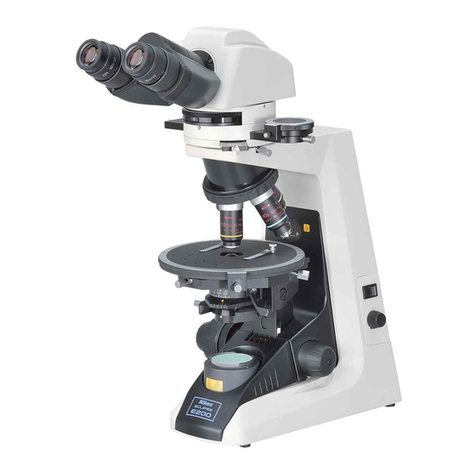
Nikon ECLIPSE E200 POL instructions

Leica
Leica DI C800 User's manual & installation instructions

ThermoFisher Scientific
ThermoFisher Scientific Continuµm manual

ThermoFisher Scientific
ThermoFisher Scientific Continuµm manual

Olympus
Olympus SZ61 instructions