- Radio ON/Off ; Choose RADIO ON to open WiFi signal
- Network Mode ; 802.11 b/g/n (Choose the signal channel that you want)
- Frequency Bandwidth ; 40 MHz (Choose the signal’s broadness that you want )
- Frequency (Channel) ; AutoSelect (Choose the signal that you want)
- Guard interval ; Set usage time and signal quality that you want
(Short ; to use near device / Long ; to use far from device)
- Click Apply(6) after that go to step 2 to set password
Step 2 : SSID Settings for Wireless 2.4G or Wireless 5G
- Click Advanced(7)for Wireless 2.4G or 5G Advanced(8) for Wireless 5G (You can choose to set both
or just one signal)
- SSID Choice(9) ;1 (Choose the required number of signals)
; Choose Enable to open the signal
- SSID Name(10) ; Named that you want (not more than 32 characters)
- Passphrase(11) ;Enter the required password (8-63 characters can enter both letters and numbers
depend on Security Mode)
- Click Apply(12) to record Wireless settings
- After finished, enter URL Website to access the internet
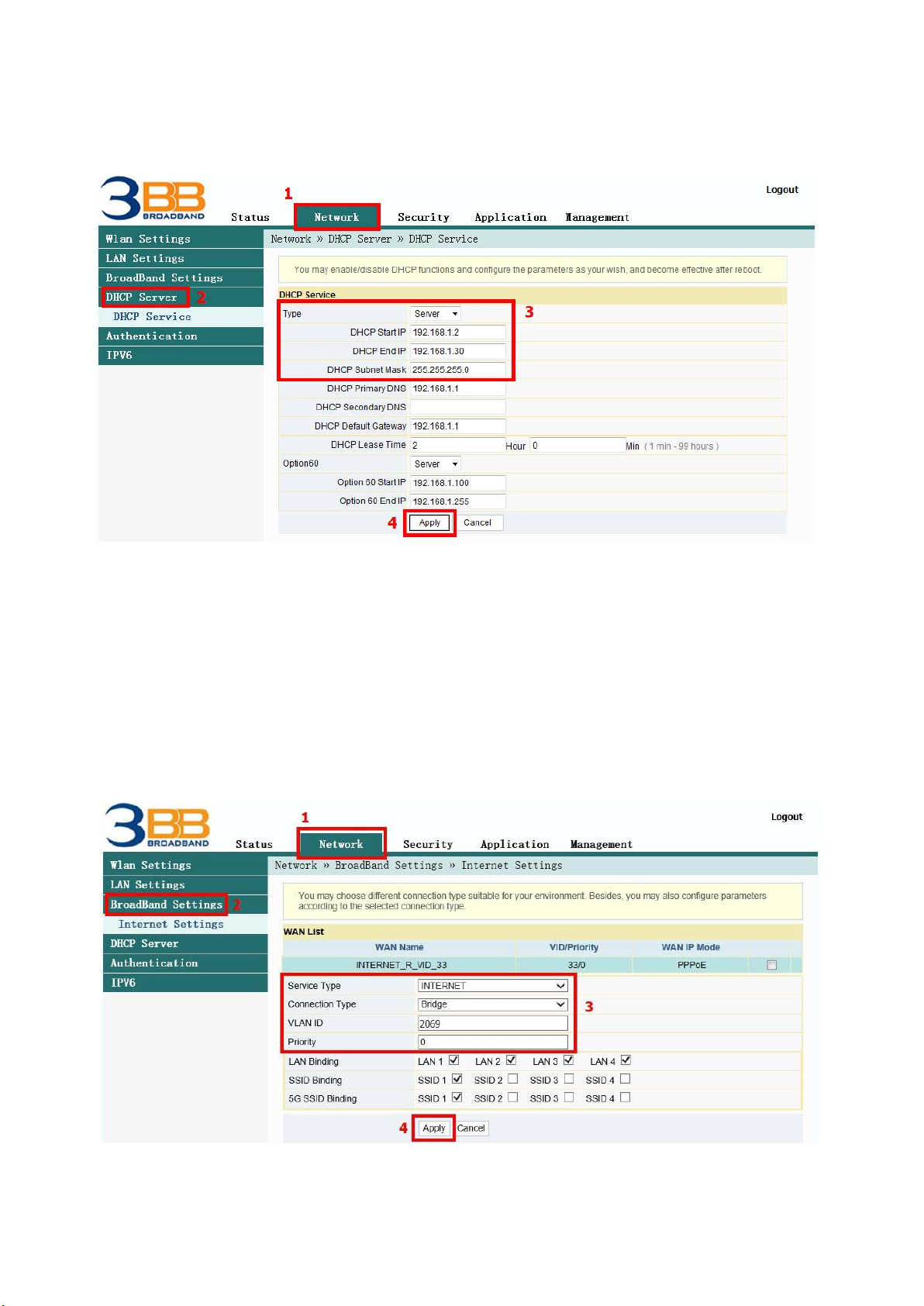
4. DHCP Settings
DHCP Settings and IP Address management is IP management and distribution that do not give duplicate IP
to protect the problem when you using
- Click Network(1) --> Click DHCP Server(2) --> screen showing DHCP Service
Follow these settings(3)
- Type ; Choose Server