Exceptional Innovation Life|point User manual
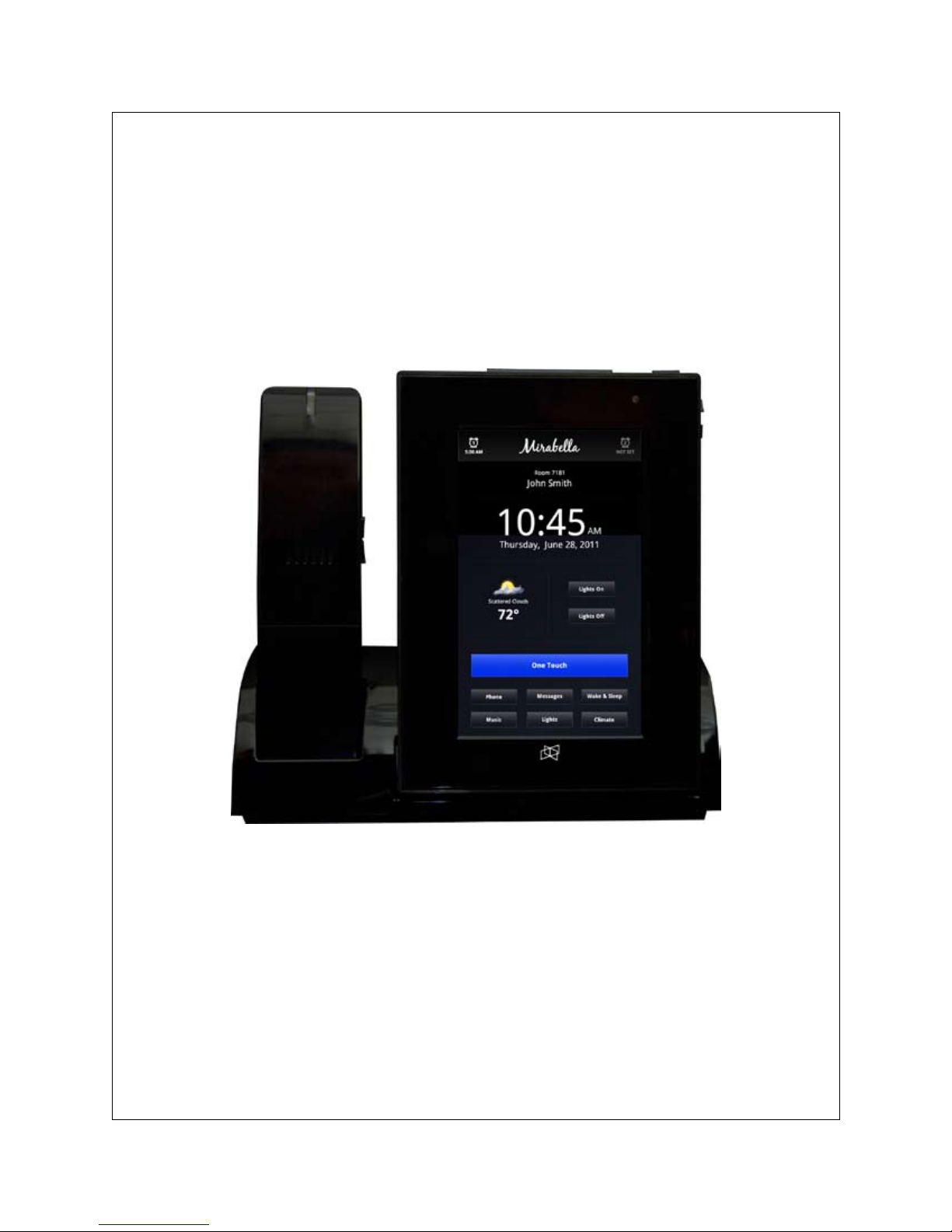
Life|point
®InTouch Phone
User Guide
Cordless Handset Model
Exceptional Innovation
Manual Version Release 1.0
for The Cosmopolitan Implementation

Life|point®InTouch Phone User Guide
ii
Copyright and Distribution Notice
November 2011
Copyright © 2011
Exceptional Innovation, LLC
ALL RIGHTS RESERVED
Exceptional Innovation Software and Hardware
This documentation, the Exceptional Innovation software and hardware products
and services (including Life|ware University) it describes, and the information and
know-how they contain constitute the proprietary, condential and valuable trade
secret information and sole property of Exceptional Innovation, LLC and may not
be used for any unauthorized purpose, or disclosed to others without the prior
written permission of the applicable Exceptional Innovation entity.
Duplication, in whole or in part, if and when permitted, shall bear this notice and
the Exceptional Innovation, LLC copyright notice. As and when provided to any
governmental entity, government contractor or subcontractor subject to FARs,
this documentation is provided with RESTRICTED RIGHTS.
Third Party Software and Hardware
Other product and company names or logos mentioned herein may be the
trademarks of their respective owners.
Distribution
Distribution of this document is limited to Exceptional Innovation, LLC employees,
partners, clients, or other third parties with whom a non-disclosure agreement
has been reached. Any distribution of this document external to Exceptional
Innovation without the express consent of one of its ofcers is strictly prohibited.
Inquiries
Mail Inquiries:
Exceptional Innovation, LLC
480 Olde Worthington Road
Suite 350
Westerville, Ohio 43082
Phone: (614) 901-8899
Fax: (614) 901-8896
Online Inquires:
www.life-ware.com

Life|point®InTouch Phone User Guide iii
Table of Contents
Features, Specications, and
Safety Information .................................... 1-1
Overview...................................................................................1-1
About the Life|point InTouch Phone..........................................1-1
Unit Features and Connections ................................................1-2
Display Panel Features ...............................................1-3
Rear Panel Features and Connections .......................1-4
Side Panel Features and Connections ........................1-5
Cordless Handset Features......................................................1-6
User Interface Features............................................................1-7
Care and Maintenance .............................................................1-7
Protection from Impact ................................................1-7
Cleaning ......................................................................1-7
Technical Specications ...........................................................1-8
Important Safety Information ..................................................1-10
Safety Instructions .....................................................1-10
Regulatory Information ..............................................1-10
Warnings.................................................................... 1-11
Installation and Setup............................... 2-1
Overview...................................................................................2-1
Items Included with the Life|point InTouch Phone ....... 2-1
Items Required for Installation ....................................2-1
Install a Cordless Life|point InTouch Phone .............................2-2
Connect the phone to the network...............................2-2
Commission a Phone ...............................................................2-4
Connect Handset Battery ............................................2-6
Register Handset(s) to Base .......................................2-7
Recommission a Phone............................................................2-8
Register Additional Handset(s) to Base.....................2-10

iv Life|point®InTouch Phone User Guide
Placing Calls and Other Phone Tasks ...... 3-1
Overview...................................................................................3-1
Cordless Handset .....................................................................3-2
Placing a Call with the Cordless Handset....................3-3
Using the Handset Speakerphone ..............................3-4
Phone Menu .............................................................................3-5
Placing a Call with the Base Speakerphone................3-6
Answering a Call with the Base Speakerphone...........3-7
Recent Calls Menu ...................................................................3-8
Viewing Recent Calls...................................................3-8
Messages Menu .......................................................................3-9
Voicemail Messages....................................................3-9
Directory Menu ....................................................................... 3-11
Placing a Call with an ADA Headset..........................3-12
Placing a Call with an ADA TTY Keyboard ................3-13
Wake and Sleep ....................................... 4-1
Overview...................................................................................4-1
Wake and Sleep Menu ............................................................. 4-1
Wake-Up Alarms.......................................................................4-2
Set a Wake-Up Alarm ..................................................4-2
Sounds Menu ..............................................................4-2
TV Menu ......................................................................4-3
Music Menu .................................................................4-4
Lights Menu .................................................................4-4
Climate Menu ..............................................................4-5
Sleep Timer ..............................................................................4-6

Life|point®InTouch Phone User Guide v
Room Control, Weather, and Music.......... 5-1
Overview...................................................................................5-1
Room Control ...........................................................................5-1
Main Menu Lighting Presets ........................................5-2
Lighting Menu ..............................................................5-3
Climate Menu ..............................................................5-4
Weather ....................................................................................5-5
Weather Forecast ........................................................5-5
Music ........................................................................................5-6
Music Menu – Radio....................................................5-6
Music Menu – My Device ............................................5-7
Charging USB Devices............................. 6-1
Overview...................................................................................6-1
Charging USB Devices.............................................................6-1
Standalone Charger ................................. 7-1
Overview...................................................................................7-1
Charger and Power Supply ......................................................7-1
Charger Setup ..........................................................................7-2
Troubleshooting and Maintenance ........... 8-1
Overview...................................................................................8-1
Troubleshooting Chart ..............................................................8-2
Returning Equipment for Repair/Replacement.........................8-7
Handset Admin Menus .............................................................8-8
EI Website and Helpline ...........................................................8-9

vi Life|point®InTouch Phone User Guide

1-1
Chapter 1 Features, Specications, and Safety Information
Life|point®InTouch Phone User Guide
1
Ch a p t e r
Features, Specications, and Safety
Information
Overview
This chapter discusses the features of the cordless Life|point®InTouch phone and provides important
information you should read and understand before installing and using it.
Note: The room user interface screens depicted in this guide are for a generic hospitality interface. For actual
screens used for The Cosmopolitan, refer to the Phone Pages chapter of the Technology Concierge
User Guide for The Cosmopolitan implementation.
Read the following sections to learn more about the phone’s features, care and maintenance, specications,
and related safety information:
About the Life|point InTouch Phon• e
Unit Features and Connection• s
Cordless Handset Feature• s
User Interface Feature• s
Care and Maintenanc• e
Technical Specication• s
Important Safety Informatio• n
About the Life|point InTouch Phone
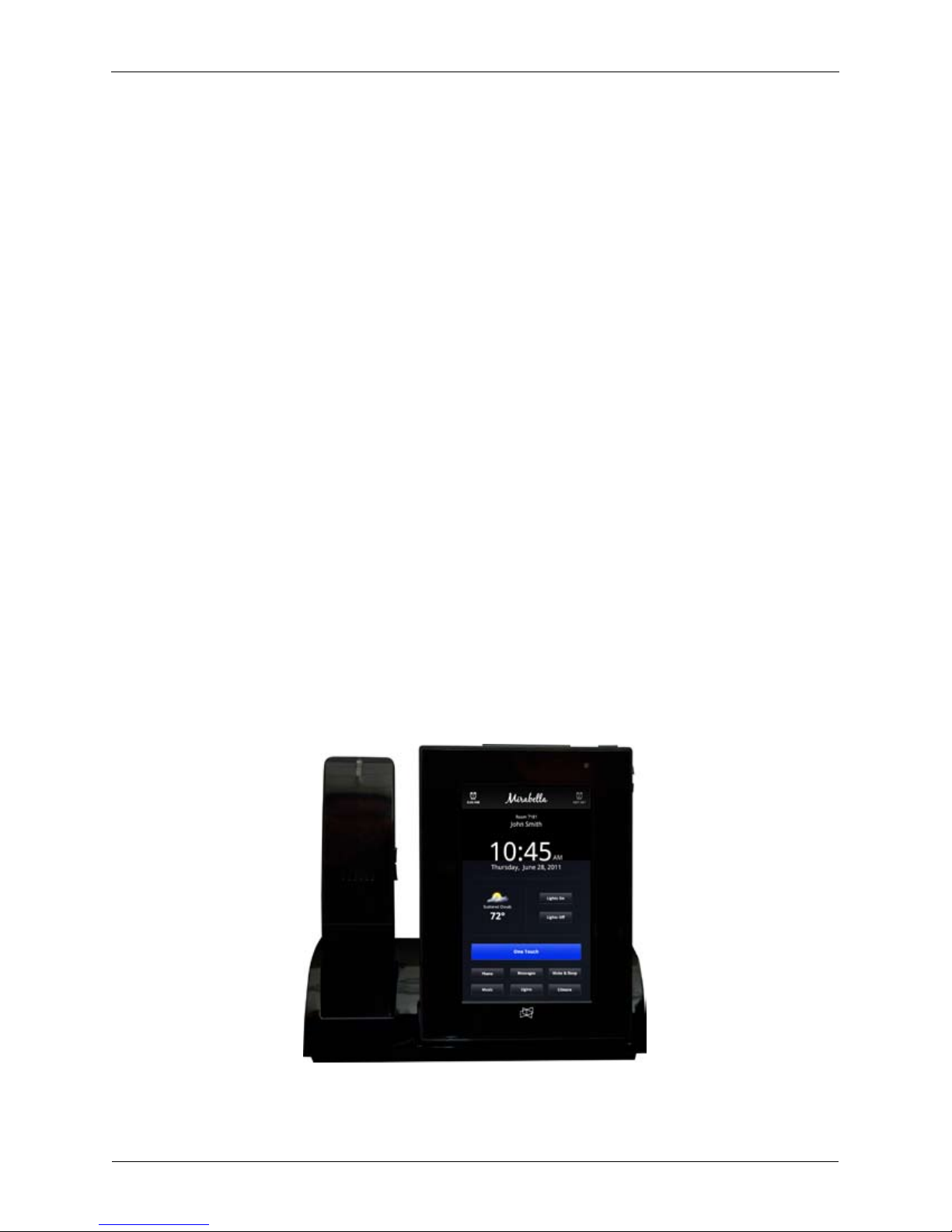
The Life|point InTouch phone is a tabletop Voice Over Internet Protocol (VoIP) touch-screen telephone for
hospitality applications. This stylish, versatile phone combines the functions of an alarm clock, voice-message
machine, room-control remote, stereo music dock, and cordless telephone into a multipurpose information
and control center.
Designed to provide unmatched exibility and ease of use, the Life|point InTouch phone offers abundant
features and crystal-clear digital calling with the convenience of a touch-screen interface. This User Guide
covers the following model:
LPIT-H0D1E0P1• —Cordless model features acordless multi-button handset with color LCD display.
Chapter 1 Features, Specications, and Safety Information
1-2 Life|point®InTouch Phone User Guide
Unit Features and Connections
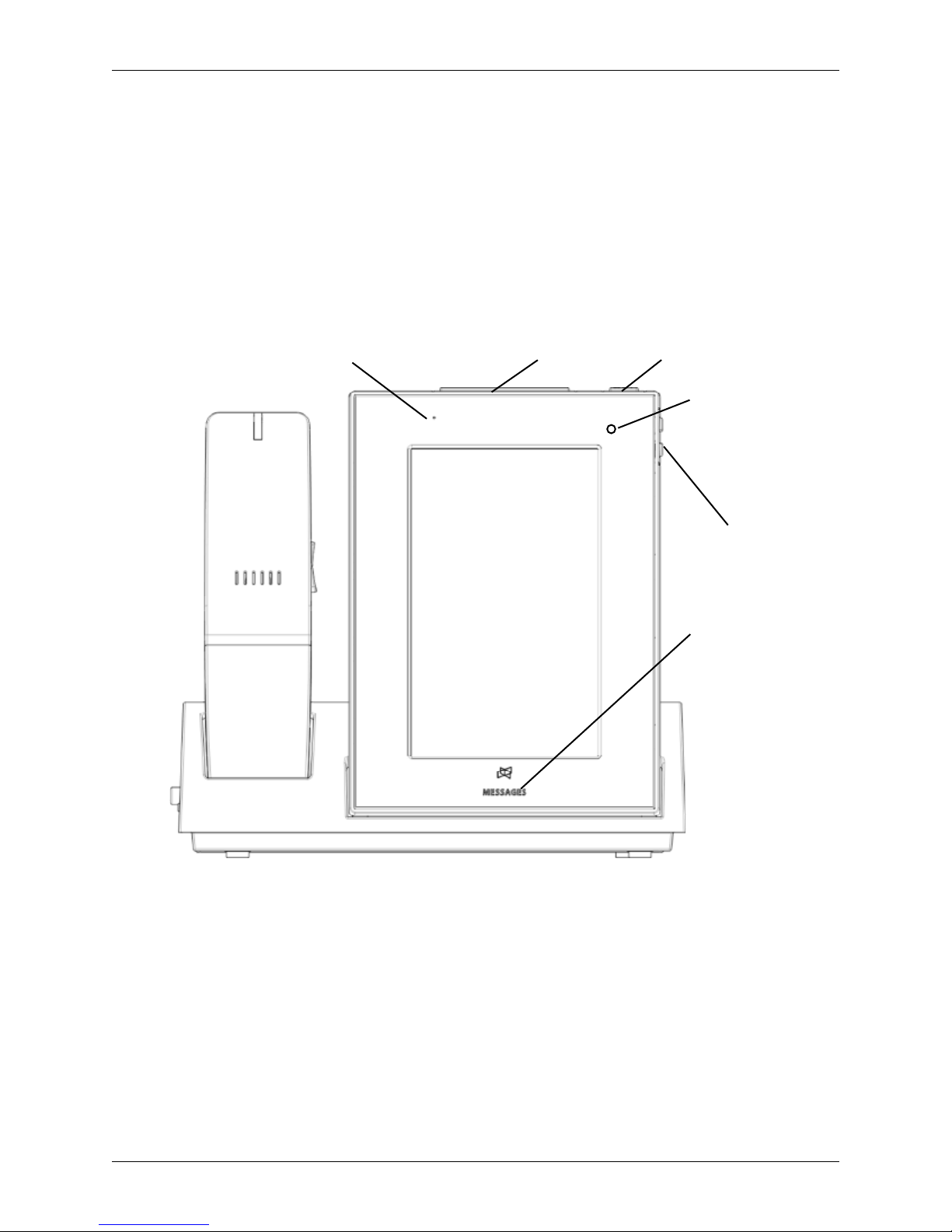
Full-Color Touch-Screen Display• —The Life|point InTouch phone’s 7-inch diagonal, full-color touch
screen display offers more room for larger, easy-to-read graphics.
Cordless Handset• — The cordless handset offers an LCD display and extra mobility when placing
and receiving calls.
Speakerphone• —The Base and cordless handset have built-in speakerphones for placing and
receiving calls.
Display Panel Snooze, Alarm OFF, and Volume Buttons• —The display panel has raised buttons
for SNOOZE, Alarm OFF, and Volume Up and Down.
Audio Connectors for Portable Music Devices• —The side panel has 3.5mm stereo and RCA
jacks to connect portable music devices and listen to music through the built-in stereo speakers.
USB Port for connecting and charging USB devices• —The side panel has a USB port for
charging USB devices.
Network Connections• —The rear of the base includes a POE-enabled RJ45 jack for connecting the
phone to the hotel network.
POE Ready• —The phone can be powered with power over Ethernet (POE) from a POE-enabled
hotel network.
Customizable User Interface• —When connected to a Life|ware server, the phone’s user interface
can be customized using the Life|ware Visual Project conguration tool.
External Power Supply Connection• —The rear panel has a DC power input jack for a 48-volt DC
external power supply to be used when connecting to hotel networks without POE.
ADA Headset/TTY Keyboard Connection for Disabled Users• —The side panel has a 2.5mm
headset jack for connecting ADA devices such as an ADA-compliant headset or TTY Keyboard.
Life|point®InTouch Cordless Phone
Chapter 1 Features, Specications, and Safety Information
1-3
Life|point®InTouch Phone User Guide
Display Panel Features
The touch-screen display panel on the Base is tiltable and includes:
Raised buttons for Snooze, Alarm OFF, and Volume Up and Down•
Message indicator for incoming messages•
Light sensor for automatic display brightness•
Built-in microphone•
Message
Indicator
Light Sensor
Microphone
Display Panel Features
Snooze Alarm OFF
Volume Up/Down
Chapter 1 Features, Specications, and Safety Information
1-4 Life|point®InTouch Phone User Guide
Rear Panel Features and Connections
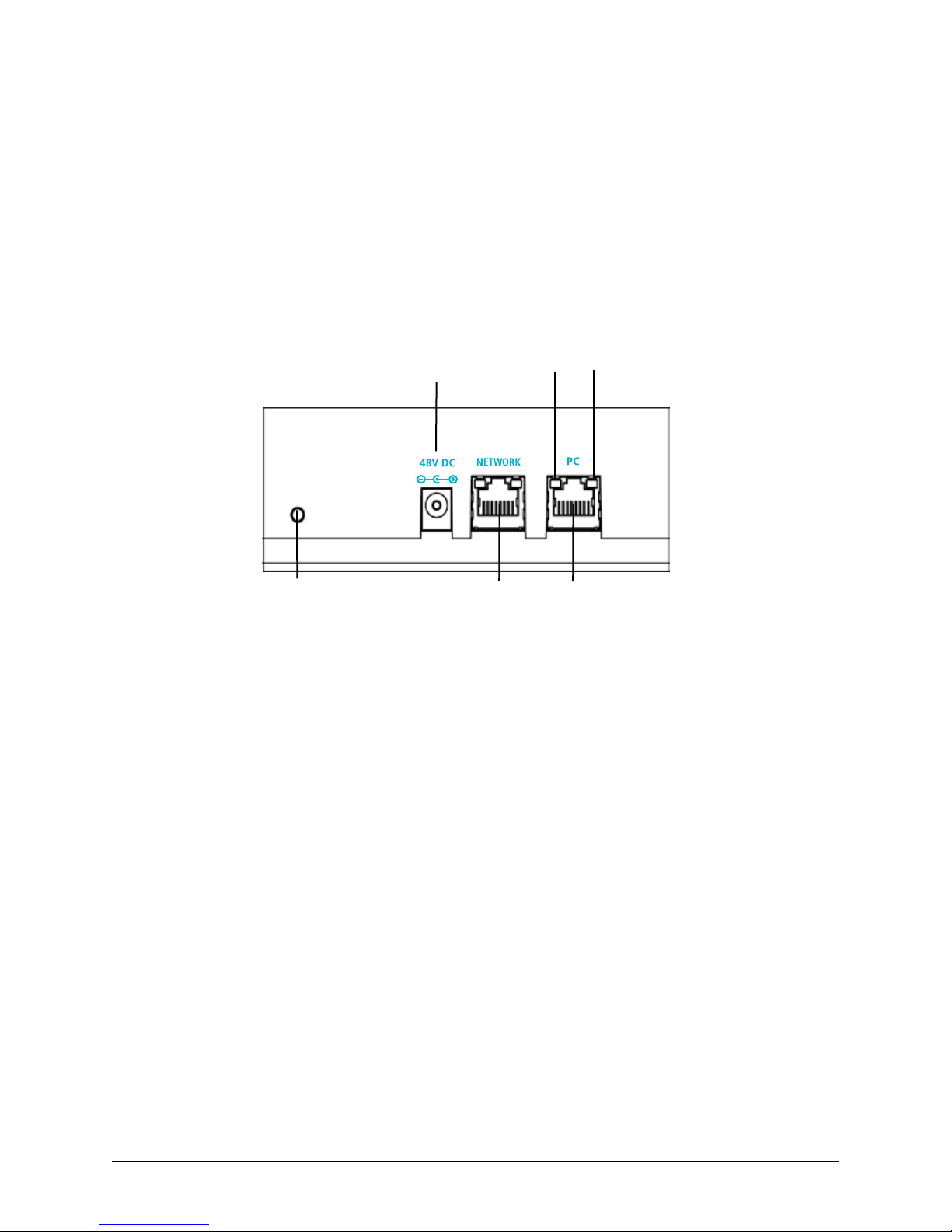
The rear panel (see following diagram) from left to right includes:
Reset switch recessed behind the rear panel•
DC power input jack for 48V DC external power supply (required for non-POE hotel networks)•
RJ45 jack with POE for VoIP connection to the hotel network•
Optional RJ45 jack for connecting an external PC to the hotel network through the phone•
Rear Panel Power and LAN Connections
Optional PC
LAN Jack
Network
LAN Jack
48V DC
Power
Input
Activity
LED
Link
LED
Reset
Switch
Reset Switch
The reset switch is recessed behind a small hole in the rear panel and can be pressed with a straightened
paper clip or other small-shafted object. Refer to the Troubleshooting chapter for information on the
proper use of this switch.
DC Power Input
The 48V DC power input jack accepts the barrel-plug end of a 48-volt DC power supply (not included with
phone) required for use with non-POE networks.
RJ45 Ethernet Jack with POE
This POE-equipped RJ45 LAN jack is for connecting the phone to the hotel network. When a high-speed
(100Mbps) network link is established, the Link LED turns green. The Activity LED will ash green when
the phone is communicating with the network.
Optional RJ45 Ethernet Jack (non POE)
This optional RJ45 LAN jack (selected models only) is for connecting an external PC to the hotel network
through the phone. When a high-speed (100MB/s) network link is established, the Link LED turns green.
The Activity LED will ash green when the external PC is communicating with the network.
This manual suits for next models
1
Table of contents