
EVBox Iqon Guide

Installation and commissioning
manual Part A
EVBox
Iqon


EVBox Iqon
Installation and commissioning
manual Part A


Contents
1. Introduction 3
1.1. Scope of the document 3
1.2. Get in touch 3
1.3. Symbols used in this manual 3
1.4. Certification and compliance 5
1.5. Product classification 5
2. Safety 6
2.1. Safety Precautions 6
2.2. Moving and storage precautions 9
3. Product features 10
3.1. Description 10
3.2. EVBox Iqon models 11
3.3. Specifications 11
3.4. Dimensions 14
3.5. Delivered components 15
3.6. Optional components 15
4. Installation instructions 16
4.1. Prepare for installation 16
4.1.1. Plan installation 16
4.1.2. Choose location 17
4.1.3. Free space around the charging station 17
4.1.4. Location options 18
4.1.5. Power supply requirements 20
4.1.6. Phase rotation 22
4.1.7. Hub-Satellite installations 22
4.1.8. Using Wi-Fi 25
4.1.9. Route power supply cables 25
4.2. Unpacking 26
4.3. Prepare mounting 28
4.3.1. Prepare ground anchors 28
4.3.2. Prepare wall mounting 29
4.3.3. Unimi mounting 29
4.4. Install charging station 29
4.4.1. Install the station 30
4.4.2. Connect power cables 31
4.4.3. Connect RS485 data cables 32
EN
1

4.4.4. Close covers 33
4.5. Commissioning 34
4.5.1. Configuration details 34
4.5.2. Register EVBox Iqon with CMP 34
4.5.3. Download EVBox Connect app 34
4.5.4. Commission EVBox Iqon 35
4.5.5. Commissioning report 36
5. Operation instructions 37
5.1. LED indicator ring 37
5.2. Troubleshooting 39
5.2.1. Error codes 39
5.2.2. Troubleshooting guide 40
6. Maintenance instructions 44
6.1. Clean the exterior 44
7. Decommissioning 45
8. Appendix 46
8.1. Glossary 46
8.2. Disclaimer 46
EN
2

1. Introduction
Thank you for choosing EVBox Iqon. Built to be accessible and intelligent, EVBox Iqon is the ideal
charging station for every commercial location.
This Installation and Commissioning Manual tells you how to install EVBox Iqon and make it ready for
use. You must carefully read the safety information before you start.
1.1. cope of the document
Keep this manual for the entire life cycle of the EVBox Iqon.
This manual is intended exclusively for qualified personnel who can assess the work and identify
potential danger.
This manual comprises two parts:
• Manual Part A - This part contains the instructions.
• Manual Part B - This part contains the illustrations for the instructions.
You must read both parts of the manual.
All EVBox manuals can be downloaded from www.evbox.com/manuals.
2020 EVBox Manufacturing B.V. - all rights reserved. No part of this document may be modified,
reproduced, processed, or distributed in any form or by any means, without the prior written
permission of EVBox.
1.2. Get in touch
If you have any suggestions how we can improve our products, or if you see an error, we’d love to hear
from you. You can contact us by going to www.evbox.com/support.
1.3. ymbols used in this manual
The following symbols may be used in this manual:
1. Introduction EN
3
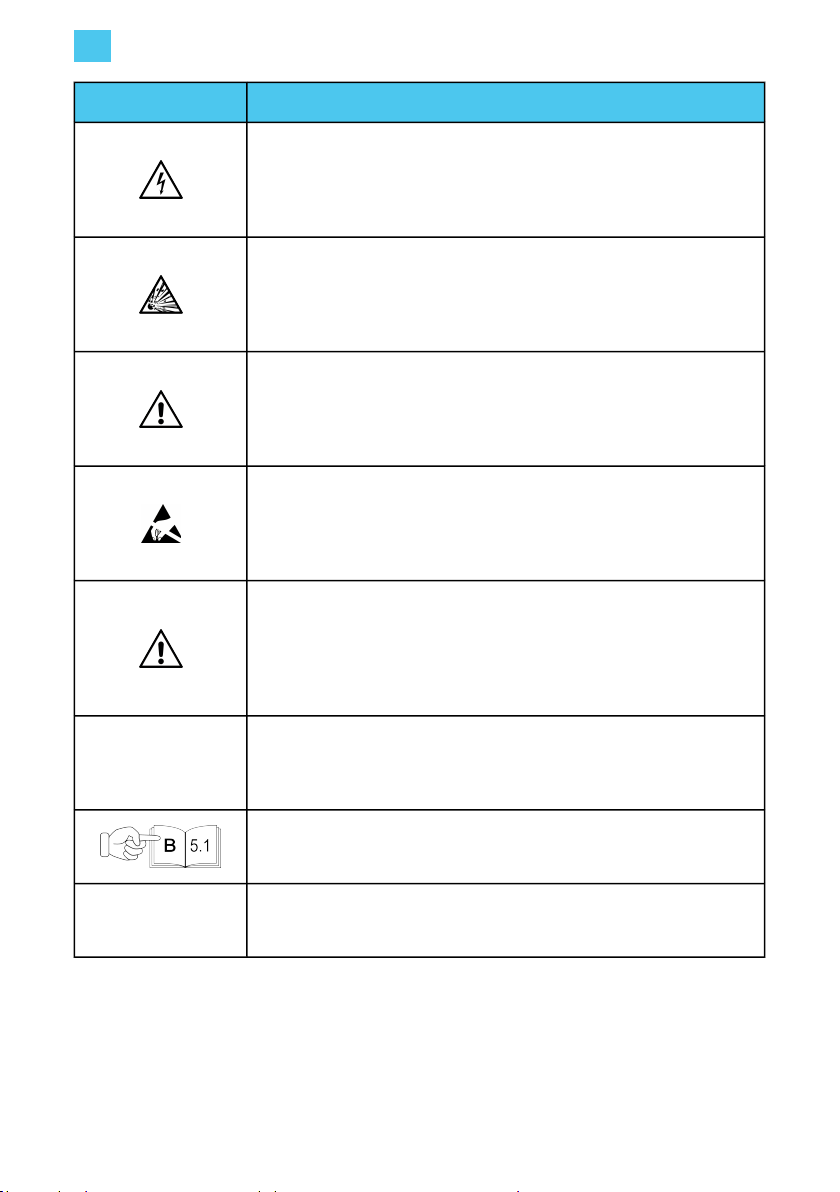
ymbol Explanation
DANGER: Risk of electric shock
Indicates an imminently hazardous situation with a high risk level which, if
the danger is not avoided, will cause death or serious injury.
DANGER: Risk of explosion
Indicates an imminently hazardous situation with a high risk level which, if
the danger is not avoided, will cause death or serious injury.
WARNING:
Indicates a potentially hazardous situation with moderate risk level which,
if the warning is not obeyed, can cause death or serious injury.
CAUTION: Risk of electrostatic discharge and damage
Indicates a potentially hazardous situation with a medium risk level which,
if the caution is not obeyed, may cause damage to the equipment.
CAUTION:
Indicates a potentially hazardous situation with a medium risk level which,
if the caution is not obeyed, may cause minor or moderate injury or
damage to the equipment.
Note: Notes contain helpful suggestions or references to information not
contained in this manual.
This symbol indicates that the illustrations corresponding to the indicated
chapter are to be found in Manual Part B.
1., a. or i. Action to be followed in the stated order.
EN 1. Introduction
4
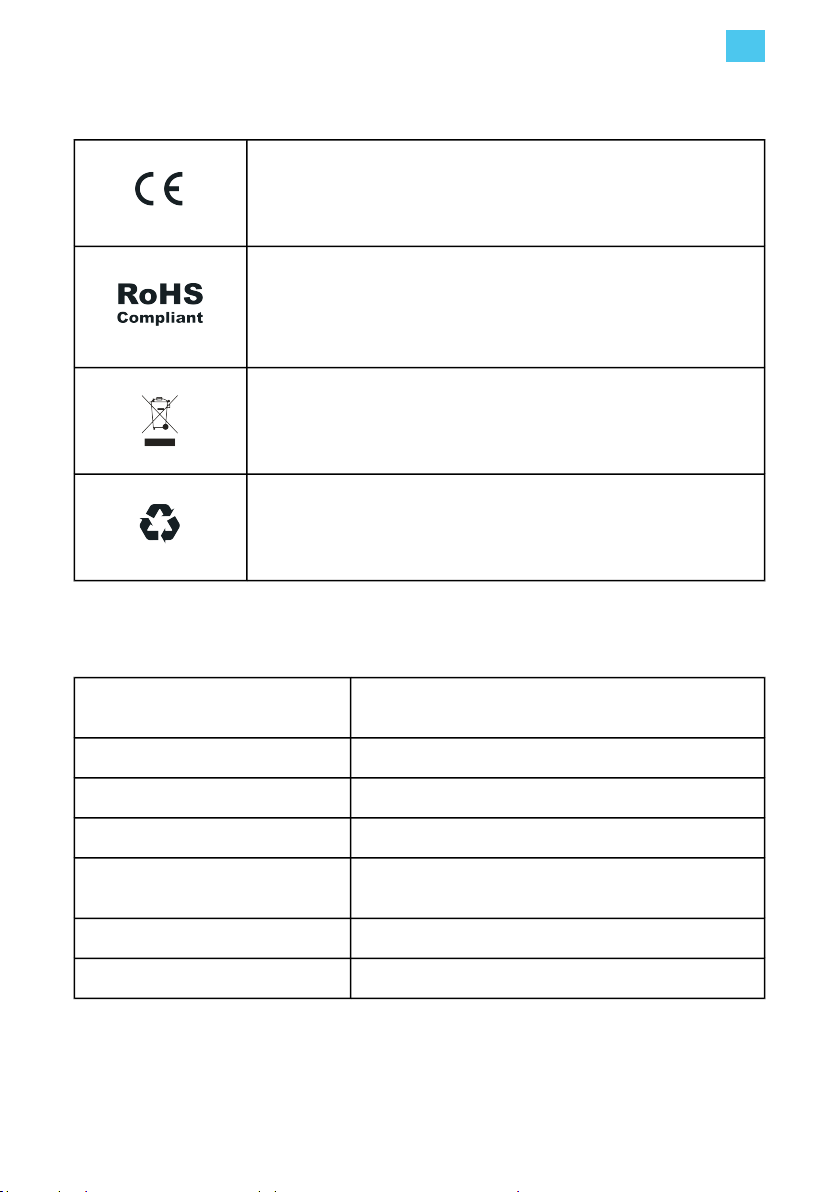
1.4. Certi>cation and compliance
The charging station has been CE-certified by the manufacturer and bears
the CE logo. The relevant declaration of conformity may be obtained from
the manufacturer.
The charging station complies with the RoHS Directive (RL 2011/65/EU).
The relevant declaration of conformity may be obtained from the
manufacturer.
Electrical and electronic appliances, including accessories, must be
disposed of separately from the general municipal solid waste.
Recycling of materials saves raw materials and energy and makes a major
contribution to conserving the environment.
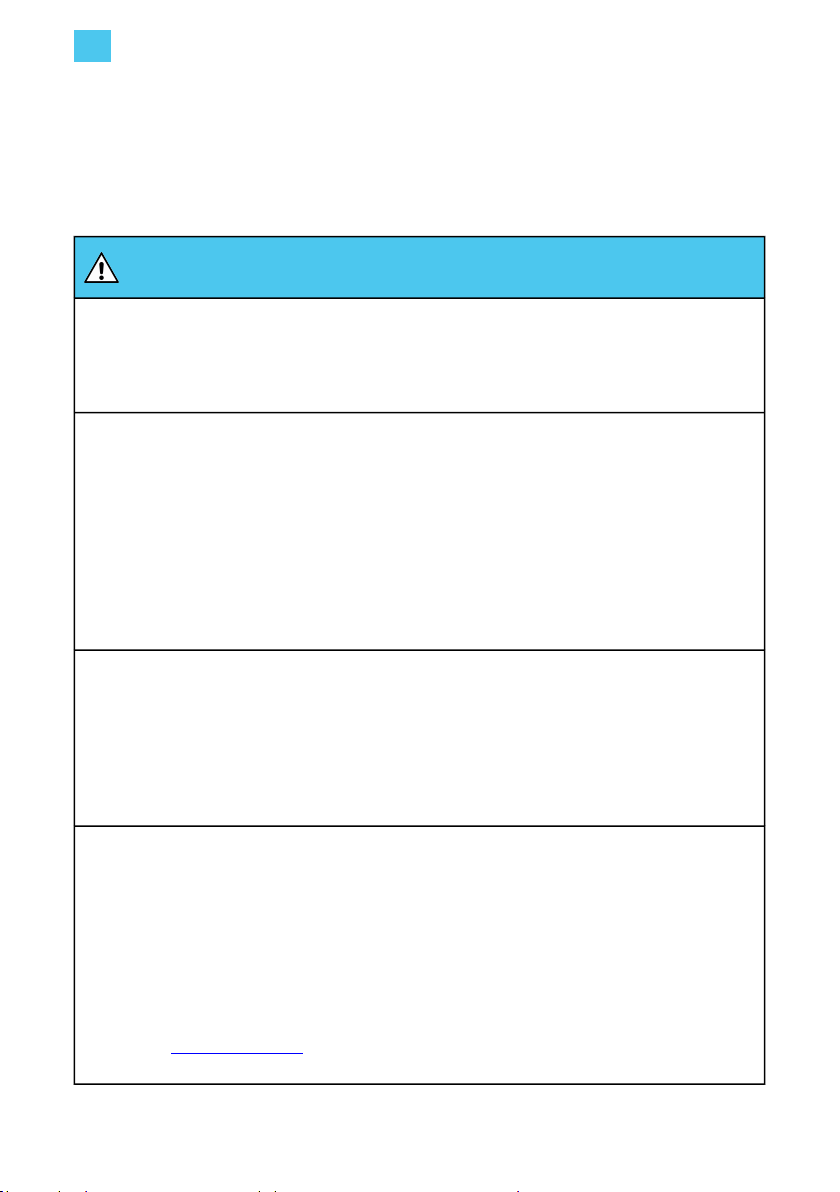
1.5. Product classi>cation
Power supply input EV supply equipment permanently connected to AC
supply network.
Power supply output AC EV supply equipment.
Normal environmental conditions Outdoor use.
Access Equipment for locations with unrestricted access.
Mounting method Stationary equipment, surface-mounted on ground, or
ground and walls.
Protection against electric shock Class 1 equipment.
Charging modes Mode 3 (EU).
1. Introduction EN
5
2. afety
2.1. afety Precautions
DANGER
Not following the installation and user instructions given in this manual will result in the risk of
electric shock, which will cause severe injury or death.
• Read this manual before installing or using Iqon.
Installation, servicing, repair and relocation of Iqon by a non-qualified person will result in the risk of
electric shock, which will cause severe injury or death.
• Only a qualified electrician is permitted to install, service, repair and relocate the charging
station.
• The user must not attempt to service or repair Iqon as it does not contain user-serviceable
parts.
• Local regulations may be applicable and may vary depending on your region / country of use.
The qualified electrician must always ensure that the station is installed according to the local
regulations.
Working on electric installations without proper precautions will result in the risk of electric shock,
which will cause severe injury or death.
• Switch off input power before installing Iqon. Keep the power off until Iqon is fully installed and
secure.
• Do not switch on Iqon if it is not fully installed or not secure.
• Do not install a Iqon that is faulty or has a noticeable issue.
Operating Iqon when it indicates an error state, or when Iqon or the charging cable have cracks,
show extensive wear, or other physical damage, will result in the risk of electric shock, which will
cause severe injury or death.
• Do not operate Iqon if the enclosure or an EV connector is broken, cracked, open, or shows any
other indication of damage.
• Do not operate Iqon if a charging cable is frayed, has broken insulation, or shows any other
indication of damage.
• In the event of danger and/or an accident, a qualified electrician must immediately disconnect
the electrical supply from Iqon.
• Contact evbox.com/support or your dealer if you suspect that Iqon is damaged.
EN 2. Safety
6
Other manuals for Iqon
2
Table of contents
Other EVBox Automobile Batteries Charger manuals


Popular Automobile Batteries Charger manuals by other brands

ULTIMATE SPEED
ULTIMATE SPEED ULGD 3.8 A1 Operation manual

HYPERVOLT
HYPERVOLT Home 3.0 Operation & installation manual

Growatt
Growatt THOR 11AS-S/P Quick installation guide

Ingeteam
Ingeteam Ingerev Garage Installation and user manual

DEFA
DEFA Power 715000 installation manual

iTechworld
iTechworld iTECHDCDC20 user guide


