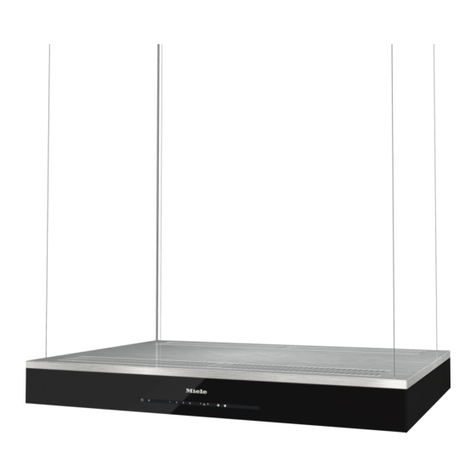
erlab Captair Smart 321 User manual

Safer
Simpler
Captair Smart
Ductless filtering fume hoods
User
manual

2
Captair Smart
General....................................................................................................................................3
Safety notices.................................................................................................................3
Product registration ..............................................................................................4
Start-up...................................................................................................................................5
- Calibrating the electronic anemometer
- Default settings
- Description of the control module
- Description of the alarms
e-Guard App.....................................................................................................................9
- Connectivity principle
- Options of connection
- Accessing the Administrator interface
- Administrator interface description
Fan setpoints....................................................................................................................20
Procedure for automatic detection for the saturation
of a molecular filter using acetone......................................................21
- Saturation detection using colorimetric tubes...................................................21
- Saturation detection using PID Device ..................................................................23
- Saturation detection using Molecode S sensor .................................................25
Replacing the filters .................................................................................................27
Recommendations for storing
and using the filters..................................................................................................36
Replacement frequency for filtration breakthrough
sensor (Molecode option).................................................................................37
Admissible weighs on working surfaces........................................37
Cleaning and maintenance.............................................................................38
Contents

3
User Manual
General
By choosing Captair Smart ductless ltration fume hoods, you have chosen an efcient and responsible way to
ensure safety.
Erlab’s 45 years of expertise in the eld of laboratory fume hoods provide unparalleled ltration quality to ensure your
users are properly protected when handling chemicals in the laboratory. The new Captair Smart range uses an innovative
and straightforward mode of communication called Smart technology. This powerful interface uses light to intuitively and
effortlessly communicate with users and leave them free to focus all their attention on the main task: handling the chemicals.
Your ductless Captair Smart ltration fume hood guarantees that you are protected when working with chemicals that pose
an inhalation risk. The Erlab ltration technology it employs traps hazardous particles and molecules and returns clean air
back into the laboratory.
The system’s connectivity allows for real-time safety alerts and individual device usage reports to be sent via the e-Guard
App.
Safety notices
The effectiveness of your device is directly dependent upon it being used correctly and monitored by its users. Your
laboratory may also benet from ergonomic, economic and ecological advantages provided by the Captair Smart fume hood
throughout its life cycle.
The E.S.P. program (Erlab Safety Program) was set up to guarantee your safety. We would remind you that it is important
to have the safety parameters validated before using the device for the rst time and whenever it is used for a different
application.
The handling of substances that are carcinogenic, mutagenic or toxic for reproduction (CMRs) underneath a fume hood is
covered by the French Labour Code. The code notably species that an in-depth risk analysis must be carried out prior to
any CMRs being handled under a recirculating fume hood.
The equipment provided is not intended to be used in an explosive atmosphere.
The lters delivered with this device must be removed from their packaging and positioned correctly; they must also be
suitable for the type of chemicals being handled in order to guarantee user safety.
Erlab recommends that lter breakthrough tests are regularly carried out.
Erlab recommends that the electronic anemometer is calibrated at least once a year.
The quantities of the chemicals handled in the enclosure should not be greater than those listed in the guide to approved
chemicals (the Chemical Listing).
AFNOR standard NF X 15-211: 2009 only applies to chemicals subject to an OEL.
Pursuant to the NF X 15-211 standard, only operations that can immediately be stopped are allowed to be carried out in a
Class 2 enclosure. Moreover, the fume hood’s lter must be replaced if any chemicals are detected downstream of the lter.
New lters must be stored in their packaging, kept in a dry location and laid at. (see recommendations for storing and using
the lters).
Erlab recommends keeping a logbook which is specic to the device and shows the chemical agents handled, how often
they are used and the maintenance operations carried out on it.

4
Captair Smart
Product registration
Take full advantage of the device’s connectivity to enhance your safety
Get up to 10 years warranty on your connected Erlab unit
Register your product online: the registration of the product will automatically give you one extra year of warranty (in addition
to the warranty mentioned in the Erlab’ general terms and conditions of sale).
Connect your unit: Once the device is connected to the Internet and congured to exchange usage data, the warranty is
extended for up to 10 years. Warranty will be successively renewed at each lters replacement and for the life time indicated
on the Valipass® and/or or at the end of lter usage time.
In order to benet from Erlab extension of warranty offer, the following conditions shall be respected:
Warranty applicability is subject to the respect of the Erlab’ general terms and conditions of sale and following requirements:
• The registration and/or the connection of the product shall be performed within the twelve months from the purchase date ;
• Filters replacement must be performed following Valiquest® service recommendations or at the end of lter usage time ;
The lter’s serial number, used as an identication key, validates this condition, regardless of your device’s supplier
(and/or the replacement lter’s supplier for the following years);
• The device’s replacement lters must be manufactured by Erlab, as must all other spare parts.
Consumables such as lters and saturation sensors are not covered under warranty.

5
User Manual
Start up
Calibrating the electronic anemometer
1- Press silmutaneously the main switch while switching on the main swith on the back of the control panel (off:O, ON:I)
2- Release immediately the mute button. A beep will proove the unit has started the calibration mode. LEDS lights will blink
fastly without any sound during 5min. 30 sec. LEDs lights blinking is different when an alarm is triggered.
3- Light blinking stops. The anemometer is calibrated and the unit is operational.
4- Turn on fan of the unit on the control panel.
5- Green light and LEDs lights are lighting.
Good practices :
- If you are using prelters, please be sure they are correctly located
- If you are using Reverso sash (Captair Smart 392 or 483 or 633 or 714 ductless fume hoods), please do the calibration as
indicated.
Main general switch Mute button
Press it silmutaneously

6
Captair Smart
Having carefully followed the steps described in the installation guide, your Captair Smart
fume hood is now ready to use.
The power switch is located at the back of the control panel
Note: we recommend never turning off the main device power switch after the machine as
been started for the rst time.
The button on the control panel turns on the fan and the lights.
The green indicator light and LED light system should come on.
We also recommend verifying the operating parameters before each new use.
Filter breakthrough sensor (Molecode option) :
Default settings when the sensor has not been set in our factory:
- Solvents (S type): medium
- Acids (A type): medium
- Formaldehyde (F type): medium
To modify settings, please access the administrator interface.

7
User Manual
Description of the control module
2
3
4
5
1
1 - Switch on fan and lights in hood
2 - Silence the alarm (Mute key)
3 - Keycode to indicate which alarm is active
4 - Smart-Light that pulses when in alarm
5 - Pegs to hold the sash fully open
Smart Technology gives you an easily identiable method of
communication about the containment, performance, and lter
efciency of your product via a soft, LED band of light called Smart-
Light - a light signature across the fascia which casts a stable LED
glow ensuring proper operation. If normal operation is disrupted,
the reassuring LED signature simply pulses, drawing the attention
of the operator only when necessary.
3
Description of the alarms
Note:
When using the Mute key to silence the alarm, please note the alarm can be triggered again if the event condition has not been xed.
Resetting alarms via the Mute key will consequently modify usage settings.
Please access the administrator interface to precisely check user settings.
Alarm type Light
signal Events Details Silence
the alarm Reset the alarm
Timer
1 beep
5 seconds
apart
Pulses
Operating time
elapsed
timer (60 hours
according to the
NFX 15-211
standard)
The operating
time specied
in the timer
settings has run
out.
Press Mute
key
Pressing the Mute key will reset the Timer.
Note: the Timer can be set by accessing
the administrator interface.
Air speed
2 beeps
5 seconds
apart
Pulses Low air speed The air speed
value is <0.4 m/s
Press Mute
key
Anemometer settings:
When the alarm is triggered:
- please check the fan(s) is (are) turned
ON and the front sash is correctly closed,
- Press the Mute Key to silence the alarm,
- See Calibrating electronic anemometer
Note: the anemometer calibration can be
also done by accessing the administrator
interface.

8
Captair Smart
Alarm type Light
signal Events Details Silence
the alarm Reset the alarm
Filtration
3 beeps
5 seconds
apart
Pulses
Filter
breakthrough
(Molecode S/A/F
option)
The Molecode
detection value
is > the sensi-
tivity
setting for a
period of 40s.
Press Mute
key
Note: lter has to be replaced.
Replace lter
The lter(s) has/
have reached
the end of their
service life/lives.
Please get in touch with Erlab or your
usual maintenance contact.
Fan
4 beeps
5 seconds
apart
Pulses
Fan fault
The rotation speed
(RPM) is +/- 10% of
the fan setpoint.
Press Mute
key
Fan Unservi-
ceable
The rotation
speed (RPM) is
< 700 RPM
Filter breakthrough sensor replacement (Molecode)
5 beeps
5 seconds
apart
Pulses
Filter
breakthrough
sensor replace-
ment (Molecode
S/A/F option)
The sensor has
reached the end
of its service life.
Please get in touch with Erlab or your
usual maintenance contact.
Reset network settings
Forgot network settings?
- Please check the general switch of the unit is turned ON,
- Switch OFF the key 1,
- Press the Mute key for 10 seconds,
- After 3 beeps, network settings are reset,
- Reboot the unit: turn OFF/ON the general switch of the unit on the back of the control panel,
- The network default IP adress is : 192.168.0.200

9
User Manual
eGuard App
Welcome to a safer connected world
The connectivity of Captair Smart fume hoods allows you to monitor all your safety settings remotely.
After registering your product on line, download eGuard App and:
- Stay in touch wherever you are
- Receive safety alerts
- Access your statistics usage
- Make the most of an exclusive warranty program
Connectivity principle
Ecosystem designed for simpler use and safer protection
Ethernet-TCP-IP
Embedded
service
Fume hood
Internet network and/or local area
network (LAN - for eGuard PC only)
Database
Monitoring
the product
Monitoring &
controlling
the product
eGuard App
Mobile
PC
Embedded
service
storage cabinet
Embedded
service
Air Filtration System
Embedded
service
Air quality sensor

10
Captair Smart
3 Versions
Embedded
service
Mobile
app
PC
app
Conditions
of use
Direct connection on PC
with data cable (RJ45)
Web connection
(via 3G/4G)
Web and/or local
connection
Hardware requirements 1 PC + 1 cable 1 Apple or Android
Smartphone
1 PC connected to
Internet or local network
Parameters Monitoring + Controlling Monitoring Monitoring + Controlling
Data access One unit Multiple units Multiple units
Historical data access
Historical data download
Alerts
Multiple units monitoring
Multiple user accounts
Automatized status report
(except if local connection)
Download
available on
www.erlab.com
Other manuals for Captair Smart 321
1
This manual suits for next models
6
Table of contents
Other erlab Ventilation Hood manuals