EQD Auria EQ2288F User manual

22" LCD FHDTV
User Guide
MODEL EQ2288F

EQD®i EQ2288F
Dear EQD customer,
Congratulations on your purchase of an Auria LCD TV by EQD. For maximum
benefit of your TV, please read these instructions before any operations.
Product Registration
Product disposal at end of product life
EQD is concerned about the preservation of our environment. Please dispose
of this product properly at the end of its useful life. Your local waste disposal
company may provide information about proper disposal.
The lamp in this product contains mercury. Please dispose of properly in accor-
dance with environmental laws of your location.
Safety Instructions
The symbol is intended to alert the user to presence of un-insulated
“Hazardous Voltage” within the product’s enclosure that may be of suf-
ficient magnitude to constitute a risk of electric shock to persons.
This symbol is intended to alert the user that improper use of the prod-
uct may result in product malfunction. The user should pay attention to
avoid accidents or unnecessary
problems.
Wet Location
Apparatus shall not be exposed to dripping or splashing and that no objects
filled with liquids, such as vases, shall be placed on the apparatus.
Outdoor Use
WARNING: To reduce the risk of fire or electric shock, do not expose this appa-
ratus to rain or moisture.
Disconnect Device - The Mains Plug or An Appliance
Coupler
The mains plug or an appliance coupler is used as the disconnect device for
disconnection from the mains, the disconnect device shall remain readily
operable.
For Your Records
Product Name: [ ] EQ2288F
Auria LCD TV
Document Number: [ ] EQ2288F-1M_UG_ENG Rev. 1A 10-28-08
Serial Number: ____________________________________________
Purchase Date: ____________________________________________

EQD®ii EQ2288F
Copyright Information
Copyright © EQD®, 2008. All rights reserved.
ENERGY STAR®is a registered trademark of the U.S. Environmental Protection Agency (EPA).
As an ENERGY STAR®partner, EQD®has determined that this product meets the ENERGY STAR®guide-
lines for energy efficiency.
Disclaimer: EQD®shall not be liable for technical or editorial errors or omissions contained herein; nor for
incidental or consequential damages resulting from furnishing this material, or the performance or use of
this product.
In the interest of continuing product improvement, EQD®reserves the right to change product specifica-
tions without notice. Information in this document may change without notice.
No part of this document may be copied, reproduced, or transmitted by any means, for any purpose
without prior written permission from EQD®.
Compliance Information
FCC Statement
This device complies with part 15 of FCC Rules. Operation is subject to the following two conditions: (1)
this device may not cause harmful interference, and (2) this device must accept any interference
received, including interference that may cause undesired operation.
This equipment has been tested and found to comply with the limits for a Class B digital device, pursuant
to part 15 of the FCC Rules. These limits are designed to provide reasonable protection against harmful
interference in a residential installation. This equipment generates, uses, and can radiate radio frequency
energy, and if not installed and used in accordance with the
instructions, may cause harmful interference to radio communications. However, there is no guarantee
that interference will not occur in a particular installation. If this equipment does cause harmful interfer-
ence to radio or television reception, which can be determined by turning the equipment off and on,
the user is encouraged to try to correct the interference by one or more of the following measures:
• Reorient or relocate the receiving antenna.
• Increase the separation between the equipment and receiver.
• Connect the equipment into an outlet on a circuit different from that to which the receiver is
connected.
• Consult the dealer or an experienced radio/TV technician for help.
Warning: You are cautioned that changes or modifications not expressly approved by the
party responsible for compliance could void your authority to operate the equipment.
Following information is only for EU-member states:
The mark shown to the right is in compliance with the Waste Electrical and Electronic Equipment
Directive 2002/96/EC (WEEE).
The mark indicates the requirement NOT to dispose the equipment as unsorted municipal waste,
but use the return and collection systems according to local law.
ENERGY STAR Information:
• Keeping the TV at its factory default settings that meet ENERGY STAR criteria.
• Enabling certain features and functionality of LCD TV will increase its energy consumption, possibly
beyond the limits required for ENERGY STAR qualification.

EQD®iii EQ2288F
Declaration of RoHS Compliance
This product has been designed and manufactured in compliance with Directive
2002/95/EC of the European Parliament and the Council on restriction of the use of
certain hazardous substances in electrical and electronic equipment (RoHS Directive)
and is deemed to comply with the maximum concentration values issued by the Euro-
pean Technical Adaptation Committee (TAC) as shown below:
Certain components of products as stated above are exempted under the Annex of
the RoHS
Directives as noted below:
Examples of exempted components are:
1. Mercury in compact fluorescent lamps not exceeding 5 mg per lamp and in other
lamps not specifically mentioned in the Annex of RoHS Directive.
2. Lead in glass of cathode ray tubes, electronic components, fluorescent tubes,
and electronic ceramic parts (e.g. piezoelectronic devices).
3. Lead in high temperature type solders (i.e. lead-based alloys containing 85% by
weight or more lead).
Lead as an allotting element in steel containing up to 0.35% lead by weight, alumin-
ium containing up to 0.4% lead by weight and as a cooper alloy containing up to 4%
lead by weight.
Substance
Proposed
Maximum
Concentration
Actual
Concentration
Lead (Pb) 0.1% <0.1%
Mercury (Hg) 0.1% <0.1%
Cadmium (Cd) 0.1% <0.01%
Hexavalent Chromium (Cr6+) 0.01% <0.1%
Polybrominated biphenyls (PBB) 0.1% <0.1%
Polybrominated diphenyl ethers
(PBDE) 0.1% <0.1%

EQD®iv EQ2288F
Contents
Product Registration ......................................................................................... i
Product disposal at end of product life ......................................................................... i
Safety Instructions ............................................................................................. i
Wet Location .................................................................................................... i
Outdoor Use ..................................................................................................... i
Disconnect Device - The Mains Plug or An Appliance Coupler ....................... i
Copyright Information ..................................................................................... ii
Compliance Information ................................................................................. ii
FCC Statement ................................................................................................................. ii
Declaration of RoHS Compliance ...................................................................iii
Important Safety Instructions ........................................................................... 1
ANTENNAS .........................................................................................................................1
BATTERIES ........................................................................................................................... 2
CLEANING .........................................................................................................................2
Package Contents ..........................................................................................3
Installing the LCD TV ........................................................................................3
Disconnecting the stand ................................................................................................. 3
Mounting Auria LCD TV to the wall ................................................................................ 3
Front View of the product ................................................................................ 5
Rear View of the Product ................................................................................. 6
Connecting the LCD TV ................................................................................... 7
Remote Control and TV Controls .....................................................................8
Inserting Remote Control Batteries ................................................................................ 8
Remote Control and TV Controls ................................................................................... 9
Operation .....................................................................................................11
Turning the TV On and Off ............................................................................................ 11
Changing Channels ...................................................................................................... 11
Adjusting the Volume .................................................................................................... 11
Viewing the Displayed Information .............................................................................. 11
Selecting the Input Source ............................................................................................ 11
Using the OSD Function .................................................................................................11
Storing Channels into Memory ..................................................................................... 16
Using Parental Control Menu ........................................................................................ 17
To Change Password: .................................................................................................... 17
To turn Parental Control on or off: ................................................................................ 17
To block programs using TV Ratings: ........................................................................... 18
To block programs using Movie ratings: ......................................................................18
Troubleshooting .............................................................................................20
Specifications ................................................................................................ 21

EQD®1 EQ2288F
Important Safety Instructions
1. Read these instructions completely before using the equipment.
2. Keep these instructions in a safe place.
3. Heed all warnings.
4. Follow all instructions.
5. Do not use this apparatus near water.
6. Clean with a soft, dry cloth.
7. Do not block any ventilation openings. Install the equipment in accordance with the manufacturer’s
instructions.
8. Do not install near any heat sources such as radiators, heat registers, stoves, or other
devices (including amplifiers) that produce heat.
9. Do not attempt to circumvent the safety provisions of the polarized or grounding-type
plug. A polarized plug has two blades with one wider than the other. A grounding type
plug has two blades and a third grounding prong. The wide blade and the third prong
are provided for your safety. If the provided plug does not fit into your outlet, consult an
electrician for replacement of the outlet.
10. Prevent the power cord from being tread upon or pinched, particularly at the plug, convenience
receptacles, and the point where they exit from the device. Be sure that the power outlet is located
near the equipment so that it is easily accessible.
11. Only use attachments/ accessories specified by the manufacturer.
12. Use only with the cart, stand, tripod, bracket, or table specified by the manufacturer, or
sold with the apparatus. When a cart is used, use caution when moving the cart/appa-
ratus combination to avoid injury from tip-over.
13. Unplug this apparatus when it will be unused for a long period of time.
14. Refer all servicing to qualified service personnel. Servicing is required when the appara-
tus has been damaged in any way, such as power-supply cord or plug is damaged, liquid has been
spilled or objects have fallen into the apparatus, the apparatus has been exposed to rain or mois-
ture, or the unit does not operate normally, or has been dropped.
ANTENNAS
Outdoor antenna grounding
If an outdoor antenna is installed, follow the precautions below.
Do not install the outdoor antenna system near of overhead power lines or other electric light or power
circuits, or where it can come in contact with such power lines or circuits.
WHEN INSTALLING AN OUTDOOR ANTENNA SYSTEM, EXTREME CARE SHOULD BE TAKEN TO KEEP FROM
CONTACTING SUCH POWER LINES OR CIRCUITS AS CONTACT WITH THEM IS ALMOST INVARIABLY FATAL.
Be sure the antenna system is grounded so that it can provide some protection against voltage surges
and built-up static charges.
Section 810 of the National Electrical Code (NEC) in the U.S.A. and Section 54 of the Canadian Electrical
Code in Canada provides information with in regard to proper grounding of the mast and supporting
structure, grounding of the lead-in wire to an antenna discharge unit, size of grounding conductors, loca-
tion of antenna discharge unit, connection to grounding electrodes, and requirements for the grounding
electrode.
Antenna grounding according to the
National Electrical Code, ANS/NFPA 70
Antenna
Antenna discharge
unit
Grounding conductors
Power service grounding
electrode system
Ground clamps
Electric service
equipment
Ground clamp

EQD®2 EQ2288F
BATTERIES
• Do not cast away batteries in a fire.
• Do not disassembled, overheat, or short-circuit the batteries.
• If the battery is replaced in the wrong way, it may cause danger of explosion. Replace only with the
same or equivalent type.
Dispose used batteries.
To preserve our environment, dispose of used batteries according to your local laws or regulations.
CLEANING
Cleaning the AC power plug
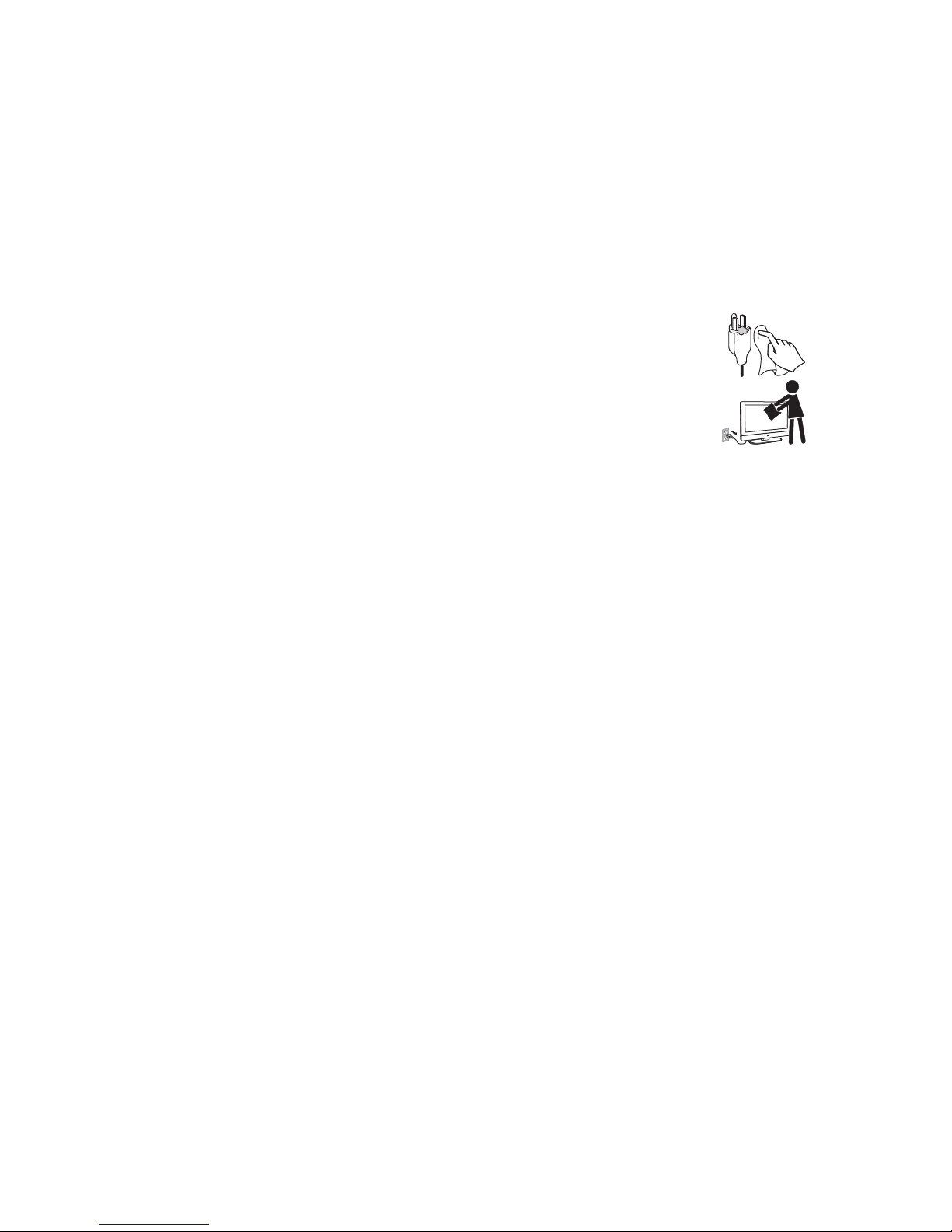
Unplug the AC power plug and clean it regularly. If the plug is covered with dust and gath-
ers moisture, its insulation may deteriorate and result in a fire.
Cleaning the screen surface/cabinet of the TV set
When cleaning this TV, unplug the AC power cord. If not, it may result in electric shock.
Use a dry soft cloth to clean the cabinet of the TV. To remove dust near the screen, wipe it
gently with a soft cloth. Stubborn stains may be removed with a cloth slightly dampened
with a solution of mild soap and warm water. Never use strong solvents such as thinner or
benzine for cleaning. If using a chemically pretreated cloth, please follow the instruction
provided on the package. The ventilation holes can accumulate dust over time.
To ensure proper ventilation, we recommend you to remove the dust periodically (once a month) using
a vacuum cleaner, while the LCD TV is powered off.

Getting Started
EQD®3 EQ2288F
Package Contents
Check the contents of your package. It should contain:
•LCDTV
• Remote Control with batteries
• Auria User Guide
• Auria Quick Start Guide
•PowerCord
Installing the LCD TV
Disconnecting the stand
Caution
Please use the following Auria TVs wall-mount kit only.
Mounting Auria LCD TV to the wall
The LCD TV can be used in a free standing position or wall-mounted. Before
installing the product to the wall, please consider the following guidelines:
• Read the Important Safety Instructions, at the start of this manual.
• Do not install in a moist or wet environment. This equipment is intended
for indoor use.
• Do not install near heat source, or strong magnetic fields.
• Use only Auria approved wall-mounting brackets to support the LCD TV
weight.
• Before attaching the wall mount plate to the back cover, ensure the
product is working.
• If your LCD TV is already set up for free-standing operation, you need to
first remove the stand before mounting the device to the wall.
Auria TV Model No.
EQ2288F
Auria wall-mount kit model WMK-10

EQD®4 EQ2288F
To attach the wall-mount bracket to LCD TV safely, please use the following
guidelines:
• Disconnect the power and any other cables that might hinder moving
the LCD TV.
• Set the LCD TV on a table or work surface, placing the screen face down
on a towel or woolen blanket to protect the screen surface from damage
while installing plate.
• Before installing the LCD TV on the wall, ensure you have recorded the
product serial number on page (i) of the User Guide, as you will need the
serial number to request service should there be a service need.
• Install the wall mount plate to the LCD TV using screws NO LONGER than
10mm, as longer screws found in universal (non-Auria) wall mount kits may
damage the power supply causing the unit to fail. The wall-mount screw
type is M4 x L10.
• Mount the wall mount bracket to the wall ensuring use of proper screws
to support the installation. Ensure there is at least 3cm of space surrounding
any air-vents of your LCD TV to allow adequate cooling during operation.
• Hang the LCD TV wall mount plate to the wall mount bracket, complet-
ing installation.
Enjoy your Auria LCD TV!

EQD®5 EQ2288F
Front View of the product
Item Description
1Power ON/OFF button Turn the power on from standby mode or turn the
power off to return to the standby mode.
2Power LED Indicator Lights up in blue when the TV is turned on. Lights
up in orange when the TV is in standby mode.
3Remote Control Receiver Receives IR signals from the remote control.
4SOURCE Select input source.
5MENU Turn OSD menu ON/OFF.
6Volume Up Increase sound volume or select a control while in
OSD menu.
7Volume Down Decrease sound volume or select a control while
in OSD menu.
8CH Up Channel up when source is TV, or adjust a high-
lighted control while in OSD menu.
9CH Down Channel down when source is TV, or adjust a high-
lighted control while in OSD menu.
4
6
5
7
8
9
1
2
3
Table of contents
Other EQD TV manuals