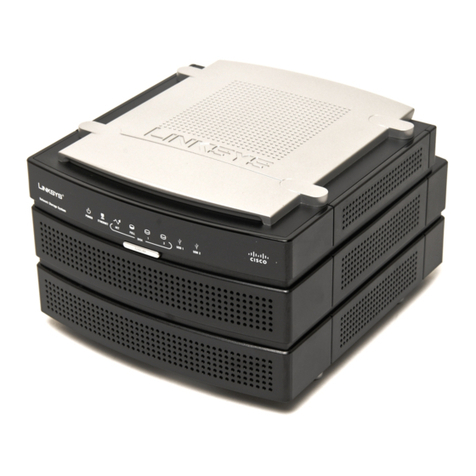
Emprex NSD-100 User manual

P2P Download Engine
NSD – 100
User Guide


Contents
1. Attention...................................................................5
2. Product Introduction ...............................................6
3. System Requirements............................................8
4. Package Content ....................................................8
5. Hardware Introduction............................................9
Front View.......................................................9
Rear View .....................................................10
6. Installation ...............................................................12
6-1 Connect the NSD-100 to ADSL MODEM .......12
6-2 Connect the NSD-100 to HUB .......................21
6-3 Connect the NSD-100 to ROUTER................22
6-4 DMZ Setting...................................................27
6-5 Share mapping...............................................32
7. WEB Administration.................................................38
7-1 Home page ....................................................38
7-2 Administration ................................................39
7-2-1 BitTorrent.................................................... 39
7-2-2 FTP Server................................................. 45

7-2-3 LAN ............................................................ 48
7-2-4 Device Setting ............................................ 48
7-2-5 USB............................................................ 49
7-2-6 User Folder ................................................ 53
7-2-7 Share Folders............................................. 55
7-2-8 Media ......................................................... 55
7-2-9 Tool............................................................. 56
8. Q & A.......................................................................62

5
1. Attention
1. Please back up your data in the NAS hard disk regularly to avoid
data losing due to uncertain manual fault, accident or hard disk
crash.
2. Please do not place this product on an unstable desk or uneven
surface to avoid falling and damage.
3. Please use independent power source for USB HDD while connect
USB HDD with NSD-100 to avoid insufficient electric power
effecting the data access.
4. Please do not remove any USB HDD from NSD-100 directly while
NSD-100 is on working. Follow the instruction of Charter 7 to avoid
any data losing or HDD crash.
It is a criminal offence, under applicable copyright laws, to make
unauthorised copies of copyright-protected material, including
computer programs, films, broadcasts and sound recordings.
This equipment should not be used for such purposes.

6
2. Product
Introduction
Thank you for buying this product. NSD-100 is a compact, economical
NAS (Network-attached stooge), providing an excellent data storage
for personal requirement. With first time setup procedure are simple
and user-friendly, besides, benefits are
▪Computers are not required to be powered on whole time while in
process of downloading; this leads to cut the electricity bill.
▪Not connected to the computer is one of the advantages to prevent
unauthorized accesses form data leak out.
▪Using P2P program on the computer will come with troublesome
program installation or configuration of computer, NSD-100 will
remove the troublesome procedures.
▪It only requires Internet to queue the new task of download to the
NSD-100 from anywhere.
Specifications
Features
Specification
Hard disk Support USB2.0 interface external HDD

7
Standard USB 1.0/1.1/2.0, IEEE 802.3, IEEE 802.3u
Ports 1. 10/100 RJ-45 Ethernet port x1
2. USB 2.0 x2
LAN protocol TCP/IP Protocol
Buttons 1. USB eject x2
2. Reset hole x1
Power Input: 100~240V,
Output: 5V/2A
Memory 1. Flash ROM 8MB
2. RAM: 64MB
LED indicators 1. Power indicator x1
2. LAN indicator x1
3. USB indicator x2
Dimension (W)150mm x (D)111.8mm x (H)30mm
Weight 190g(Net)
Environment Storage Temperature => -20ºC to 70ºC
Storage Humidity => 5% to 90% Non-Condensing
Operating Temperature => 5ºC to 40ºC
Operating Humidity => 10% to 85%
Non-Condensing

8
3. System
Requirements
1. Windows, Mac or Linux operation system and Ethernet adapter
2. 10/100 Base-T network cable with RJ-45 connector.
3. TCP/IP protocol
4. ADSL/CABLE modem and user account of ISP (Internet Services
Provider).
5. NAT Router or Switching HUB (Optional)
6. USB HDD.
4. Package
Content
Please check the following list of content first. If there is anyone
missing or flawed, please contact with your seller.
1. NSD-100 Device X 1
2. User Guide X 1
3. Power Adapter (5V/2A) X 1
4. Network cable 10-100 BASE-T X 1
5. Installation disc X 1

9
5. Hardware
Introduction
Front View
①USB LED II (Green)
Lighten Green USB device I connected to port ⑥
Off No USB device connects to port ⑥
Blinking Green Data TX/Rx
②USB LED I (Green)
Lighten Green USB device I connected to port ⑤
Off No USB device connects to port ⑤
Blinking Green Data TX/RX

10
③Network LED (Green)
Green Cable (10/100 base-T) connected
Off LAN disconnection
Blinking Green Data TX/RX
④Power LED
Green Power on and NSD-100 ready
Blinking Yellow System initializing
Red Power on but NSD-100 not ready or faulty
Rear View
①Network port
Connect the port with cable (10/100 base-T) to your switching
HUB or NAT Router
②Power source port
Connect with power adaptor.
③Reset key
Press and hold for 10 seconds to reset all configurations to factory
default settings.
Table of contents
Popular Network Storage Server manuals by other brands

HP
HP NetStorage 6000 user guide

Seagate
Seagate U10 ST320423A installation guide

Synology
Synology RackStation RS816 Hardware installation guide

D-Link
D-Link ShareCenter Pro DNS-1200-05 user manual

Avid Technology
Avid Technology VideoRAID ST Setup and user guide

Western Digital
Western Digital My Cloud Home Duo user manual