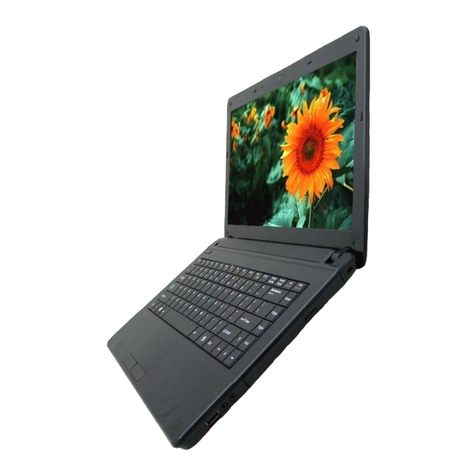
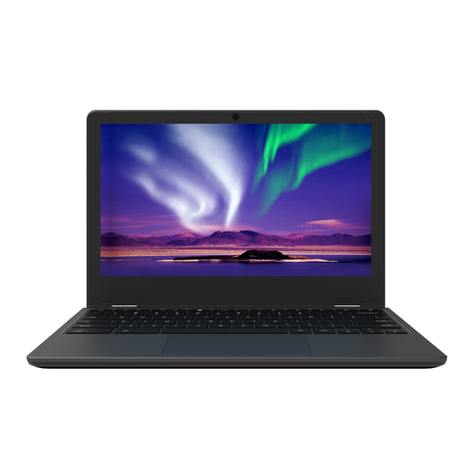
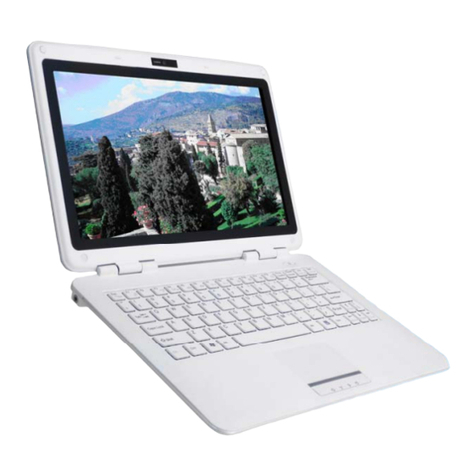
ECS EC10II2 User manual


i
Preface
@
@
Copyright 2013
All Rights Reserved.
The information in this document is subject to change
without prior notice in order to improve reliability,
design and function and does not represent a
commitment on the part of the manufacturer.
In no event will the manufacturer be liable for direct,
indirect, special, incidental, or consequential
damages arising out of the use or inability to use the
product or documentation, even if advised of the
possibility of such damages.
This document contains proprietary information
protected by copyright. All rights are reserved. No part
of this manual may be reproduced by any
mechanical, electronic, or other means in any form
without prior written permission of the manufacturer.
Limitation of Liability
While reasonable efforts have been made to ensure the
accuracy of this manual, the manufacturer and
distributor assume no liability resulting from errors
or omissions in this manual, or from the use of the
information contained herein.

ii
Table of Content
LIMITATION OF LIABILITY ..............................................................................I
SPECIFICATION............................................................................................ 6
ATTENTION:TEACHERS,PARENTS AND ADULT SUPERVISORS................... 10
SAFETY PRECAUTIONS...............................................................................................12
CARING FOR YOUR COMPUTER...............................................................................14
AGENCY REGULATORY NOTICES ................................................................ 15
FEDERAL COMMUNICATIONS COMMISSION NOTICE..........................................15
MODIFICATIONS ........................................................................................................17
CONNECTIONS TO PERIPHERAL DEVICES...............................................................17
SAR EXPOSURE..........................................................................................................17
DECLARATION OF CONFORMITY.............................................................................17
EUROPEAN NOTICE ...................................................................................................18
CANADIAN NOTICE ...................................................................................................18
ATTACHMENT LIMITATIONS STATEMENT...............................................................19
POWER CORD REQUIREMENT..................................................................................20
U.S. AND CANADA....................................................................................................21
OTHER COUNTRIES ...................................................................................................21
BATTERY PACK SAFETY .............................................................................................23
LITHIUM BATTERY WARNING /BRIDGE BATTERY WARNING ...............................24
GETTING TO KNOW THE BASICS............................................................... 25
TOURING THE COMPUTER........................................................................................25
Opening the LCD Panel ...............................................................................25

iii
Front View ..........................................................................................................27
Left Views............................................................................................................31
Right View ..........................................................................................................33
Rear View............................................................................................................34
Bottom View......................................................................................................35
SPILL-RESISTANCES PRECAUTIONARY MEASURES ON KEYBOARD,POWER
BUTTON,TOUCH SCREEN AND TOUCH PAD BUTTONS......................................36
GETTING STARTED .................................................................................... 38
CONNECTING TO A POWER SOURCE .....................................................................38
TURNING ON YOUR COMPUTER ............................................................................40
OPERATING ON BATTERY POWER...........................................................................40
THE BATTERY PACK...................................................................................................41
To Install the Battery Pack:.........................................................................41
To Remove the Battery Pack: ....................................................................42
LITHIUM-ION BATTERY .............................................................................................44
Battery Low-Power Warning......................................................................44
Charging the Battery and Charging Time ...........................................45
Checking the Battery Level.........................................................................46
Prolonging the Battery’s Life and Usage Cycles ..............................46
USING POWER (OPTIONAL).....................................................................................47
SUSPEND MODE........................................................................................................47
Standby Suspend ............................................................................................47
Hibernate Suspend.........................................................................................48
POWER BUTTON ACTION.........................................................................................48

iv
USING INTEL POWERED CLASSMATE PC -CONVERTIBLE ........................... 49
ADJUSTING THE LCD SCREEN DISPLAY.................................................................49
LCD CARE ..................................................................................................................49
FUNCTION KEYS (QUICK KEYS)...............................................................................51
THE TOUCHPAD ........................................................................................................53
TouchPad Precautions ..................................................................................
54
RESETTING THE SYSTEM ...........................................................................................54
USING THE TOUCH SCREEN.....................................................................................55
ROTATING THE DISPLAY PANEL ..............................................................................56
To rotate the display panel........................................................................56
To use the display panel as a writing pad..........................................60
HARD DISK PROTECTION .........................................................................................60
BIOS SETUP AND SECURITY FEATURE ....................................................... 61
ENTERING THE BIOS SETUP SCREEN.....................................................................61
LEAVING THE BIOS SETUP SCREEN .......................................................................62
BIOS ACTION KEYS ..................................................................................................63
MODIFYING THE BIOS SETTINGS ...........................................................................64
Main Setup.........................................................................................................65
Advanced Setup...............................................................................................66
Security ................................................................................................................66
Boot Setup .........................................................................................................67
Exit Setup............................................................................................................68
TROUBLESHOOTING .................................................................................. 69

v

6
Specification
CPU
Intel® Celeron® Processor 847 (2M Cache, 1.10
GHz)
Memory
Single-channel DDR3 1066/1333MHz So-DIMM
DRAM module
Supports 1GB/2GB/4GB of system RAM
Core Logic
Intel® NM70 Express Chipset
Audio Codec
Realtek ALC269Q-VB6 Azalia integrated audio
Analog 2.1 D3 mode support
Card reader
Support 2 in 1 SDHC/ MMC Memory Card.
USB 2.0 interface
Support boot from CR
LAN Controller
Supports 10 and 100 Mb/sec. Full and half
Duplex operation
Wireless LAN

7
Half Mini-card form factor
Wi-Fi 802.11 B/G/N 1x1 + Bluetooth 4.0
Wi-Fi 802.11 B/G/N 1x1 (optional)
Wi-Fi 802.11 A/B/G/N 2x2 (optional)
PCI-E interface
Keyboard
Integrated QWERTY keyboard W/ Hot key
Spill-resistance keyboard
Multi-languages Supported
Pointing Device
PS/2 Touch Pad with Left and Right Click
Button and scrolling Bar
Support two figures gesture function (zoom in/out,
scrolling, rotation)
Storage
SSD
SATA 32G/ 128G SSD MLC
2.5” HDD (with G-sensor for HDD protection)
Single-HDD for 2.5" 9.5mm SATA support
Support SATA 2.0
5400rpm support
250GB/320GB/500GB
LCD
10.1” with 1366X768(HD) (Anti-Glare)
Touch Screen

8
Capacitive type
5 point touch
Battery Pack
3 cell battery pack
10.8V/ 2600mAH, 3.6V/2600Mah
GALLOPWIRE, EC10-3S2600-G1L5
SIMPLO, EC10-3S2600-S1L5
The battery will be 70 percent charged in
about 75mins and fully charged in about
165mins
6 cell Li-ion battery pack
10.8V/ 4400mAH, 3.6V/2200Mah
GALLOPWIRE, EC10-3S2200-G1L3
SIMPLO, EC10-3S4400-S1L3
SIMPLO, EC10-3S4400-S1B3
The battery will be 70 percent charged in
about 125 mins and fully charged in
about 240mins
Extended 6 cell Li-ion battery pack
10.8V/ 5200mAH, 3.6V/2600mAH
GALLOPWIRE, EC10-3S5200-G1L5
SIMPLO, EC10-3S5200-S1L5
The battery will be 70 percent charged in
about 150 mins and fully charged in
about 300mins
AC-Adapter
Automatics Voltage adjustment between 100 and
240VAC 50/60Hz, 40Watts
Table of contents
Other ECS Laptop manuals

ECS
ECS I36IA1 User manual

ECS
ECS BR40II7 User manual

ECS
ECS G799 Standard User manual

ECS
ECS O40 Series User manual

ECS
ECS EG20BAX User manual

ECS
ECS Intel-powered Convertible Classmate PC User manual

ECS
ECS ED20PA2 User manual

ECS
ECS Notebook computer User manual

ECS
ECS R40II User manual

ECS
ECS MB40IAX User manual