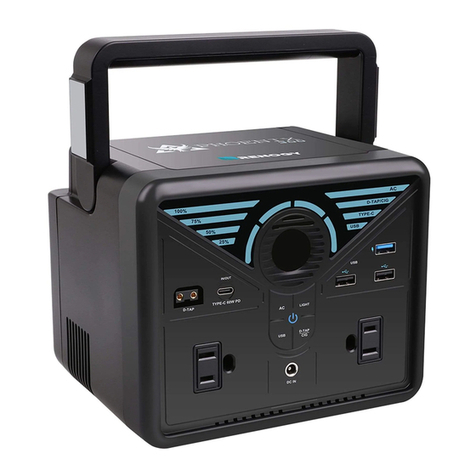
EcoFlow RIVER 2 Pro User manual

ECOFLOW RIVER 2 Pro
User Manual V1.0

Disclaimer
Read this user manual carefully before using the product to ensure that you completely
understand the product and can correctly use it. After reading this user manual, keep it properly
for future reference. Improper use of this product may cause serious injury to yourself or others,
or cause product damage and property loss. Once you use this product, it is deemed that
you understand, approve and accept all the terms and content in this document.
EcoFlow is not liable for any loss caused by the user's failure to use the product
in compliance with this user manual.
In compliance with laws and regulations, EcoFlow reserves the right to
This document is subject to changes (updates, revisions, or termination) without prior notice.

3
Overview
LCD Screen
AC Charging (Grid Charging)
Solar Charging
Car Charging
1
2
3
3
4
4
5
6
6
7
7
7
8
USB-C charging 8
9
9
9
10
11
11
X-Boost
EPS

1
Model EFR620
Weight Approximately 7.8kg(17.2lbs)
Dimension 270 x 260 x 226mm(10.6 x 10.2 x 8.9inches)
Capacity 768Wh (40Ah 19.2V )
Wi-Fi(2.4G)
Frequency range :
20M: 2412-2472MHz/40M: 2422-2462MHz
Maximum output power : 14.82dBm
Bluetooth Frequency range : 2402-2480MHz
Maximum output power : 4.27dBm
AC Input 220V-240V~50Hz/60Hz, 8A Max
Car Charging Input 12V/24V 8A, 100W Max
Solar Charging Input 11-50V 13A, 220W Max
USB-C Input 5/9/12/15/20V 5A, 100W Max
USB-C Output 5/9/12/15/20V 5A, 100W Max
USB-A Output 5V 2.4A 12W Max per port
DC Output 12.6V 10A/3A/3A, 126W Max
AC Output Pure sine wave, 800W total (1600W Peak)
230V~50Hz/60Hz*
Cell Material LFP battery
Cycle Life 80%+ capacity after 3000 cycles
Optimal Ambient Temperature for Operation 20°C~30°C(68°F to 86°F)
Ambient Temperature for Discharging -10°C~45°C(14°F to 113°F)
Ambient Temperature for Charging 0°C~45°C(32°F to 113°F)
Ambient Temperature for Storage -10°C~45°C (optimal: 20°C~30°C)
14°F to 113°F (optimal: 68°F to 86°F)
*Do not switch the AC output frequency at will, otherwise it may cause some electrical
appliances to be unusable.

2
1.
2. When using the product, please strictly follow the operating environment temperature
if the temperature is too low, the product performance may be severely reduced, or the product
may cease to work.
3.
4. Do not allow this product to come into contact with any liquid. Do not use this product in the
rain or high humidity.
5. It is recommended that you use moisture barrier bags in humid environments (for example,
places by the sea or waterways) to prevent the product from getting soaked.
6. If water is found inside the product, or the product is accidentally dropped into water, it must
not be used or turned on again. Please place it in a safe open area, and stay away from it
until it is completely dry. Please do not approach the product before it is dry. Please take anti-
electric shock measures before touching the product. The dried product should not be used or
discarded at will. Please properly dispose of it after contacting Customer Service.
7. Use a dry cloth to clean off dirt on the product ports.
8.
9. Do not stack any heavy objects on the product.
10. Store the product in a dry and ventilated place.
11. Keep this product out of reach of children and pets.
12. Do not place the battery under extremely low air pressure, otherwise events like explosion or
13. Do not disassemble or puncture this product in any way with sharp objects.
14. Do not block the fan forcibly during use.
15. Do not touch the product port with wires or other metal objects to avoid short circuit or other
risks.
16. When using or transporting this product, please avoid shocks, drops and violent vibrations.
In case of severe external shock, please stop using this product immediately and turn off the
power.
17.
EcoFlow channels if you need to replace any component or accessory.
18. This product is not recommended for powering medical emergency equipment related to
personal safety, including but not limited to medical grade ventilators (hospital version CPAP:
Continuous Positive Airway Pressure), artificial lungs (ECMO: Extracorporeal Membrane

3
Oxygenation). It can normally work with a home ventilator (home version CPAP), and does not
have to be continuously monitored by professionals. Please follow your doctor's instructions
and consult with the manufacturer for restrictions on the use of the equipment. If it is used
for general medical equipment, please be sure to monitor the power status to ensure that the
power does not run out.
19. When in use, power supply products will inevitably generate electromagnetic fields, which
are likely to affect the normal operation of medical implants or personal medical equipment
equipment are being used, please contact the manufacturer to inquire about any restrictions on
the use of such equipment. These measures are fundamental to ensure a safe distance between
etc.) and this product while in use.
20. When the power supply is connected in the normal mode to a refrigerator, the power supply
the refrigerator stores medicines, vaccines or other high-value items, it is highly recommended
that you set the AC output to "Never Turn Off" through the APP when connecting the power
supply product to ensure continuous power supply. Users should pay attention to the power
consumption of the power supply.
21.
22. To reduce risk of damage to the electric plug and cord, pull the plug rather than the cord when
disconnecting the power pack.
23. Do not operate the power pack with a damaged cord or plug, or a damaged output cable.
24. To reduce the risk of electric shock, unplug the power pack form the outlet before attempting
any instructed servicing.
25.
This will ensure that the safety of the product is maintained.
26.
27.
28.
or discharged for more than 6 months.
1. Whenever possible, please completely discharge the battery of this product before placing
the product in the designated battery recycling bin. This product contains batteries.
Batteries are hazardous chemicals and should not be disposed of in ordinary trash cans.
For details, please follow local laws and regulations on battery recycling and disposal.
2. If the battery cannot be completely discharged due to the failure of the product itself,
please do not dispose of the battery directly in the battery recycling bin, and contact a
professional battery recycling company for further processing.
3. The battery will not start after over-discharge, please dispose of it.

4
1. This product must be grounded. When charging it should malfunction or break down,
grounding provides a path of least resistance for electric current to reduce the risk
of electric shock. This product is equipped with a power cord that has an equipment
grounding conductor and a grounding plug. The plug must be plugged into an outlet that is
properly installed and grounded in accordance with all local codes ordinances.
2. Improper connection of the equipment grounding conductor is able to result in a risk of
product is properly grounded. Do not modify the plug provided with the product – if it will
Control, monitor and customize your EcoFlow River 2 Pro
from afar with the EcoFlow App.
AC Charging CableRIVER 2 Pro Car Charging Cable
DC5521 Connection Cable User Manual & Warranty Card

5
11. X-Stream AC charging input port 12. Solar/Car charging input port
13. Fan (do not block)
1. AC output switch
2. Main power switch
3. Power indicator
4. USB-A port
5. USB-C port
6. LCD
7. Car charger outlet
8. DC5521 output port (x2)
9. DC output switch
10. AC output socket

6
Refer to "Troubleshooting" for details.
1. Remaining battery
2. Remaining charge/discharge time
3. AC output
4. USB-A output
5. High temperature warning
6. Fan indicator
7. Bluetooth connection status
8. Wi-Fi status
9. Discharge/Recharge level limitation
10. Input power
11. Output power
12. Car output
13. USB-C output
14. Low Temperature warning
15. Overload Warning

7
Press the main power button once to turn on the product, then the LCD screen lights up and
(for about 3 seconds) to turn off the product, meanwhile, the LCD screen also goes off.
The USB-A and USB-C output ports are automatically turned on once the product is turned on.
Press the "DC output switch" or "AC output switch" once to turn on their corresponding DC/AC
When using the AC output socket, make sure that the sum power of all loaded devices
is less than the rated power.
1. After the product is turned on, press the main power button once to turn off the
LCD screen.
2. If the product is not used for 5 minutes, it will enter hibernation state with the LCD
screen gone off.
3. When RIVER 2 Pro is charging, it can't be turned off by pressing and holding the
Short press the
power switch
Short press the
power switch
Short press for power-on/
Long press for power-off
Other manuals for RIVER 2 Pro
2
This manual suits for next models
1
Table of contents
Languages:
Other EcoFlow Power Supply manuals

EcoFlow
EcoFlow RIVER 600 PRO Extra Battery User manual

EcoFlow
EcoFlow DELTA 2 MAX User manual

EcoFlow
EcoFlow RIVER mini User manual

EcoFlow
EcoFlow DELTA User manual

EcoFlow
EcoFlow Wave 2 User manual

EcoFlow
EcoFlow DELTA 2 MAX User manual

EcoFlow
EcoFlow DELTA 2 User manual

EcoFlow
EcoFlow RIVER 600 PRO Extra Battery User manual

EcoFlow
EcoFlow RIVER 2 User manual

EcoFlow
EcoFlow DELTA 2 User manual