Eagle FishElite 480 User manual
Pub. 988-0143-711
www.eaglesonar.com
FishMark 480 and
SeaFinder 480DF
Fish-finding & Depth Sounding Sonars
Installation and Operation
Instructions

Copyright © 2003 - Eagle Electronics
All rights reserved.
Eagle®is a registered trademark of Eagle Electronics
Marine-Texis a trademark of Illinois Tool Works Inc.
Eagle Electronics may find it necessary to change or end our policies,
regulations, and special offers at any time. We reserve the right to do so
without notice. All features and specifications subject to change without
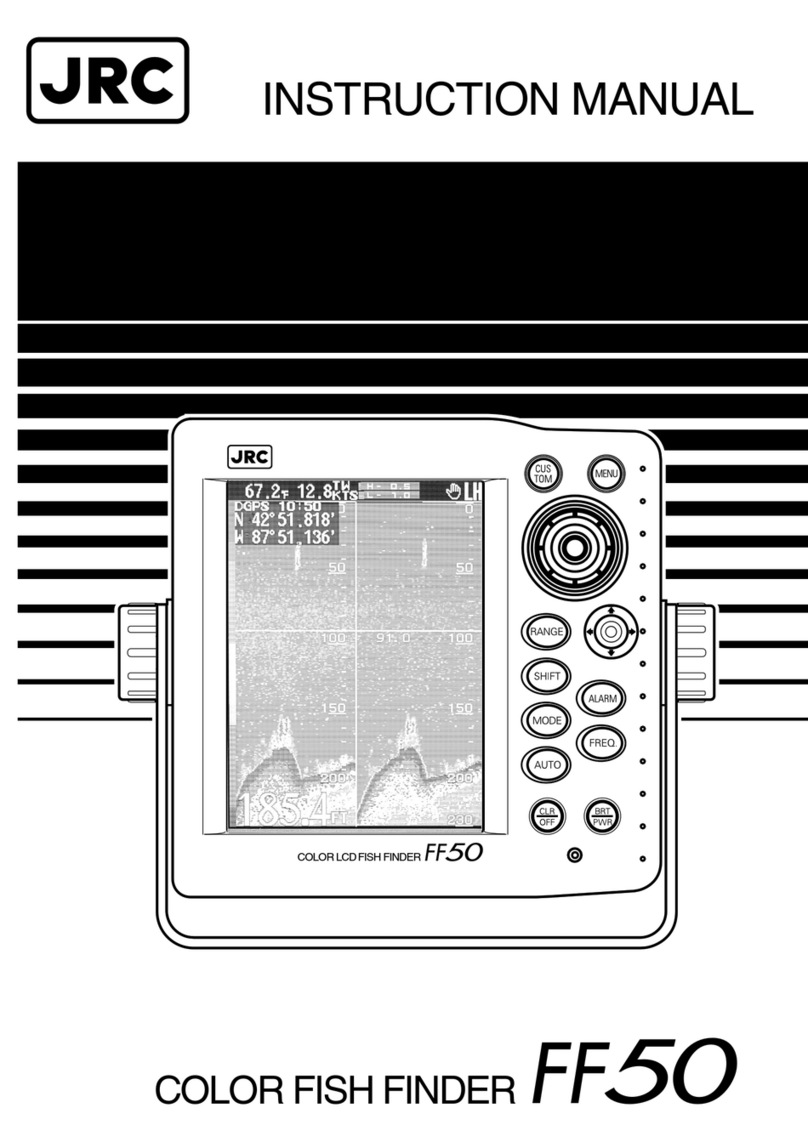
notice. All screens in this manual are simulated. On the cover:
SeaFinder 480DF shown. Other models covered in the manual are
similar.
For free owner's manuals and other information,
visit our web site:
www.eaglesonar.com
Eagle Electronics
P.O. Box 669
Catoosa, OK USA 74015
Printed in USA.

i
Table of Contents
Sec. 1: Read Me First! ............................................................... 1
Capabilities and Specifications .................................................... 2
How Sonar Works ......................................................................... 4
How to Use this Manual: Typographical Conventions................ 4
Sec. 2: Installation & Accessories .......................................... 7
Preparations.................................................................................. 7
Transducer Installation................................................................ 7
Recommended Tools and Supplies ............................................... 8
Selecting a Transducer Location.................................................. 8
How Low Should You Go?....................................................... 10
Shoot-Thru-Hull vs. Transom Mounting ............................... 10
Transom Transducer Assembly and Mounting ......................... 11
Trolling Motor Bracket Installation (Single-Frequency only) .. 17
Transducer Orientation and Fish Arches.................................. 18
Shoot-Thru-Hull Preparation and Installation ......................... 19
Speed/Temperature Sensors....................................................... 21
Power Connections...................................................................... 24
Mounting the Unit: Bracket, in-Dash or Portable .................... 26
Face Cover................................................................................... 30
Sec. 3: Basic Sonar Operation .............................................. 31
Keyboard ..................................................................................... 31
Power/Lights (Turn Unit On and Off) ....................................... 32
Menus .......................................................................................... 33
Main Menu .............................................................................. 33
Sonar Menu ............................................................................. 35
Pages ........................................................................................... 36
Basic Sonar Quick Reference ............................................... 39
Sonar Operations ........................................................................ 40
Fish Symbols vs. Full Sonar Chart ........................................ 43
Other Free Training Aids ....................................................... 43
Sec. 4: Sonar Options & Other Features ............................ 45
ASP(Advanced Signal Processing)......................................... 45
Alarms ......................................................................................... 46

ii
Depth Alarms .......................................................................... 46
Zone Alarm .............................................................................. 47
Fish Alarm............................................................................... 48
Brightness ................................................................................... 48
Calibrate Speed........................................................................... 49
Chart Speed................................................................................. 49
Contrast....................................................................................... 50
Depth Cursor............................................................................... 50
Depth Range - Automatic ........................................................... 51
Depth Range - Manual ............................................................... 51
FasTrack.................................................................................. 52
Fish I.D.(Fish Symbols & Depths) ......................................... 52
FishTrack................................................................................. 55
FishReveal............................................................................... 55
Frequency (Change Transducer Frequency) ............................. 57
Grayline..................................................................................... 58
HyperScroll.............................................................................. 60
Noise Rejection............................................................................ 60
Overlay Data ............................................................................... 60
Ping Speed & HyperScroll....................................................... 62
Pop-Up Help................................................................................ 64
Reset Options .............................................................................. 64
Reset Water Distance ................................................................. 65
Screen Contrast and Brightness ................................................ 65
Sensitivity & Auto Sensitivity.................................................... 65
To Turn Auto Sensitivity Back on:......................................... 67
Set Keel Offset ............................................................................ 67
Set Language .............................................................................. 69
Software Version Information.................................................... 69
Sonar Color Mode........................................................................ 69
Sonar Chart Display Options ..................................................... 70
Full Sonar Chart ..................................................................... 70
Split Zoom Sonar Chart.......................................................... 71
Split Frequency Sonar Chart (Seafinder 480df only)............ 71

iii
Digital Data/Chart .................................................................. 72
Customizing the Digital Data/Chart Screen...................... 73
Sonar Simulator.......................................................................... 74
Stop Chart ................................................................................... 74
Surface Clarity............................................................................ 75
Units of Measure......................................................................... 76
Zoom & Zoom Bar ....................................................................... 76
Zoom Pan..................................................................................... 77
Sec. 5: Troubleshooting.......................................................... 79
Sec. 6: Supplemental Material.............................................. 83

iv
Notes

1
Section 1: Read Me First!
How this manual can get you out on the water, fast!
Welcome to the exciting world of digital sonar! We know you're anxious
to begin finding fish, but we have a favor to ask. Before you grab your
unit and begin installing it, please give us a moment or two to explain
how our manual can help you get the best performance from your
compact, wide-screen, fish finder.
First, we want to thank you for buying anEagle sonar. Whether you're
a first time user or a professional fisherman, you'll discover that your
unit is easy to use, yet capable of handling demanding sonar tasks. You
won't find another sonar unit with this much power and this many
features for this price!
Our goal for this book is to get you on the water fast, with a minimum
of fuss. Like you, we'd rather spend more time boating or fishing and
less time reading the manual!
So, we designed our book so that you don't have to read the whole thing
from front to back for the information you want. At the start (or end) of
each segment, we'll tell you what content is coming up next. If it's a
concept you're already familiar with, we'll show you how and where to
skip ahead for the next important topic. We've also made it easy to look
up any tips you may need from time to time. Here's how:
The manual is organized into 6 sections. This first section is an
introduction to the sonar unit. It tells you the basics you need to know
before you can make the unit look below the surface to find some fish.
Section 2 will help you install your unit and the transducer. We'll also
tell you about some of the available accessories.
Section 3 covers Basic Sonar Operation. It will show you how easy it is
to run your sonar, right out of the box. This section features a one-page
Sonar Quick Reference. (If you've already jumped ahead and
figured out how to install the unit yourself, and you just can't
wait any longer, turn to the Quick Reference on page 39 and
head for the water with your sonar unit!)

2
After you've gained some experience with your sonar, you'll want to
check out Section 4, which discusses more advanced Sonar Options and
Other Features.
When you come to a sonar menu command on the unit's screen, you can
look it up in the manual by skimming over the table of contents, just
flipping through Section 3 or scanning through the sonar options in
Section 4.
If you're having difficulty with your sonar, you can find an answer to
the most common problems in Section 5, Sonar Troubleshooting.
Finally, in Section 6, we offer Supplemental Material, including a list of
warranty and customer service information.
Now, if you're into the fine details, glance over the next segment on
specifications to see just how much sonar power your unit contains. It's
important to us (and our power users), but, if you don't care how many
watts of power the unit has, skip ahead to important information on how
sonar works, on page 4.
Capabilities and Specifications: FishMark480,
SeaFinder480DF
General
Display:............................ 5.0" (12.7 cm) diagonal high contrast Film
SuperTwist; programmable to viewing
preference.
Resolution:...................... 480 pixel x 480 pixel resolution; 230,400 total
pixels.
Backlighting:.................. Incandescent backlit screen with multiple
lighting levels; backlit keypad.
Input power:................... 10 to 15 volts DC.
Case size:......................... 5.4" H x 6.9" W x 3.4" D (13.8 x 17.6 x 8.6
cm); sealed and waterproof; suitable for
saltwater use.

3
Back-up memory: .......... Built-in memory stores sonar records for
decades.
Languages:...................... 10; menu languages selectable by user.
Sonar
Frequency:...................... 50/200 kHz for SeaFinder 480DF; 200 kHz
for FishMark 480.
Transducers: .................. A dual-frequency Skimmertransducer with
built-in temperature sensor is packed with
the SeaFinder 480DF. It has 35°/12°cone
angles. A single-frequency Skimmer
transducer with built-in temperature sensor
is packed with the FishMark 480. It has a
20°cone angle. Transducers operate at
speeds up to 70 mph (61 kts)
Watts: ............................... 1,500 watts peak-to-peak/188 watt RMS.
Sonar sounding
depth capability: ........... SeaFinder 480DF: 1,500 feet (450 meters).
FishMark 480: 800 feet (244 meters).
Actual capability depends on transducer
configuration and installation, bottom
composition and water conditions. All sonar
units typically read deeper in fresh water
than in salt water.
Depth display:................ Continuous display .
Audible alarms: ............. Deep/shallow/fish/zone.
Automatic ranging:....... Yes, with instant screen updates.
Auto bottom track:........ Yes.
Zoom bottom track: ...... Yes.
Split-screen zoom:......... Yes.
Surface water temp: ..... Yes.

4
Speed/distance log: ....... Optional (requires optional speed sensor).
NOTICE!
The storage temperature range for your unit is from -4 degrees to +167
degrees Fahrenheit (-20 degrees to +75 degrees Celsius). Extended
storage in temperatures higher or lower than specified will damage the
liquid crystal display in your unit. This type of damage is not covered by
the warranty. For more information, contact the factory's Customer
Service Department; phone numbers are listed on the last page.
How Sonar Works
Sonar has been around since the 1940s, so if you already know how it
works, skip ahead to the next segment on the typographical conventions
used in this manual. But, if you've never owned a sonar fish finder, this
segment will tell you the under water basics.
Sonar is an abbreviation for SOund NAvigation and Ranging, a
technology developed during World War II for tracking enemy
submarines. A sonar consists of a transmitter, transducer, receiver and
display. In simple terms, here's how it finds the bottom, or the fish:
The transmitter emits an electrical impulse, which the transducer
converts into a sound wave and sends into the water. (The sound
frequency can't be heard by humans or fish.) The sound wave strikes an
object (fish, structure, bottom) and bounces back to the transducer,
which converts the sound back into an electrical signal.
The receiver amplifies this return signal, or echo, and sends it to the
display, where an image of the object appears on the scrolling sonar
chart. The sonar's microprocessor calculates the time lapse between the
transmitted signal and echo return to determine the distance to the
object. The whole process repeats itself several times each second.
How to use this manual: typographical conventions
Many instructions are listed as numbered steps. The keypad and arrow
"keystrokes" appear as boldface type. So, if you're in a real hurry (or
just need a reminder), you can skim the instructions and pick out what
Other manuals for FishElite 480
1
This manual suits for next models
2
Table of contents
Other Eagle Fish Finder manuals

Eagle
Eagle 3D-100 User manual

Eagle
Eagle FishElite 320 User manual

Eagle
Eagle ULTRA 2 Manual

Eagle
Eagle Cuda 240 S/GPS User manual

Eagle
Eagle IntelliMap 500C User manual

Eagle
Eagle FishElite 480 User manual

Eagle
Eagle IntelliMap 502C iGPS User manual

Eagle
Eagle ACCUNAV 2 User manual

Eagle
Eagle FishEasy 250 DS User manual

Eagle
Eagle FishStrike 2000 User manual