1918
y BEFORE EAcH USE
REMOVING HAIR WITH THE ______
123
• Check the power cord (must not be pinched or crushed, wire must not be bare).
• Check the cable connecting the base to the applicator (no visible impairment).
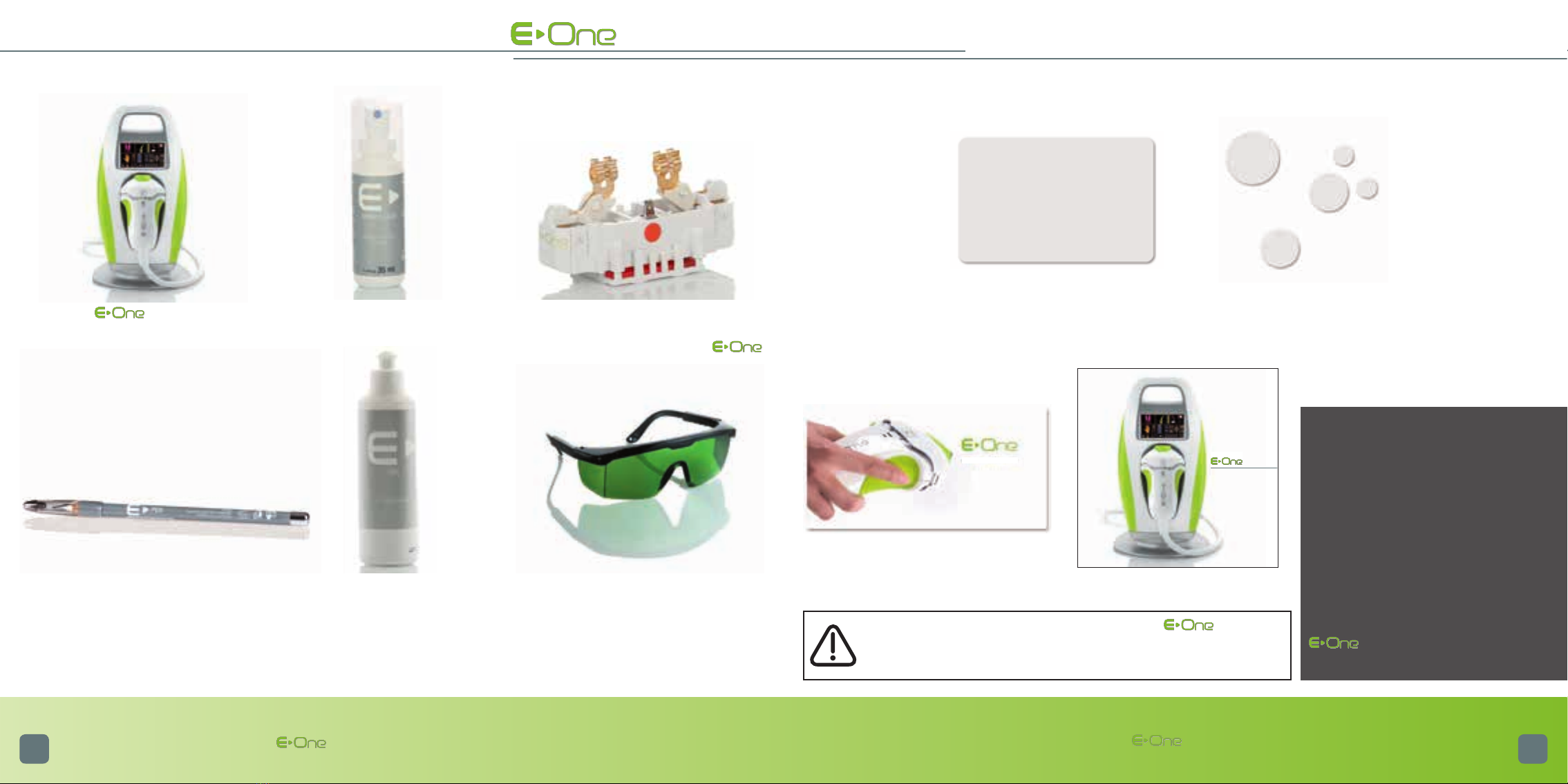
• Check the external optical parts of .
> Check that the glass tip of the applicator (optical guide) is intact, and if this is not the case (if the optical
guide is cracked or chipped), changing the whole mobile head is essential. Ordering this part is possible at
www.e-swin.com * (go to “Customer Centre “, “New Order of accessories” then “mobile head applicator”).
• Verification and maintenance of the internal optical parts
- In all cases, the device must be unplugged before you start disassembling the mobile head.
- Before each use, and before plugging-in the , you must check the integrity of the internal optical parts:
tube, filter (flat red piece of glass), and optical guide. The filter must be cleaned systematically before each hair
removal session with the . It must be clean and free of dust.
To proceed to the verification code:
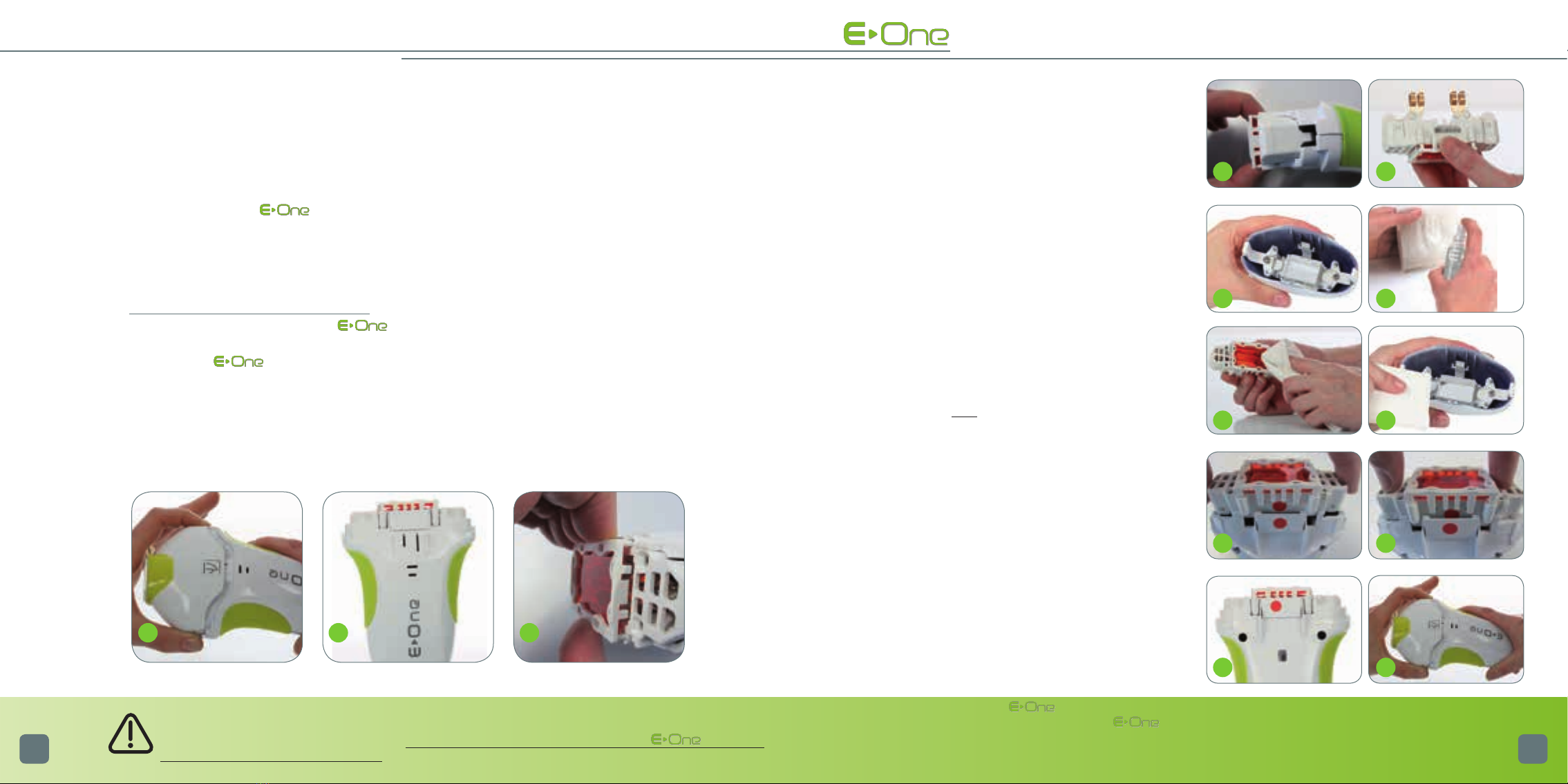
> Press simultaneously on the 2 locking tabs of the mobile head, and remove it (1)
> Delicately place the mobile head on a flat surface.
Once you have completed your treatment, you must wait for the fan to come to a complete stop (it
may take more than 10 minutes), before switching it off and unplugging it. This procedure enables
the internal optical parts to cool down. The other fans, located in the base of , will only
stop once the device is unplugged.
4 5
6 7
8 9
10 11
12 13
VERIFICATION • Removing the optic cartridge with filter (video avai-
lable on your personal customer page)
> Once the mobile head is removed, the optic car-
tridge with filter is then visible in the applicator (2).
> Remove the cartridge from the applicator: press fir-
mly on the filter support (3) and pull (4). The optic
cartridge with filter now presents itself to you (5); it
is imperative to hold it only by the plastic parts.
• Cleaning of the internal optical parts
> Once the filter cartridge is removed, the transparent
optical glass is also accessible (6).
> Using the spray Clean : spray it on a lint-free cloth
beforehand (7).
Note: Never spray directly on the optical parts.
> Afterwards clean only the accessible side of the filter
with this cloth (8). Repeat the same procedure for the
accessible part of optical glass (9).
Note: The filter must never be separated from its optic
cartridge.
> When cleaning is complete, take the optic cartridge
and align it with the applicator with the help of the red
dots (10). Push it into the slide way of the applicator
by pressing on it (11), so as to ensure that it is properly
in position (12).
> Re-attach the mobile part of the applicator by pres-
sing simultaneously on the locking tabs of the mobile
head (13), making sure to align the internal red dot of
the head with the red dot of the applicator.
Note: For better efficiency of the , t is recommended to clean the filter before each use with the spray
Clean provided when you purchased the . Any damaged filter due to non-compliance with
the procedure for use is not covered by the manufacturers warranty.
p
p
p
p
p
p
p
pp