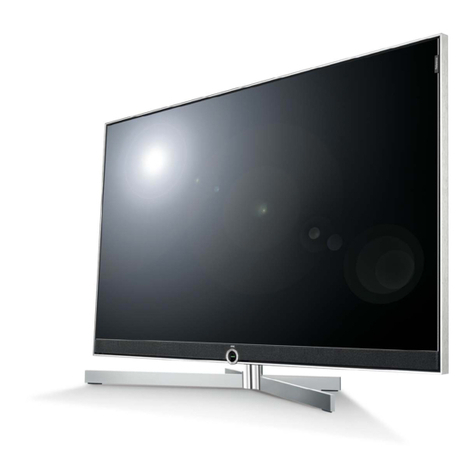
Dyon SMART 40 XT V2 User manual

EN
DYON SMART 42 XT V2
16
V1.0.0
Content
1Important Safety Instructions ................................................................3
2Support Information..............................................................................8
3Appropriate use....................................................................................8
4Notes on energy efficiency....................................................................9
5Conformity..........................................................................................11
6Montage.............................................................................................12
6.1 Stand mounting.........................................................................................12
6.2 Wall mounting...........................................................................................13
7Controls and connections ...................................................................14
7.1 The buttons on the device ........................................................................14
7.2 Connections..............................................................................................15
7.3 CI/CI+ Slot ................................................................................................16
7.4 Remote Key Function...............................................................................18
7.5 Antenna connection..................................................................................21
8Initial setup.........................................................................................22
8.1 Language..................................................................................................22
8.2 Country .....................................................................................................22
8.3 Information on data collection and firmware updates ..............................23
8.4 Network.....................................................................................................23
8.4.1 WiFi....................................................................................................24
8.4.2 Wired..................................................................................................24
8.5 Set up Netflix ............................................................................................24
8.6 Select TV Mode ........................................................................................25
8.7 Tuner Mode ..............................................................................................25
9Input source selection.........................................................................26
10 TV Features .......................................................................................26
10.1 EPG (Electronic Program Guide) .............................................................26
10.2 Channel List..............................................................................................27
10.3 HbbTV.......................................................................................................28
10.4 Teletext.....................................................................................................29
10.5 Hotel Mode................................................................................................30
11 Menu Settings ....................................................................................31
11.1 Video Menu...............................................................................................31
11.2 Audio Menu...............................................................................................32
11.3 TV Menu ...................................................................................................33
11.3.1 Edit channel .......................................................................................34
11.4 Menu System............................................................................................34
11.5 Parental Menu ..........................................................................................35
11.6 About Menu ..............................................................................................36
12 Smart Functions .................................................................................37
13 CI+ Information...................................................................................38
14 USB Devices......................................................................................40
14.1 Connecting USB devices..........................................................................40

EN
DYON SMART 42 XT V2
2
14.2 Video Playback.........................................................................................41
14.3 Picture Playback.......................................................................................41
14.4 Music Playback.........................................................................................41
15 Troubleshoouting................................................................................42
15.1 Error Notes................................................................................................42
15.2 No sound / no picture ...............................................................................44
16 Specifications.....................................................................................45
17 Glossar...............................................................................................48
18 Warranty Condition.............................................................................49

EN
DYON SMART 42 XT V2
3
1 Important Safety Instructions
1) Read these instructions.
2) Keep these instructions.
3) Heed all warnings.
4) Follow all instructions.
5) Do not use this apparatus near water.
6) Clean only with dry cloth.
7) Do not block any ventilation openings, install in accordance
with the instructions.
8) Do not install near any heat sources such as radiations,
heat registers, stoves, or other apparatus (including
amplifiers) that produce heat.
9) Do not defeat the safety purpose of the polarized plug. If
the provided plug does not fit into your outlet, consult an
electrician for replacement of the obsolete outlet.
10) Protected the power cord from being walked on or pinched
particularly at plugs, convenience receptacles, and the
point where they exit from the apparatus.
11) Only use attachments/accessories specified by the
manufacturer.
12) Unplug this apparatus during lighting storms or when
unused for long periods of time.

EN
DYON SMART 42 XT V2
4
13) Refer all servicing to qualified service personnel. Servicing
is required when the apparatus has been damaged in any
way, such as power-supply cord or plug is damaged, liquid
has been spilled or objects have fallen into the apparatus,
the apparatus has been exposed to rain or moisture, does
not operate normally, or has been dropped.
14) Mains plug is used as the disconnect device, the
disconnect device shall remain readily operable.
15) The ventilation should not be impeded by covering the
ventilation openings with items, such as newspapers, table-
cloth, curtains, etc.
16) No naked flame sources, such as lighted candles, should
be placed on the apparatus.
17) Attention should be drawn to the environmental aspects of
battery disposal.
18) The use of apparatus in moderate climate.
WARNING
To reduce the risk of fire or electric shock, do not expose
this apparatus to rain or moisture.
The batteries shall not be exposed to excessive heat
such as sunshine, fire or the like.

EN
DYON SMART 42 XT V2
5
The symbol indicates that dangerous voltages
constituting a risk of electric shock are present within
this unit.
The symbol indicates that there are important
operating and maintenance instructions in the literature
accompanying this unit.
Warning
High voltages are used in the operation of this
television receiver. Do not remove the cabinet
back from your set. Refer servicing to qualified
service personnel.
To prevent fire or electrical shock hazard, do
not expose the television receiver to rain or
moisture.
Do not drop or push objects into the television
cabinet slots or openings. Never spill any kind
of liquid on the television receiver.
Do not block the ventilation holes in the back
cover. Adequate ventilation is essential to
prevent failure of electrical components.

EN
DYON SMART 42 XT V2
6
Caution
Do not trap the power supply cord under the
television.
Never stand on, lean on, or suddenly push the
television or its stand. You should pay special
attention to children. Serious injury may result if
it should fall.
Do not place your television on an unstable
cart, stand, shelf or table. Serious injury to an
individual and damage to the television, may
result if it should fall.
When the television is not used for an extended
period of time, it is advisable to disconnect the
AC power cord from the AC outlet.
If the television is to be built into a compartment
or similar enclosure, the minimum distances
must be maintained. Heat build-up can reduce
the service life of your television, and can also
be dangerous.

EN
DYON SMART 42 XT V2
7
Tips regarding environmental protection
At the end of its operating life, this product may not be
disposed of by way of your normal household waste.
Instead it must be delivered to a collection point for
recycling electrical and electronic equipment. The icon
on the product, in the operating instructions or on the
packaging, indicates this.
The materials used in manufacturing this product are
recyclable, depending on their identifying markings. By
recycling this equipment, by recycling its components,
or through other procedures of re-using outdated
equipment, you are making an important contribution to
protection our environment. Please ask you local
municipal administration for the location of the
corresponding recycling point.
Battery Recycling
In order to ensure the environmentally friendly disposal
of batteries, please do NOT dispose of used
batteries through normal household waste. Please take
the batteries to your local retail or community collection
point for recycling.
The following may be an indication of a discharged
battery: The device cannot be switched on. The
device switches off automatically and "Battery Empty"
is shown in the display. The device and or battery do
not function properly.

EN
DYON SMART 42 XT V2
8
2 Support Information
See our website for the latest information on this device,
on other products by our company and on our company itself.
If you have questions or problems, please read the FAQs on
our website or contact our customer support service.
Service Address
Support-Hotline
AXDIA International GmbH
Service Center
Schmelzerstraße 27
47877 Willich
+49 (0)2154 / 8826-101
Web: www.axdiaservice.de
E-Mail: support@axdia.de
3 Appropriate use
The device is designed for receiving and watching encrypted
and unencrypted DVB-T2, DVB-S2 and DVB-C TV channels
(free-to-air) for private use. It is exclusively meant for this
purpose and must only be used for the same. This also
includes paying attention to all information contained in this
operating manual, especially in the safety instructions. Any
other usage is considered to be improper and may lead to
material damages and even personal injuries. Moreover, it will
result in the immediate loss of guarantee. The manufacturer
does not bear any liability for damages caused due to improper
use.

EN
DYON SMART 42 XT V2
9
4 Notes on energy efficiency
The device has facilities for reducing the energy requirement.
Make the appropriate settings as required.
TV Mode
During initial installation and via the menu:
MENU button –Setup –TV Mode
Home Mode
Adapted illuminance for home use.
Shop Mode
Adapted illuminance for bright
environments (e.g. salesrooms)
Important
Please note, the power consumption is
increased, by using the Store mode.
Standby
Menu settings
MENU button –System –DTV Time Setup - Sleep Timer
Automatic standby
mode
After a predefined time, the device
switches to standby mode.
Automatic networked
standby mode
After a predefined time, the device
switches to networked standby
mode when the connection is active.

EN
DYON SMART 42 XT V2
10
Important!
The device switches to standby mode independently after
4 hours without operations. Please note, this is NOT a
defect. It is a legal requirement.
A note occurs shortly before the device turn in the off-
mode. Press any key to avoid the off-mode. Switch the
device off and on again via the power-button to reactivate
it.
This function can be deactivated in the system settings
by setting it to “off”.
(MENU button –System –DTV Time Setup - Sleep
Timer)
Attention
The deactivation of the automatic standby or extending
the preset switch off time, will lead to a higher power
consumption.
Note
The available modes are named as follows if available
Automatic Standby mode
Auto Sleep
Automatic networked
standby mode
Network Standby
Other manuals for SMART 40 XT V2
2
Table of contents
Other Dyon TV manuals

Dyon
Dyon LIVE 32 PRO User manual

Dyon
Dyon SMART 32 AD User manual

Dyon
Dyon SMART 40 XT V2 User manual

Dyon
Dyon SMART 40 XT V2 User manual

Dyon
Dyon SMART 32 XT User manual

Dyon
Dyon MOVIE SMART 55 XT User manual

Dyon
Dyon SMART 42 AD User manual

Dyon
Dyon LIVE 22 PRO User manual

Dyon
Dyon ENTER 40 User manual

Dyon
Dyon SMART 22 XT V2 User manual