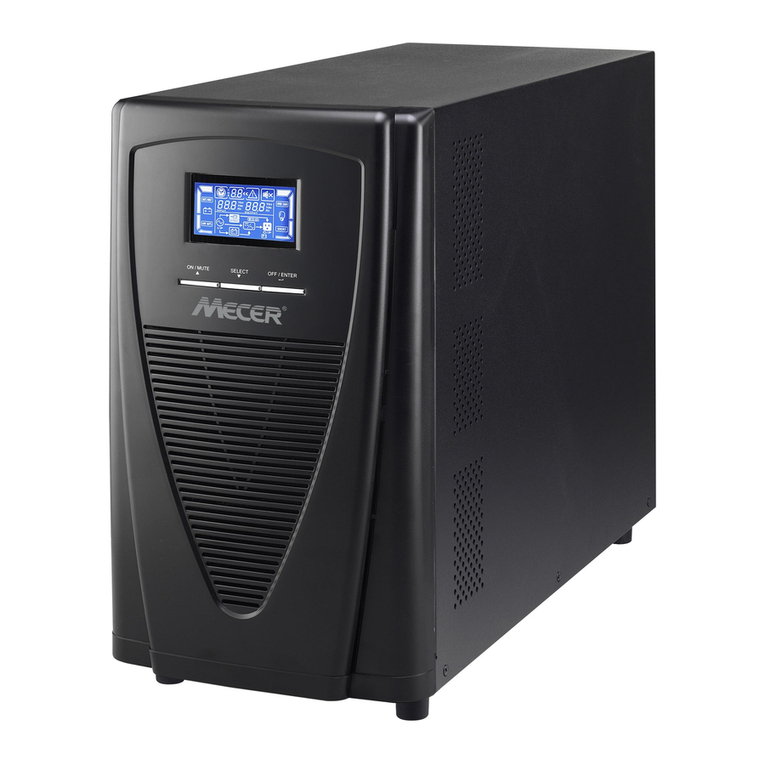
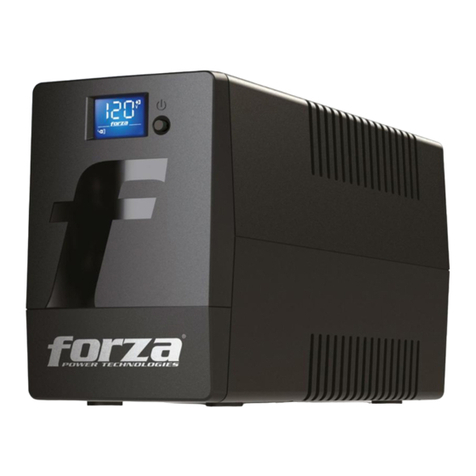
Digitus DN-170110 User manual

DIGITUS® All in One UPS system
User Manual
DN-170110 • DN-170111

Safety Warning
1. The UPS utilizes voltages that may be hazardous. Do not
attempt to disassemble the unit. The unit contains no user
serviceable parts. Only factory service personnel may perform
repairs.
2. Internal battery voltage is 12Vdc. sealed, lead-acid, 6 cells
battery.
3. Connection to any other type of receptacle other than a
two-pole, three-wire grounded receptacle may result in shock
hazard as well as violating to local electrical codes.
4. In the event of an emergency, press the OFF button and
disconnect the power cord from the AC power supply to properly
disable the UPS.
5. Do not allow liquids or any external objects to enter the UPS. Do
not place beverages or any other liquid-containing vessels on or
near the unit.
6. This unit is designed for installation in a controlled environment
(temperature controlled, indoor are free of conductive
contaminants). Avoid installing the UPS in locations where there
is static or flowing water, or excessive humidity.
7. Do not plug the UPS input into its own output.
8. Do not attach a power strip or surge suppressor to the UPS.
9. Do not connect non-computer-related items, such as medical
equipment, life-support equipment, microwave ovens, or
vacuum cleaners to UPS.
10. To reduce the risk of overheating the UPS, do not cover the UPS
cooling vents and avoid exposing the unit to direct sunlight or
installing the unit near heat emitting appliance such as air
heaters or furnaces.
11. Unplug the UPS prior to cleaning and do not use liquid or spray
detergent.
12. Do not dispose the batteries into fire as they may explode.
13. Do not open or mutilate the battery or batteries. Released
electrolyte is harmful to the skin and eyes. It may be toxic.
14. A battery can present a risk of electrical shock and high short
circuit current. The following precautions should be observed
when working on batteries:
2

Remove watches, rings, or other metal objects from the hands.
Use tools with insulted handles.
Wear rubber gloves and boots.
Do not lay tools or metal parts on the top of batteries.
Disconnect charging source prior to connecting or disconnecting
batteries terminals.
15. Servicing of batteries should be performed or supervised by
personnel knowledgeable of batteries and the required
precautions. Keep unauthorized personnel away from batteries.
16. When replacing batteries, replace with the same number and
type of sealed lead-acid battery. The maximum ambient
temperature rating is 40°C.
17. This pluggable type A equipment with battery already installed
by the supplier is operator installable and may be operated by
laymen.
18. During the installation of this equipment it should be assured
that the sum of the leakage currents of the UPS and the
connected loads does not exceed 3.5mA.
19. Beware of possibility of electric shock when disconnecting of
this unit from the mains, hazardous voltage still may be
accessible through supply from battery. The battery supply
should be therefore disconnected from the plus and minus pole
of the battery when maintenance or service work inside the UPS
is necessary.
20. The mains socket outlet that supplies the UPS shall be installed
near the UPS and shall be easily accessible.
3

INTRODUCTION
This UPS is specially designed for Personal Computer with multi-functions.
Its light weight, compact design perfect fits to the limited working
environment. The line of UPS is equipped with boost and buck AVR to
stabilize input voltage range. It is also built-in with DC start function. This
function enables the UPS to be started up without AC power supplied.
Although it’s a small UPS, the main features of UPS are listed below:
Microprocessor control guarantees high reliability
Equipped with boost and buck AVR
Green Power Function for energy saving is for optional
DC start function
Auto restart while AC recovery
Compact size, light wright
Provides AC overload protection
PACKAGE CONTENT
Main unit: UPS
UPS quick installation guide
Software CD
Power cord (Input and output)
4

SPECIFICATION
Capacity VA 600VA 800VA
Input Voltage 220VAC/230VAC/240VAC
Voltage Range 162-290VAC
Output
Voltage
Regulation
(Batt. Mode)
+/- 10%
Frequency 50Hz or 60Hz
Frequency
Regulation
(Batt. Mode)
+/- 1Hz
Output
Waveform
Simulated Since
Wave
Battery
Battery Type 12V/7.0
AHx1
12V/9.0
AHx1
Recharge Time 6-8 hours to 90% after
complete discharge
Transfer
Time Typical 2-6 ms
USB Charger Typical 5.0V/2.0A Max.
Indicator
AC Mode Green LED lighting
Battery Mode Yellow LED lighting
Fault Mode Red LED lighting
Audible
alarm
Backup Mode Sounding every 10 seconds
Low Battery Sounding every 1 second
Overload Sounding every 0.5 second
Fault Continuously Sounding
Protection Full Protection Discharge, overcharge,
and overload protection
Physical
Dimension (mm),
L x W x H 293 x 202 x 93
Weight 4.5 kg 5.2 kg
Environment
Operating
Environment
0-90% RH @ 0-40°C
(non-condensing)
Noise Level Less than 40dB
5

SYSTEM DESCRIPTION
Product Overview:
1. Power Switch
2. LED indicator
3. USB Charger
4. USB Port
5. Input
6. Bypass
7. Output
8. RJ45 Port
9. Mounting Hole
10.Battery Cover
LED Indicators:
AC Mode: Green - LED lighting
Battery Mode: Yellow - LED flashing
Fault Mode: Red - LED lighting
7
9 6
3
1
2
5
9
10
7
4
8
6

1. Inspection
Remove the UPS from its packaging and inspect it for damage that
may have occurred during shipping. If any damage is discovered,
repack the unit and return it to the place of purchase.
2. Charging
This unit is shipped from the factory with its internal battery fully
charged. However, some charge may be lost during shipping and the
battery should be recharged prior use. Turn on the UPS, plug the unit
into an appropriate power supply and allow the UPS to charge fully by
leaving it plugged in for at least 6 hrs with no load (no electrical
devices such as computers, monitors, etc.) connected.
3. Placement
Install the UPS unit in any protected environment that provides
adequate airflow around the unit, and is free from excessive dust,
corrosive fumes and conductive contaminants. Do not operate your
UPS in an environment where the ambient temperature or humidity
is high.
On the other hand, place the UPS away from the monitor at least
20cm to avoid interference.
6
h
ours
7

4. Connection
Plug the UPS into a 2-pole, 3-wire grounded receptacle. Then connect
one computer-related device into each of the power receptacles
supplied on the back of the UPS.
5. Turn On/Off
To turn on the UPS unit, press the power switch lightly. To turn off the
UPS unit, press the power switch again
8

6. DC start
All series are equipped with DC Start. To start UPS when AC utility
power is not available, simply press the power switch.
TROUBLE SHOOTING
Symptom Possible Cause Proposed Action
No LED display
on the front panel 1. Battery weak 1. Charge battery up
to 8 hours
2. Battery defect 2. Replace with the
same type of
battery
3. Power switch is
not pressed 3. Press the power
switch again
Alarm buzzer beeps
continuously when
AC supply is normal
Overload of the UPS Verify that the load
matches the UPS
capability specified in
the specs
When power
failure, back-up
time is shorten
1. Overload of the
UPS 1. Remove some
non-critical load
2. Battery voltage is
too low
2. Charge battery
8 hours or more
Power Switch
9

3. Battery defect
due to high
temperature
operation
environment, or
improper
operation to
battery
3. Replace with the
same type of
battery
Mains normal but
yellow LED is flashing
Power cord is loose Reconnect the power
cord properly
The manual content may be changed. Please also refer to the latest
version on the web shop.
This is a Class A product. In home environment, this product may cause radio
interference. In this case, the user may be required to take appropriate measures.
Hereby Assmann Electronic GmbH, declares that the Declaration of Conformity is
part of the shipping content. If the Declaration of Conformity is missing, you can
request it by post under the below mentioned manufacturer address.
www.assmann.com
Assmann Electronic GmbH
Auf dem Schüffel 3
58513 Lüdenscheid
Germany
10
This manual suits for next models
2
Table of contents
Languages:
Other Digitus UPS manuals

Digitus
Digitus DN-170095 User manual

Digitus
Digitus DN-170063 User manual

Digitus
Digitus DN-170041 User manual

Digitus
Digitus DN-170013 User manual

Digitus
Digitus DN-170093 User manual

Digitus
Digitus DN-170010 User manual

Digitus
Digitus DN-170100-1 User manual

Digitus
Digitus DN-170106 User manual

Digitus
Digitus DN-170108 User manual

Digitus
Digitus DN-170120 User manual