ENGLISH
229
Controls
→→
Battery installation
uInserting batteries
1. Remove the battery cover by pulling it
upward in the direction shown by the arrow.
2. Insert the batteries with correct polarity
( "+" to "+", and "-" to "-" ).
3. Replace the battery compartment cover.
* Install two high-quality 1.5V "AAA" alkaline batteries. Don't mix old batteries with
new batteries.
*Remove batteries when you won't use the remote controller for a long time. Liquid
leakage from old batteries may cause operation failure.
uNotes for using remote controller
• Make sure there are no objects between the remote controller and its sensor.
• Don't place the remote control near a heater or in damp place. Strong impact to the
remote control may cause operation failure.
• Signal from the remote control may be disturbed by sun light or other bright light. In
this case, darken the room or move the TV.
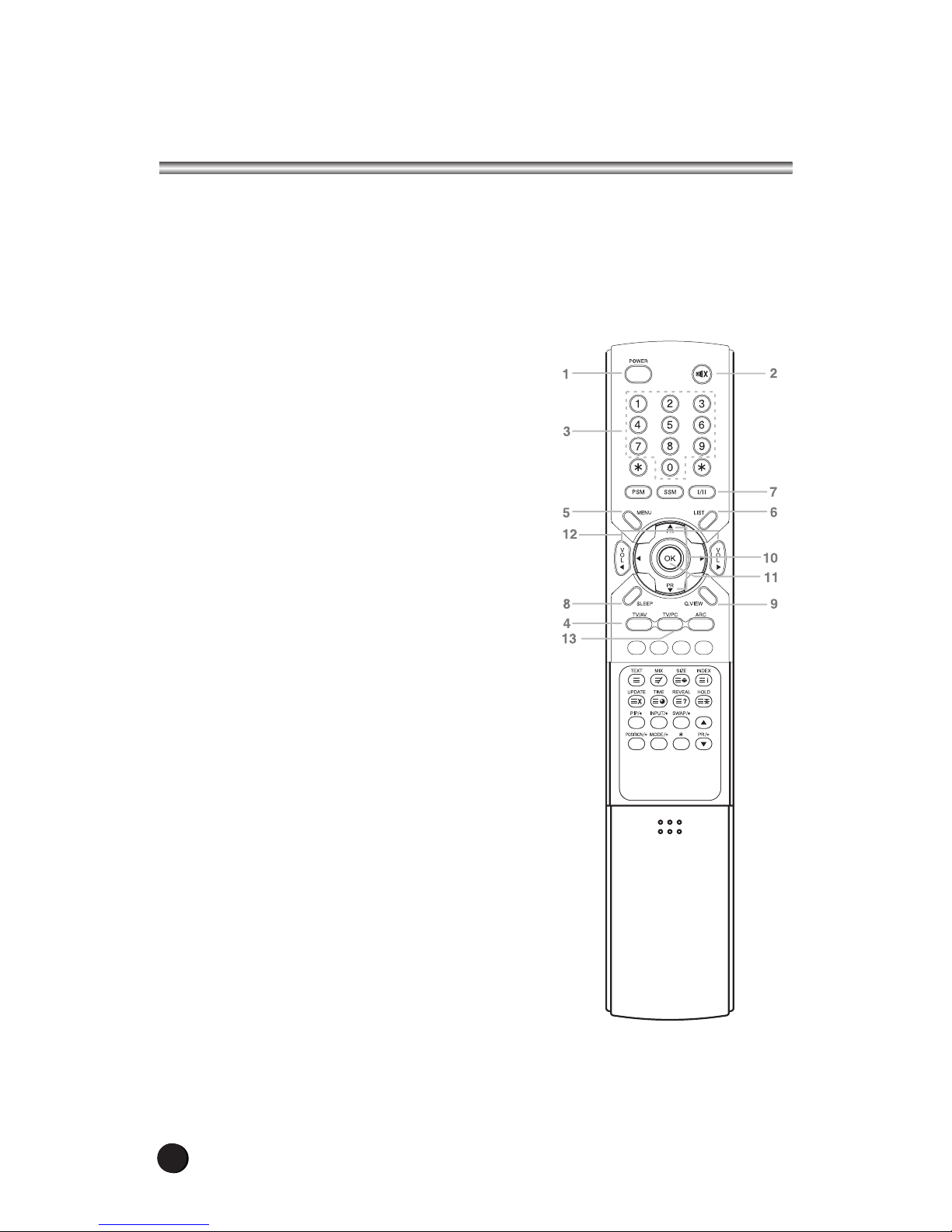
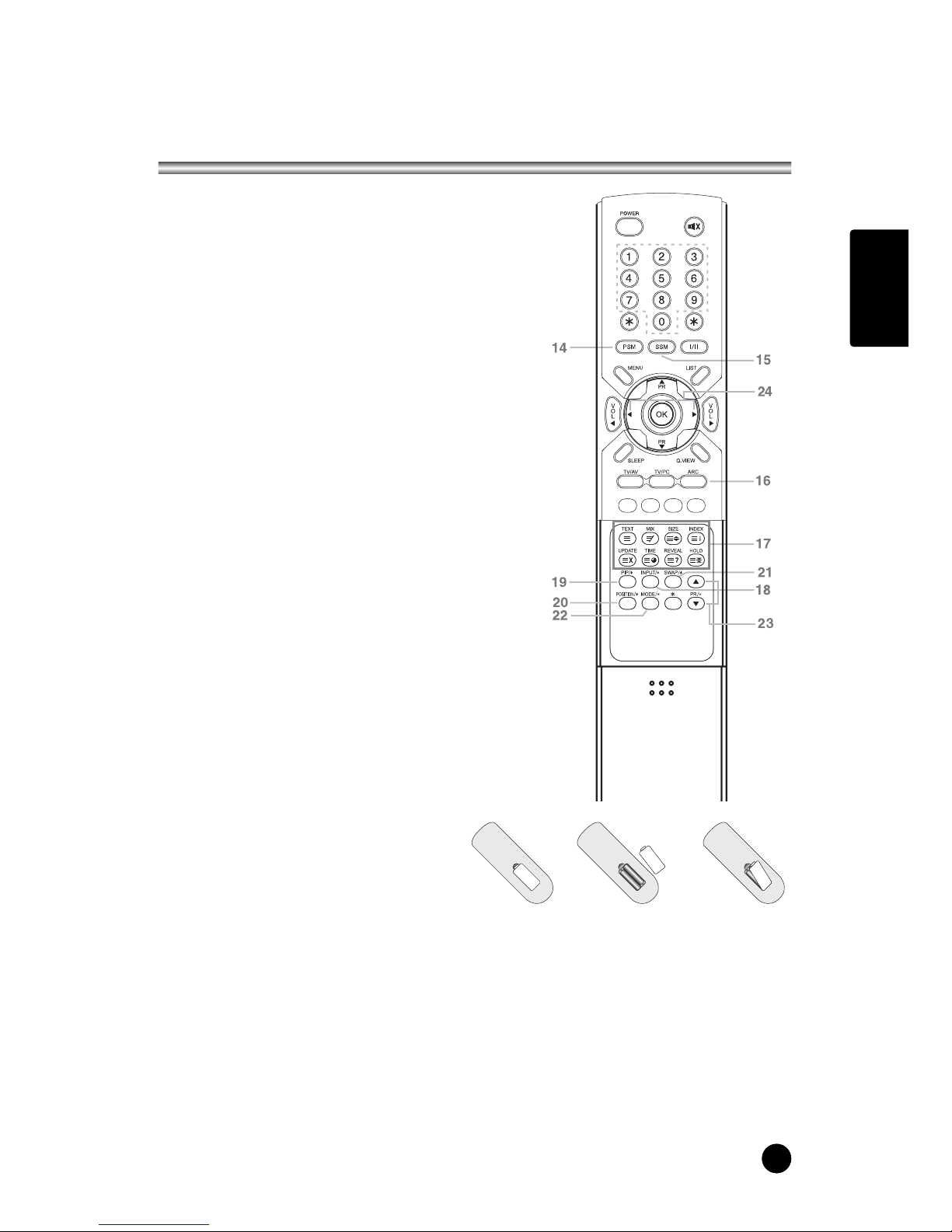
14. PSM (Picture Status Memory)
Recalls your preferred picture setting
15. SSM (Sound Status Memory)
Recalls your preferred sound setting
16. ARC
You can watch TV in various picture formats;
Auto,
16:9, 14:9, 4:3, 16:9 Zoom, 14:9 Zoom, 4:3 Zoom.
Repeatedly press the ARC button to select your
desired picture format.
Note. 16:9 and 4:3 in PC mode are available.
17. TELETEXT buttons
These buttons are used for Teletext.
For further details, see the ‘Teletext’ section.
18. INPUT/*
Selects the AV source of sub picture in PIP mode.
19. PIP/*
Displays a PIP(Picture In Picture) screen.
The PIP function is available in PC Analog, PC
Digital or COMPONENT mode.
20. POSITION/*
Selects a position of PIP screen.
21. SWAP/*
Switches a main picture for sub picture in PIP mode.
The PIP screen will disappears after pressing
the SWAP button.
22. MODE/*
Selects a PIP screen mode. – 16:1, 9:1 and 3:1 mode.
23. PR/*xy
Selects a programme when RF signal is displayed in
PIP mode.
24. Ïq
Adjusts menu settings.
Adjusts the sound level.