Denver DVBT-804 User manual

Operation Instructions
Digital LCD Color TV Receiver
DVBT-804

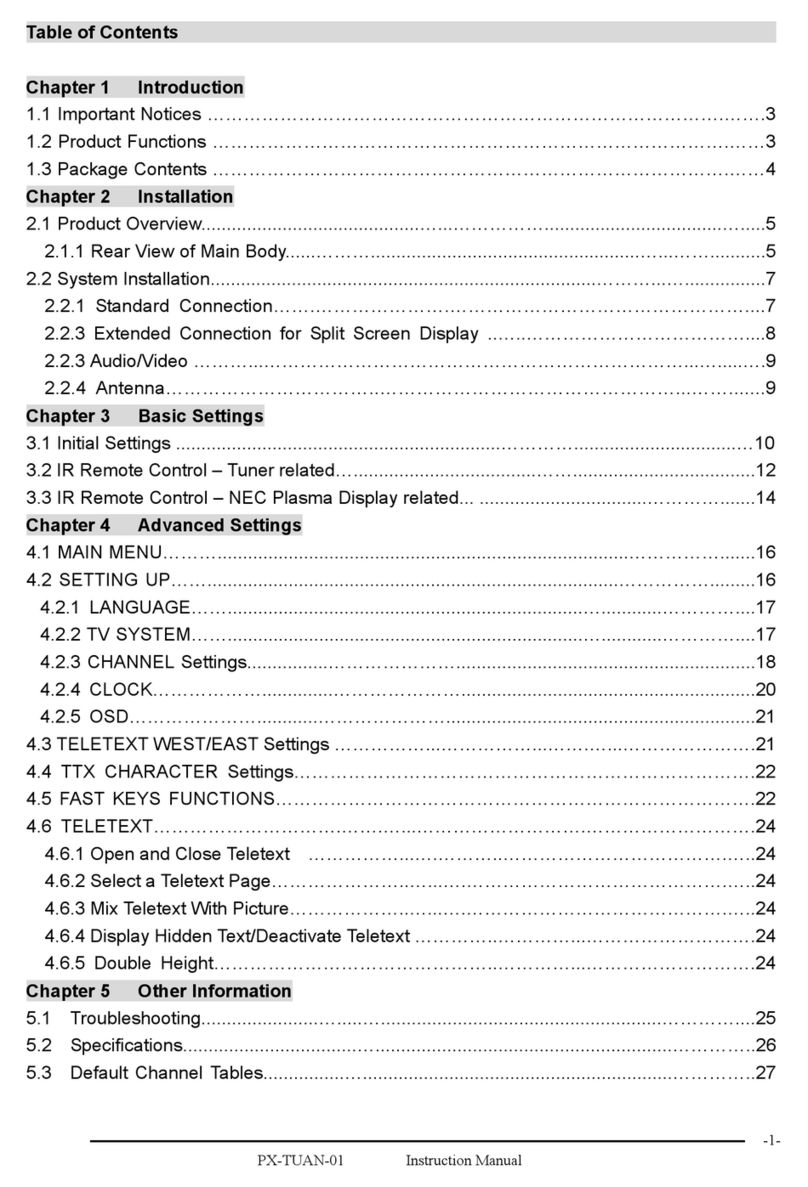
Table of Contents
1. Precautions
2. Accessories
3. Appearance
4. Remote Control Application
5. Basic Operation Methods
6. Menu Operation
6.1. Auto installation
6.2. Installation setup
6.3. Program receive and shift
6.4. Program search function
6.5. Main menu option
6.6. Parental control
6.7. System setup option
6.8. Set factory default
6.9. Game menu option
6.10. DIYmenu setting
6.11. MENU analog quantity
6.12. Off-time setting
6.13. VGAoperation menu
7. Before you request for repair
8. Technical parameters
1
3
4
5
7
9
9
16
19
21
23
25
27
30
32
33
35
36
36
38
39

1. Precautions
Storage and Keeping
Maintenance
Please plug off all connectionwires before youstart cleaning this machine.
Keep this machine
away from too hot
or too cold places.
The storage
temperature of this
machine is -20~
60 , the
application
temperature of this
machine is 0~40 .
Never use this
machine near
bathtub,
washbasin, and
kitchen, etc places
with water or at
damp basement,
swimming pool or
similar places.
Never make
the TVset
under effect
of moisture,
dust or oil
smoke etc.
environment.
Avoid this
machine from
dropping or
impacting.
Never
extrude or
chafe this
machine with
sharp objects.
Never put this
machine within
certain box at
your will or
place it at too-
oscillating
place and under
further severe
collision.
Please wipe
the machine
cover, display
screen and
buttons with
soft cloth
dipped with
little soft
abluent.
Never wipe this
machine with
abrasion cloth,
abstergent powder,
alcohol and
benzene etc.
various
propellants or
chemical cleaning
media.
Alcohol

Special Notice
!
!
Warning!
1. For the sake of safety for yourself and others, please don't watch
or turn on the TV set while driving.
2. It is very dangerous to watch or operate TV while driving.
A few highlights or dark spots may occur on the LCD screen. It is a
very common phenomenon to the active matrix display technology,
and never necessary means any defects or faults. Never try to repair
this machine by yourself. In case of any fault or failure, please turn
off the display at once, and notify our Company or the corresponding
dealer. The displayis made up of many precision electronic components.
Any disassembly or modification may lead to damage or broken.
1. Only the attached AC adapter and the automobile adapter (12V) are
suitable.
2. For the sake of safety, when you do not intend to use the display,
please plug off the AC adapter or automobile adapter.
Operation Precautions
1.Please don't tune your headphone / earphone to too high volume, otherwise,
it may lead inconvenience and danger to yourself and other people.
2.For open-designed earphone, to avoid influencing your periphery, please
tune down the volume.
3.In case of any tinnitus, please tune down the volume or stop using this
machine.
4.It is recommended by the aurists that never use the earphone continuously
for a long time.
Earphone Operation Precautions

2. Accessories
AV in/out
line
AC adapter
Digital TV
antenna
Earphone
AAA type batteries
Remote
control
Car adapter
AV cord

3. Appearance
Remote receiving
window
Telescopic
antenna
TFT-LCD
screen
Volume+
selection +
Volume -
selection -
Power Switch
Menu
Loudspeaker
Channel+
option
Channel -
option
External antenna jack
AVInput jack
DVB-T/AV
OUT jack
Stereo
Earphone jack
12V DC
Input jack
Support
Power indicator
Standby: Red
Turn on: Green
Confirm OK
ON/OFF
DVB/VGA/AV Shift
Press and hold for 3
seconds to turn off
Antenna output jack
VGA input jack

4. Remote Control Operation
Standby
Power ON/OFF
Auto Search/
Auto adjust
Caution
1. Please alignthe remote control with the infrared-receiving window on TV
set in operation.
2. Never oppress,drop, wet or disassembly the remotecontrol.
3. Never pressany button continuously and swiftly. Operation intervalis at least
2 seconds.
4. Press Powerto turn on the machine beforepressing CH+, CH- for channel
selection.
5. When you do not use the controlfor a long time, please takeout batteries.
Add the currentprogram to
My Favourite Channel
Turn on Game menu
Program Edit Table
Turn on Teletext
Display Electronic
Program Guide
Mute
TV Volume Adjust
/Channel Selection
/Direction
Turn on Main Menu
Input numbers/
Channel keys
Output VideoSignal
PAL/NTSC Select
Analog quantity adjust
OSD Language Select
My Favourite
Channel on/off
Nine Picture Guide
Information
Display
Exit Last
Program/Menu
Confirm OK
L/R Sound Output Shift
Pause
TV/Music Shift
Time off/
Time Setting
DVB/VGA/AV Shift
Return
Light, Contrast Color
Select in DVBstatus
and
POWER (Power On / Off):
Press this button to turn on the TV set, press it again to turn off TV.
LANG:
Press this button can realize the switch of German, French, Dutch,
English, Swedish, Portuguese and Italian OSD menu language.

SEARCH: (Auto adjust)
a. Start Auto search in DVB status
b. Press andhold for 5 seconds to auto picture adjust (PC mode only )
MEMORY: Add the current program to my favourite program(DVB mode
only). Press thisbutton to add the current program to My favourite
channel list.
FAVORITE PR: My Favourite Channel option on/off (DVB mode only).
GAME: Press this button to get into the game menu(DVB mode only).
TELETEXT: Turn on the teletext option to watch teletext
information (DVB mode only).
GUIDE: Enter nine picture guide function (DVB mode only).
PRLIST: Start the Program Edit List function (DVB mode only).
EPG: System will display (DVB mode only)
INFO: System willdisplay the information of current program.
MENU: System will display the main menu.
EXIT: Return to last program or menu.
CH / (Channel select):
Press CH ,thenumber of TV channel increases.
Press CH ,the number ofTV channel decreases.
VOL-/+ (Volume adjust):
Press VOL-, the volume ofTV set decreases.
Press VOL+, the volume ofTV set increases.
OK: Confirm to OK (DVB mode only).
MUTE (Mute):Press this button, sound disappears, press it again or
VOL+/ VOL- to resume normal sound.
AUDIO: Press thisbutton can realize the switch of L/R sound output .
0,1,2,3,...,9: Channel keys, choice the correspondingchannel.
Pause (DVB mode only): Press to pause the picture and sound.
TV/RADIO: Shift between TV and Radio (DVB mode only).
Sleep: Off-time setup. Turn off the TV set within 120minutes.
P/N switch
(in DVB mode)
(DVB mode
only)
Electronic Program Guide .
:Press this buttonto color system ofoutput video signal
.
Return: Press thisbutton can return to previous channel, press again
to return to current channel.
DVB/VGA/AV shift: Press this buttonto shift between Digital TV,
VGA and Vedio/audio(AV).
+/-: Bright, contrast. Color, and TINT analog quantity adjust
. Press Mode,then press +/- to adjust bright, contrast, color,and TINT.
Mode:a. In DVBmode, select bright, contrast, color and TINT item.
Then press +/- to adjust.
b. In AV or VGA mode, this button has no use. To adjust picture
mode, please use Menu button.

5. Basic Operation Methods
Basic interface connection
5.1.Connection Method of Power
Supply:
Align the power supply plug on AC
adapter with the jack on the machine
cover marked with DC12V.
5.2.Connection Method of External
Antenna Conversion Line:
Plug off the telescopic antenna plug,
plug the attached digital antenna plug
into the antenna jack on TVset
If earphone isapplied, the sound only transmits through the earphone,
and no soundis available from the speaker of TV set.
Notice
5.4.Connection Method of Earphone:
Align the earphone plug with the
earphone jack on the TV set, and
just plug in till its end is OK.
5.3.Connection Method of Telescopic
Antenna:
Align the telescopic antenna plug with
the antenna jack on the TV set, and
just plug in till its end is OK.
5.5.Connection Method of AV Input
a.Just insert the plug of theexternal
video line into yellow jack of AV
exchange head and audio left track plug
into the white jack and audioright track
plug into the red jack. Theninsert the AV
plug into AV/IN jack.
b. In VGA mode, Insert the left sound plug into white port of AV
exchange head, right into red port. Then insert the AV head into AV/IN
jack.

5.6.Connection Method of AV Output
Just insert the yellow plug of the AV
output line to video jack, the audio
left track plug to the white jack, the
audio right track plug to the white jack.
Then insert the AV head into the
AV/OUT jack.
The AV output function is available in DVB modeonly.
Notice
1. ON/OFF/DVB/VGA/AV shift: press momentarily to shift digital TV/VGA/AV.
press and hold for 3 seconds to turn TV set off, and press again to turn it on.
2. The OK key on panel is available in DVB status.
5.7.Connection Method of VGA input:
Just insert the connect line to the VGA
port of PC, and tighten the screws to
keep good contact. Then plug the
another end of the line to the VGA port
of the TV set and tighten the screws as
the same.
Basic operation methods of TV set
1. Connect with power supply and turn on the power switch. In normal
status, the power light is green. If the light is red, press the Power key
to turn on the TV set.
2. Pull out telescopic antenna.
3. Press CH-/CH+ to choose the desired channel.
4. Adjust the sound volume of the TV.
Change in order
of 1, 2,3,
Change in order
of 3, 2,1,
Menu
Volume
increases
Volume
decreases
Confirm OK
Remote receiving
window
Power indicator
Standby: Red
Power on: Green
ON/OFF
DVB/VGA/AVShift
Press and hold for 3
seconds to turn off
the TV set, press
again to turn on
Notice
Only English isOSD menu language in AV mode.
Notice
Table of contents
Other Denver TV Receiver manuals

Denver
Denver DMB-114HD User manual

Denver
Denver PBS-5007 User manual

Denver
Denver DVBT-43MK2 User manual

Denver
Denver DTB-131 User manual

Denver
Denver DMB-118HDMK2 User manual

Denver
Denver DMB-118HDMK3 User manual

Denver
Denver PBA-2600 User manual

Denver
Denver DMB-115CI User manual

Denver
Denver DTB-135 User manual

Denver
Denver PBS-10007 User manual