
Dell UltraScan P780 User manual
Back to Contents Page
Attaching the Cables: Dell™ UltraScan P780 Color Monitor
User's Guide
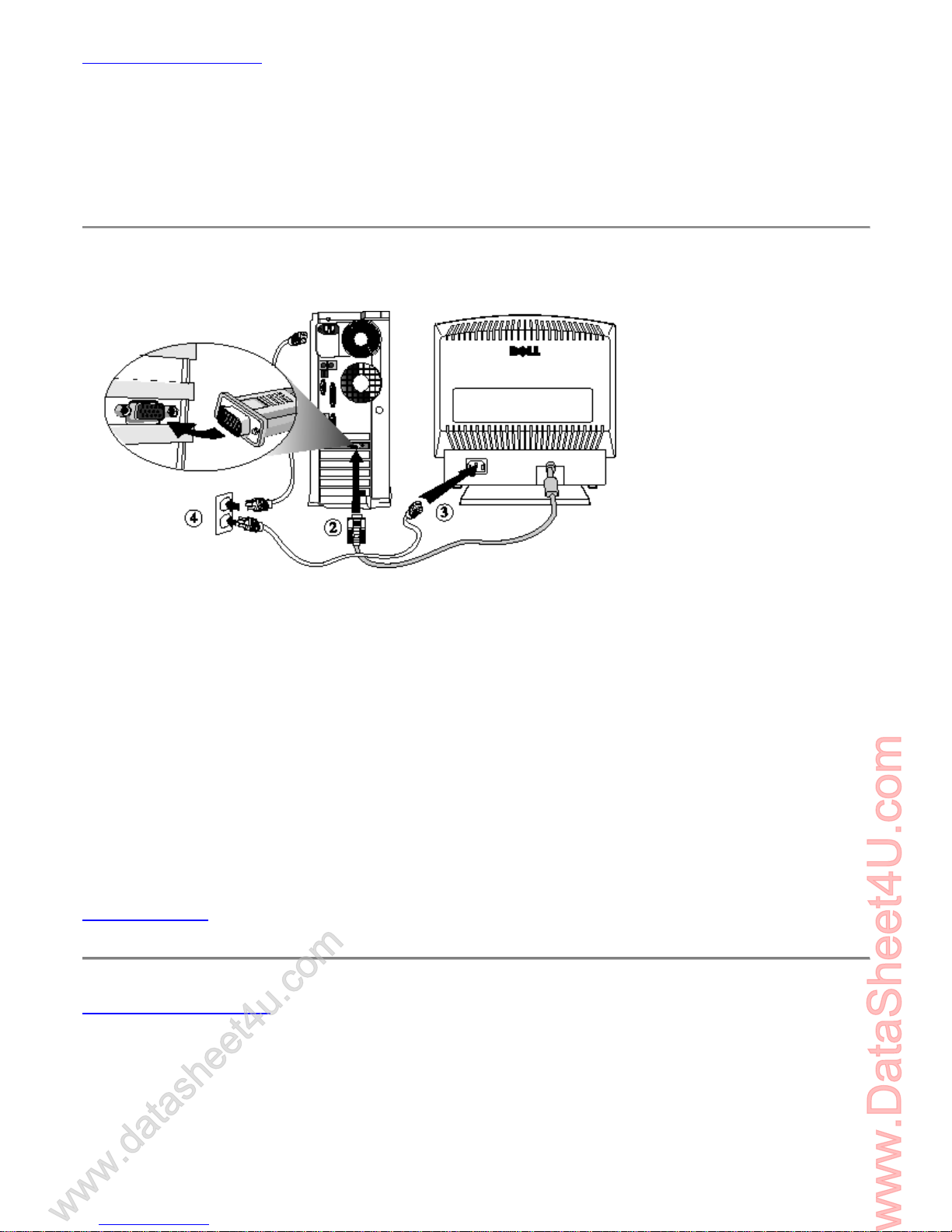
Cable Connections On Back of Monitor and Computer
1. Turn off your computer and unplug its power cable.
2. Connect the blue connector of signal cable to the blue video port on the back of your computer.
3. Connect the power cable for your monitor to the power port on the back of the monitor.
4. Plug the power cables of your computer and your monitor into a nearby outlet.
5. Turn on your monitor and computer.
If your monitor displays an image, installation is complete. If it does not display an image, see
Troubleshooting.
Back to Contents Page
www.DataSheet4U.com
www.datasheet4u.com

Back to Contents Page
Back View: Dell™ UltraScan P780 Color Monitor User's Guide
Back to Contents Page

Back to Contents Page
Bottom View: Dell™ UltraScan P780 Color Monitor User's
Guide
CAUTION: The tilt/swivel base is not detachable.
Back to Contents Page

Back to Contents Page
Controls and Indicators: Dell™ UltraScan P780 Color Monitor
User's Guide
Overview • Introducing the On Screen Display (OSD) System • Automatic Save • Size/Center •
Geometry • Color • Convergence • Language • Options • Help • Recall Features • All OSD Messages
• LED Indicators
Overview
Use the control buttons on the front of the monitor to adjust the characteristics of the image being
displayed. As you use these buttons to adjust the controls, an on-screen display (OSD) shows their
numeric values as they change.
Button Name Description
Reset button Resets the adjustments to the factory settings.
Brightness buttons Adjust the picture brightness. Operate as the buttons when
adjusting other items.
Menu button Displays the MENU OSD.
Contrast buttons Adjust the contrast. Operate as the buttons when adjusting
other items.
Power switch and
indicator (LED)
Turns the monitor on and off. The indicator lights up green when
the
monitor is on, and lights up orange when the monitor is in Power
Saving mode.
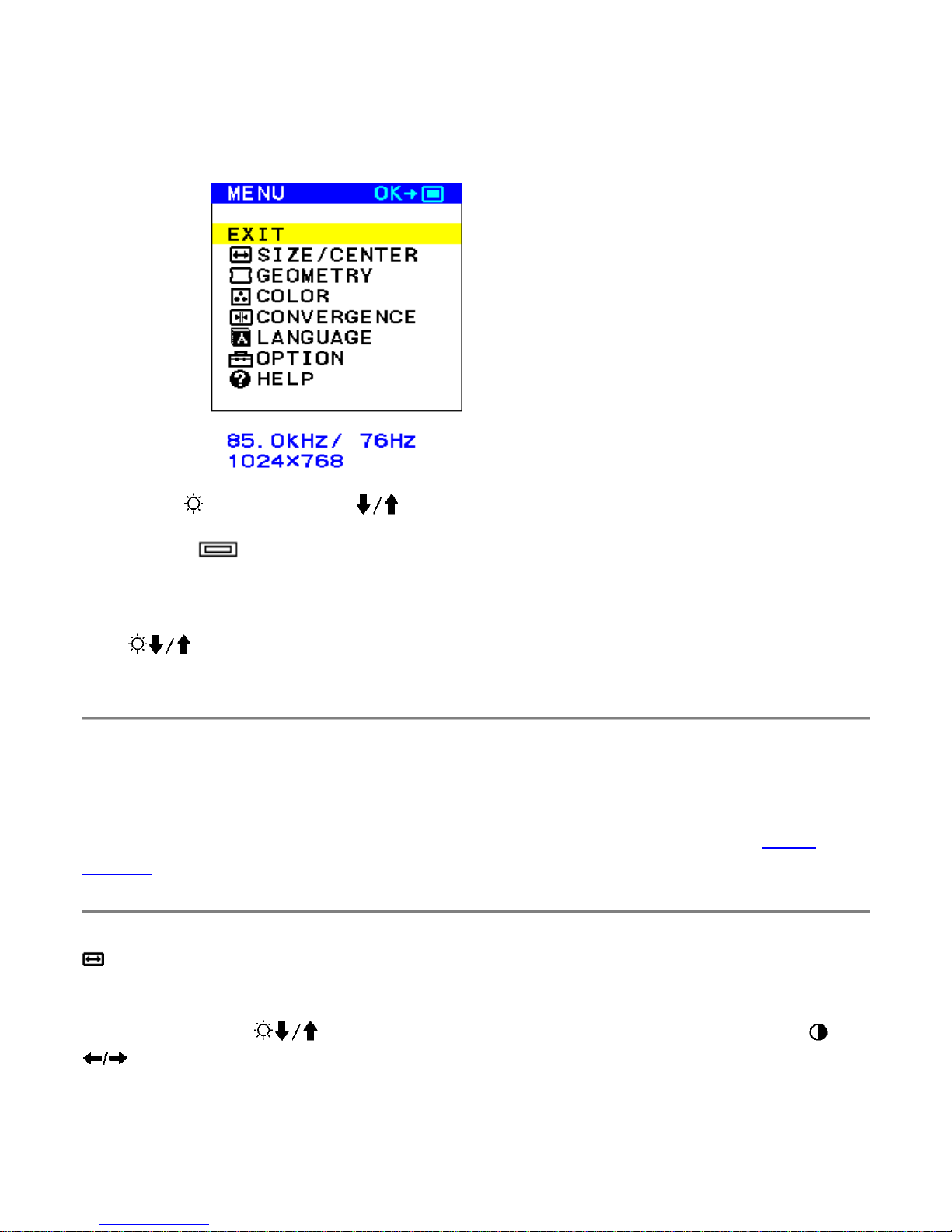
Introducing the On Screen Display (OSD) System
1. Press the MENU button to display the Main MENU on your screen.
2. Use the (BRIGHTNESS) buttons to highlight/select the desired function.
3. Press the (MENU) button to activate the desired function.
4. The left and right arrow button can be used for making the actual adjustments.
If the buttons are held down, the functions are selected circularly in intervals of
one second.
Automatic Save
Once an adjustment is made it is automatically saved for the specific timing used during
the adjustment. The monitor can be reset to factory settings if necessary (see Recall
Features ).
SIZE/CENTER
Select SIZE/CENTER from the MENU to adjust the picture's horizontal/vertical size and
centering. Use the buttons to select the function you wish to adjust and the
buttons to make the adjustment.
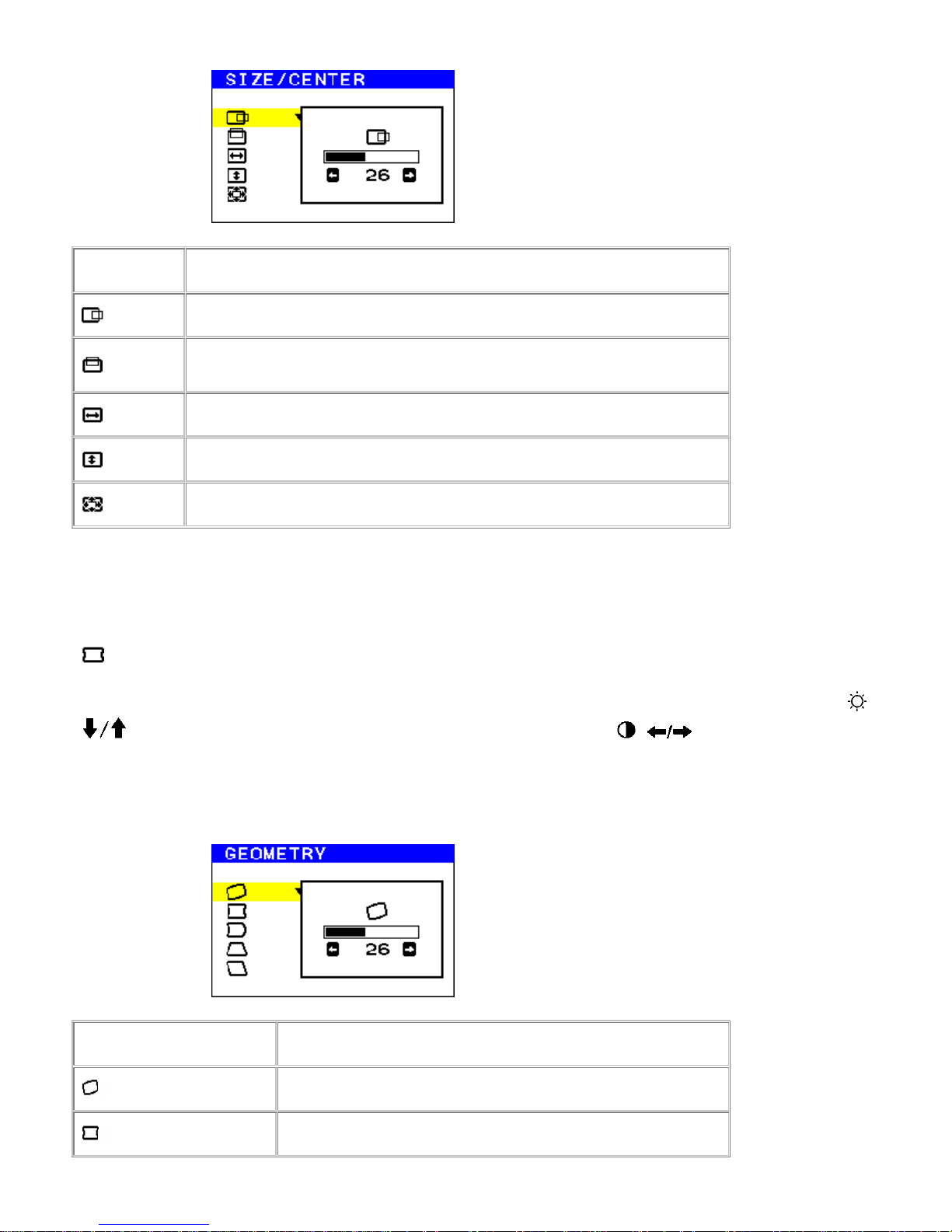
Select To
Change the horizontal centering
Change the vertical centering
Change the horizontal sizing
Change the vertical sizing
Change the degree of zoom
GEOMETRY
Select GEOMETRY from the MENU to adjust the picture's rotation and shape. Use the
buttons to select the function you wish to adjust and the buttons to make the
adjustment.
Select To
ROTATION Rotate the picture
PINCUSHION Expand or contract the picture sides

PIN BALANCE Shift the picture sides to the left or right
KEYSTONE Adjust the picture width at the top and bottom of
the screen
KEY BALANCE Shift the picture to the left or right at the top and
bottom of the screen
COLOR
Select COLOR from the MENU to determine the color temperature you would like. You
can use this to help with monitor and printer color matching. Use the buttons to
select the between the two preset color temperatures and the variable color temperature
selection.
Select To
9300K Set at 9300K
5000K Set at 5000K
Specify any color temperature between 9300K and 5000K
You can also fine tune the color temperature from 9,300K to 5,000K by selecting (Color
Variable adjustment), and using the buttons to adjust the color temperature
manually.

CONVERGENCE
Select CONVERGENCE from the MENU to adjust the picture's quality. You can adjust the
vertical and horizontal convergence. Use the buttons to select the function you
wish to adjust and the buttons to make the adjustment.
Select To
H CONVERGENCE Eliminate horizontal red or blue color shadows
V CONVERGENCE Eliminate vertical red or blue color shadows
LANGUAGE
Select LANGUAGE from the MENU to choose desired OSD language. Use the
buttons to select the desired language.

OPTION
Select OPTION from the MENU to adjust various functions. Use the buttons to
select the functions you wish to adjust.
Select To
Demagnetize the monitor manually
Adjust moiré
Adjust horizontal position of the OSD
Adjust vertical position of the OSD
Lock / Unlock OSD features. In the lock mode, a "key"
symbol appears.
HELP menu
Questions that are frequently asked regarding the picture quality can be answered using
the HELP menu. To use, select HELP from the MENU and press the buttons to
highlight the topic you want to view, then press the MENU button. Follow the
instructions in each topic.

Select What you will see
RETURN TO MAIN MENU
RECOMMENDED RESOLUTION
FLICKER
THIN HORIZONTAL LINE
Other manuals for UltraScan P780
1
Table of contents
Other Dell Monitor manuals


Dell
Dell SR2220L Specification sheet

Dell
Dell C1422H Instructions for use

Dell
Dell 2005FPW - UltraSharp - 20.1" LCD Monitor User manual

Dell
Dell AW3420DWB Instructions for use
Dell
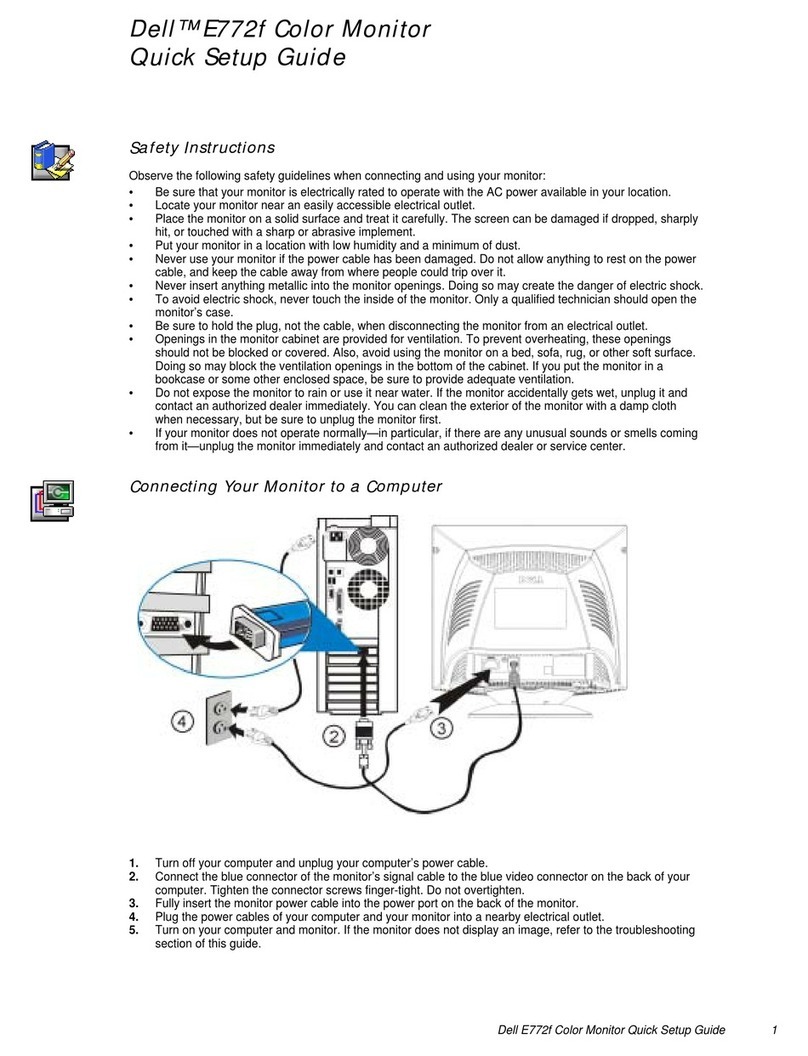
Dell E772f User manual

Dell
Dell P2722HE User manual

Dell
Dell E153FP User manual

Dell
Dell UltraSharp 1907FP User manual

Dell
Dell Alienware AW2518H User manual

Dell
Dell U2723QE User manual









