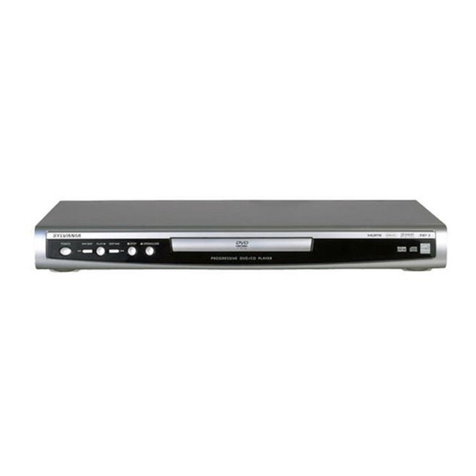
Daewoo DVN-5100N User manual

Progressive Scan
DVD PLAYER
DVN-5100N
OWNER’S MANUAL
DVN-5100N
DVD PLAYER
Progressive Scan

1
IMPORTANT SAFETY PRECAUTIONS.....................2
FEATURES..............................................................6
ABOUT MANUAL...................................................7
TERMS FOR DISCS.................................................8
BEFORE OPERATION...........................................10
PREPARATIONS BEFORE OPERATION.................12
Front Panel....................................................................12
Rear Panel.....................................................................13
VFD................................................................................14
Names and Layout of Remote Controls ........................15
CONNECTIONS....................................................16
BASIC OPERATIONS ............................................17
Play Discs.......................................................................17
System Setting...............................................................18
V-Mode..........................................................................18
Display...........................................................................18
Fast Play........................................................................19
Slow Play.......................................................................19
Step/ Pause....................................................................19
Select Audio Language..................................................20
Selecting 3D Audio........................................................20
PLAYING A DESIRED SCENE ...............................21
To skip scenes in a disc..................................................21
Directly moving to a desired title (DVD).........................21
Playing a disc containing MP3 files...............................22
Repeat Play....................................................................22
Repeating a defined period from A to B........................23
Select a Subtitle Language ............................................23
Searching ......................................................................24
PLAY DISCS IN VERIOUS WAYS...........................25
Select Angle...................................................................25
Zoom Play......................................................................25
Book Mark.....................................................................25
Program Play (DVD).......................................................26
Program Play (CD).........................................................26
Digest Play (DVD)..........................................................27
Digest Play (something disc)..........................................27
Digest Play (CD).............................................................27
Play MP3 or PIC-CD Disc................................................28
FUNCTION SETTING............................................30
Menu Setting.................................................................30
Basic Navigation............................................................31
Setup Menu...................................................................31
General Setup................................................................32
Dolby Digital Setup........................................................34
Preference Setup............................................................34
OTHERS ...............................................................36
Troubleshooting.............................................................36
Technical Specifications.................................................37
TABLE OF CONTENTS

2
IMPORTANT SAFETY PRECAUTIONS
CAUTION: TO REDUCE THE RISK OF ELECTRIC SHOCK,
DO NOT REMOVE COVER (OR BACK). NO USER-
SERVICEABLE PARTS INSIDE. REFER SERVICING TO
QUALIFIED SERVICE PERSONNEL.
CAUTION
RISK OF ELECTRIC SHOCK
DO NOT OPEN
The lightning flash with arrowhead symbol,
within an equilateral triangle, is intended to
alert the user to the presence of uninsulated
“dangerous voltage” within the product’s
enclosurethatmaybeofsufficientmagnitudeto
constitute a risk of electric shock.
The exclamation point within an equilateral
triangle is intended to alert the user to the
presence of important operating and servicing
instructions in the literature accompanying the
appliance.
WARNING : TO REDUCE THE RISK OF FIRE OR ELECTRIC SHOCK, DO NOT EXPOSE THIS APPLIANCE TO RAIN
OR MOISTURE.
CAUTION : TO PREVENT ELECTRIC SHOCK, MATCH WIDE BLADE OF PLUG TO WIDE SLOT, FULLY INSERT.
IMPORTANT FOR LASER PRODUCTS
• LASER : This Digital Video Disc Player employs a Laser System. To ensure proper use of this
product please read this owner’s manual carefully and retain for future reference. Should
the unit require maintenance, contact an authorized service location - see service
procedure.
Use of control adjustments or the performance of procedures other than those specified
may result in hazardous radiation exposure.
To prevent direct exposure to the laser beam, do not try to open the enclosure. Visible
laser radiation when open and interlocks defeated.
DO NOT STARE INTO THE BEAM.
• DANGER : Visible laser radiation when open and interlock failed or
defeated. Avoid direct exposure to beam.
• CAUTION : Do not open the top cover. There are no user serviceable parts
inside the Unit; leave all servicing to qualified service personnel.
CLASS 1
LASER PRODUCT
CAUTION: Any changes or modification in construction of this device which are not
expressly approved by the party responsible for compliance could void the
user’s authority to operate the equipment.
ATTENTION: KEEPING THE STATUS OF STOP MORE THAN 5 MINUTES ENTERS SCREEN SAVE MODE. WHEN
THE SCREEN SAVE MODE IS KEPT MORE THAN AN HOUR, THE SET ENTERS STAND-BY MODE.
MACROVISION
This product incorporates copyright protection technology that is protected by method claims of
certain U.S. patents and other intellectual property rights owned by Macrovision Corporation and
other rights owners. Use of this copyright protection technology must be authorized by Macrovision
Corporation, and is intended for home and other limited viewing uses only unless otherwise
authorized by Macrovision Corporation. Reverse engineering or disassembly is prohibited.

3
IMPORTANT SAFETY PRECAUTIONS
This set has been designed and manufactured to
assure personal safety. Improper use can result
in electric shock or fire hazard. The safeguards
incorporated in this unit will protect you if you
observe the following procedures for
installation, use and servicing. This unit is fully
transistorized and does not contain any parts
that can be repaired by the user.
1 READ INSTRUCTIONS
All the safety and operating instructions
should be read before the unit is operated.
2 RETAIN INSTRUCTIONS
The safety and operating instructions
should be retained for future reference.
3 HEED WARNINGS
All warnings on the unit and in the operating
instructions should be adhered to.
4 FOLLOW INSTRUCTIONS
Alloperatinganduseinstructions should be
followed.
5 CLEANING
Unplug this unit from the wall outlet before
cleaning. Do not use liquid cleaners or
aerosol cleaners. Use a damp cloth for
cleaning.
6 ATTACHMENTS
Do not use attachments unless
recommended by the unit’s manufacturer as
they may cause hazards.
7 WATER AND MOISTURE
Do not use this unit near water- for example,
near a bath tub, wash bowl, kitchen sink or
laundry tub, in a wet basement, or near a
swimming pool.
8 ACCESSORIES
Do not place this
unit on an
unstable cart,
stand, tripod, bracket, or table. The unit
may fall, causing serious injury to a
child or adult as well as serious damage
to the unit. Use this unit only with a cart,
stand , tripod, bracket, or table
recommended by the manufacturer.
8A A unit and cart combination should be
moved with care. Quick stops, excessive
force, and uneven surfaces may cause the
video product and cart combination to
overturn.
9 VENTILATION
Slots and openings in the case are
provided for ventilation to ensure reliable
operation of the unit and to protect it from
overheating. These openings must not be
blocked or covered. These openings must
not be blocked by placing the unit on a
bed, sofa, rug, or other similar surface.
This unit should never be placed near or
over a radiator or heat radiator. This unit
should not be placed in a built-in
installation such as a bookcase or rack
unless proper ventilation is provided or the
manufacturer’s instructions have been
adhered to.
10 POWER SOURCES
This unit should be operated only from the
type of power source indicated on the
marking label. If you are not sure of the
type of power supply to your home, consult
PORTABLE CART WARNING
(symbol provided by RETAC)

4
your video dealer or local power company.
For units intended to operate from battery
power, or other sources, refer to the
operating instructions.
11 GROUNDING OR POLARIZATION
This unit is equipped with a polarized
alternating -current line plug (a plug
having one blade wider than the other).
This plug will fit into the power outlet only
one way.
This is a safety feature. If you are unable to
insert the plug fully into the outlet, try
reversing the plug. If the plug still fails to
fit, contact your electrician to replace your
obsolete outlet.To prevent electric shock,
do not use this polarized plug with an
extension cord, receptacle, or other outlet
unless the blades can be fully inserted
without blade exposure. If you need an
extension cord, use a polarized cord.
12 POWER-CORD PROTECTION
Power-supply cords should be routed so
that they are not likely to be walked on or
pinched by items placed upon or against
them, paying particular attention to cords
at plugs, convenience receptacles, and the
point where they exit from the unit.
13 LIGHTNING
For added protection for this unit during a
lightning storm, or when it is left
unattended and unused for long periods of
time, unplug it from the wall outlet and
disconnect the antenna or cable system.
This will prevent damage to the unit due to
lightning and power line surges
.
14 DISC TRAY
Keep your fingers well clear of the disc as
it is closing. It may cause serious personal
injury.
15
OVERLOADING
Do not overload wall outlets of extension
cords as this can result in a risk of fire or
electric shock.
16 OBJECT AND LIQUID ENTRY
Never push objects of any kind into this
unit through openings as they may touch
dangerous voltage points or “short-out”
parts that could result in a fire or electric
shock. Never spill liquid of any kind on the
unit.
17 BURDEN
Do not place a heavy object on or step on
the product. The object may fall, causing
serious personal injury and serious
damage to the product.
18 DISC
Do not use a cracked, deformed or
repaired disc. These discs are easily broken
and may cause serious personal injury and
product malfunction.
19 SERVICING
Do not attempt to service this unit yourself
asopeningorremovingcovers may expose
youtodangerousvoltage or other hazards.
Refer all servicing to qualified service
personnel.
IMPORTANT SAFETY PRECAUTIONS

5
20 DAMAGE REQUIRING SERVICE
Unplug this unit from the wall outlet and
refer servicing to qualified service
personnel under the following conditions.
A. When the power-supply cord or plug is
damaged.
B. If liquid has been spilled, or objects
have fallen into the unit.
C. If the unit has been exposed to rain or
water.
D. If the unit does not operate normally
by following the operating
instructions. Adjust only those
controls that are covered by the
operating instructions. Improper
adjustment of other controls may
result in damage and will often
require extensive work by a qualified
technician to restore the unit to its
normal operation.
E. If the product has been dropped or the
cabinet has been damaged.
F. When the unit exhibits a distinct
change in performance-this indicates a
need for service.
21 REPLACEMENT PARTS
When replacement parts are required,
have the service technician verify that the
replacements he uses have the same
safety characteristics as the original parts.
Use of replacements specified by the unit
manufacturer can prevent fire, electric
shock, or other hazards.
22 SAFETY CHECK
Upon completion of any service or repairs
to this unit, ask the service technician to
perform safety checks recommended by
the manufacturer to determine that the
unit is in safe operating condition.
23 WALL OR CEILING MOUNTING
The product should be mounted to a wall
or ceiling only as recommended by the
manufacturer.
24 HEAT
The product should be situated away from
heat sources such as radiators, heat
registers, stoves, or other products
(including amplifiers) that produce heat.
FCC NOTICE :
This equipment has been tested and found to
comply with the limits for a Class B digital
device, pursuant to part 15 of the FCC Rule.
These limits are designed to provide reasonable
protection against harmful interference in a
residential installation. This equipment
generates,uses andcan radiateradiofrequency
energy and if not installed and used in
accordance with the instructions, may cause
harmful interference to radio communications.
However, there is no guarantee that
interference will not occur in a particular
installation. If this equipment does cause
harmful interference to radio or television
reception; which can be determined by turning
the equipment off and on, the user is
encouraged to try to correct the interference by
one or more of the following measures:
• Reorientate or relocate the receiving antenna.
• Increase the separation between the
equipment and receiver.
• Connect the equipment to an outlet on a
circuit different from that to which the
receiver is connected.
• Consult the dealer or an experience radio/TV
technical for help.
IMPORTANT SAFETY PRECAUTIONS

6
FEATURES
OUTSTANDING SOUND QUALITY
Dolby Digital system developed by Dolby Laboratories and DTS
developed by DTS Inc., features high quality surround sound, can be played in
DVD or CD disc at home, to reproduce high quality sound effects.
HIGH DEFINITION
The unit adopts MPEG2 coding format and brings the high horizontal
resolution.
UNIQUE FUNCTIONS
Multi-angle and multi-language bring unique trick functions.
Parent lock makes it easy to control the content of discs.
SCREEN
Ordinary screen and wide screen (16:9) are available.
COMPATIBILITY
The unit can play DVD discs, and is compatible with CD, CD-R, CD-RW, PIC-CD
and MP3 discs.
ZOOM
It can enlarge pictures or reduce pictures.
MULTI-FUNCTIONS
Fast forward, fast reverse, forward and reverse slow, frame play , repeat play
and program play.
TIME SEARCH
It can search a specific part on a disc, especially good for watching fiction
movies.
RESUME PLAY
It can memorize the position where the disc is stopped and resume playback.
VIDEO OUTPUT
Standard video, Component video output mode.
AUDIO OUTPUT
Analog audio output and coaxial digital audio output can be connected with
the appropriate amplifier to enjoy high-quality sound effects.

7
ABOUT MANUAL
PRINCIPLES FOR WRITING
PLAYABLE DISCS
This manual mainly introduces how to use buttons on the remote control.
You may operate the unit if the buttons on the unit have the same or similar
names as or to those on the remote control.
• DVD and Audio CD
Disc type Playable Restriction
DVD Possible Region number 4 or Region number All
CD Possible PCM or DTS digital out
CD-G Possible Only Audio playback
CD-ROM Possible MP3 File
CD-R Possible CD/CD-ROM (MP3 File)
CD-RW Possible CD/CD-ROM (MP3 File)
DVD-R Possible DVD Video
DVD-ROM Impossible DVD Video
DVD-RAM Impossible
DVD+RW Impossible
DVD-RW Impossible
Photo CD Possible

8
TITLE
TERMS FOR DISCS
The images or music of a DVD are divided into some units, among which
title is the biggest one.
When playing a DVD, the movie is the title.
When playing a CD, the combined tracks make up the title.
CHAPTER
It is smaller than title among the units of a DVD. A title is made up
of several chapters , and each chapter has a number for search. But
some discs may not have numbered chapters.
TRACK
In a CD, each track has a number to enable search functions.
STRUCTURE OF DVD STRUCTURE OF CD
DISC
TITLE
CHAPTER
DISC
TRACK

9
TERMS FOR DISCS
REGION MANAGEMENT INFORMATION
This unit is designed and manufactured to respond to the Region
Management information that is recorded on a DVD disc. The region
number of this player is “4”. If the region number described on the DVD
discs does not correspond to the Region number of this player, the
player will not play this disc. This player will play DVD discs made for
“ALL” regions. Therefore, this player will play DVD discs marked with
labels containing the region number “4” or “ALL”.
(Region 4) (Region ALL)
4
SCENE
The menu pictures, motion and motionless pictures of a CD or something discs
with PBC function can be divided into some parts, these parts are scenes. Each
scene has a number for search.
PBC (PLAYBACK CONTROL)
It is signals recorded in a CD or something discs to control playback.
DISC TYPE
disc
without PBC
FUNCTION
enjoy music and images (motion
pictures)
disc with PBC
Besides the images of special disc, play interactive
software with the menu pictures shown on the TV
screen (PBC play). If the disc has motionless
pictures, high-resolution playback is also available.
This manual suits for next models
1
Table of contents
Other Daewoo DVD Player manuals

Daewoo
Daewoo DQD-6100D User manual

Daewoo
Daewoo DV-3000S User manual

Daewoo
Daewoo DVN-8100N User manual

Daewoo
Daewoo DPC-7200N User manual

Daewoo
Daewoo SD-2100P User manual

Daewoo
Daewoo DVG-5200S User manual

Daewoo
Daewoo DVG-6000D User manual

Daewoo
Daewoo DV-600 User manual

Daewoo
Daewoo DVDP485 User manual

Daewoo
Daewoo DVG-9000N User manual

Daewoo
Daewoo SD-8100 User manual

Daewoo
Daewoo DF-5500(S/P) User manual

Daewoo
Daewoo DVD3000N User manual

Daewoo
Daewoo DV-2500H User manual

Daewoo
Daewoo DN-W552 User manual

Daewoo
Daewoo DVG-3000N User manual

Daewoo
Daewoo SD-3500P User manual

Daewoo
Daewoo DV-900 User manual

Daewoo
Daewoo DHC - 2300K User manual

Daewoo
Daewoo DV6T534B User manual