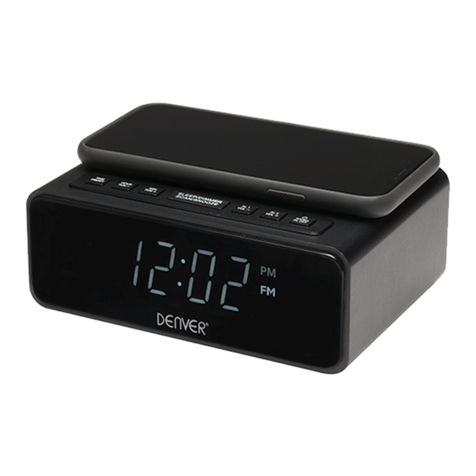
Currys CCRAN10 User manual

CLOCK RADIO
INSTRUCTION MANUAL
CCRAN10
CCRAN10_IB_final110512.indd 1 12/05/2011 11:13 AM

CCRAN10_IB_final110512.indd 2 12/05/2011 11:13 AM

Content
Unpacking..................................................................................................................................4
Product Overview......................................................................................................................5
Top View ................................................................................................................................................................ 5
Rear View............................................................................................................................................................... 5
LED Display........................................................................................................................................................... 6
Power Source .............................................................................................................................6
Mains Power......................................................................................................................................................... 6
Memory Backup.................................................................................................................................................. 7
General Operation.....................................................................................................................8
Powering ON/OFF ............................................................................................................................................. 8
Adjusting Volume .............................................................................................................................................. 8
Setting the Clock ............................................................................................................................................... 8
Setting the Alarm ............................................................................................................................................... 8
Snooze Function................................................................................................................................................. 9
Sleep Timer Setting ........................................................................................................................................... 9
Radio Reception.......................................................................................................................10
For Better Reception .......................................................................................................................................10
Hints and Tips ..........................................................................................................................11
Specication ............................................................................................................................11
Safety Warnings.......................................................................................................................12
CCRAN10_IB_final110512.indd 3 12/05/2011 11:13 AM

4
Unpacking
Remove all packaging from the unit. Retain the packaging. If you dispose of it please do so
according to local regulations.
The following items are included:
Instruction Manual
(P.N.: 811-CR2091W033)
The Main Unit
If items are missing or damaged, please contact Partmaster (UK only).
Tel: 0844 800 3456 for assistance.
Thank you for purchasing your new Currys Essentials Clock Radio.
We recommend that you spend some time reading this instruction manual in
order that you fully understand all the operational features it oers. You will
also nd some hints and tips to help you resolve any issues.
Read all the safety instructions carefully before use and keep this instruction
manual for future reference.
CCRAN10_IB_final110512.indd 4 12/05/2011 11:13 AM

5
Product Overview
Top View
1. SLEEP Button
2. TIME Button
3. ALARM Button
4. SNOOZE Button
Rear View
1
26
37
4
5
13
8
12
9 10 11
14
8. TUNING Control
9. BAND(AM/FM)
Selector
10. FUNCTION Selector
(OFF / BUZZER
ALARM / RADIO
ALARM / ON)
11. VOLUME Control
12. FM Aerial
13. Battery Compartment
14. Mains Adapter
5. Time Display
6. HOUR Button
7. MIN Button
CCRAN10_IB_final110512.indd 5 12/05/2011 11:13 AM

6
1. Connect the mains adapter to the mains
socket. The unit is now connected and
ready for use.
2. To switch the unit o completely,
withdraw the mains cable from the
mains socket.
3. Install the unit near a mains socket
where the mains adapter can be easily reached.
LED Display
15
17 18
16
15. PM Indicator
16. Alarm Indicator
17. HOUR Digits
18. MINUTE Digits
Power Source
Mains Power
Check that the voltage marked on the rating label matches your mains voltage.
To completely disconnect the unit from the mains power, the mains adapter must be
disconnected from the mains socket.
CCRAN10_IB_final110512.indd 6 12/05/2011 11:13 AM

7
Memory Backup
This unit incorporates a battery back up circuit that will keep the clock running and alarm
time in memory in the event of a temporary power interruption.
1. Insert a 9V battery (not included) into the battery
compartment located at the bottom of the unit.
2. Press and hold the end of the battery with your thumbs
( A), then push the battery in the direction as shown
until it ts in correctly ( B).
Handling the Batteries
• Improper or incorrect use of batteries may cause corrosion or battery leakage, which could
cause personal injury or damage to property.
• Install the battery correctly by following the polarity (+ and -) indications in the battery
compartment.
• Use only the types of the batteries which are indicated in this manual.
• Do not dispose of the used batteries as domestic waste. Dispose of them in accordance with
local regulations.
• Do not expose the battery to direct sunlight or sources of excessive heat.
• If you are not going to use the unit for a long time, remove the battery to avoid damage
from battery leakage and corrosion.
This battery is only for clock operation and alarm memory during a
power interruption. You cannot listen to the radio with battery power.
CCRAN10_IB_final110512.indd 7 12/05/2011 11:13 AM

8
• Disconnect the mains adapter from the mains socket if you want to switch the unit o
completely.
Adjusting Volume
Adjust the volume with the VOLUME control.
General Operation
Powering ON/OFF
• Switch the FUNCTION selector to the “ON” position to switch on
the unit.
• Switch the FUNCTION selector to the “OFF” position to switch
o the unit.
Setting the Clock
1. Press and hold the TIME button while at the same time pressing the HOUR button
repeatedly to adjust the hour digits.
2. Press and hold the TIME button while at the same time pressing the MIN button
repeatedly to adjust the minute digits.
Setting the Alarm
1. Press and hold the ALARM button while at the same time pressing the HOUR button
/ MIN button repeatedly to adjust the hour / minute digits. The alarm time will be
conrmed when you release the buttons.
CCRAN10_IB_final110512.indd 8 12/05/2011 11:13 AM

9
For Buzzer Alarm
Set the FUNCTION button to BUZZER ALARM.
2. For Radio Alarm
First tune in to a desired station (see Radio Reception on the
next page) and then adjust the volume. Set the FUNCTION
button to RADIO ALARM.
Snooze Function
Press the SNOOZE button when the RADIO or BUZZER sounds. The alarm will go o and will
then sound again in approximately 9 minutes.
To turn o the alarm, press the ALARM button when the RADIO or BUZZER sounds. The alarm
function will still be active the next day.
Sleep Timer Setting
This function automatically switches the unit to standby after the preset time has elapsed.
Switch the FUNCTION button to OFF, BUZZER ALARM or RADIO ALARM rst to set sleep
timer.
• Press the SLEEP button once, the radio turns on and it will turn o after 59 minutes.
• Press and hold the SLEEP button while at the same time pressing the HOUR button / MIN
button repeatedly to adjust the hour / min digits. The sleep timer will be conrmed when
you release the buttons. The time begins to count down from the preset time. (Maximum
sleep timer setting is up to an hour and 59 minutes).
• Press the SNOOZE button to turn o the sleep timer.
3. The alarm indicator will illuminate. The unit will wake up to “Radio”or “Buzzer”when the
alarm timer reaches the preset time and then shut o automatically after one hour and 59
minutes.
After setting the alarm, you can press the ALARM button to view the set alarm time.
CCRAN10_IB_final110512.indd 9 12/05/2011 11:13 AM

10
Radio Reception
1. Adjust the BAND selector to a desired mode (AM / FM).
2. Turn the TUNING control to tune to a station.
For Better Reception
FM: Fully unwind the FM aerial. Extend the FM aerial and place it in the position that
sounds best.
AM: Reposition the unit to get a better AM reception.
Do not connect the FM aerial to an outside aerial.
CCRAN10_IB_final110512.indd 10 12/05/2011 11:13 AM
Table of contents