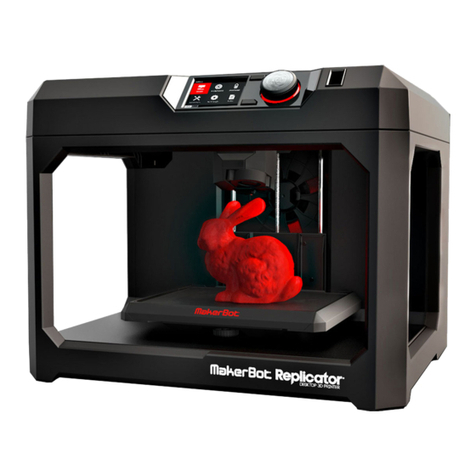
CTC Communications FDM Series User manual

1
CTC Desktop 3D Printer Manual
FDM Series
Company Name: CTC Co., Ltd.
Website:www.ctcprint.com

2
Catalogue
1.Instructions..................................................................................................................................... 3
1.1 Introduction ................................................................................................................................. 3
1.2 Precautions .................................................................................................................................. 3
1.2.1 Safety Precautions ..................................................................................................................... 3
1.2.2 Contact ..................................................................................................................................... 3
1.3 Accessories List ........................................................................................................................... 3
2. Product Category............................................................................................................................ 4
2.1 Product Overview......................................................................................................................... 4
2.2 Appearance ................................................................................................................................. 4
2.3 Product Specifications .................................................................................................................. 5
2.3.1 Parameters................................................................................................................................ 5
2.3.2 recommended environment ....................................................................................................... 6
3.Operating Instructions ..................................................................................................................... 6
3.1 Unpacking and preparation before printing...................................................................................... 6
3.1 Computer preparations.................................................................................................................. 9
3.1.1 Install the Replicatorg driver software..................................................................................... 9
3.2.2 Software Description ................................................................................................................ 12
3.2.3 Install the driver software of Makerware ................................................................................... 18
3.3 The instructions of the key of LCD screen ..................................................................................... 28
4. Take out model ............................................................................................................................ 33
5.2tighten the belt............................................................................................................................ 34
5.3 maintenance of the optical axis and the screw rod........................................................................ 35
6 .Troubleshooting ........................................................................................................................... 36
7. Common Problems and Solutions ................................................................................................... 36
8. Warranty and License Agreement affirms ....................................................................................... 37

3
1.Instructions
1.1 Introduction
This Instructions consist of the product overview, operating instructions, printing test
model, maintenance and troubleshooting. Please read it carefully and operate the 3d printer
according to the brochure.
1.2 Precautions
Since different area have different voltage, please make sure how much is your
voltage (110v and 230v generally)
After using this product over a period of time ,it is necessary to maintain it .Proper
maintenance can often extend the life of the printer
1.2.1 Safety Precautions
It is not suggested that using other brands of printing-supplies . To get the best results
of 3D printing, please use the supplies of our company . The maintenance and repair caused
by using other supplies ,are not included in the Company's warranty
Touch is prohibited when the printer is working or the moment after finishing the
printing since the temperature is quite high in the model, the head ,the printing platform or
the other parts of the printer .
1.2.2 Contact
If you need after-sales service, you can directly add our business group, which
number is 102304634. SD Card User's Guide: the information on using and troubleshooting
the 3D printer is available in our enclosed instructions. Online technical support is also
provided by adding our group(102304634).
You can also add Sina microblog of our company so as to have a better understand of
the update of new technology as well as the upgrade of software in our company. Besides ,
random rewards would be got by adding our microblog .The luckiest one would get one
Tablet PC. Enter into the Sina microblog then search 西通 3D 打印未来.The more attention
and forwarding, the more opportunities you will get the prize .
1.3 Accessories List
No
Material name
Quantity
Unit
1
3D printer
1
set
2
Power line
1
stick
3
USB Data Cable
1
stick

4
4
Kit
1
set
5
SD card
1
single
6
Printing Supplies
1
reel
7
Hanging material
column
2
strip
2. Product Category
2.1 Product Overview
CTC 3D printer is a rapid prototyping device based on the fuse deposition
manufacturing process (FDM), which prints by connecting to the computer via USB cable
online or SD card offline and just an ordinary computer can finish printing. A STL 3D file
format can complete a variety of print job of complex three-dimensional solid model. The
device is easy to operate, so even if you have never used 3D printer, CTC 3D printer is also
a good choice for your to finish types of printing of 3D models.
2.2 Appearance
Third generation

5
First generation
Second generation
2.3 Product Specifications
2.3.1 Parameters
The total volume of printers :320*467*381mm
Package Size:565*430*535mm
Weight (with packaging) :13.5KG
Build Size :225*145*150mm
Power:210V
Build platform’s temperature: about 110 (proper winter heating and summer cooling)
Extrusion nozzle flow: about 24cc / h

6
Supported operating systems: Windows XP Windows7 / 8 (32 bits / 64)
Software: ReplicatorG or CTC Chinese version (compatible on MakerWare software)
Print materials: ABS, PLA
Material properties: 3D printing special ABS and PLA (exclusive qualities recipe)
Layer accuracy: 0.1mm-0.5mm
Positioning accuracy: XY axis 0.011mm
Filament diameter: Z axis 0.0025mm
Nozzle diameter: 0.4mm
Motion axis speed: 30mm/s_100mm/s
Recommended head movement speed : 35-40 mm / s
Input file types: stl, gcode
2.3.2 recommended environment
Operating environment: clean install in a well ventilated area. Temperature: 15 ° C to 35 ° C.
Humidity: 20-80% (non-condensing).
Storage environment: Temperature: 0 ° C to 40 ° C Humidity: 10-80% (non-condensing).
The presence :non-corrosive gases and cleaning place
3.Operating Instructions
3.1 Unpacking and preparation before printing
(1) Check whether there are some scratches and other defects on the appearance of 3D
printers outside the box bumps

7
Check whether there are some deformations caused by squeezing or rupture in the corners of
the box.
(2) Open the box and remove the printer then cut the nozzle and fix tie (tied to the front left
side of the Z-axis X-axis Y-axis.
Cut fixed print head straps with water-nose pliers.
(3) Open the foam of the surface of print head (Note: Try not to use the face of knife so as to
prevent the print head was hanged up ) Mount the print head to a bracket on the X-axis,
installation direction as shown ,then tighten the two screws.
(Picture1) (Picture2)
(4)Take out the hanging tube and then install it in the hole of the hanging tube at the back of
the printer, load the printing supplies into the hanging tube, then pull printing supplies, insert
one of a printing supplies section into the round role of the print head (Note: insert in the
left when use the left print head while insert in the right then use the right one )

8
(5)Check whether the Limit switch cable of the printer losing or falling off the surface.
(Z-axis limit) (Y-axis limit) (X-axis limit)
(6) Check whether the voltage match to the printer’s (110 or 220, judged by the power
at the bottom of the printer)
(7) Take out the SD card , read printer driver inside the SD card, then install the driver.
(8) Turn on the printer and manipulate the control panel so that the Z axis went to the top of
the printer, check whether the distance of printer nozzle and print platform meets the criteria
(optimal distance test method: Put a piece of A4 paper in printing platform surface, control
panel so that it went to the top of the Z-axis, then pull A4 paper. The printing paper can be
pulled out with a little effort so that the paper will not be scratched) Note: the blue paper of
the surface of the platform cannot be torn, otherwise it will affect the printing quality.
(9)Prepare for files of STL format ,open the file through the software already installed in
the printer .Then adjust the parameters and you can start printing

9
3.1 Computer preparations
3.1.1 Install the Replicatorg driver software
(1)take out SD card and read printer driver inside it . Looking for the 3dsetup folder
(2)Open the 3dsetup folder and then search for the file of software
(3) open the file of software by Right-clicking then enter into the software installation
manager
(4)Click Replicatorg software installation (both English and Chinese is available to
install depending on your preferences )

10
(5) Click “ automatic installation” in Replicatorg software .When a icon be shown
then click the “Next ”button.
(6)Another icon will be shown after click the “Next” button ,then click the “install”
button.
(7) A window will jump out after the install button, please wait a minute at this time.
Table of contents