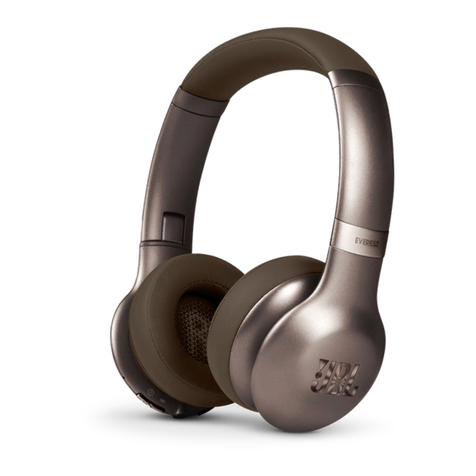
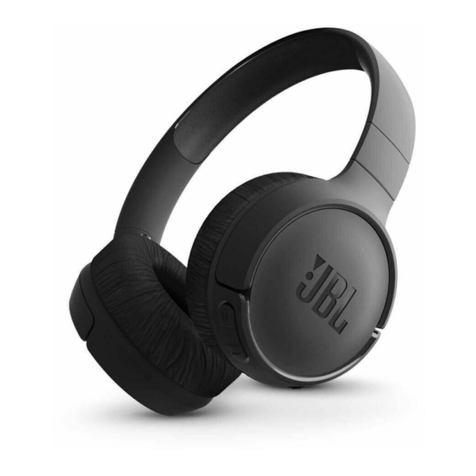
cowin E7 PRO User manual

Owner’s Guide
Bedienungsanleitung
Guía del usuario
Notice d’utilisation
Manuale di istruzioni
COWIN E7
ANC Wireless Headphones
PRO

IMP O R TANT SAFETY INSTRUCTIONS
Please read and keep all safety and use instructions.
WARNINGS/CAUTIONS
• Do NOT use the headphones at a high volume for any extended period.
– To avoid hearing damage, use your headphones at a comfortable, moderate volume level.
– Turn the volume down on your device before placing the headphones in/on your ears, then turn the volume up gradually until you
reach a comfortable listening level.
• Do NOT use your headphones while driving for phone calls or any other purpose.
• Do NOT use the headphones with noise cancelling on at any time the inability to hear surrounding sounds may present a danger to
yourself or others, e.g., while riding a bicycle or walking in or near traffic, a construction site or railroad, etc.
– Remove the headphones, or use the headphones with noise cancelling off and adjust your volume, to ensure you can hear
surrounding sounds, including alarms and warning signals.
– Be aware of how sounds that you rely on as reminders or warnings may vary in character when using the headphones.
• Do NOT use the headphones if they emit any loud unusual noise. If this happens, turn the headphones off and contact COWIN
customer service.
• Remove headphones immediately if you experience a warming sensation or loss of audio.
• Do NOT use mobile phone adapters to connect headphones to airplane seat jacks, as this could result in injury or property damage
due to overheating.
• Do NOT use the headphones as aviation communication headsets except in case of emergency.
– No incoming audio will be heard with a discharged or improperly installed battery. This could result in the potential of missed
communications while piloting an aircraft.
– Extremely loud ambient noise levels common to many propeller-driven aircraft may impair your ability to receive incoming audio
communications, particularly during takeoff and climb out.
– The headphones are not engineered for noise conditions, altitude, temperature or other environmental conditions common in
non-commercial aircraft, resulting in possible interference to critical communications.
• To reduce the risk of fire or electrical shock, do NOT expose this product to rain, liquids or moisture.
• Do NOT make unauthorized alterations to this product.
• Use this product only with an agency approved power supply which meets local regulatory requirements (e.g., UL, CSA, VDE, CCC).
• Do NOT expose products containing batteries to excessive heat (e.g. from storage in direct sunlight, fire or the like).
Contains small parts which may be a choking hazard. Not suitable for children under age 3.
This product contains magnetic material. Consult your physician on whether this might affect your implantable medical
device.
ENGLISH 2
NOTE: This equipment has been tested and found to comply with the limits for a Class B digital device, pursuant to Part 15 of the FCC
Rules. These limits are designed to provide reasonable protection against harmful interference in a residential installation. This
equipment generates, uses, and can radiate radio frequency energy and, if not installed and used in accordance with the instructions,
may cause harmful interference to radio communications. However, there is no guarantee that interference will not occur in a particular
installation. If this equipment does cause harmful interference to radio or television reception, which can be determined by turning the
equipment off and on, the user is encouraged to try to correct the interference by one or more of the following measures:
• Reorient or relocate the receiving antenna.
• Increase the separation between the equipment and receiver.
• Connect the equipment into an outlet on a circuit different from that to which the receiver is connected.
• Consult the dealer or an experienced radio/TV technician for help.
COWIN Corporation hereby declares that this product is in compliance with the essential requirements and other relevant
provisions of Directive 2014/53/EU and all other applicable EU directive requirements.
For Europe:
Frequency band of operaon 2400 to 2483.5 MHz:
Bluetooth: Maximum transmit power less than 20 dBm EIRP.
Bluetooth Low Energy: Maximum power spectral density less than 10 dBm/MHz EIRP.
Changes or modifications not expressly approved by COWIN Corporation could void the user’s authority to operate this equipment.
This device complies with part 15 of the FCC Rules and with Industry Canada license-exempt RSS standard(s). Operation is subject to
the following two conditions: (1) This device may not cause harmful interference, and (2) this device must accept any interference
received, including interference that may cause undesired operation
This device complies with FCC and Industry Canada radiation exposure limits set forth for general population.
It must not be co-located or operating in conjunction with any other antenna or transmitter.
Meets IMDA Requirements.
CAN ICES-3 (B)/NMB-3(B)
Management Regulation for Low-power Radio-frequency Devices
Article XII
According to “Management Regulation for Low-power Radio-frequency Devices” without permission granted by the NCC, any company,
enterprise, or user is not allowed to change frequency, enhance transmitting power or alter original characteristic as well as
performance to an approved low power radio-frequency devices.
Article XIV
The low power radio-frequency devices shall not influence aircraft security and interfere legal communications; if found, the user shall
cease operating immediately until no interference is achieved. The said legal communications means radio communications operated in
compliance with the Telecommunications Act.
The low power radio-frequency devices must be susceptible with the interference from legal communications or ISM radio wave
radiated devices.
DON’T attempt to remove the rechargeable lithium-ion battery from this product. Contact your local COWIN retailer or other qualified
professional for removal.
ENGLISH 3
REGULATORY INFORMATION
Please dispose of used baeries properly, following local regulaons. Do NOT incinerate.

ENGLISH 4
REGULATORY INFORMATION
This symbol means the product must not be discarded as household waste, and should be delivered to an appropriate
collection facility for recycling. Proper disposal and recycling helps protect natural resources, human health and the
environment. For more information on disposal and recycling of this product, contact your local municipality, disposal
service, or the shop where you bought this product.
Removal of the rechargeable lithium ion battery in this product should be conducted only by a qualified professional.
Please contact COWIN customer service at https://www.cowinaudio.com for further information.
This product is covered under warranty for a period of 18-month free maintenance and 30-day unconditional return policies.
E-mail: [email protected]
Phone: +1 (929) 359-6668 ( Mon-Fri 9:00 a.m. to 5:30 p.m. PST ) Recommend
Website: https://www.cowinaudio.com (Support live chat)
Facebook: https://www.facebook.com/cowinelectronics
Instagram: https://www.instagram.com/cowinaudio
Youtube: https://www.youtube.com/channel/UCQIHuG8eYKa8AFyzOa98RiA
Twitter: https://twitter.com/cowinaudio
If you have any quality problems about the product , please contact COWIN customer service.

ENGLISH 5
CONTENTS
What’s in the Carton
Contents ................................................................................................................................ 6
Headphone Controls
Power on ............................................................................................................................... 7
............................................................................................................................... 7
Headphone functions....................................................................................................... 8
Media playback and volume functions
..............................................................
8
Call functions
...............................................................................................................
8
Noise Cancellation
Noise cancelling modes................................................................................................... 9
Battery Charging
Charge the headphones.................................................................................................. 9
Charging time
..............................................................................................................
9
Status Indicators
Bluetooth® indicator ......................................................................................................... 10
Battery indicator ............................................................................................................... 10
Bluetooth Connections
Connect using the Bluetooth menu on your mobile device
.....................
10
Disconnect a mobile device........................................................................................... 11
Reconnect a mobile device............................................................................................ 11
Connect another mobile device................................................................................... 11
Clear the headphone pairing list.................................................................................. 11
Wired Connections
Connect the audio cable................................................................................................. 12
Care and Maintenance
Store your headphones ................................................................................................... 12
Clean the headphones ..................................................................................................... 12
Warranty
................................................................................................................
12
Troubleshooting
Common solutions ............................................................................................................ 13

ENGLISH 6
WHAT’S IN THE CARTON
Contents
Confirm that the following parts are included:
USB cable 3.5 mm audio cable
Note: If any part of your product is damaged, do not use it. Contact your authorized COWIN customer service.
E-mail: [email protected]
Phone: +1 (929) 359-6668 ( Mon-Fri 9:00 a.m. to 5:30 p.m. PST ) Recommend
Website: https://www.cowinaudio.com (Support live chat)
Facebook: https://www.facebook.com/cowinelectronics
Instagram: https://www.instagram.com/cowinaudio
Youtube: https://www.youtube.com/channel/UCQIHuG8eYKa8AFyzOa98RiA
Twitter: https://twitter.com/cowinaudio
COWIN E7 PRO
active noise cancelling Bluetooth headphones
Carry case

ENGLISH 7
HEADPHONE CONTROLS
A voice prompt announces "dudududu" and the battery
on the back of right earcup blink blue.
Switch the button OFF to the right BT/NC.
Power on
Switch the button BT to the left OFF.
Power off
Volume up / Next
Play / Pause, answer call
Volume down / Previous
3.5 mm audio cable connector
Mic
Noise Cancelling
Power On/Off
Bluetooth
USB for Charging
LED

ENGLISH 8
HEADPHONE CONTROLS
Headphone functions
The headphone controls are located on the right earcup.
Media playback and volume functions
Function What to do
Play /Pause
Short press the Multi-function button
Skip forward Short press the button
Skip backward Short press the button
Volume up Long press the button
Long press the buttonVolume down
Call functions
The Multi-function button and microphone are located on the back of the right earcup.
Function What to do
Answer a call Short press the button
Short press the buttonEnd a call
Decline an incoming call Press and hold for one 2 seconds
While on a call, press twice
While on a call, press and hold for 2 seconds
With two active calls, press twice
Answer a second incoming call
and put the current call on hold
Decline a second incoming call
and stay on current call
Switch between two calls
Play / Pause, answer call
Volume up / Next
Volume down / Previous

ENGLISH 9
NOISE CANCELLATION
BATTERY CHARGING
Noise cancelling modes
Charge the headphones
Charging time
Noise cancellation reduces unwanted noise providing a clearer, more lifelike audio performance. You can choose the
noise cancelling mode based on your listening preferences and environment.
Notes:
• While charging, the battery indicator red. When the battery is fully charged, the battery indicator off.
• The headphones do not play while charging.
Notes:
When only use Bluetooth without noise cancelling, a full charge powers the headphones up to 30 hours.
When only use Bluetooth with noise cancelling, a full charge powers the headphones up to 20 hours.
Noise cancelling mode Description
ON Switch OFF/BT to the right NC.
OFF Switch NC to the left OFF/BT.
Allow up to four hours to fully charge the headphones.
1. Plug the small end of the USB cable into the micro-USB connector on the left earcup.
2. Plug the other end into a USB wall charger or computer that is powered on.

ENGLISH 10
STATUS INDICATORS
BLUETOOTH CONNECTIONS
Bluetooth indicator
Connection method
Connect using the Bluetooth menu on your mobile device
Battery indicator
You can connect your mobile device with your headphones using Bluetooth wireless technology.
1. Slide the button OFF to the right BT.
You hear “dududu” and the Bluetooth indicator blinks blue.
2. On your device, enable the Bluetooth feature.
Tip: The Bluetooth feature is usually found in the Settings menu.
3. Select your headphones from the device list.
Indicator activity System state
The Bluetooth indicators is located on the right earcup.
The battery indicators is located on the left earcup.
Note: If connected to an Apple device, the device displays the headphone battery level near the upper right corner
of the screen.
Power ON
Paired
Active noise cancelling ON
Light Blue and Flash
Light Blue and Stay Solid
Light White
Indicator activity System state
Charging in process
Fully charged
Light Red
Light OFF
Once connected, you hear “Di” and the Bluetooth indicator
glows solid blue.
Bluetooth indicator
Battery indicator
E7
Other manuals for E7 PRO
2
Table of contents
Languages:
Other cowin Wireless Headphones manuals