Rev. 1
May02
Page 4
copyright Cover Pools Inc. 2000 * 66 East 3335 South Salt Lake City, UT 84115 * 801-484-2724 Fax 801-484-2763 * www.coverpools.com
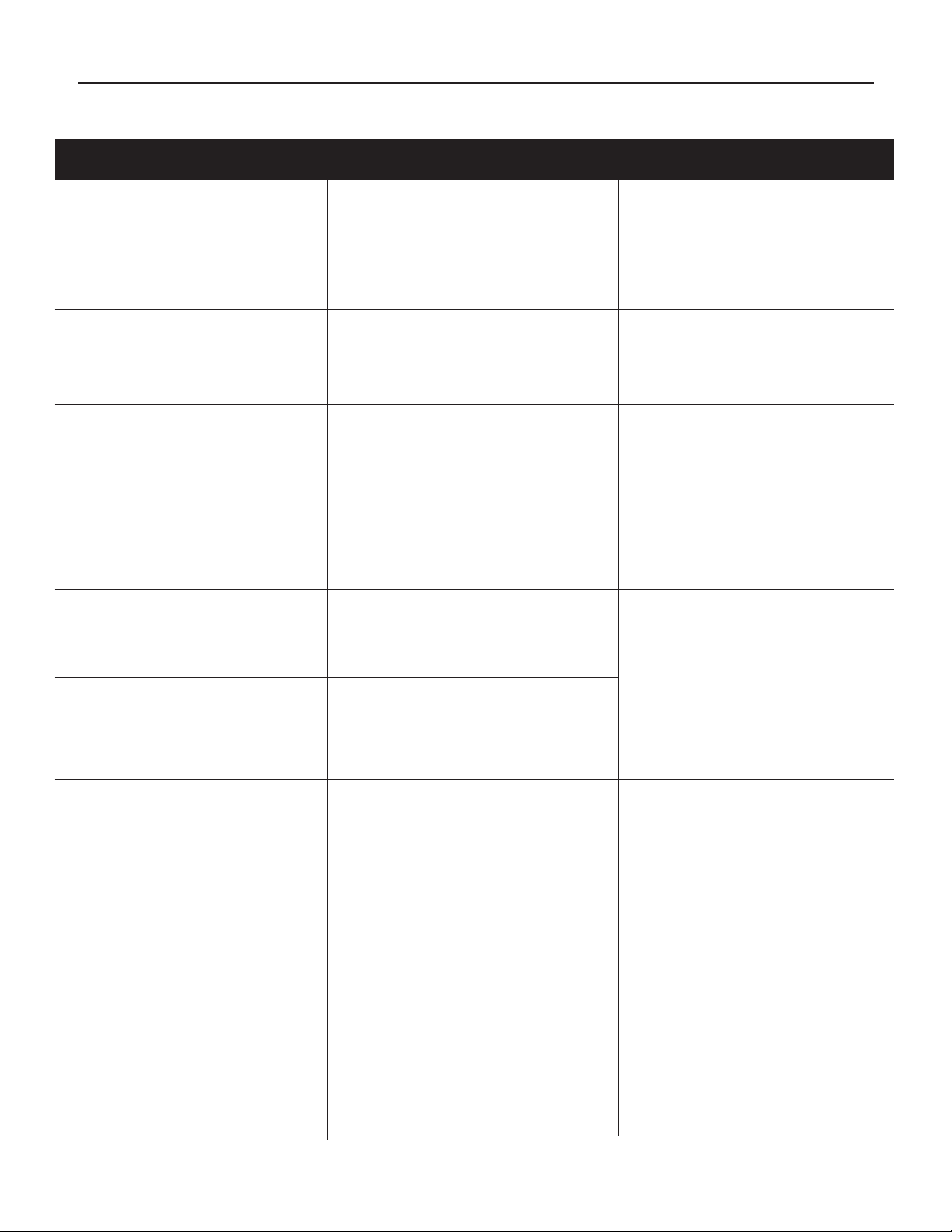
WIRELESS CONTROL TROUBLESHOOTING
CAUTION: Use of a cell or cordless phone near the Receiver or Touch Pad may interfere with the signal.
SYMPTOM POSSIBLE CAUSE POSSIBLE SOLUTIONS
Red LED ashes on Touch Pad
and Receiver.
Motor does not run.
Both LED’s ash, Relay clicks
Motor does not run.
Touch Pad LED does not ash
when button is pushed.
Cover stutters as it moves.
Receiver Relay chatters when
direction is changed.
Relay sticks and requires replace-
ment regularly.
Runs in only one direction.
(Hydraulic system)
Receiver Board sparked and
burned at R12 (just above the
black wire to the motor).
Motor hums only.
Relay may click.
Receiver memory has not been
cleared. Touch Pad has not been
programmed.
Bad Receiver
Touch Pad is broadcasting an incorrect
signal (rare).
Only one power wire is connected to
the receiver.
Motor is bad
Motor is wet
Dead battery/poor connection, rare.
Key magnet is broken off.
Mechanical problem: water on
cover, pulleys, gliders, splices, etc.
Poor RF reception
Touch Pad button is not pushed
continuously.
Insufcient current, motor pulls cur-
rent from the Relay at start-up.
Relay is bad.
Insufcient current.
Moisture in Relay.
Either the Black or Black/Red wires
are not receiving power.
Fused Relay.
Touch Pad is not broadcasting in
one direction. (Rare)
Loose Relay.
Wet motor.
Bad hydraulic solenoid.
Blue and yellow: wired incorrectly.
Relay out of socket.
Relay is loose.
Motor start windings are burnt
Motor is wet.
Clear memory and reprogram the
Touch Pad.
Replace receiver.
Replace the Touch Pad.
Connect Power wire (wires) to
both Black and Black w/Red trace.
Replace Motor.
Service motor.
Replace battery (solder in) Rare
Re-attach magnet
Correct the mechanical problem.
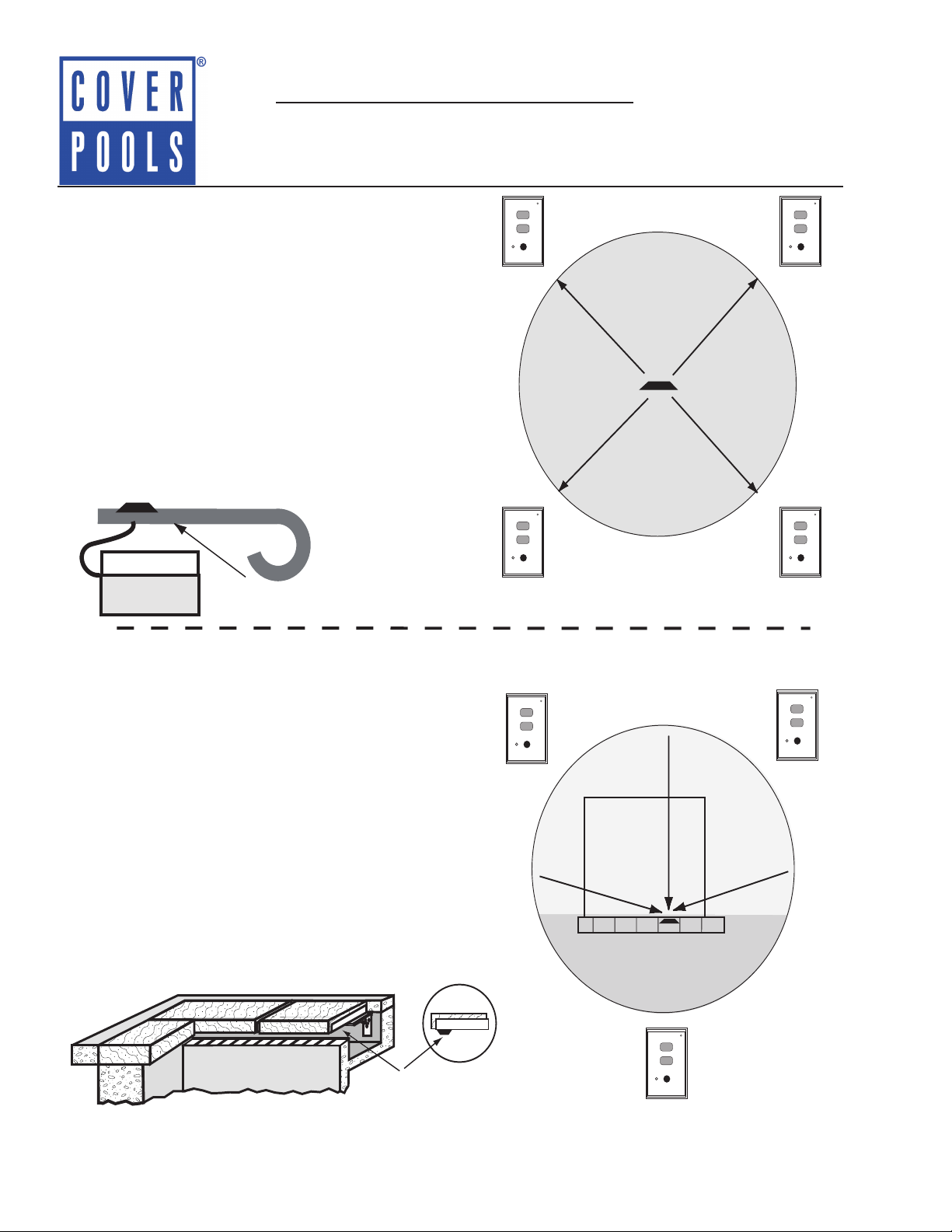
Adjust position of antennae or
Touch Pad.
Push button continuously and
rmly on the center.
Replace GFCI if necessary.
Combine two power wires from
one breaker to the power connec-
tion on the Receiver Board, or pro-
vide a larger gauge wire.
Replace Relay.
Check wire connection, if power
was supplied separately to each
wire, check both power sources.
Change the Relay.
Change Touch Pad.
Tighten Relay in socket.
Service Motor.
Change Solenoid.
Not repairable. Change Board
Insert Relay.
Tighten Relay in the socket.
Replace Motor.
Service Motor.