
Citizen U200 User manual
1
English
You can view explanations of the operation of this watch by accessing the Citizen web
site and viewing the “Service & Support.”
URL: http://www.citizenwatch.jp/
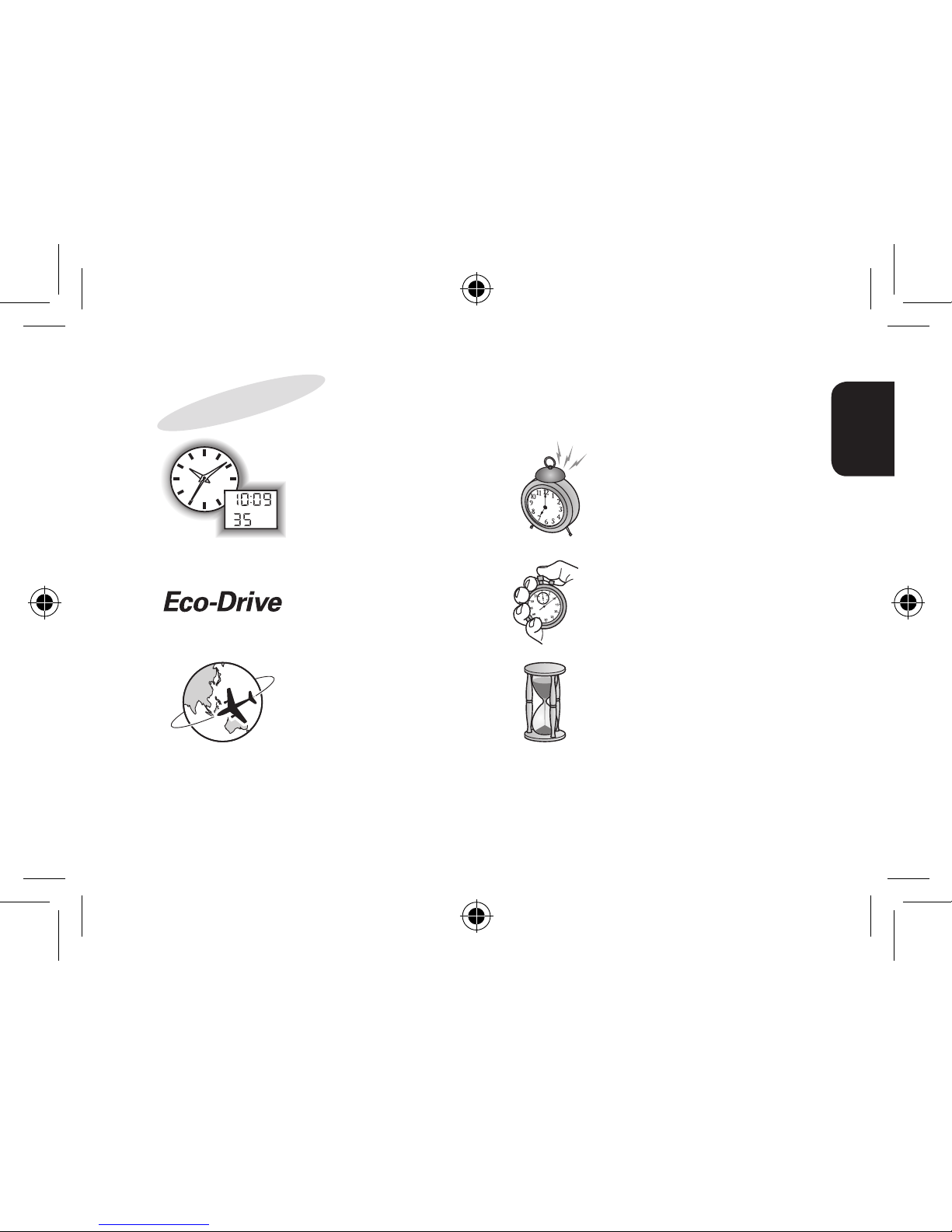
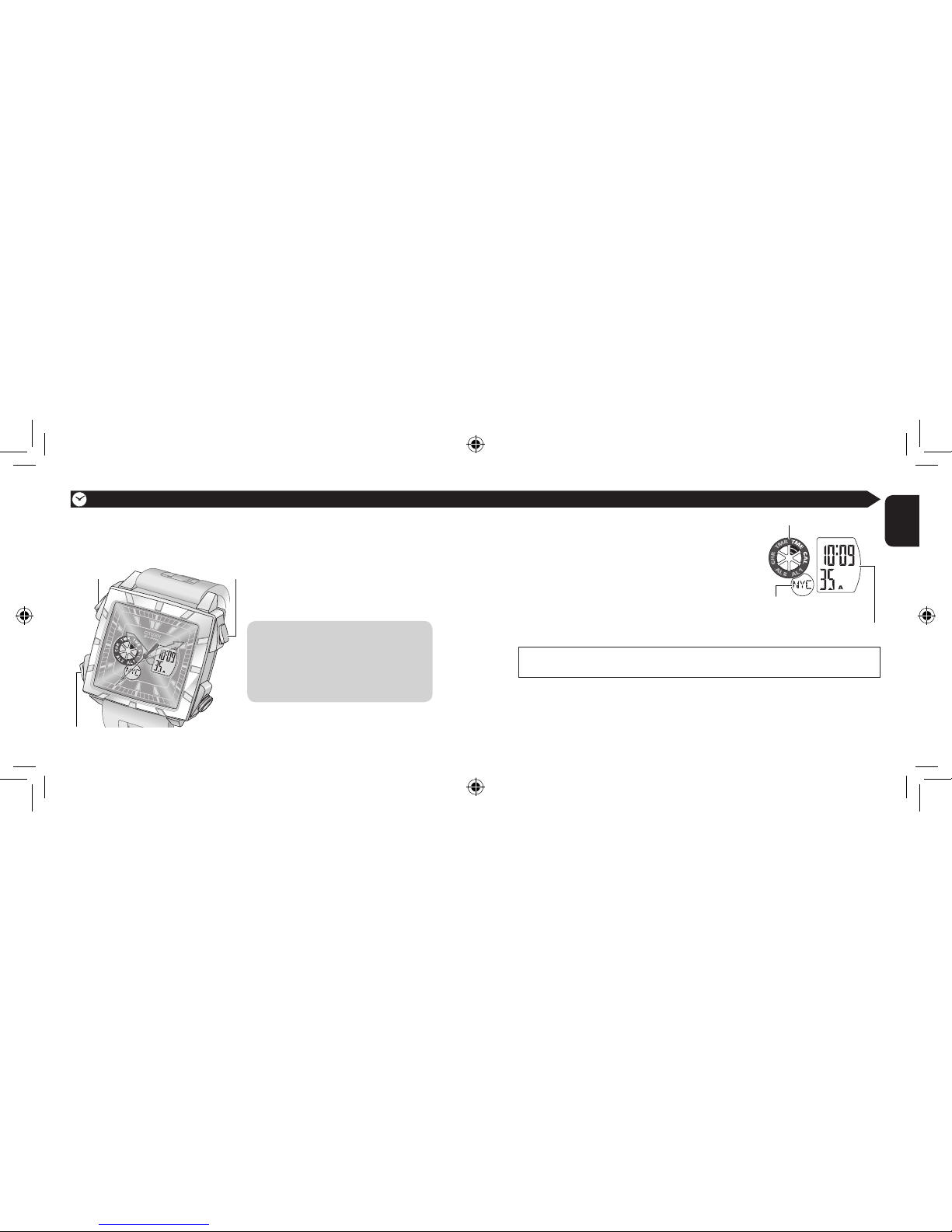
The combination watch
of the analog and digital
display
World time alarm—sounds
at the time of the selected
city (→ page 26)
Solar-powered—no need
for battery replacement
(→ page 9)
Chronograph function—
can display split time
(→ page 30)
World time—easy to see
the time and calendar
of 30 cities all over the
world (→ page 14)
Timer function—can be
set for up to 99 minutes
(→ page 32)
Features
U200_EN_final.indd 1 08.4.24 3:05:55 PM

2
3
English
Contents
Before use ......................................4
Part names ............................................. 4
Checking the battery ............................ 5
Charging the battery ...................6
Charging the battery ............................. 6
When the battery becomes short of
power—Insufficient charge warning
function .................................................. 7
Charging time ........................................ 8
Eco-Drive ............................................... 9
Power saving function ...............10
Changing the mode ...................12
World time function ...................14
Selecting the city ................................. 14
The table of city names ....................... 16
Setting the time ..........................18
Setting the time of
the digital section [TME] .................... 18
Setting the time of
the analog section ............................... 22
Setting the calendar [CAL] ........24
Perpetual calendar .............................. 24
Using the alarm [AL1]/[AL2] .....26
Setting the alarm ................................. 26
Activating/deactivating the alarm .... 29
Using the chronograph [CHR]
...30
Using the timer [TMR] ................32
Troubleshooting .........................34
• The hands do not work properly
• The digital displays seem unusual
• Others
Resetting the watch ...................36
The initial settings .............................. 37
Precautions ..................................38
Maintenance ................................45
Specifications ..............................46
U200_EN_final.indd 2-3 08.4.24 3:05:58 PM
4
5
English
7 Checking the battery
Confirm the movement of the second hand to check the battery.
The second hand is moving at
2-second intervals or has stopped.
Charge the battery. (→ page 6)
The second hand is moving at
1-second intervals.
Adjust the time and calendar.
• Setting the time (→ page 18)
• Setting the calendar (→ page 24)
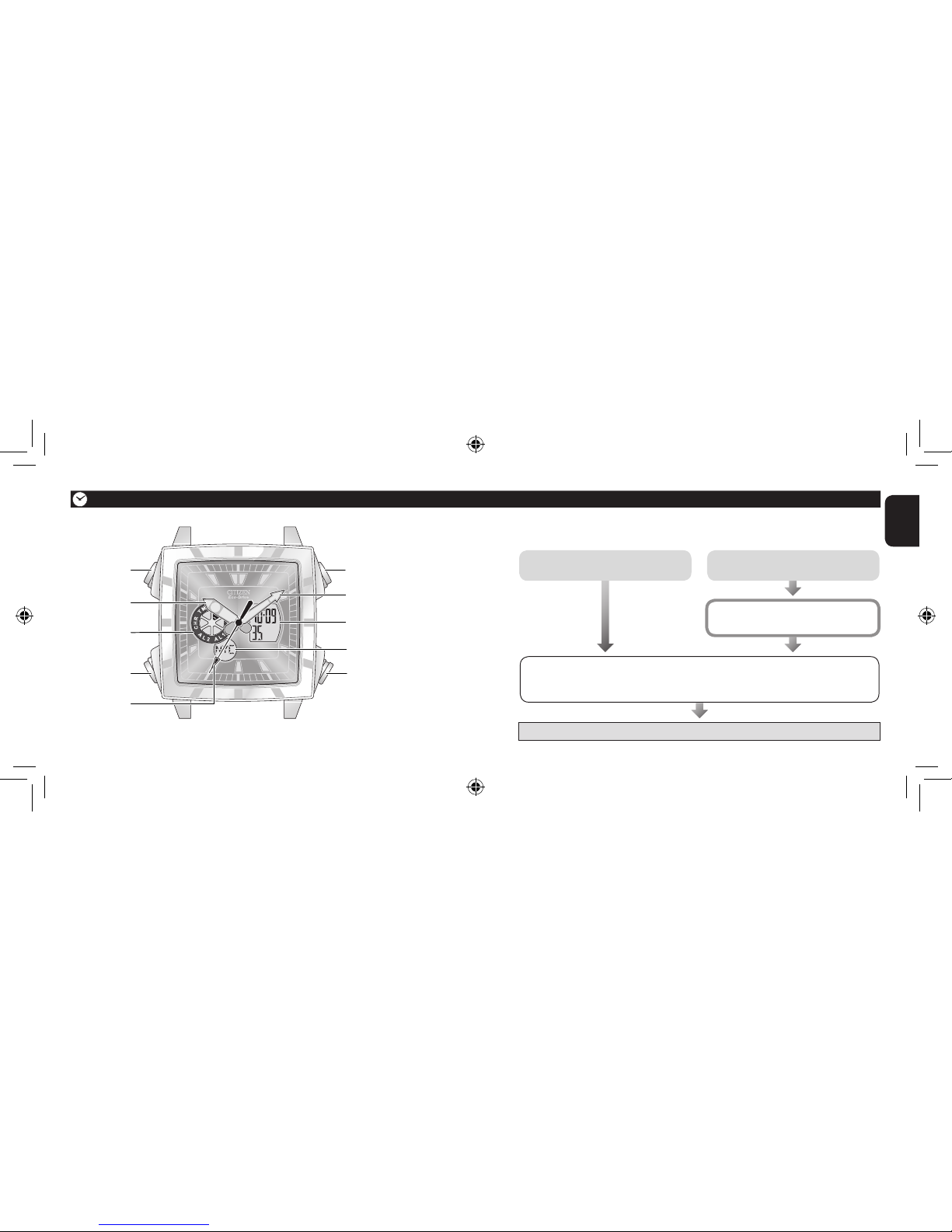
7 Part names
Mode indicator
Before use
Button BButton A
Hour hand
Crown
Minute hand
Button M
Second hand
Digital display A
Digital display B
The illustrations in this instruction manual may differ from the actual appearance of
your watch. Start using the watch!
U200_EN_final.indd 4-5 08.4.24 3:06:00 PM
6
7
English
While the function is activated...
You cannot use any mode other than
[TME]
. (
→
page 12)
The settings of the other modes are initialized. (
→
page 37)
The mode automatically changes to
[TME]
as the function is
activated.
7 Charging the battery
This watch has a battery which is charged by exposing the dial to light such as direct
sunlight or fluorescent lamps.
To obtain the best performance
• Expose the dial to direct sunlight for several hours at least once a month.
• After taking off the watch, put it where the dial is exposed to bright light, such as
by a window.
• Before storing the watch in a dark place for an extended period of time, fully charge
the battery.
When the watch is covered with long sleeves, for example, the battery may not be charged
sufficiently. Try to keep the watch exposed to light even when wearing the watch.
Charging the battery
Do not charge the battery at a high temperature (about 50˚C/122˚F or higher).
7 When the battery becomes short of power—Insufficient charge
warning function
• After the battery is charged for a while, the second hand will
move normally.
• If you have not charged the battery for four days or more since
the warning movement began, the battery will run out and the
watch will stop.
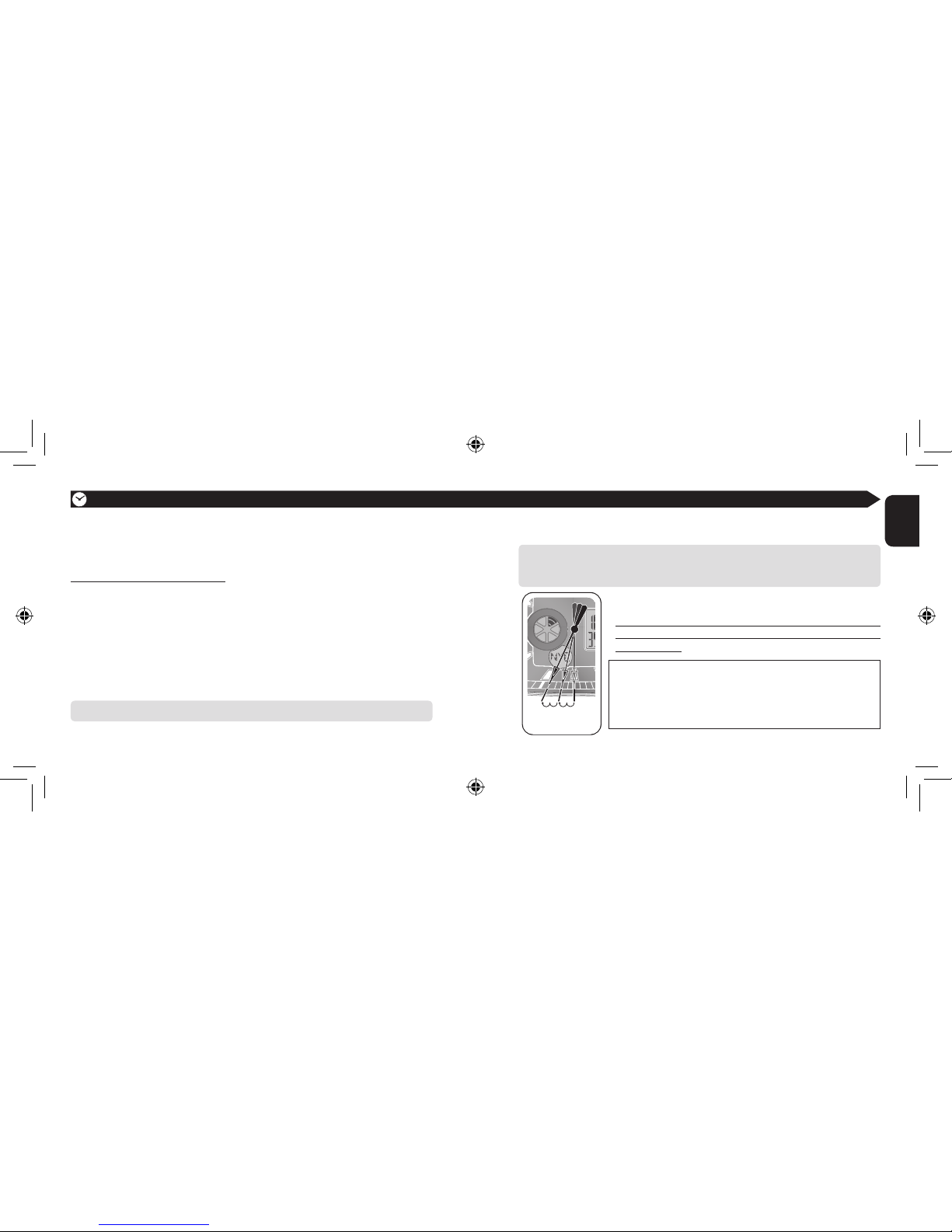
When the battery becomes short of power, the second hand moves once every two
seconds—insufficient charge warning function. Charge the battery by exposing the
dial to light.
The two-second
interval movement
U200_EN_final.indd 6-7 08.4.24 3:06:04 PM

8
9
English
7 Charging time
Below are the approximate values for when exposing the dial to light continuously.
Use the table below only as a reference.
Charging the battery
This watch has the “Eco-Drive” system, which
converts light into electrical energy using the
solar cell beneath the dial. The system makes
you free from care of battery replacement and
is environment-friendly as no battery disposal is
required.
<After the battery is fully charged—Overcharge
prevention function>
After the battery is fully charged, charging automatically
stops to prevent overcharging, which may damage
the battery, or affect the accuracy, functions, and
performance of the watch.
Eco-Drive
Illuminance
(Lx)
Environment Charging time
to work for one
day (approx.)
Charging time to start
working normally when the
battery is empty (approx.)
Time for charging fully
when the battery is
empty (approx.)
500 Interior lighting 4 hours — —
1,000 60-70 cm (24-28 in.) under
a fluorescent lamp (30 W) 2 hours — —
3,000 20 cm (8 in.) under a
fluorescent lamp (30 W) 45 minutes 7.5 hours —
10,000 Under cloudy weather 12 minutes 2.5 hours 80 hours
100,000 Under direct sunlight in
summer 3 minutes 50 minutes 16 hours
Battery duration after fully charging (without further
charging) About 8 months
U200_EN_final.indd 8-9 08.4.24 3:06:07 PM

10
11
English
When the watch is not exposed to light for more than 30 minutes, all digital displays
are automatically turned off to save the battery power. (Power saving function)
While the function is activated...
• All digital displays are turned off.
• All hands keep moving.
Crown
To cancel the function
Expose the dial to light or press any button.
All hands stop moving.
<When leaving the watch unused for an extended period of time>
Pull out the crown to position 1. All hands stop moving and the battery power is
saved further.
Button BButton A
Button M
Power saving function
U200_EN_final.indd 10-11 08.4.24 3:06:11 PM
12
13
English
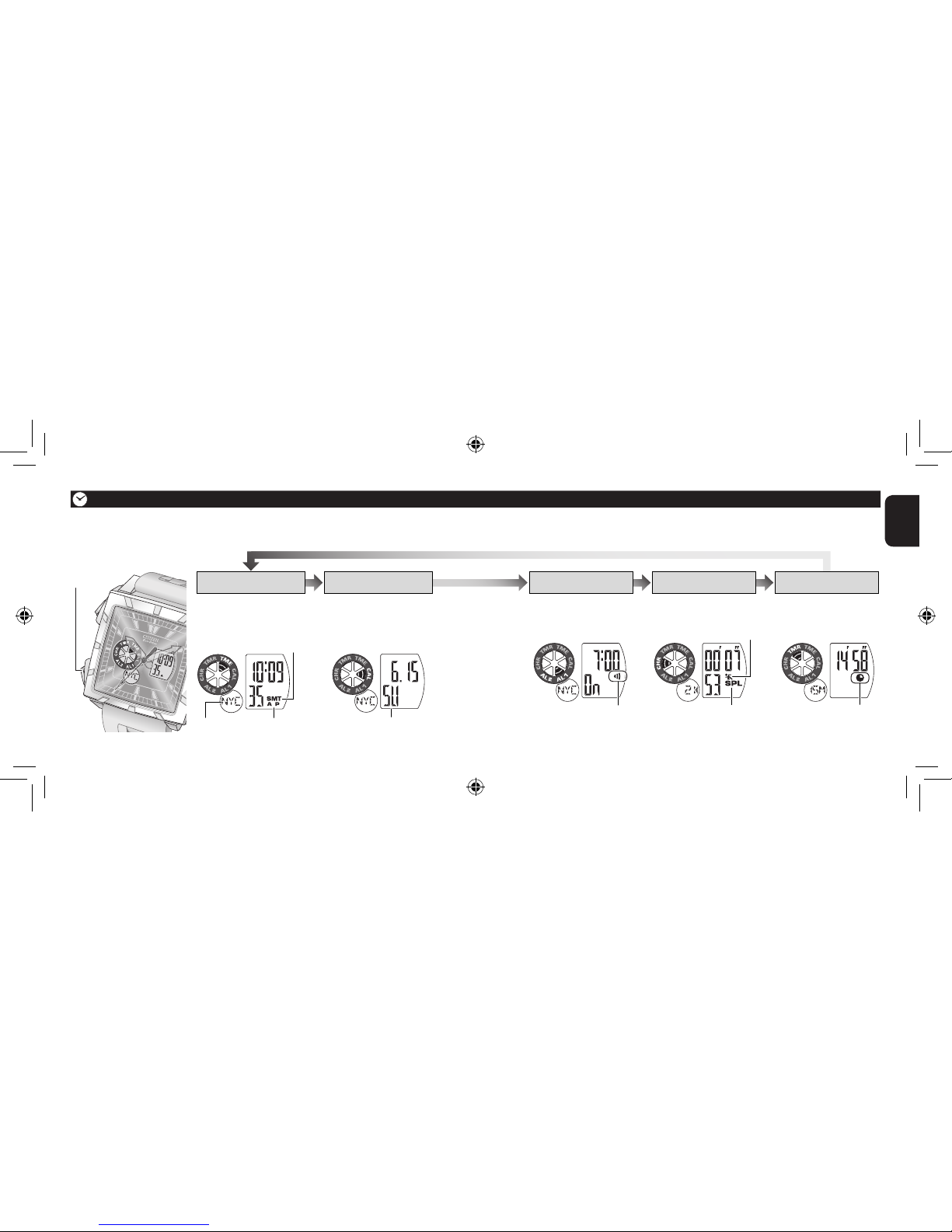
Day of the week
[TMR][CHR][AL1]/[AL2]
[TME] [CAL]
Changing the mode
AM/PM indicator
Daylight saving time indicator
City name
• Displays the calendar.
• Set the calendar.
(→ page 24)
Set the alarm.
(→ page 26)
Use the chronograph.
(→ page 30)
Set the timer.
(→ page 32)
• Displays the time.
• Set the time.
(→ page 18)
Button M
The digital section of this watch has 6 modes.
To change the mode, press button M repeatedly.
Alarm indicator Split time indicator
Measurement indicator
Timer indicator
U200_EN_final.indd 12-13 08.4.24 3:06:24 PM
14
15
English
* UTC (Coordinated Universal Time)
This is the standard time around the world maintained by international agreement.
The way of selecting the city is different from above when setting the alarm
([AL1]/[AL2]). (→ page 26)
On the world time function
• After setting the time/calendar for
one of the cities, those of the other
cities are also set automatically.
•
The world time function does not affect
the analog section of this watch.
You can select one of 30 cities all over the world + UTC (Coordinated Universal
Time)* and display its time/calendar.
7 Selecting the city
World time function
Select a city name as required when...
– setting the time/calendar
– checking the time/calendar
– setting the alarm
Button BButton A
Button M
1. Press button M repeatedly to change the
mode to [TME] or [CAL].
2. Press button A or button B repeatedly to
select a city name on digital display B.
• Refer to “The table of city names” (→ page 16) for
the selectable cities.
The time or calendar of the selected city is diplayed
on digital display A.
Mode indicator
Digital display A
Digital display B
U200_EN_final.indd 14-15 08.4.24 3:06:32 PM
16
17
English
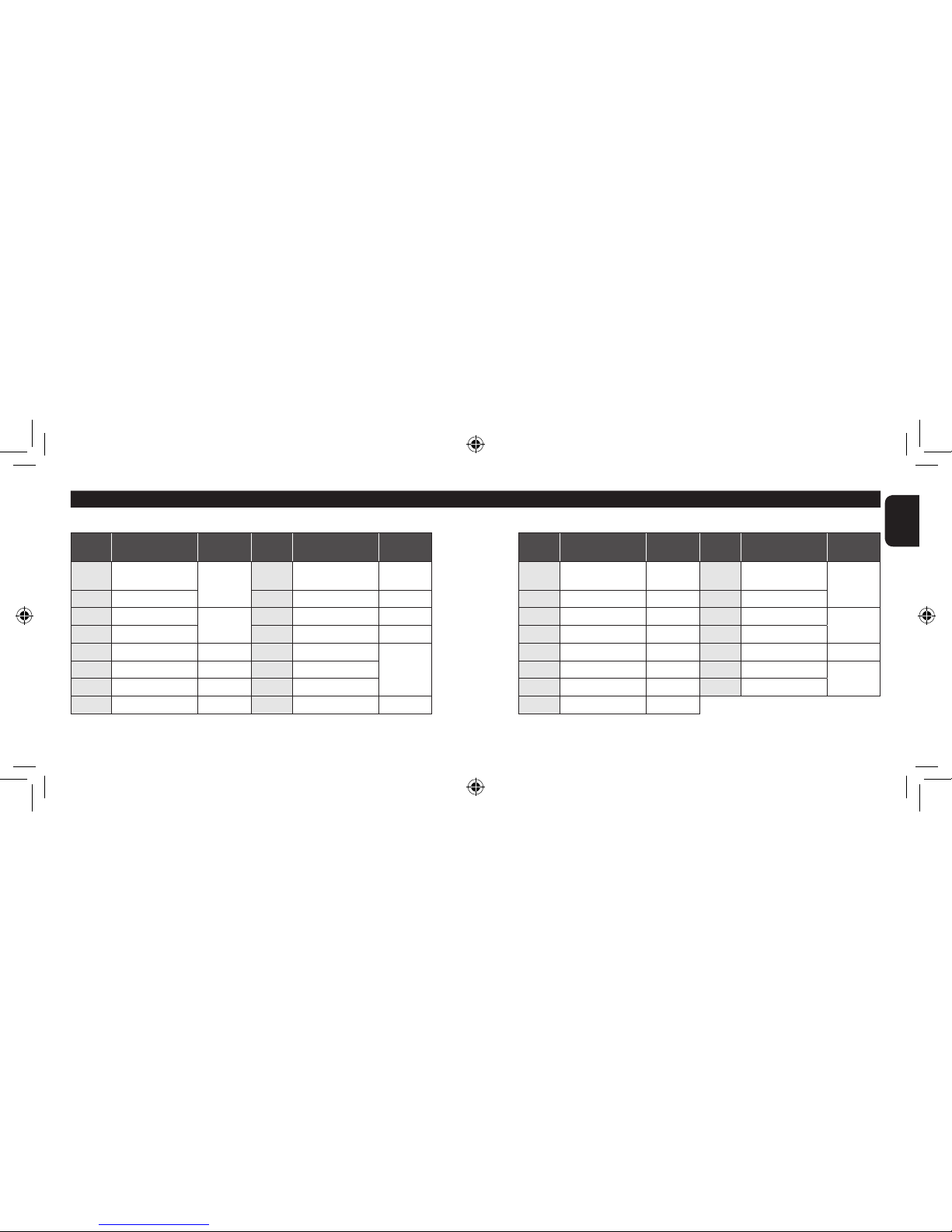
7 The table of city names
City
code City name Time
difference
City
code City name Time
difference
City
code City name Time
difference
City
code City name Time
difference
UTC Coordinated
Universal Time ±0 KHI Karachi +5 ADL Adelaide +9.5 MEX Mexico City –6
LON London DEL Delhi +5.5 SYD Sydney +10 CHI Chicago
PAR Paris +1 DAC Dhaka +6 NOU Noumea +11 NYC New York –5
ROM Rome BKK Bangkok +7 AKL Auckland +12 YMQ Montreal
CAI Cairo +2 SIN Singapore
+8
HNL Honolulu –10 SCL Santiago –4
MOW Moscow +3 HKG Hong kong ANC Anchorage –9 BUE Buenos Aires –3
THR Tehran +3.5 BJS Beijing LAX Los Angeles –8 RIO Rio de Janeiro
DXB Dubai +4 TYO Tokyo +9 DEN Denver –7
World time function
The period of daylight saving time, time difference and city names may change
depending on the situation of each country.
U200_EN_final.indd 16-17 08.4.24 3:06:38 PM
18
19
English
See page 22 to set the time of the
analog section of this watch.
1. Press button M
repeatedly to change the
mode to [TME].
2. Press button A or B
repeatedly to select a
city.
• Select the city of your
present location or the nearest one.
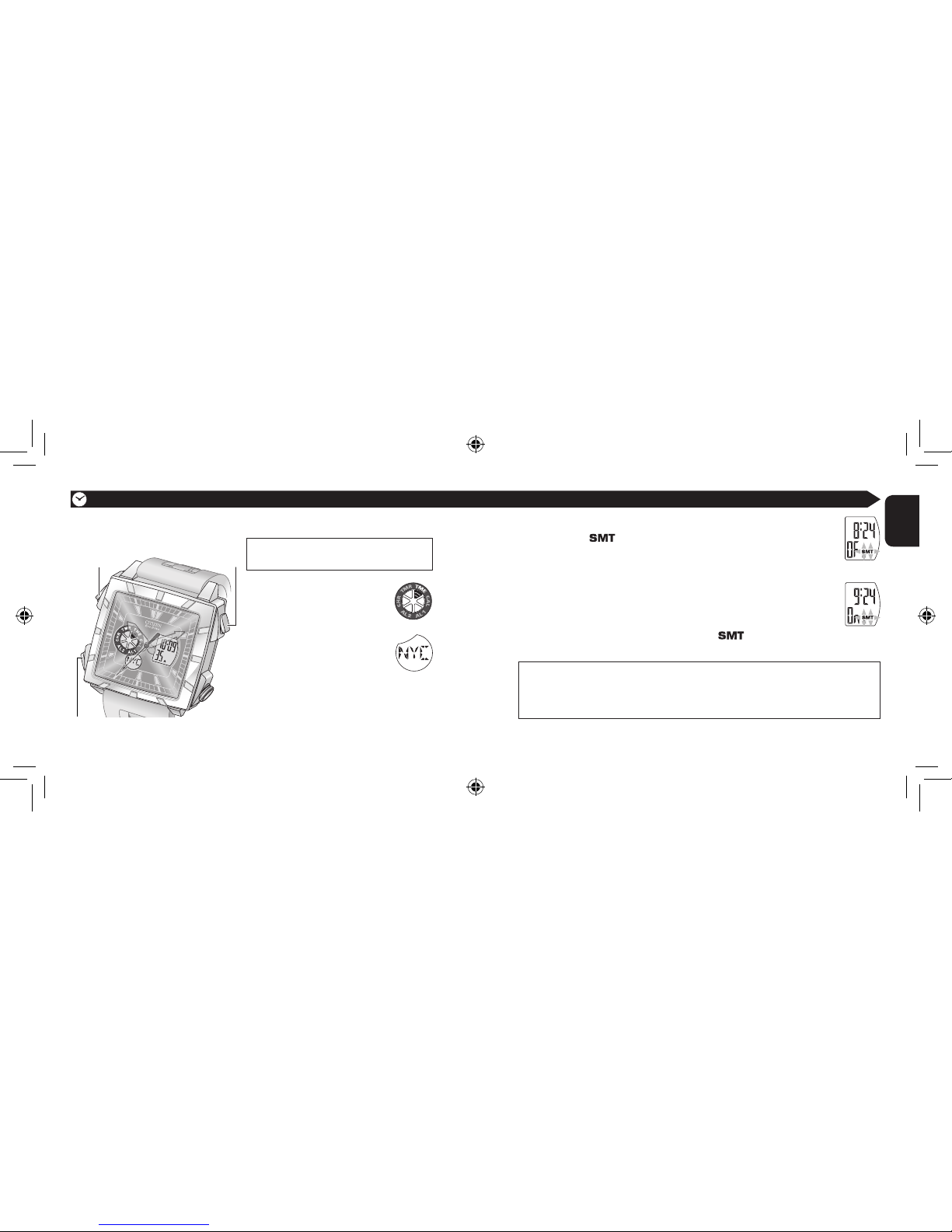
3. Press and hold button B until the daylight saving time
indicator ( ) starts flashing.
You can adjust the time now.
4. Set daylight saving time
(1) Press button A to select ON or OFF (OF).
(2) Press button B to confirm the selection and go to the
next step.
• The daylight saving time indicator ( ) appears and the
time advances by 1 hour if you have selected ON.
Daylight saving time is the institution which put time forward 1 hour for a certain
period in summer.
• The setting is for each city and does not affect the time of the other cities.
• You cannot set
daylight saving time
when UTC is selected in step 2.
Setting the time
7 Setting the time of the digital section [TME]
Button BButton A
Button M
Continued on the next page
U200_EN_final.indd 18-19 08.4.24 3:06:42 PM
Other manuals for U200
1
Table of contents
Other Citizen Watch manuals

Citizen
Citizen Elysee 82S5 User manual

Citizen
Citizen 0S62 User manual

Citizen
Citizen P130 Manual

Citizen
Citizen GG01532 User manual

Citizen
Citizen H060 User manual

Citizen
Citizen 82S7 User manual

Citizen
Citizen H485 User manual

Citizen
Citizen C60 Manual

Citizen
Citizen MIYOTA GP52 User manual

Citizen
Citizen G67X User manual

Citizen
Citizen AT2141-52L User manual

Citizen
Citizen E86 User manual

Citizen
Citizen Quartz 0580 User manual

Citizen
Citizen GP30 User manual

Citizen
Citizen 6SA2 User manual

Citizen
Citizen C100 Manual

Citizen
Citizen Eco-Drive CA4567-82H User manual

Citizen
Citizen P990 User manual

Citizen
Citizen 6350 User manual

Citizen
Citizen Quartz windsurfing MC6XXX User manual







