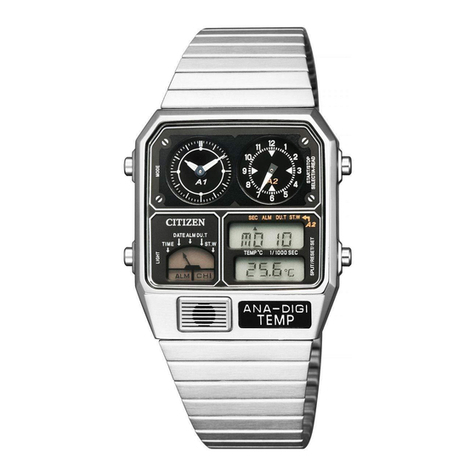
Citizen B876 User manual

CONTENTS
A. BEFORE USING ...................................................................................... 2
B. SETTING THE TIME AND DATE ............................................................ 3
C. USING AS A DUAL TIME WATCH ......................................................... 6
D. FUNCTIONS OF SOLAR POWERED WATCH ....................................... 8
Insufficient Charge Warning Function .................................................... 10
Quick Start Function ............................................................................... 10
Time Setting Warning Function .............................................................. 11
Overcharge Prevention Function ........................................................... 11
E. CARE AND HANDLING DURING CHARGING ..................................... 12
F. REPLACING THE SECONDARY BATTERY ........................................ 13
G. TIME REQUIRED FOR CHARGING ..................................................... 14
H. USING THE ROTATING BEZEL ........................................................... 16
l . PRECAUTIONS ..................................................................................... 20
J. SPECIFICATIONS ................................................................................. 26
1
English

A. BEFORE USING
This watch is powered not by an ordinary battery, but by converting photo
energy to electrical energy.
Before using, expose to light and make sure the watch is sufficiently
charged.
See "G. TIME REQUIRED FOR CHARGING" for charging time reference.
A secondary battery is used in this watch to store electrical energy. This
secondary battery is a clean energy battery which doesn't use any toxic
substances such as mercury. Once fully charged, the watch will continue
to run for about 6 months without further charging.
To use this watch comfortably, make sure that the watch is always recharged
before it stops.
There is no concern for overcharging this watch. (Overcharge Prevention
Function is included)
We recommend that you recharge the watch everyday.
B. SETTING THE TIME AND DATE
*If the crown is of the screw- type, set the time and calendar after first loosening
the screw. Retighten the screw after the time and calendar have been set.
2 3
Minute hand
Date
Date and Hour hand
correction position
Local time
hours hand
Time (24hour,
minute,second)
correction position
Crown
Second hand Solar cell
24 hour hand
Normal position
24
2
4
6
22
20
18
12
14
16
10
8
7
12
6
93

4
WWSetting the Date
(1) Pull the crown out to the date correction position.
(2) Turn the crown to the left (counter-clockwise direction) and set the date.
(3) Securely return the crown to the normal position.
* Since the date is linked to movement of the hour hand, the date changes
when the hour hand approaches 12:00 midnight. Please note this
operation when using as a dual time watch.
* Do not attempt to correct the calendar when the hour hand is between the
hours of 9:00 PM and 1:00 AM. Setting the calendar during this time may
result in the date not changing on the following day.
5
WWSetting the Time
(1) Pull the crown out to the time correction position. (The second hand stops
when the crown is pulled out.)
(2) Turn the crown to set the 24 hour hand and minute hand to the current
time. At this time, the movement of the hour hand is linked with the
movement of the 24 hour hand.
(3) Push the crown back in to the normal position. (The second hand begins
to move when the crown is pushed in.)
(4) Pull the crown out to the date correction position. (1st click position)
(5) Turn the crown to the right (clockwise direction) and set the hour hand to the
current time. Pay attention to AM and PM since the location of the hour hand
where the date changes is approximately 12:00 midnight.
(6) Securely return the crown to the normal position.

WWCorrecting the Local Time Hours
(1) Pull the crown out to the local time correction position. (1st click position)
(2) Turn the crown to the right (clockwise direction) and set the hour hand to the
desired time. The hour hand can be corrected in +1 hour increments in the
clockwise direction. Set the time while paying attention to AM and PM.
(3) Securely return the crown to the normal position.
* The hour hand cannot be corrected in the counter-clockwise direction. In
addition, since the calendar is linked with the operation of the hour hand, it
may be necessary to correct the calendar after correcting the hour hand
depending on the time to which the hour hand was set.
7
C. USING AS A DUAL TIME WATCH
This watch allows the hour hand only to be corrected independently without
stopping the watch. It can be used as a dual time watch by setting the 24 hour
hand and hour hand to different times. After correcting the time, the hour hand
is used to indicate the "local time hours".
6
Hour (local time hour) hand
Minute hand
Crown
Normal position
24 hour hand
Local time
correction position
24
2
4
6
22
20
18
12
14
16
10
8
7
12
6
93

If the charge becomes insufficient, a warning function will operate and the
display changes, as below.
8
D. FUNCTIONS OF SOLAR POWERED WATCH
9
If insufficiently
charged and
time is set
If insufficient charge continues
Hitch movement
Stop
The watch will begin to operate
soon after it is exposed to light due
to Quick Start Function
Time setting
warning display
If insufficiently
charged
If sufficiently charged and time is set
Normal time
display
Insufficient charge
warning display
One second
interval movement
Two second
interval movement
If sufficiently
charged

WWInsufficient Charge Warning Function
The second hand changes to a two second
interval movement to indicate insufficient
recharging.
Even in such a case, the watch keeps correct
time, but about 3 days after the two second
interval movement begins, the watch will stop.
After exposing the watch to light, recharging takes
place and the watch returns to one second
interval movement.
WWQuick Start Function
The watch will stop if it is completely discharged.
It will begin to operate soon after it is exposed to light.
(However, the time to start may vary according to the brightness of the light.)
WWTime Setting Warning Function
If the watch stops, subsequent exposure to light
allows the Quick Start Function to start again, and
the second hand moves with a hitch to
indicate that the time incorrect.
In this case, quickly recharge the watch and reset
the time.
Otherwise, the hitch movement will continue.
WWOvercharge Prevention Function
You can recharge without worry.
Once the secondary battery is fully recharged, the overcharging prevention
feature comes into operation and prevents over-recharging.
10 11
2 sec
2 sec
Two second interval
movement
2 sec
2 sec
Hitch movement

E. CARE AND HANDLING DURING CHARGING
WWNotes on use
Take care to charge your watch during use.
Please note that if you wear long sleeves, the watch can easily become
insufficiently charged because it is hidden and not exposed to light.
• When you take the watch off, place it in as bright a place as possible, and it
will always continue to run properly.
WWNotes On recharging
• Avoid recharging at high temperatures (over about 60°C/140°F), otherwise the
watch will be damaged during recharging.
(eg) Charging the watch near a light source that easily becomes hot, such as
an incandescent lamp or a halogen lamp.
Charging in a place that easily becomes hot, such as a dashboard.
When you charge the watch by an incandescent lamp, take a distance about
50cm (20in.) from the light source to prevent extremely high temperature.
F. REPLACING THE SECONDARY BATTERY
Unlike ordinary batteries, the secondary battery used in this watch doesn't
have to be periodically replaced due to repeated charging and discharging.
CAUTION
Never use another battery different from the secondary battery used in this
watch.
The watch structure is so designed that a different kind of battery other than that
specified cannot be used to operate it. In case a different kind of battery such as
a silver battery is used by some chance, there is a danger that it will be
overcharged to burst, causing damage to the watch and even to the human
body.
12 13

G. TIME REQUIRED FOR CHARGING
Time required for recharging may vary according to the design (color of the dial,
etc.) and operating environment. The following table will serve you as rough
reference.
* The recharging time is the time when the watch is continuously exposed to
radiation.
Full recharging time ... The time for fully recharge from stopped.
(Empty to full)
One day usage .......... The time required for the watch to run for one day with
one second interval movement
14 15
Illuminance
(lux)
500
1000
3000
10000
100000
Environment
inside an ordinary
office
Time required
22 hours
11 hours
3 hours
30 minutes
1 hour
14 minutes
One day
usage
1 hour
30 minutes
45 minutes
15 minutes
5 minutes
2 minutes
Empty to full
320 hours
158 hours
53 hours
17 hours
6 hours
60-70cm (24-28in.) under
a fluorescent light (30W)
20cm (8in.) under a
fluorescent light (30W)
Exterior, cloudy
Exterior, summer,
sunny
From the stop state
to the one second
movement

H. USING THE ROTATING BEZEL
This rotating bezel is provided on some models. This rotating bezel contains the
names of 23 cities arranged in order by time difference. Using this bezel makes
it possible to read the times in major cities (23) around the world.
(1) First check that the current time is correct.
(2) Turn the rotating bezel so that the city name at which the 24 hour hand has
been set is aligned at the 24:00 position. The rotating bezel is normally used
in this state.
Example: When the 24 hour hand has been set to Paris (FRANCE) time,
align "PARIS" on the rotating bezel to the 24:00 position.
* This rotating bezel does not take daylight savings time into consideration.
16 17
24
2
4
6
22
20
18
12
14
16
10
8
7
12
6
93
L
O
N
D
O
N
C
A
I
R
O
D
U
B
A
I
D
H
A
K
A
H
O
N
G
K
O
N
G
S
Y
D
N
E
Y
A
U
C
K
L
A
N
D
H
O
N
O
L
U
L
U
L
O
S
A
N
G
E
L
E
S
C
H
I
C
A
G
O
C
A
R
A
C
A
S
P
A
R
I
S
M
O
S
C
O
W
K
A
R
A
C
H
I
B
A
N
G
K
O
K
T
O
K
Y
O
N
O
U
M
E
A
M
I
D
W
A
Y
A
N
C
H
O
R
A
G
E
D
E
N
V
E
R
N
E
W
Y
O
R
K
R
I
O
D
E
J
A
N
E
I
R
O
A
Z
O
R
E
S
24 hour scale Rotating bezel
(city names)
24 hour hand
(ex. Paris time)

WWReference: Time Differences of Major Cities Based on UTC
Indication (City)
UTC(universal time
coordinated)
LONDON
PARIS
CAIRO
MOSCOW
DUBAI
KARACHI
DHAKA
BANGKOK
HONG KONG
TOKYO
SYDNEY
Time
Difference
±0
±0
+1
+2
+3
+4
+5
+6
+7
+8
+9
+10
Indication (City)
NOUMEA
AUCKLAND
MIDWAY( Islands )
HONOLULU
ANCHORAGE
LOS ANGELES
DENVER
CHICAGO
NEW YORK
CARACAS
RIO DE JANEIRO
AZORES( Islands )
Time
Difference
+11
+12
-11
-10
-9
-8
-7
-6
-5
-4
-3
-1
19
WWReading the Time of Other Cities
Turn the rotating bezel so that the city name at which the 24 hour hand has
been set (example: Paris) is aligned at the position of the 24 hour hand.
Read the time of another city by using the "24 hour scale" as a reference.
Example: When desiring to know the time in Tokyo while in Paris, the 24 hour
hand is assumed to be set to the time in Paris.
(1) Align "Paris" on the rotating bezel to the position of the 24 hour hand.
(2) Read the "24 hour scale" at the "TOKYO" position on the rotating bezel.
18
24 hour hand
24 hour scale
24
2
4
6
22
20
18
12
14
16
10
8
P
A
R
I
S
T
O
K
Y
O
7
12
6
93
Paris: 18:10 / Tokyo: 2:10
Other manuals for B876
1
Table of contents
Other Citizen Watch manuals

Citizen
Citizen C04 Manual

Citizen
Citizen JN7XXX User manual

Citizen
Citizen 9015 User manual

Citizen
Citizen 6P00 User manual

Citizen
Citizen AN0 Series User manual

Citizen
Citizen Sport AW1524-84E User manual

Citizen
Citizen CYBER AQUALAND User manual

Citizen
Citizen BL5XXX User manual

Citizen
Citizen 6P89 User manual

Citizen
Citizen GL30 User manual

Citizen
Citizen P990 User manual

Citizen
Citizen B230 Operating manual

Citizen
Citizen W770 Operating instructions

Citizen
Citizen u680 User manual

Citizen
Citizen Eco-Drive E76 User manual

Citizen
Citizen 5810 Manual

Citizen
Citizen E068 User manual

Citizen
Citizen 9019 User manual

Citizen
Citizen H874 User manual

Citizen
Citizen Eco-Drive E310 User manual