Cello C 3298F User manual

32” Wide screen LCD TV
with DVB & DVD
Model No.: C 3298F

LCD Screen
Although the LCD screen is made with high-precision technology and
99.99% or more of the pixels are effective, black dots may appear or
bright points of light (red, blue or green) may appear constantly on the
LCD screen and is not a malfunction.

Safety Precautions
Caution 1
Safety Information 2
Getting Started
3seirosseccA/)weiVtnorF(traphcaefosemaN
Names of each part(Back View) 4
Remote control 5
Basic Use
Application
8ecruostupnignitceleS/VTDCLehtgnirewoP
CustomizingTV SETTINGS 10
12
Customizing the PICTURE Settings
Customizing the SETUP Settings
Customizing the EXTRAS Settings
13
14
15
DVD operation 16
Disc care 20
Customizing the SOUND Settings
Trouble shooting 21
Specifications 22
Maintenance and Service
CONTENTS

Safety Precautions
Caution
1
Caution:Suffocation Notice !!
Packaging materials are not toys, please keep away from children. Plastic bags can cause suffocation
when pulled over the head.
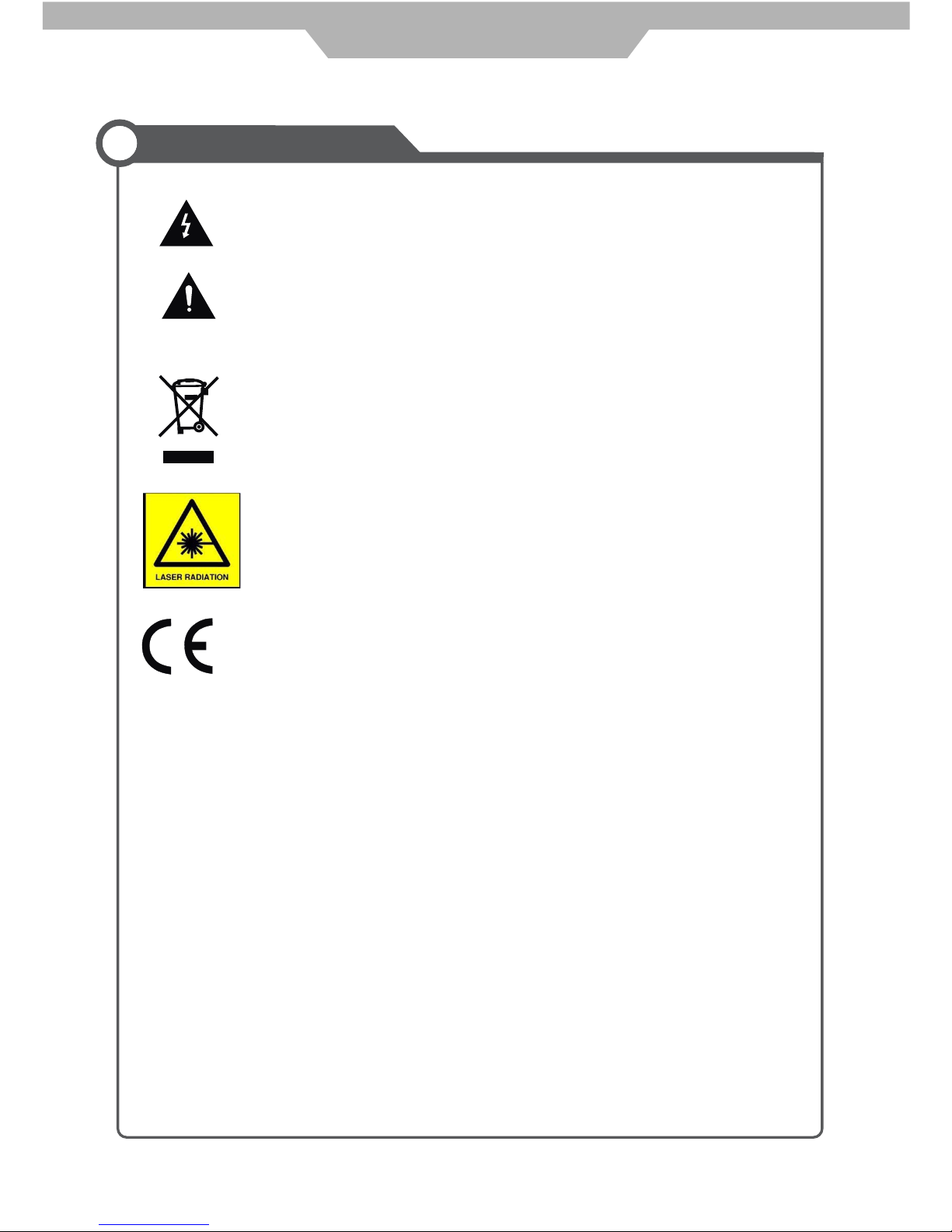
The lightening flash with arrowhead symbol inside an equilateral triangle is
intended to alert the user to the presence of un-insulated "dangerous voltage"
within the products enclosure that may be of sufficient magnitude to constitute a
risk of electric shock to the persons.
The exclamation point inside an equilateral triangle is intended to alert the user to
the presence of important operating and maintenance (servicing) instructions in
the literature accompanying the appliance.
Correct disposal of this Product
This appliance complies with European Safety and Electrical
directives
“Correct Disposal of Product”
This sign indicates that this product may not be disposed of with your regular household waste.
The recycling and separate collection of such products is your responsibility. Please drop off the
above-mentioned waste at a designated place for recycling waste electrical and electronic
equipment. If you do not know where to drop off your waste equipment for recycling, please
contact your local city office or household waste collection service.
This unit is a “CLASS 1” laser product. This product uses a visible laser
beam which could cause hazardous radiation exposure. Ensure the
recorder is operated as instructed. Do not remove any covers or look into
the DVD drawer opening whilst power is applied. Do NOT modify or adjust
any controls that may affect laser emissions. Should the appliance become
faulty consult a qualified technician.

Safety Information
2
Safety Precautions
To ensure reliable and safe operation of this equipment, please read carefully all of the
instructions in this user guide, especially the safety information below.
Electrical safety
The TV set should only be connected to a mains supply which matches that stated on
the label on the rear of the TV.
To prevent overload, do not share the same mains supply socket with too many other
items of equipment.
- Do not place any connecting wires where they may be stepped on or tripped over.
- Do not place heavy items, which may damage the cables, on them.
- Hold the Mains plug, not the cable, when removing from a socket.
- During a thunderstorm or while leaving the TV for long periods, disconnect the
aerial (if outdoor) and the plug from the mains supply socket.
- Do not allow water or moisture to enter the TV. Do NOT use the TV in
wet or moist areas such as Bathrooms, steamy kitchens or near swimming pools.
Pull the plug out immediately, and seek professional help if:
- the mains plug or cable is damaged
- liquid is spilt onto the set, or if it is accidentally exposed to water or moisture
- anything accidentally penetrates the ventilation slots
- the set doesn't work normally.
- Do NOT remove the safety covers. There are no user serviceable parts inside. You
may invalidate the warranty. Qualified personnel must only service this apparatus.
- To avoid battery leakage, remove exhausted batteries from the remote control
handset, or when not using for a long period.
- Do NOT break open or throw exhausted batteries on a fire.
Physical safety
Do NOT block ventilation slots in the back cover. You may place the TV in a cabinet,
but ensure at least 5cm (2") clearance all around.
Do NOT tap or shake the TV screen, you may damage the internal circuits. Take good
care of the remote control, do not drop.
To clean the TV use a soft dry cloth. Do NOT use solvents or petrol based fluids. For
stubborn stains, you may use a damp soft cloth with diluted detergent.

Buttons for DVD operation
Play the next track or chapter
Play the previous track or chapter
Eject the disc
Play the disc playing
Pause the disc playing
Stop the disc playing
Power cable
USER GUIDE
QUICK START GUIDE
QUICK START GUIDE
USER GUIDE Warranty Card
Warranty Card
Insert disc
according to
the label next
to the disc slot
Batteries for
Remote Control
Remote Guide
Remote Guide
3
Remote Control
Window(keep clear)
SWITCH:
Switch: Power ON/OFF
LED Indicator
Source
Menu Help Quick
Start
Guide
OK
Pic Swap
InfoExit
VOL
Picture Sound
-Day
abc def
ghi jkl mno
pqrs tuv wxyz
+Day
CH
DVD
Menu
123
456
789
0
SUB TXT
SD1
SD2
PS
TV
A
Recording Lists
B
R
Getting Started
Names of each part
Accessories
TV/Radio

Common Interface
COAX
3245678910
13
11 12
1. AC POWER INPUT: 100-240V AC 50/60HZ.
3. HDMI 1 / 2: (High definition multimedia interface) Connect to the HDMI output on external equipment.
2. POWER SWITCH: Switch the power supply on/off.
4. VGA: (Video Graphics Adaptor) connect to the VGA on a PC to display PC graphics.
5. PC AUDIO: Connect PC audio cable for PC sound.
6. SCART 1/2: Connect to scart connectors of dvd players or similar equipment.
7. YPbPr: Connect the cables to the YPbPr output of external equipment.
L/R in: Connect to the audio output of external equipment using YPbPr.
8. VIDEO (CVBS): Connect to the Video output of external equipment
9. L/R in: Connect to the audio output of external equipment.
10. S-VIDEO: Connect to the S-Video output on external equipment.
11. COAX: Output to Audio amplifier.
12. RF: 79WXQHULQSXWFRD[LDOVRFNHW
13. Common Interface:CI slot.
4
i
ons
Connections
Getting Started
Switch


Table of contents
Other Cello TV DVD Combo manuals