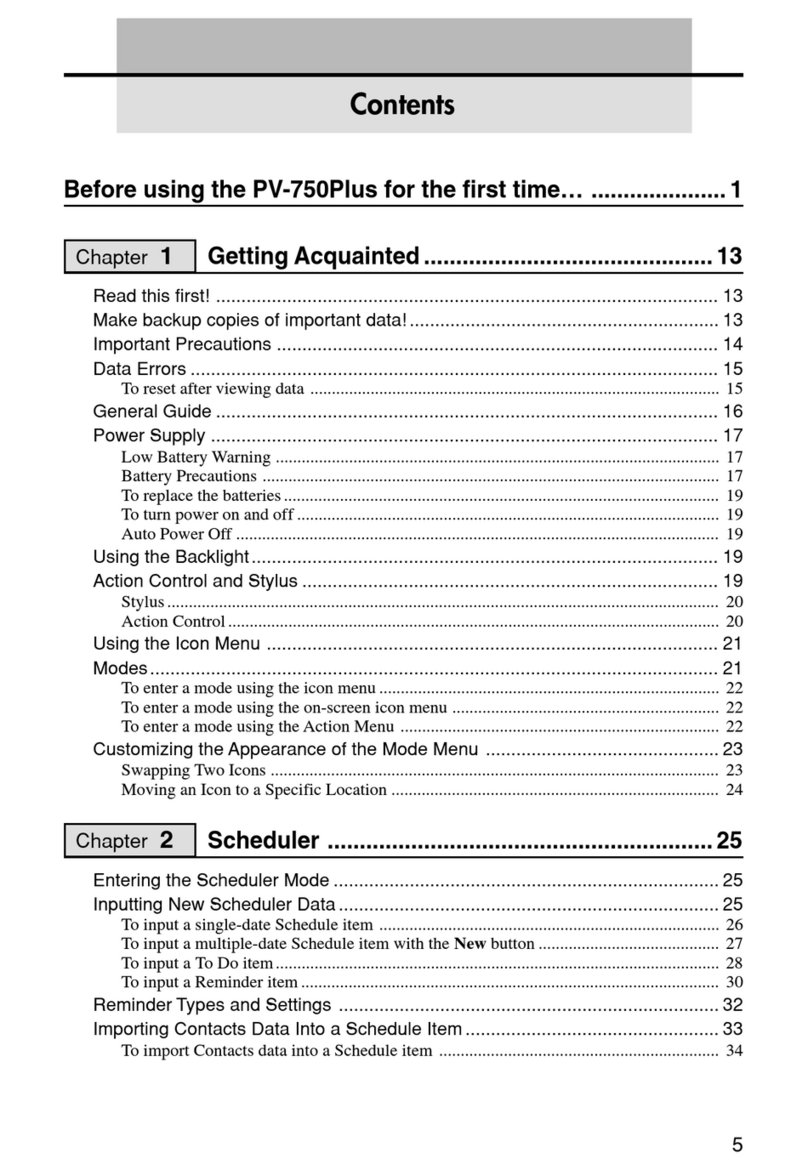
Casio PV-750 Plus User manual

4
Chapter 1
Chapter 2
Before using the PV-750 for the first time… .............................1
Getting Acquainted............................................. 11
Read this first! ................................................................................................... 11
Make backup copies of important data!............................................................. 11
Important Precautions ....................................................................................... 12
Data Errors ........................................................................................................ 13
To reset after viewing data ............................................................................................... 13
General Guide ................................................................................................... 14
Power Supply .................................................................................................... 15
Low Battery Warning ....................................................................................................... 15
Battery Precautions .......................................................................................................... 15
To replace the batteries..................................................................................................... 17
To turn power on and off .................................................................................................. 17
Auto Power Off ................................................................................................................ 17
Using the Backlight............................................................................................ 17
Action Control and Stylus ..................................................................................17
Stylus................................................................................................................................ 18
Action Control..................................................................................................................18
Using the Icon Menu ......................................................................................... 19
Modes................................................................................................................ 19
To enter a mode using the icon menu............................................................................... 20
To enter a mode using the on-screen icon menu .............................................................. 20
To enter a mode using the Action Menu .......................................................................... 20
Customizing the Appearance of the Mode Menu .............................................. 21
Swapping Two Icons ........................................................................................................ 21
Moving an Icon to a Specific Location ............................................................................ 22
Scheduler ............................................................23
Entering the Scheduler Mode ............................................................................23
Inputting New Scheduler Data........................................................................... 23
To input a single-date Schedule item ............................................................................... 24
To input a multiple-date Schedule item with the New button .......................................... 25
To input a To Do item....................................................................................................... 26
To input a Reminder item................................................................................................. 28
Reminder Types and Settings ...........................................................................30
Importing Contacts Data Into a Schedule Item.................................................. 31
To import Contacts data into a Schedule item ................................................................. 32
Contents

5
Viewing Scheduler Data ....................................................................................34
Screen Organization ......................................................................................................... 34
Calendar Screens .............................................................................................................. 34
Periodic Schedule Screens ............................................................................................... 37
Schedule Data Screen....................................................................................................... 40
Reminder Screens ............................................................................................................ 40
To Do Screens .................................................................................................................. 41
Date Highlighting ...............................................................................................43
To highlight dates ............................................................................................................. 43
To unhighlight dates ......................................................................................................... 44
Jumping to a Specific Date................................................................................ 45
Renaming To Do Categories ............................................................................. 46
Contacts ..............................................................47
Entering the Contacts Mode..............................................................................47
To enter the Contacts Mode from the icon menu ............................................................. 47
To enter the Contacts Mode from the Action Menu......................................................... 47
To enter the Contacts Mode from the Mode Menu using the stylus ................................ 47
Changing the Display Category......................................................................... 48
Latest Calls List .................................................................................................49
Resizing Contacts List Screen Columns ........................................................... 49
Inputting New Contacts Data............................................................................. 50
Viewing Contacts Data ......................................................................................51
To view Business data ...................................................................................................... 51
To view other data ............................................................................................................ 52
Changing Contacts List Screen Contents ......................................................... 53
To change the contents of a category’s list....................................................................... 53
Changing Contacts Input Screen Contents .......................................................54
To change the contents of a category’s input screen ........................................................ 54
Managing Untitled Categories and Free Entries ............................................... 55
Contacts Categories.......................................................................................................... 55
To edit Contacts Untitled category and Free entry names ............................................... 56
Copying Data Items Between the Personal and Business Categories.............. 57
Exporting Contacts Data Into a Schedule Item ................................................. 57
Memo ...................................................................58
Entering the Memo Mode ..................................................................................58
Changing the Display Category......................................................................... 58
Inputting New Memo Data.................................................................................59
Viewing Memo Data .......................................................................................... 60
To view memo data .......................................................................................................... 60
To display an item in the full-screen view ....................................................................... 61
Moving a Memo within a List Screen................................................................. 62
Renaming Memo Categories............................................................................. 62
Chapter 3
Chapter 4

6
Expense Manager ...............................................63
Entering the Expense Manager Mode ...............................................................63
Inputting a New Transaction..............................................................................63
Recalling Expense Manager Data .....................................................................65
Calculating Periodic Totals ................................................................................ 67
Managing Payment and Expense Types ........................................................... 68
To change a payment type or expense type name ............................................................ 68
Currency Converter ............................................69
Entering the Currency Converter Mode............................................................. 69
General Currency Conversion ........................................................................... 69
Performing a Conversion ................................................................................................. 69
Changing the Currency Name and Rate........................................................................... 70
Displaying the Current General Rates ............................................................................. 72
Euro Conversion................................................................................................ 72
Performing a Conversion ................................................................................................. 72
Changing the Displayed National Currencies .................................................................. 73
Displaying the Current Euro Rates .................................................................................. 74
Changing the Currency Name and Rate........................................................................... 74
Specifying the Rounding Method ...................................................................... 76
Quick-Memo ........................................................77
Entering the Quick-Memo Mode........................................................................ 77
Quick-Memo Categories.................................................................................... 77
To select a Quick-Memo category ................................................................................... 77
Using the Quick-Memo Drawing Tools .............................................................. 78
Creating a New Quick-Memo ............................................................................ 79
To input a new Quick-Memo ........................................................................................... 79
To draw a line or rectangle ............................................................................................... 79
Recalling a Quick-Memo ................................................................................... 80
Screen Copy...................................................................................................... 81
To record a screen copy.................................................................................................... 82
Attaching a Quick-Memo to a Mail Message ..................................................... 82
E-Mail ...................................................................83
Entering the Mail Mode ..................................................................................... 83
Infrared Communication with a GSM Mobile Phone ......................................... 84
Selecting a Mobile Phone Configuration ........................................................... 85
To select a preset mobile phone configuration ................................................................. 85
To create a mobile phone configuration using AT commands ......................................... 85
About AT Commands ....................................................................................................... 86
Chapter 5
Chapter 6
Chapter 7
Chapter 8

7
Access Points .................................................................................................... 87
Setting Up a New Access Point........................................................................................ 87
Access Point Settings ....................................................................................................... 89
Other Settings................................................................................................................... 90
Editing Existing Access Points ........................................................................................ 91
Selecting anAccess Point ................................................................................................ 92
E-mail Options ................................................................................................... 93
Writing a New Mail Message .............................................................................94
To write a new mail message ........................................................................................... 94
Addressing Mail................................................................................................. 96
To manually input an e-mail address ............................................................................... 96
To input an e-mail address using Contacts Mode data..................................................... 97
Sending Mail...................................................................................................... 98
SendingAll Unsent Messages .......................................................................................... 99
Sending a Single Mail Message ..................................................................................... 100
Picking Up and Reading Mail .......................................................................... 101
To pick up mail............................................................................................................... 101
To read the contents of a mail message.......................................................................... 102
Replying to Mail............................................................................................... 103
To reply to a mail message ............................................................................................. 104
Forwarding Mail............................................................................................... 105
To forward a mail message............................................................................................. 105
Copying a Mail Name and Address into Contacts ...........................................106
To copy a mail name and address into Contacts ............................................................ 106
Quick-Memo Mail Attachments........................................................................ 107
To attach a Quick-Memo to a mail message .................................................................. 107
To view an attached Quick-Memo ................................................................................. 107
To copy an attached Quick-Memo into the Quick-Memo Mode ................................... 107
To delete an attached Quick-Memo ............................................................................... 107
Changing the Sizes of Inbox and Outbox Columns......................................... 107
Secret Function.................................................108
Creating a New Secret Memory Area .............................................................. 108
Using the Secret Memory Area ....................................................................... 109
To enter an existing secret memory area ........................................................................ 109
To exit the secret memory area ...................................................................................... 109
To change your password ............................................................................................... 110
To transfer data from the open memory area to the secret memory area ....................... 110
To transfer data from the secret memory area to the open memory area ....................... 111
Pop Up Tools ..................................................... 112
Displaying the Pop Up Tool Screen ................................................................. 112
Using the Clock Screen................................................................................... 112
To display the clock screen ............................................................................................ 113
To make one of the clocks the main clock ..................................................................... 113
To select a time zone city ............................................................................................... 114
To switch between standard time and daylight saving time (DST)................................ 114
Chapter 10
Chapter 9

8
Using the Calculator Screen............................................................................ 115
To display the calculator ................................................................................................ 115
Calculator Keys .............................................................................................................. 116
To perform calculations.................................................................................................. 117
To perform constant calculations ................................................................................... 118
To correct entries during calculations ............................................................................ 118
About calculation errors ................................................................................................. 118
To clear an error ............................................................................................................. 119
Next Appointment Screen................................................................................ 119
To display the next appointment screen ......................................................................... 119
Data Communication........................................120
Using the Cradle..............................................................................................120
To connect the PV Unit to the cradle ............................................................................. 120
To detach the PV Unit from the cradle........................................................................... 121
Data Communications Between Two PV Units................................................ 121
To connect two PV Units ............................................................................................... 121
To send data from the host unit to the terminal unit ...................................................... 122
To receive data from the terminal unit on the host unit.................................................. 124
Data Communications Between a PV Unit and a BN Unit .............................. 125
To connect a PV Unit to a BN Unit................................................................................ 125
To send data from the PV Unit to the BN Unit .............................................................. 126
To receive data from the BN Unit on the PV Unit ......................................................... 128
Receiving Data From an SF/CSF/NX Series Unit ........................................... 129
To connect a PV Unit and an SF/CSF/NX Series Unit .................................................. 129
To make communication parameter settings .................................................................. 130
To receive data from an SF/CSF/NX Series Unit........................................................... 131
PV Applications.................................................133
Obtaining PV Applications ............................................................................... 133
Installing a PV Application to your PV Unit ...................................................... 133
To download a PVApplication to your PV Unit............................................................ 134
Deleting PV Application Data .......................................................................... 135
Game..................................................................137
Entering the Game Mode and Selecting a Game............................................ 137
Game-1 ...........................................................................................................137
How to play .................................................................................................................... 138
To move a card or stack of cards .................................................................................... 138
Game Levels................................................................................................................... 139
Game-2 ...........................................................................................................139
How to play .................................................................................................................... 139
Game Levels................................................................................................................... 140
Chapter 12
Chapter 11
Chapter 13

9
General Game Procedures .............................................................................141
To change the level......................................................................................................... 141
To undo the last play ...................................................................................................... 141
General Operations ..........................................142
Scroll Bars ....................................................................................................... 142
Action Control Scrolling ...................................................................................143
Menu Bar ......................................................................................................... 143
To execute a menu bar command ................................................................................... 143
Data Input and Editing..................................................................................... 143
Moving Between Entries (Fields) .................................................................................. 144
On-screen Keyboards ..................................................................................................... 144
Time Setting Screens...................................................................................................... 146
Selecting a Range of Text by Dragging ......................................................................... 148
Cut, Copy, Paste ............................................................................................................. 149
Closing a Screen .............................................................................................149
Using the Quick Find Feature.......................................................................... 150
To input a word with the Quick Find feature ................................................................. 150
Editing Data Items ...........................................................................................151
Creating a Copy of a Data Item....................................................................... 151
Deleting Data...................................................................................................152
Searching for Data .......................................................................................... 154
To perform a search........................................................................................................ 154
Search Results ................................................................................................................ 155
Changing the Display Font ..............................................................................156
Program Version Information...........................................................................156
Screens ........................................................................................................................... 157
To display version information ...................................................................................... 158
Configuring the Unit .........................................159
Setting the Date, Time, and Auto Power Off Interval ....................................... 159
Turning Sound On and Off ..............................................................................160
Setting a Daily Alarm Time .............................................................................. 160
Setting the Date, Time, Calendar, and Keyboard Formats.............................. 161
Setting the System Language .........................................................................162
Adjusting Display Contrast .............................................................................. 162
Calibrating the Touch Screen .......................................................................... 163
Checking Memory Capacity ............................................................................ 163
Memory Management ..................................................................................... 164
To perform memory management .................................................................................. 164
Chapter 15
Chapter 14

10
Technical Reference .........................................165
Date Formats...................................................................................................165
Time Formats ..................................................................................................165
Tool Bars ......................................................................................................... 166
Keyboard Formats........................................................................................... 168
Scheduler Mode Alarms .................................................................................. 168
Input Limits ...................................................................................................... 169
Resetting the PV Unit ......................................................................................169
Euro Conversion Rate Presets ........................................................................171
Storage Capacity ............................................................................................. 172
Auto Sort Sequence ........................................................................................173
City Name List .................................................................................................174
Mail Mode Glossary.........................................................................................176
Message Table ................................................................................................ 178
Troubleshooting............................................................................................... 183
Power Supply ................................................................................................................. 183
Display Contrast............................................................................................................. 184
Key Tone ........................................................................................................................ 184
Operation........................................................................................................................ 185
Data Communication ..................................................................................................... 186
Specifications ..................................................................................................187
Chapter 16
Other manuals for PV-750 Plus
19
Table of contents
Other Casio PDA manuals

Casio
Casio DX-500TR Troubleshooting guide

Casio
Casio PV-250X User manual

Casio
Casio PV-750 Plus Guide

Casio
Casio PV-250X User manual

Casio
Casio PV-S250 User manual

Casio
Casio DC-7800RS Troubleshooting guide

Casio
Casio PV-100 User manual

Casio
Casio Cassiopeia PA-2400 User manual

Casio
Casio Cassiopeia IT-2000 User manual

Casio
Casio PV-250X User manual

Casio
Casio SF-R20 User manual

Casio
Casio PALM User manual

Casio
Casio PV-750 Plus User guide

Casio
Casio SF-9700 User manual

Casio
Casio PV-250X User manual

Casio
Casio PV-S250 User manual

Casio
Casio PV-S250 User manual

Casio
Casio PV-100 Technical document

Casio
Casio PV-S250 User manual

Casio
Casio PV-750 Plus User manual