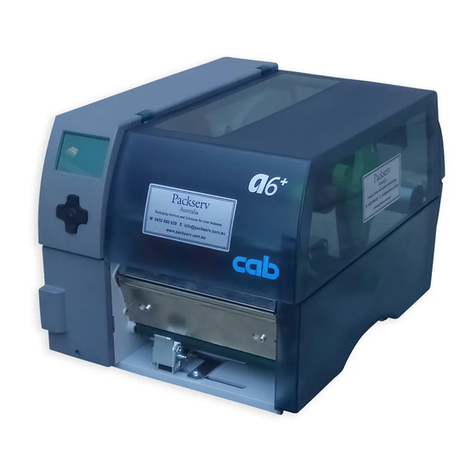
CAB Hermes+ User manual

Made in Germany
Service Manual
Hermes+
Label Printer

2 2
Family Type
Hermes + Hermes+ 2L/300-S Hermes+ 2R/300-S
Hermes+ 2L/600-S Hermes+ 2R/600-S
Hermes+ 2L/300-2 Hermes+ 2R/300-2
Hermes+ 2L/600-2 Hermes+ 2R/600-2
Hermes+ 4L/200-2 Hermes+ 4R/200-2
Hermes+ 4L/300-2 Hermes+ 4R/300-2
Hermes+ 4L/600-2 Hermes+ 4R/600-2
Hermes+ 4.3L/200-2 Hermes+ 4.3R/200-2
Hermes+ 4.3L/300-2 Hermes+ 4.3R/300-2
Hermes+ 6L/200-2 Hermes+ 6R/200-2
Hermes+ 6L/300-2 Hermes+ 6R/300-2
Hermes+ 2L/300-3 Hermes+ 2R/300-3
Hermes+ 2L/600-3 Hermes+ 2R/600-3
Hermes+ 4L/200-3 Hermes+ 4R/200-3
Hermes+ 4L/300-3 Hermes+ 4R/300-3
Hermes+ 4L/600-3 Hermes+ 4R/600-3
Hermes+ 4.3L/200-3 Hermes+ 4.3R/200-3
Hermes+ 4.3L/300-3 Hermes+ 4.3R/300-3
Hermes+ 6L/200-3 Hermes+ 6R/200-3
Hermes+ 6L/300-3 Hermes+ 6R/300-3
Edition: 04/2016 - Part No. 9008980
Copyright
This documentation as well as translation hereof are property of cab Produkttechnik GmbH & Co. KG.
The replication, conversion, duplication or divulgement of the whole manual or parts of it for other intentions than its original
intended purpose - in particular the procurement of spare parts for products sold by cab - demand the previous written authori-
zation by cab.
Trademark
Windows is a registered trademark of the Microsoft Corporation.
Editor
Regarding questions or comments please contact
cab Produkttechnik GmbH & Co. KG.
Topicality
Due to the constant further development of our products discrepancies between documentation and product can occur.
Please check www.cab.de for the latest update.
Terms and conditions
Deliveries and performances are effected under the General conditions of sale of cab.
Service Manual
for the following products
Germany
cab Produkttechnik
GmbH & Co KG
Postfach 1904
D-76007 Karlsruhe
Wilhelm-Schickard-Str. 14
D-76131 Karlsruhe
Telefon +49 721 6626-0
Telefax +49 721 6626-249
www.cab.de
France
cab technologies s.a.r.l.
F-67350 Niedermodern
Téléphone +33 388 722 501
www.cab.de/fr
USA
cab Technology Inc.
Tyngsboro MA, 01879
Phone +1 978 649 0293
www.cab.de/us
Asia
cab Technology Co., Ltd.
Junghe, Taipei, Taiwan
Phone +886 2 8227 3966
www.cab.de/tw
China
cab (Shanghai)Trading Co., Ltd.
Phone +86 21 6236-3161
www.cab.de/cn
Representatives in other countries on request

3
Table of Contents
1 Important Information............................................................................................................................4
1.1 Notes........................................................................................................................................................4
1.2 General Safety Instructions......................................................................................................................4
1.3 Protective Devices ...................................................................................................................................5
1.4 Handling Electricity ..................................................................................................................................5
1.5 Procedure in Case of Accidents ..............................................................................................................5
1.6 Environment.............................................................................................................................................5
2 Tools........................................................................................................................................................6
3 Maintenance ...........................................................................................................................................7
3.1 Cleaning by the Operator.........................................................................................................................7
3.2 Cleaning the Label Sensor ......................................................................................................................7
4 Replacing Assembly Units....................................................................................................................8
4.1 Replacing the Printhead...........................................................................................................................8
4.1.1 Replacing Printhead Hermes+ 2, Hermes+ 4 and Hermes+ 4.3........................................................8
4.1.2 Replacing Printhead Hermes+ 6 ........................................................................................................9
4.2 Replacing the Print Roller and Transport Roller......................................................................................11
4.3 Replacing the Slipping Clutches ............................................................................................................12
4.4 Replacing the Brake Shoe at the Label Unwinder .................................................................................14
4.5 Replacing the Label Sensor...................................................................................................................15
4.6 Replacing the PCB CPU........................................................................................................................16
4.7 Replacing the Power Supply Unit...........................................................................................................17
5 Adjustments .........................................................................................................................................18
5.1 Measuring and Adjusting the Winding Torques......................................................................................18
5.1.1 Measuring the Winding Torques.......................................................................................................18
5.1.2 Adjusting the Winding Torques.........................................................................................................21
5.2 Adjusting the Brake at the Label Unwinder............................................................................................22
5.3 Adjusting the Label Run.........................................................................................................................23
5.4 Adjusting the Printing Mechanism..........................................................................................................24
5.4.1 Preparing the Printer for Adjustment ................................................................................................24
5.4.2 Adjusting the Printhead Position.......................................................................................................25
5.4.3 Adjusting the Printhead Pressure.....................................................................................................26
5.4.4 Adjusting the Transfer Ribbon Feed Path.........................................................................................27
5.4.5 Final Test..........................................................................................................................................27
5.5 Adjusting the Belt Tension......................................................................................................................28
5.5.1 Adjusting the Tension at the Main Drive Motor Belt..........................................................................28
5.5.2 Adjusting the Tension at the Rewinder and Transport Roller Belt....................................................29
5.6 Adjusting the Magnetic Clutch................................................................................................................30
5.7 Adjusting the Ribbon Saver....................................................................................................................31
6 Troubleshooting and Error Treatment................................................................................................ 32
6.1 Failure of Device Functions....................................................................................................................32
6.2 Hardware Faults.....................................................................................................................................33
7 Block Diagram......................................................................................................................................34
8 Layout Diagram CPU ...........................................................................................................................35
9 Index......................................................................................................................................................37

4 4
1 Important Information
1.1 Notes
Important information and instructions are designated as follows:
Danger!
Draws attention to an exceptionally great, imminent danger to your health or life due to hazardous
voltages.
!
Danger!
Draws attention to a danger with high risk which, if not avoided, may result in death or serious injury.
!
Warning!
Draws attention to a danger with medium risk which, if not avoided, may result in death or serious injury.
!
Caution!
Draws attention to a danger with low risk which, if not avoided, may result in minor or moderate injury.
!
Attention!
Draws attention to potential risks of property damage or loss of quality.
i
Note!
Advices to make work routine easier or on important steps to be carried out.
Environment!
Advices on protecting the environment.
Handling instructions
Reference to chapter, position, picture number or document.
Option (accessories, peripherals, extras).
Time Viewed in the display / monitor.
1.2 General Safety Instructions
This service manual is intended for use by qualied service and maintenance personnel. For more operation and
conguration information, refer to the user or conguration manual.
Follow the general safety rules below:
• Keep the area around the device clean at all times!
• Work with safety in mind.
• Parts of device that are removed during the maintenance work must be put in a safe place.
• Avoid risks of tripping over.
Danger!
Danger to life and limb from increased current ow through metal parts in contact with the device.
Do not wear clothing with metal parts.
Do not wear jewelry.
!
Caution!
Items of clothing drawn into the device by moving parts can lead to injuries.
Do not wear any items of clothing which could get caught by moving parts.

51 Important Information
1.3 Protective Devices
!
Warning!
There is a risk of injury if protective devices are missing or defective.
Replace all protective devices (covers, safety notices, grounding cables etc) after maintenance work
has been completed.
Replace parts that have become defective or unusable.
Wear protective goggles for:
• Knocking pins or similar parts in or out with a hammer.
• Using spring hooks.
• Inserting or removing springs, retaining rings or grip rings.
• Using solvents, cleansers or other chemicals.
1.4 Handling Electricity
The following work may only be done by trained and qualied electricians:
• Work on electrical components.
• Work on an open device still connected to the mains supply.
General precautions before starting maintenance work:
• Find out where the emergency and power switches are so that they can be quickly thrown in an emergency.
• Disconnect the current supply before carrying out the following work:
- Installing or removing power units.
- Working in the immediate vicinity of open power supply components.
- Mechanical check of power supply components.
- Modifying circuits in the device.
• Test the zero potential of the device parts.
• Check the working area for possible sources of danger, such as wet oors, defective extension cables, defective
protective conductor connections.
Additional precautions in the case of exposed voltages:
• Ask a second person to remain near the working site. This person must know where the emergency and power
switches are, and how to switch the current off if danger arises.
1.5 Procedure in Case of Accidents
• Act calmly and with great care.
• Avoid danger to yourself.
• Switch off power.
• Request medical assistance.
• Give rst aid, if necessary.
1.6 Environment
Obsolete assemblies contain valuable recyclable materials that should be sent for recycling.
Send to suitable collection points, separately from residual waste.
Send the parts for recycling.

6 6
2 Tools
Do not use any worn of damaged tools.
Only use tools and testing devices that are suitable for the task at hand.
cab special tools:
• Test collar for transfer ribbon winder (cab Part-No. 5534199)
• Distance caliber 0,1 mm (cab Part-No. 5961064)
• Gauge for brake adjustment at the label unwinder (cab Part-No. 5961092)
Standard tools:
• Screw driver Torx, size TX 10, TX 20
• Allen key 1,5 mm
• Phillips-head screwdriver, size 1
• Allen key 2,5 mm (included)
• Snap ring pliers ZGG 0
• Snap ring pliers ZGG 1
• Cylindrical dynamometer (spring scale), 0 - 10 N
• Cylindrical dynamometer (spring scale), 0 - 25 N
• Digital Circuit Analyzer

7
3 Maintenance
3.1 Cleaning by the Operator
The following cleaning work is described in the “Operator's Manual“:
• Cleaning the device
• Cleaning the printhead
• Cleaning the print roller
3.2 Cleaning the Label Sensor
2 31 5 63 74
Figure 1 Cleaning the label sensor
Danger!
Risk of death via electric shock!
Before opening the rear cover, disconnect the device from the mains supply and wait at least one
minute until the power supply unit has discharged.
1. Unplug the printer from the electrical outlet and remove the rear cover.
2. Remove the material from the printer.
3. Unplug the male connector (2) of cable (1) from the female connector of the label sensor (3).
4. Loosen screw (7) and pull out of the prole (4) the label sensor (3) with spindle (5) and the cover (6).
5. Clean label sensor (3) with a brush or a cotton swab soaked in pure alcohol.
6. Move the label sensor (3) with spindle (5) and cover (6) into the prole (4) in the former position.
7. Fix the assembly with screw (7).
8. Plug in the connector (2) from cable (1) on the label sensor (3).
9. Mount the cover and restore all connections.
10.Adjust the label sensor Operator's manual.

8 8
4 Replacing Assembly Units
4.1 Replacing the Printhead
4.1.1 Replacing Printhead Hermes+ 2, Hermes+ 4 and Hermes+ 4.3
The printhead can be replaced without the need for ne adjustment. The printhead must be replaced if worn or when
switching to a printhead with higher or lower resolution. For better differentiation, the
printheads have a label stating the resolution.
3
4
6
5
6
12
4
1 Printhead
2 Plug connection
3 Plug connection
4 Screw
5 Printing line
6 Pins
Figure 2 Structure of the printhead Hermes+ 2, Hermes+ 4, Hermes+ 4.3
!Attention!
The printhead (1) is mounted as assembly and precisely aligned at the factory. Do not loosen the screws (4)
under any circumstances.
!Attention!
The printhead can be damaged by static electricity discharges and impacts!
Ground your body, e.g. by wearing a grounded wristband.
Do not touch contacts on the plug connections (2, 3).
Do not touch printing line (5) with hard objects or your hands.
10
7
8
9
11 12
Figure 3 Changing printhead of Hermes+ 2, Hermes+ 4, Hermes+ 4.3

9
4 Replacing Assembly Units
Removing the printhead
1. Turn lever (11) counterclockwise to lift the printhead.
2. Remove labels and transfer ribbon from the printer.
3. Lightly keep printhead mounting bracket (8) on the print roller with one nger and screw out screw (7) with the
Allen key (12).
4. Swivel printhead mounting bracket (8) upward.
5. Remove printhead (1) from the printhead mounting bracket (8) if necessary.
6. Loosen both plug connections (9, 10) on the printhead and set printhead down on a clean, soft surface.
Installing the printhead
1. Attach plug connections (9, 10).
2. Position printhead (1) in printhead mounting bracket (8) in such a way that the pins (6) are secured in the corre-
sponding holes in the printhead mounting bracket (8).
3. Lightly keep printhead mounting bracket (8) on the print roller with one nger and check for correct positioning of
the printhead mounting bracket (8).
4. Screw in screw (7) with washer with the Allen key (12) and tighten it.
5. Reload labels and transfer ribbon.
4.1.2 Replacing Printhead Hermes+ 6
2
3
5
4
14
6 Printhead
7 Plug connection
8 Plug connection
9 Tapped Hole
10 Printing line
Figure 4 Structure of the printhead Hermes+ 6
!Attention!
The printhead can be damaged by static electricity discharges and impacts!
Ground your body, e.g. by wearing a grounded wristband.
Do not touch contacts on the plug connections (2, 3).
Do not touch printing line (5) with hard objects or your hands

10 10
4 Replacing Assembly Units
31 4
2
6
6 8
7
4
Figure 5 Dismounting printhead Hermes+ 6
Dismounting printhead
1. Open the printhead assembly.
2. Remove the labels and transfer ribbon.
3. Press the prithead bracket (7) on the print roller and loosen screw (6) with the hexagon wrench (8).
4. Open the printhead bracket (7) with turning on top.
5. If necessary, takeout the printhead (1) from the printhead bracket (7).
6. Unplug both connections (2,3) on the printhead.
7 9 9 10
6
1064
Figure 6 Mounting printhead Hermes+ 6
Mounting printhead
1. Plug in the connectors (2,3) on the printhead.
2. Turn the adjustment element (10) sidewards to got free the hole under the element.
3. Put in the printhead into the printhead carriage and press the printhead assembly down and hold it.
4. Position the printhead in such away that the threaded holes of the printhead (4) are centered into the slots (9) of
the printhead carriage.
5. Swing back the adjustment elements(10) to the home position.
6. Insert and tighten the screws (6).
7. Reloaded labels and transfer ribbon.
Other manuals for Hermes+
1
Table of contents
Other CAB Label Maker manuals