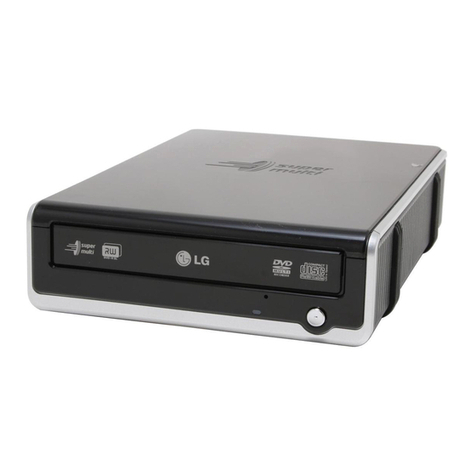
BTC DRW1108UB User manual

8X DVD±R/RW Writer
USB 2.0 External Drive
7 in 1 card reader compatibility
User’s Manual

DANGER INVISIBLE LASER RADIATION WHEN OPEN AVOID DIRECT EXPOSURE
TO BEAM
VORSICHT INSICHTBARE LASERSTRAHLUNG WENN ABDECKUNG GEÖFFNET
NICHT DEM STRAHL AUSSETSEN
ATTENTION RADIATION DU FAISCEAU LASER INVISIBLE EN CAS D’OUVERTURE.
EVITER TOUTE EXPOSITION AUX RAYONS.
Copyright Statement
It is a criminal offence, under applicable copyright laws, to make unauthorised copies of
copyright-protected material, including computer programs, films, broadcasts and sound
recordings. This equipment should not be used for such purposes.
FCC Compliance Statement
This device complies with Part 15 of the FCC Rules. Operation is subject to the following
two conditions:
1. This device may not cause harmful interference, and
2. This device must accept any interference received, including interference that may
cause undesired operation.
CLASS 1 LASER PRODUCT
APPAREIL A LASER DE CLASSE 1
LASER KLASSE 1
LUOKAN 1 LASERLAITE
PRODUIT LASER
CATEGORIE 1

FCC Warning Statement
This equipment has been tested and found to comply with the limits for a Class B digital
device, pursuant to Part 15 of the FCC Rules. These limits are designed to provide
reasonable protection against harmful interference in a residential installation. This
equipment generates, uses and can radiate radio frequency energy and, if not installed and
used in accordance with the instructions, may cause harmful interference to radio
communications. However, there is no guarantee that interference will not occur in a
particular installation. If this equipment does cause harmful interference to radio or
television reception, which can be determined by turning the equipment off and on, the user
is encouraged to correct the interference by one or more of the following measures:
• Reorient or relocate the receiving antenna
• Increase the separation between the equipment and the receiver
• Connect the equipment into an outlet on a circuit different from that to which the
receiver is connected
• Consult the dealer or an experienced radio/TV technician for help.
CAUTION
Any changes or modifications not expressly approved by the party responsible for
compliance could void the user’s authority to operate the equipment.
FOR EUROPE
“The drive is in conformity with the EMC directive and low-voltage directive.”

Table of Contents
INTRODUCTION 1
ABOUT USB 2
SYSTEM REQUIREMENTS 3
PACKAGE CONTENTS 3
INSTALLATION 4
HARDWARE INSTALLATION 4
DRIVER INSTALLATION 5
SOFTWARE PACKAGE 6
DVD REGION CODING 6
OPERATION & CONNECTION 8
FRONT PANEL 8
REAR VIEW 10
TECHNICAL DATA 11
APPENDIX 14

1
INTRODUCTION
Accompanying the new DVD storage technology, we are honored to present you a
compact and multiformat external drive of USB 2.0 interface: 8X DVD±R/RW
Writer.
This 8X DVD±R/RW Writer frees up precious bay space and offers more backup
choices other than acting as a CD-R/RW drive and as a DVD-ROM reader. It
supports dual formats of DVD+R/RW and DVD-R/RW enabling excellent
compatibility, simple, quick recording of both CD/DVD formats, huge capacity
storage, and theater-quality playback.
The bundled package of mastering software offers the creation fun of video, photos,
and music editing. You can either record up to 4.7GB, 3 hours of TV shows or
movies into high-quality DVD video, or author your own DVD movies – from
capture to editing and burning, which both are playable in most DVD players and
DVD-ROM drives.
And that isn’t all, the built-in 7 in 1 card reader which offers read-write ability of 7
memory card types simplifies the process of exchanging data between Digital
cameras, camcorders, voice recorders, PDAs, MP3s… and your computer. You can
view, archive, or write the files/photos/video/music of the memory card directly from
the drive and enjoy the fascinating digital/DVD entertainment on your desktop.
Here are some important features of this drive:
USB 2.0 interface, easy to connect to USB 2.0 port in PC
Four-slot integration of the card reader works with CompactFlash,
MicroDrive, Memory Stick, Memory Stick Pro, MultiMediaCard, Secure
Digital, and SmartMedia
Convenient connection with A-Type USB Extension Port on the front panel
8X DVD±R Write, 4X DVD±RW Rewrite speed, 12X DVD-ROM Read
speed

2
40X CD-R, 24X CD-RW Write/Rewrite speed, 40X CD-ROM Read speed
Adopts “MTKSuperLink” to prevent Buffer Underrun errors of CD & DVD
writing
Supports writing modes of TAO, DAO, SAO and packet writing
Supports MultiRead function
Serves as RPC-2 DVD-ROM Drive
Smooth DVD playback
Compatible with most existing DVD-ROM drives and DVD video players
Bundled with an extensive software package
About USB
USB (Universal Serial Bus), a means of attaching devices to your computer, is
basically a standardized intelligent serial connection which provides an
expandable, hot-pluggable*1interface. Devices suitable for USB range from
simple items like mice and keyboards to more complicated devices like printers,
MP3 players, and storage devices. One other benefit of USB is plug and play.
That is, when you plug the USB device in, it is automatically detected, drivers
installed and then ready for operation.
USB 2.0 supports data transfer at up to 480Mbps for high-speed devices. It is
backward compatible with USB1.1*2software and peripherals. If your computer
doesn’t have a built-in USB 2.0 port, you need to install a USB 2.0 PCI host card
in your pc for the drive to run at USB 2.O speed. Otherwise, this drive will run at
standard USB speed.
*1You can connect and disconnect devices while the computer is running.
*2 USB 1.1 can transfer data at rates up to 12Mb/s.

3
System Requirements
For IBM compatible PCs, the system requirements recommended are as follows:
Pentium III, 800MHz or above with at least 256MB of memory
Minimum 2GB free Hard Disk space
Operating system: Microsoft Windows 98SE/ME/2000/XP
USB 2.0 PCI host card (If there’s no USB 2.0 built-in port on board.)
Package Contents
USB 2.0 external DVD±R/RW Writer
Power adapter
AC power cable
USB 2.0 cable
Application software disc
Quick installation Guide

4
INSTALLATION
Hardware Installation
1. Connect the power adapter and the AC power cord to the drive.
2. Attach the USB 2.0 cable to the drive.
3. Attach the other end of the USB 2.0 cable to the USB port in your
computer. The drive is now ready to use.
If you are installing a USB 2.0 drive, your computer must have a USB 2.0 port
to achieve top speed. You may experience slower USB 2.0 drive performance if
connected to USB 1.1.
USB Connector

5
Note:
♦ Be sure to use the USB 2.0 cable packed with the drive.
♦ Never plug or unplug in any other USB device while the drive is
transferring data. It’s likely to loss data.
♦ It’s advisable not to disconnect the drive or unplug the power to the
drive while a CD is inserted.
♦ Don’t connect more than two CD-RW drives of USB connection to a
single computer.
Driver Installation
Windows Environment
This DVD±R/RW Writer is a PnP (Plug and Play) device, and Windows
ME/2000/XP can automatically detect the drive and load the appropriate driver.
For the users who run Windows 98SE please install the provided driver in the
disc and then restart the computer.
Card Reader
Please install the driver in the application software disc to operate the read- write
ability of 7 memory card types. After the driver installation, 4 extra icons with
different card type indicated will show in Device Manager/My computer. And
then you can use each slot of the card reader for file archiving / recording.

6
Software Package
The bundled package combines software for 1) DVD/CD recording 2)
DVDs/VCDs authoring 3) Packet Writing 4) DVD playback, which gives you the
complete solution for making audio/data CDs/DVDs of different formats, editing
video and authoring DVD movies. The user-friendly interface simplifies the
recording process and guides you through the creation in an easy and innovative
way. No matter you are a novice or an experienced user; this is your best
recording tools with the writer.
For further details please refer to the manual in the software disc.
Installation Under Windows Environment
1. Insert the application CD and the installation program will run
automatically. Then follow the on-screen procedures.
Or
2. Run:\setup.exe on the application CD.
DVD Region Coding
Region Playback Control Management
All DVD Video Playback systems have “Region Playback Control”
management (RPC) which is required by Hollywood movie industry and
defined by DVD Forum. This includes DVD-Video players and PC systems
with DVD-Video capability. You can only play DVD-Video discs with the
same region code as your DVD-Video Playback system.
As for DVD-ROM drives, one kind of the DVD-Video Playback system, there
are 2 types:
RPC Phase 1 (as RPC1): RPC1 drives do not have built-in hardware support
for region management. DVD-ROM drives of this kind don’t play a part in
controlling the playback region. It solely depends on the decoder.
RPC Phase 2 (as RPC2): RPC2 drives maintain the region change count
information in hardware, and in general, the region of such drives can be
Table of contents
Other BTC DVD Drive manuals