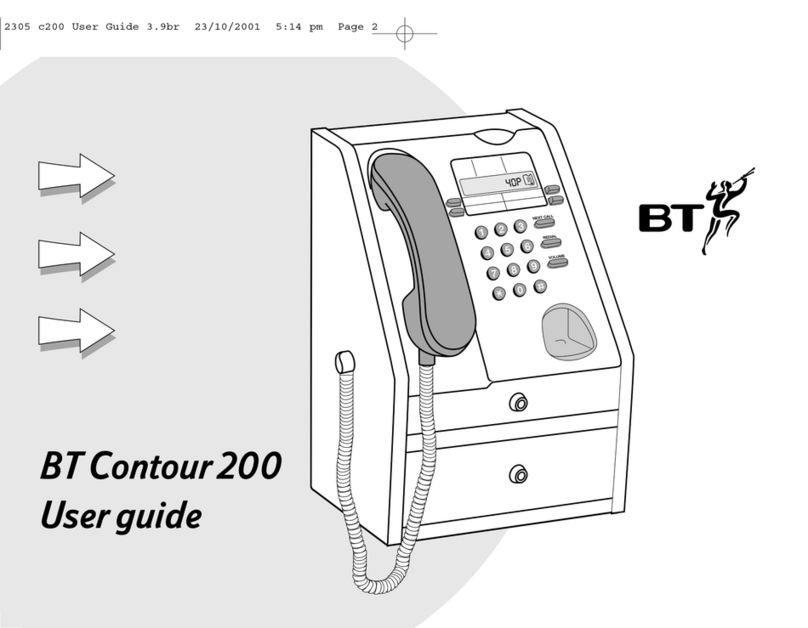
BT PARAGON 400 User manual

Payphone Contour 400
User guide
2305 c400 User Guide 3.9br 23/10/01 5:22 pm Page 1

2
Calls and cash pages 4 – 17
find out:
•how to make calls
•about the different types of calls
you can make
•about pre-funding
•about more call functions
•how to check your cash
calls
making a call using the handset . . . . . . . . . . . . . .04
making a loudspeaker call . . . . . . . . . . . . . . . . . . . .04
making a call using a headset . . . . . . . . . . . . . . . . .05
calling a memory number . . . . . . . . . . . . . . . . . . . . . . . 6
changing the speech volume . . . . . . . . . . . . . . . . . . . 6
making another call . . . . . . . . . . . . . . . . . . . . . . . . . . . . . . 7
the big red button . . . . . . . . . . . . . . . . . . . . . . . . . . . . 8
checks
checking a number before you call . . . . . . . . . . . 8
checking the cost of your call . . . . . . . . . . . . . . . . . . 9
answering an incoming call . . . . . . . . . . . . . . . . . . . . 9
pre-funded accounts
switching pre-funding on . . . . . . . . . . . . . . . . . . . . . 10
to change a pre-funded phone number . . . . . 11
to add money to an account . . . . . . . . . . . . . . . . . . 12
to delete an account . . . . . . . . . . . . . . . . . . . . . . . . . . . . 12
making a pre-funded call . . . . . . . . . . . . . . . . . . . . . . 13
more call functions
using a text phone . . . . . . . . . . . . . . . . . . . . . . . . . . . . . . 14
redialling the last number you called . . . . . . . 15
transferring a call from an extension . . . . . . . 15
using the owner mode . . . . . . . . . . . . . . . . . . . . . . . . . 16
using the control port . . . . . . . . . . . . . . . . . . . . . . . . . . 16
cash
checking your takings . . . . . . . . . . . . . . . . . . . . . . . . . 17
emptying the cash tray . . . . . . . . . . . . . . . . . . . . . . . . 17
Features
pages 18 – 27
Calls and cash
pages 4 – 17
Troubleshooting
pages 28 – 29
2305 c400 User Guide 3.9br 23/10/01 5:22 pm Page 2

Calls and cash
pages 4 – 17
Features
pages 18 – 27
Pre-funded accounts pages 30 – 31
Technical page 33
Features pages 18 – 27
find out how to get the most from your payphone
If you’d like to change the way any of these features work,
you can contact us using the details on page 34, or follow the
instructions in this section.
PIN change . . . . . . . . . . . . . . . . . . . . . . . . . . . . . . 20
call barring . . . . . . . . . . . . . . . . . . . . . . . . . . . . . . 20
call back . . . . . . . . . . . . . . . . . . . . . . . . . . . . . . . . . 20
call charges . . . . . . . . . . . . . . . . . . . . . . . . . . . . . 21
minimum fee . . . . . . . . . . . . . . . . . . . . . . . . . . . . 21
memory buttons and the
big red button . . . . . . . . . . . . . . . . . . . . . . . . . . 22
new call types . . . . . . . . . . . . . . . . . . . . . . . . . . 23
display languages . . . . . . . . . . . . . . . . . . . . . 23
fake coins . . . . . . . . . . . . . . . . . . . . . . . . . . . . . . . 24
old coins . . . . . . . . . . . . . . . . . . . . . . . . . . . . . . . . . 24
new coins . . . . . . . . . . . . . . . . . . . . . . . . . . . . . . . . 24
call privacy . . . . . . . . . . . . . . . . . . . . . . . . . . . . . 25
caller display . . . . . . . . . . . . . . . . . . . . . . . . . . . 25
incoming operator call barring . . . . . . 26
time . . . . . . . . . . . . . . . . . . . . . . . . . . . . . . . . . . . . . . . 26
day . . . . . . . . . . . . . . . . . . . . . . . . . . . . . . . . . . . . . . . 26
dialling types . . . . . . . . . . . . . . . . . . . . . . . . . . . 26
incoming call barring . . . . . . . . . . . . . . . . . 27
switchboards . . . . . . . . . . . . . . . . . . . . . . . . . . . 27
Subject to your contract
with BT Payphones,
you may not be able to
change some of these
features.
Troubleshooting pages 28 – 29
how to solve some of the more common problems
Troubleshooting
pages 28 – 29
This payphone is mains powered, please refer to page 18 to see how your payphone
may be affected if power is disconnected.
3

2305 c400 User Guide 3.9br 23/10/01 5:22 pm Page 3

Features
pages 18 – 27
Calls and cash
pages 4 – 17
Troubleshooting
pages 28 – 29
4
Making calls and managing your cash
Making a call using the handset
1Lift the handset and insert your money
2Dial the number
When you ve dialled, the payphone will check that there s
enough money to start the call. If there isn t, it will eject the
first coin and request one of a higher value.
You can check how many seconds you ll get for 10p
or the minimum fee for this call. Check your notice
for details.
3Watch the display for information
The display shows how much time is left during the call.
When 20 seconds of call time is left, you ll hear the pips.
If you don t add any coins, the call will end.
Remember the payphone doesn t return unused coins.
Making a loudspeaker call
1Press the green LOUDSPEAKER button and insert
your money
2Dial the number and wait for an answer
3Speak towards the payphone when your call is
answered
4Press the green LOUDSPEAKER button when you’re
ready to end your call
020 7123 4567
INSERT 20p
020 7123 4567
INSERT 20p
eg
eg
eg
eg
2305 c400 User Guide 3.9br 23/10/01 5:22 pm Page 4

Calls and cash
pages 4 – 17
Features
pages 18 – 27
Troubleshooting
pages 28 – 29
5
Making a call using a headset
1Plug your headset into the headset lead and press the
blue HEADSET button
The light will come on.
2Insert your money
3Dial the number
4Press the blue HEADSET button when you’re ready to
end your call
020 7123 4567
INSERT 20p
eg
2305 c400 User Guide 3.9br 23/10/01 5:22 pm Page 5

6
alling a memory number
1Lift the handset, press the green LOUDSPEAKER
button or plug in your headset and press the blue
HEADSET button to start your call
2Press the Memory button you want and wait for
the call to be answered
Any more coins you put in while the payphone is dialling
will be ejected.
hanging the speech volume
Press VOLUME up to four times to increase the
volume
Press VOLUME again to return to the initial volume
The Payphone Contour 400 is fitted with an
inductive coupler handset that makes calls easier
to hear when used with a suitable hearing aid.
This is a legal requirement. If you use a behind-
the-ear hearing aid, move the switch to the ‘T position and
hold the handset earpiece next to the hearing aid.
TAXI
INSERT 20p
eg
eg
Features
pages 18 – 27
Calls and cash
pages 4 – 17
Troubleshooting
pages 28 – 29
2305 c400 User Guide 3.9br 23/10/01 5:22 pm Page 6

Calls and cash
pages 4 – 17
Features
pages 18 – 27
Troubleshooting
pages 28 – 29
7
Making another call
1Don’t hang up at the end of the first call
As long as you have the minimum fee left,
you can make another call.
2Press the orange NEXT CALL button
3Dial the next number you want
4Watch the display for information
020 7123 4567
please dial
eg
2305 c400 User Guide 3.9br 23/10/01 5:22 pm Page 7

The BIG RED BUTTON
Callers can press the big red button to call for local
assistance in an emergency.
You will need to programme the local assistance number
(see page 22).
1Press the big red button and wait for an answer
The LOUDSPEAKER and HEADSET lights will
come on. You can use the loudspeaker or the handset.
2Press the big red button again to end the call
hecking a number before you call
1Do not start the call
2Press HH
3Dial the phone number you want and check the number
on the display
If you make a mistake as you dial, you can press
REDIAL & DELETE to delete the last number you dialled.
4Lift the handset, press HEADSET or press
LOUDSPEAKER to start your call
5Insert your money
The payphone will dial the number.
INSERT 20P
KEy numbe
Features
pages 18 – 27
Calls and cash
pages 4 – 17
Troubleshooting
pages 28 – 29
eg
2305 c400 User Guide 3.9br 23/10/01 5:22 pm Page 8

Calls and cash
pages 4 – 17
Features
pages 18 – 27
Troubleshooting
pages 28 – 29
9
hecking the cost of your call
1Start the call and press HH
2Dial the phone number you want
The display will switch between the number you dial and the
charge for your call.
3Press HH
4Insert your money
The payphone will dial the number.
Answering an incoming call
The headset and loudspeaker lights will flash when the
payphone rings.
1Lift the handset, press the green LOUDSPEAKER
button or plug in your headset and press the blue
HEADSET button
INSERT 20P
£2.50
KEy numbe
eg
eg
2305 c400 User Guide 3.9br 23/10/01 5:22 pm Page 9

Switching pre-funding on
With a pre-funded account, callers don t need to use coins
for calls to the four numbers they call most often. They just
need to enter their own PIN and press a memory button.
The cost of the call will be charged to their account.
You can have up to 30 pre-funded accounts.
The account holders will need to ask you to pay money into
their account before they can start making calls. They can
pay more money into their account during calls.
There s a limit of £10 for each account. This can be increased
to £15, £20 or £25 subject to your contract with BT. For more
information, contact us using the details on page 34.
1Lift the handset, unlock the top cover, enter your
owner PIN and relock the top cover
2Dial SS76HH
3Press Memory 3 to switch pre-funding on
4Press HH
5Press HH
6Enter the PIN that the account holder wants to use and
make a note of the PIN on page 30
This can be between 1 and 6 characters.
7Press HH
Enter up to £10 of coins to fund the account
9Press HH
ENTER TEL
£9.50
ENTER COINS
1639
pin
acc pin 01
p efunding
p efunding x
money
10
Features
pages 18 – 27
Calls and cash
pages 4 – 17
Troubleshooting
pages 28 – 29
eg
eg
2305 c400 User Guide 3.9br 23/10/01 5:22 pm Page 10
Other manuals for PARAGON 400
2
This manual suits for next models
1
Table of contents
Other BT Telephone manuals

BT
BT DECOR 500 User manual

BT
BT Elements 1K Specification sheet

BT
BT BIG BUTTON PLUS User manual

BT
BT Featureline User manual

BT
BT FeatureLine & Embark User manual

BT
BT FREESTYLE 80 PLUS User manual

BT
BT verve 450 User manual

BT
BT DIVERSE 7110 User manual

BT
BT Decor 2100 User manual

BT
BT PARAGON450 User manual