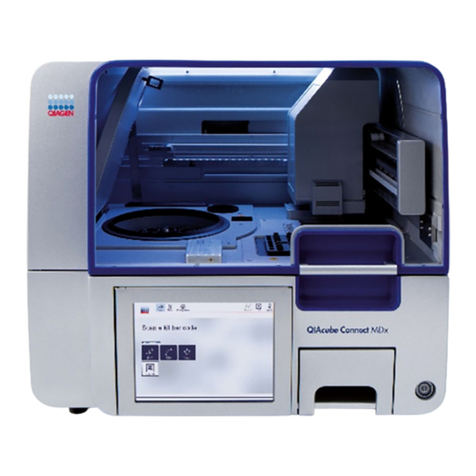
BS MULTICAREIN User manual

MULTIPARAMETER DIAGNOSTIC
DEVICE
USER’S MANUAL

4 Introduction
4 The MULTICAREIN system
5 Informations about MULTICAREIN system line
6 The device
7 The display
8 The measurement
8 Insertion of the data-chip
10 How to obtain a drop of blood
11 Application of the blood
11 Procedure to test glucose
12 Procedure to test cholesterol
13 Procedure to test triglycerides
14 Warnings
15 The strips
16 Control solutions
17 Memory functions
INDEX

18 General settings
18 Changing the settings
20 Setting the acoustic signal
20 Setting the alarms
21 Enabling data transfer to a computer
22 Maintenance and storage conditions
22 Care and maintenance
23 Storage and measuring conditions
24 Error messages
27 Replacing the batteries
28 Warranty
30 Technical features
31 Symbols

4
Thank you for choosing MULTICAREIN system. MULTICAREIN is a new system, suitable for the
monitoring of glucose, cholesterol and triglycerides in the blood*.
MULTICAREIN
• Amperometric, with MULTICAREIN glucose strips.
• Reflectometric, with MULTICAREIN cholesterol and triglycerides strips.
Self-testing of glucose, cholesterol and triglycerides could be helpful, but any treatment has to be
anyway agreed with the physician.
THE MULTICAREIN SYSTEM
INTRODUCTION
*CAUTION
The system is calibrated for the use of capillary blood; for the use of
venous blood (only possible with cholesterol and triglycerides strips)
contact the Customer Service for the correct calibration.

5
The MULTICAREIN system line includes:
• MULTICAREIN device
• MULTICAREIN strips
• Autolancet
• MULTICAREIN control solutions
• MULTICAREIN data manager software
• MULTICAREIN mobile app. and cloud (only for bluetooth MULTICAREIN**)
Read carefully the instructions for use of the MULTICAREIN strips that you are using and read the
instructions for use of the autolancet device contained in the MULTICAREIN meter box.
INFORMATIONS ABOUT MULTICAREIN SYSTEM LINE
GLUCOSE
STRIP
TRIGLYCERIDES
STRIP
CHOLESTEROL
STRIP
**Bluetooth represents an optional

6
THE DEVICE
1. Display: shows test results, error messages and results stored in memory.
2. Power button, press this button to:
b. enter the SETTINGS (SET) when the device is on;
c. confirm the SETTINGS.
3. “+” button, press this button to:
a. enter the MEMORY of the device;
b. recall results stored in the MEMORY of the device;
c. change parameters and values while setting.
4. “-” button, press this button to:
a. enter the MEMORY of the device;
b. recall results stored in the MEMORY of the device;
c. change parameters and values while setting;
d. delete the test results.
5. Test strip slot: insert the test strip here. When the test strip is inserted, the
device will turn on automatically.
6. PC connector:
a. Connector to transfer data from the device to a computer.
b. Connection with Biosys device.
7. Cover: open this part for cleaning the optical window.
6
1
4 2 3
7
5
FRONT

7
8.
Battery housing: sliding cover for batteries replacement.
9.
Data-chip slot: insert the data-chip here.
10.
Strip ejector: slide it to dispose of the used strip.
THE DISPLAY
BACK
8
9
10
1
8
234
5
6
7
9
121110
Data-chip symbol.
1
Average results symbol
2
Memory mode symbol
3
Settings mode symbol
4
Low battery warning
5
Result or error messages
6
Unit of measurement
7
Test analytes
8
Temperature symbol
9
Time
10
Acoustic alarm
11
Date (month, day and year)
12

8
The MULTICAREIN device uses a data-chip which is contained
in the strips box.
It is necessary to change the data-chip in the following situations:
a. When you want to change analyte.
b. Before using a new strips box.
How to insert the data-chip
1. Remove the data-chip from the strips box.
2. Insert the data-chip in the slot placed on the lateral side of the device.
3. Gently press the data-chip up to the complete insertion.
INSERTION OF THE DATA-CHIP
When you switch on the device check always that the date (month, day and year) and time are correctly
set to obtain accurate results (see page 18).
THE MEASUREMENT

9
4. Press the power button and check if the code
shown on the display matches the one printed on
the label vial of the strips.
5. If the data-chip is not inserted, it is not possible to
perform the measurement.
6. Analytes:
=
TGL
TRIGLYCERIDES
=
CH
CHOLESTEROL
GLUCOSE
GLC EL
=

10
HOW TO OBTAIN A DROP OF BLOOD
To perform a measurement with MULTICAREIN system, it is necessary
to collect a drop of capillary blood according to the following procedure:
1. Wash the hands with soap and hot water to increase the blood flow at
the fingertips to ease the blood collection. Dry well the hands and
check that the finger to be pricked is completely dried. Do not apply
disinfectant or beauty cream before the finger pricking.
2.
Prepare the autolancet that is contained inside the MULTICAREIN box meter.
Instruction for USE:
1. Twist and pull off the protective cap.
Discard the protective cap into the waste container.
2. Press the lancet against the sampling site.
3. Dispose of the used lancet into the waste container.
Table of contents