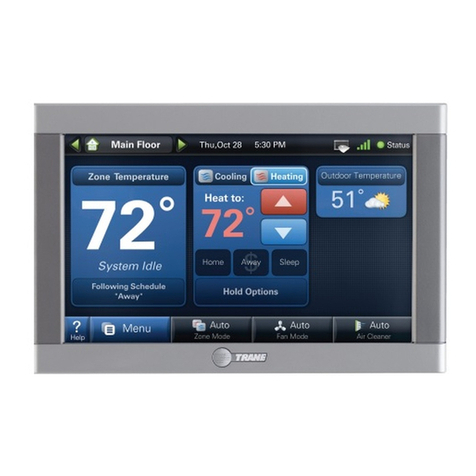
Braeburn Premier Series User guide

®
140311
3-Zone
Control Panel
Installer Manual
140311-100-04
Warning Read all of the instructions before proceeding
Can cause electrical shock or equipment damage. Always turn off power to the heating/
air conditioning system prior to installing or adjusting the expandable zone panel. Wire the
entire panel before applying transformer power.
This panel is designed for professional installation, and is to be installed and configured as
described in this manual. Any other use is not recommended and will void the warranty.
Install disconnect and overload protection on circuits as required by code authorities having
jurisdiction for the installation.
Voltage Hazard
Caution
1 Heat / 1 Cool
Conventional Systems
Store this manual for future reference.
PREMIER SERIES

Specifications
1
Storage temperature:
-40˚–167˚F (-40˚–75˚C)
Operating temperature:
-22˚–167˚F (-30˚–75˚C)
Voltage:
24 VAC, Nominal 60Hz
18-30 VAC Maximum
Operating humidity:
5–95% RH
Panel Power:
6 VA @ 24 VAC
Current Draw Max:
100 VA @ 24 VAC
Current Draw Per Zone:
50 VA Max
2.1”
8”
8”
10.2”
Protection:
Electronic self resetting current
limiting for panel power and
damper zones
Configuration:
Single Stage Conventional
equipment
Maximum Zones:
3 Zones Maximum
Dimensions:
See Figure 1
Figure 1
Table of Contents
1
Specifications
.....................................................................................................................2
2
Suitable Mounting Locations
...............................................................................................3
3
Wiring
.............................................................................................................................4-7
4
Configuration
......................................................................................................................8
5
System Check-Out
............................................................................................................10
6
Operation
...............................................................................................................................11
7
Error Conditions
................................................................................................................13
8
Warranty
..........................................................................................................................14
2

Suitable Mounting Locations
2
Mount the Zone Panel near the HVAC equipment. The panel can be mounted in any orientation on a wall,
stud, roof truss, or the return-air plenum. For appearance, mount the panel level. Remove the panel cover
and use the base as a template to drill mounting holes (see Figure 2). Attach the panel with appropriate
screws. Use mounting anchors as needed for drywall or plaster installations.
Figure 2
3
R
Y
W
G
C
THERMOSTAT
ZONE 1
PO
COMM
PC
DAMPER
ZONE 1
R
Y
W
G
C
THERMOSTAT
ZONE 2
DAMPER
ZONE 2
PO
COMM
PC
R
Y
W
G
C
THERMOSTAT
ZONE 3
PO
COMM
PC
DAMPER
ZONE 3
24V
24C
POWER
24 VAC
Rh
Rc
Y
G
G2
W
C
EQUIPMENT
SUPPLY
SENSOR
SA1
SA2
drill holes
drill holes

Wiring the Panel
3
Always turn off power to the heating/air conditioning system prior to installing or adjusting the Zone Panel. Wire the
entire panel before applying transformer power. Use the following general wiring instructions for all systems. Specific
wiring will vary depending on the equipment and type of system (conventional or heat pump). NOTE: Up to 2 wires
can be inserted into each terminal. To release wires, press down on top of wiring terminal and gently pull out wire(s).
R
Y
W
G
C
THERMOSTAT
ZONE 1
PO
COMM
PC
DAMPER
ZONE 1
R
Y
W
G
C
THERMOSTAT
ZONE 2
DAMPER
ZONE 2
PO
COMM
PC
R
Y
W
G
C
THERMOSTAT
ZONE 3
PO
COMM
PC
DAMPER
ZONE 3
24V
24C
POWER
24 VAC
Rh
Rc
Y
G
G2
W
C
EQUIPMENT
SUPPLY
SENSOR
SA1
SA2
4
5
2
1
5
2
5
2
4
3
67Figure 3

Terminal Qty. Function Description
PANEL 24V 1 INPUT 24 VAC Transformer Power 100 VA Maximum
POWER 24C 1 INPUT 24 VAC Transformer Common
DAMPERS PO 3 OUTPUT 24 VAC Power Open Zone Damper Terminal
COMM 3 OUTPUT Zone Damper Common Terminal
PC 3 OUTPUT 24 VAC Power Close Zone Damper Terminal
SUPPLY SA1 1 INPUT Optional Plenum Supply Air Sensor Terminal 1 (No Polarity) Model 149156
AIR SA2 1 INPUT Optional Plenum Supply Air Sensor Terminal 2 (No Polarity) Model 149156
EQUIPMENT Rh 1 INPUT 24 VAC Equipment Transformer Power Connection
Rc 1 INPUT
24 VAC Cooling Equipment Transformer (Dual Transformer Systems Only)
Y 1 OUTPUT 1st Stage Compressor
G 1 OUTPUT 1st Stage Fan Control
G2 1 OUTPUT 2nd Stage Fan Control
W 1 OUTPUT
1st Stage Conventional Heat
C 1 INPUT 24 VAC Transformer Common
THERMOSTAT R 3 OUTPUT 24 VAC Thermostat Power
Y 3 INPUT 1st Stage Compressor Call
W 3 INPUT 1st Stage Conventional Heat Call
G 3 INPUT Fan Call
C 3 OUTPUT 24 VAC Transformer Common
Press once to restart panel
Hold for 5 seconds to reset panel and restore all factory defaults
Rc/Rh TERMINAL JUMPER (J1) Open jumper for dual transformer installations
ZONE PANEL WIRING TERMINALS
5
1
2
3
4
5
6
7
Note: Wire should be stripped to 3/8 inch minimum.
RESET BUTTON

Damper Wiring
3.1
Always turn off power to the heating/air conditioning system prior to installing or adjusting the zone panel. Wire
the entire panel before applying transformer power.
Use the following general wiring instructions for all systems. Specific wiring will vary depending on the equipment
and type of system (conventional or heat pump).
Install the system dampers using the instructions provided by the manufacturer. Connect the dampers to the zone
panel as shown for either a 2-wire or 3-wire damper. The sum of all dampers powered by the zone panel should
not exceed 100 VA at 24 VAC. Use a slave relay if additional damper power is required.
ALWAYS PROVIDE DISCONNECT AND OVERLOAD PROTECTION AS REQUIRED
Max. damper VA per Zone 50 VA @ 24 VAC
PO
COM
PC
Zone Panel 2-Wire PC/SR Damper
PO
C
PC
PO
COM
PC
Zone Panel 3-Wire Damper
Thermostat Wiring
3.2
Install the system thermostats using the instructions provided by the manufacturer. Connect the thermostats
to the zone panel as shown.
ALWAYS PROVIDE DISCONNECT AND OVERLOAD PROTECTION AS REQUIRED
1 HEAT / 1 COOL
R
24 VAC Power
W Heat Call
Y Cooling Call
G Fan Call
C 24 VAC Transformer Common
[Note 1]
CONVENTIONAL THERMOSTATS
6
NOTES
[1] Wiring to the C terminal is required
only for thermostat power.
PO
COM
PC
Zone Panel 2-Wire PO/SR Damper

7
Optional Supply Air Sensor Wiring
3.3
To provide high/low limit protection, install the optional supply air sensor in the
supply air plenum at least 2-3 feet after the heat exchanger and coil. Make sure
there are no zone dampers before the supply air sensor. Connect the supply air
sensor to the zone panel as shown.
SA1
SA2
Transformer Wiring
3.4
Install the transformer using the instructions provided by the manufacturer. Size the
transformer to the damper requirements. The zone panel has built-in, self-resetting
fuses. The maximum damper power per panel is 100 VA at 24 VAC. Connect the
transformer to the zone panel as shown.
NOTE: Additional dampers or dampers with a higher current draw will require the
use of a separate slave relay.
ALWAYS PROVIDE DISCONNECT AND OVERLOAD PROTECTION AS REQUIRED
24V
24C
CC
HOT
Dedicated
Zoning Transformer
Zone
Panel
Conventional Equipment Wiring
3.5
Connect a conventional heating system to the zone panel as shown. For a system using a dual transformer,
remove jumper Rc to Rh (see Figure 3, page 4). Make sure the neutrals (common) are connected.
ALWAYS PROVIDE DISCONNECT AND OVERLOAD PROTECTION AS REQUIRED
1 HEAT / 1 COOL Equipment
Set Equipment Type to SSC
Rh
24 VAC Power (Heating Transformer)
[Note 3]
Rc Cooling Transformer [Note 3]
W Heat Call
Y Cooling Call
G Fan Call
G2 Second Stage Fan Call [Note 4]
C24 VAC Transformer Common
NOTES
[3] Remove J1 jumper for dual transformer systems.
Transformer common must come from cooling transformer.
[4] If required by system
Plenum

8
Configuration
4
Use the following instructions to configure the zone panel.
To start configuration:
1. Press SETUP and hold for 3 seconds.
2. The panel backlight will turn on and the display will change.
3. Change setting if needed by pressing SELECT.
4. To save and advance to the next setting press
the NEXT button.
5. Repeat steps 3-4 as necessary.
6. Press HOLD FOR BACK for 3 seconds to go back a step.
7. Press HOLD FOR EXIT for 3 seconds to exit setup menu.

9
Configuration
4
The configuration settings must be properly set in order for this zone panel to operate correctly. The Installer
Settings will automatically adjust so that settings that do not apply to this installation will be skipped.
All settings are shown below with comments.
No. Installer Setting Display Factory Setting Comments
(Notes follow table) Indicator Default Options (More information follows this table)
1 Fan Control FAN 1 GAS GAS Select for 1st Stage fan controlled by equipment
EL Select for 1st Stage fan controlled by panel
2 Zone Fan Purge Time PURGE 90 300 Select for 300 second purge into calling zone at call end
240 Select for 240 second purge into calling zone at call end
180 Select for 180 second purge into calling zone at call end
120 Select for 120 second purge into calling zone at call end
90
Select for 90 second purge into calling zone at call end
60 Select for 60 second purge into calling zone at call end
30 Select for 30 second purge into calling zone at call end
0 Select for no purge into calling zone at call end
3 Supply Air Sensor Control SA SENS NO
YES
Select for Active Supply Air Sensor
NO
Select for Inactive Supply Air Sensor [Note 1, 2]
4 Temperature Scale* DEG DEG F
DEG F
Select for Fahrenheit display
DEG C
Select for Celsius display
5 Plenum High Limit Cutout PLENUM 135
100
to
180
Select the maximum Supply Air Temperature the system
SET HI LIMIT (60˚C)
(
40
to
80
˚C)
can reach before shutting off all heating stages [Note 2, 3]
6 Plenum Low Limit Cutout PLENUM 45
30
to
60
Select the minimum Supply Air Temperature the system
SET LO LIMIT (8˚C)
(
0
˚C to
15
˚C)
can reach before shutting off all cooling stages [Note 2, 3]
7 Short Cycle Protection SCP 55 to 0 Selects a compressor short cycle protection delay of 5,
4, 3, 2, 1 or zero minutes after a compressor call
8 Second Stage Fan G2 ZONES 2 2, 3 Select the number of zones that must call before the
second stage fan will turn on
9 Priority Zone PRIORTY OFF OFF Select to have opposite calls answered in any zone
1 to 3 Select zone 1 to 3 to limit calls so equipment will only
service call matching last call of zone 1-3
10 Opposite Mode Timer OP MODE 15 15 to 60 Select the number of minutes to delay system changeover
when zones are calling for heat and others zones are
calling for cooling
*Note: Changing #4 will reset settings 5 and 6.
NOTES - Configuration
[1] Disable will not show plenum temperature.
[2] Only available if optional supply air sensor is connected (Model 149156)
[3] Only available if supply air sensor is enabled.

10
System Checkout
5
After the wiring and configuration is complete, built in automatic zone panel tests may be used to verify
equipment, damper, and panel operation.
To start the panel Test Mode:
1. Ensure all wiring is complete and power has been applied to the main and expansion panels
2. Press TEST for 3 seconds and release
3. Press SELECT to turn the test on and off
4. Press NEXT to move on to the next test
5. Press HOLD FOR EXIT for 3 seconds to exit test mode
The following tests are available in Test Mode:
Heating Stage Test ON or OFF
This test turns on the heating stage, the system fan, and also
commands all dampers to open. Press SELECT to Test
or NEXT to advance to the next test.
Cooling Stage Test ON or OFF
This test turns on the cooling stage, the system fan, and also
commands all dampers to open. Press SELECT to Test or NEXT
to advance to the next test.
Other manuals for Premier Series
8
This manual suits for next models
1
Table of contents
Other Braeburn Control Panel manuals