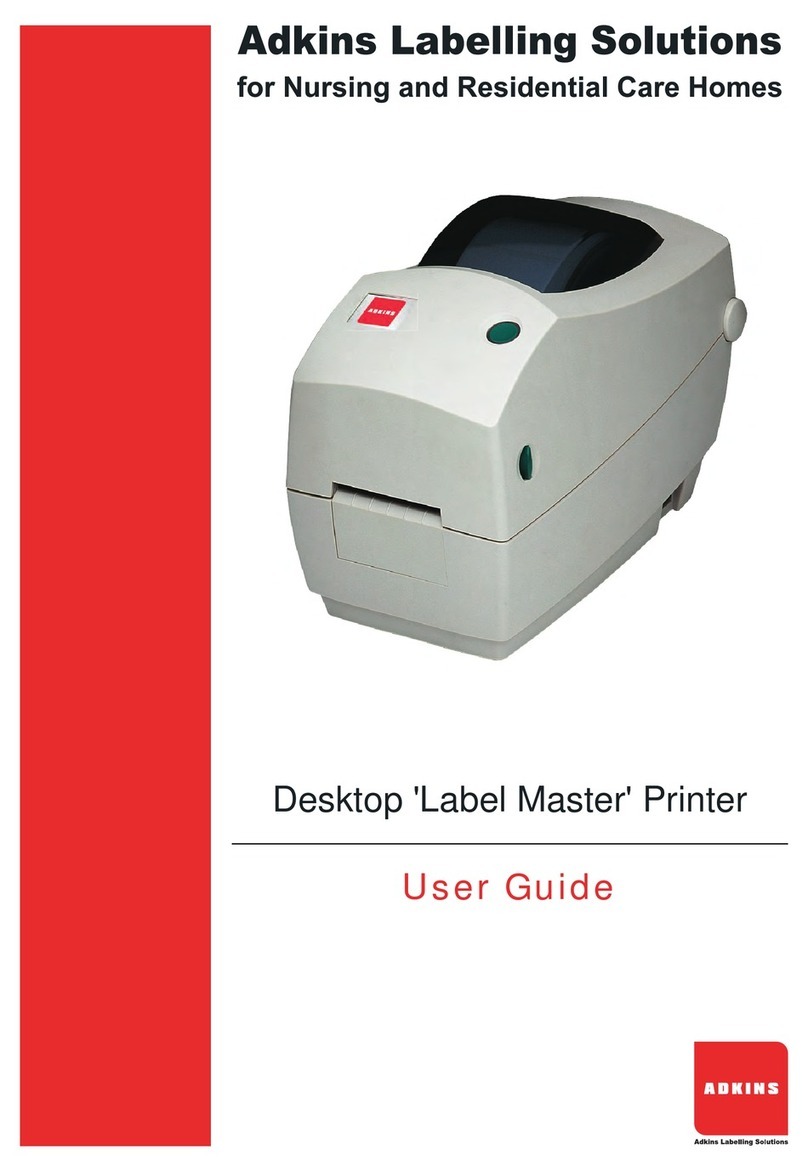
Brady BP-PR PLUS Series User manual

Configuration Instructions
Edition 12/09
BP-PR PLUS Printer
Quick Start Guide
Edition 06/10

ii Edition 06/10 QUICK START GUIDE
Information on the scope of delivery, appearance, performance, dimensions and
weight reflect our knowledge at the time of printing. We reserve the right to make
modifications.
All rights, including those regarding the translation, are reserved.
United States
Note: This equipment has been tested and found to comply with the limits for a
Class A digital device, pursuant to part 15 of the FCC Rules. These limits are
designed to provide reasonable protection against harmful interference when the
equipment is operated in a commercial environment. This equipment generates,
uses, and can radiate radio frequency energy and, if not installed and used in
accordance with the instruction manual, may cause harmful interference to radio
communications.Operationof this equipment inaresidential area is likelytocause
harmful interference in which case the user will be required to correct the
interference at his/her own expense. The user is cautioned that any changes or
modifi cations not expressly approved by Brady could void the user’s authority to
use the equipment.
Canada
This Class A digital apparatus meets all requirements of the Canadian
Interference-Causing Equipment Regulations.
Cet appareil numerique de la classe A respecte toutes les exigencies du
Reglement sur le material broilleur du Canada
Europe
This is a Class A product. In a domestic environment this product may cause
radio interference, in which case the user may be required to take adequate
measures.
Edition 06/10
Brady Worldwide WH Brady
6555 W. Good Hope Road Lindestraat 21
PO Box 2131 Industriepark C3
Milwaukee, WI 53201 U.S.A. 9240 Zele Belgium
Phone: 1-800-537-8791 Fax: 1-800-292-2289 Tel.: +32 52 457 811
e-mail: support@brady.be

QUICK START GUIDE iii Edition 06/10
Notes on the Documentation
The documentation for the BP-PR PLUS series transfer printers is comprised of
the following parts:
• Quick Start Guide
• User Manual

iv Edition 06/10 QUICK START GUIDE
Contents
1 Safety and the Environment
Intended Use ............................................................................................................................1
Safety Notes ............................................................................................................................2
Environmentally-friendly Disposal ........................................................................................2
2 Installation
Unpacking the Transfer Printer .............................................................................................3
Setting up the Transfer Printer ..............................................................................................4
Connecting the Transfer Printer ............................................................................................4
Connecting to the Power Supply ........................................................................................5
connecting to a Computer or a Computer Network ............................................................5
Switching the transfer printer on and off ..............................................................................5
3 Operating Panel
Layout of the Operating Panel ...............................................................................................6
Functions of Operating Panel during Printing .....................................................................7
Power-Save Mode ..............................................................................................................8
Button Functions ..............................................................................................................8
4 Loading Media
Loading labels from a roll ......................................................................................................9
Positioning the Label Roll on the Roll Retainer ..................................................................9
Inserting a Label Strip into Printhead ...............................................................................10
Setting the Label Sensor ..................................................................................................10
Setting the Head Locking System ....................................................................................11
Loading Transfer Ribbon .....................................................................................................12
5 Printing
Synchronization ....................................................................................................................13
6 Cleaning and Basic Maintenance
General Cleaning ...................................................................................................................14
Cleaning the Print Roller ......................................................................................................14
Cleaning the Printhead .........................................................................................................15
Cleaning the Label Sensor ...................................................................................................16

QUICK START GUIDE 1 Edition 06/10
1 Safety and the Environment
Read these operating instructions carefully before using the transfer printer for the
first time. The operating instructions describe all of the functions of the transfer
printer during operation. The available functions depend on the version used for a
specific job.
Note: A detailed product description with all the technical data can be found in the
“Configuration Instructions for the BP-PR PLUS series“.
1-1 Intended Use
• The transfer printer is a state-of-the-art device which complies with the
recognized safety-related rules and regulations. Despite this, a danger to life
and limb of the user or third parties could arise and the transfer printer or other
property could be damaged while operating the device.
• The transfer printer may only be used while in proper working order and for the
intended purpose. Users must be safe, aware of potential dangers and must
comply with the operating instructions! Faults, in particular those which affect
safety, must be remedied immediately.
• The transfer printer is solely intended to print suitable media which have been
approved by the manufacturer. Any other or additional use is not intended. The
manufacturer/supplier is not liable for damage resulting from misuse. Any
misuse is at your own risk.
• Intended use includes heeding the operating instructions, including the
maintenance recommendations/regulations specified by the manufacturer.

Safety and the Environment
Environmentally-friendly Disposal
2 Edition 06/10 QUICK START GUIDE
1-2 Safety Notes
• Thetransferprinterisdesignedforpowersupplysystemsfrom100VACto240
V AC. Connect the transfer printer only to electrical outlets with a ground
contact.
• Couple the transfer printer to devices using extra low voltage only.
• Before making or undoing connections, switch off all devices involved
(computer, printer, accessories etc.).
• Operate the transfer printer in a dry environment only and do not get it wet
(sprayed water, mist etc.).
• If the transfer printer is operated with the cover open, ensure that clothing, hair,
jewelry and similar personal items do not contact the exposed rotating parts.
• The print mechanism can become hot during printing. Do not touch it during
operation and allow it to cool down before changing the media or before
removal or adjustment.
• Carryoutonlytheactionsdescribed in theseoperatinginstructions.Othertasks
may only be performed by trained personnel or service technicians.
DANGER!
Risk of death via mains voltage!
⇒Do not open the housing of the transfer printer.
1-3 Environmentally-friendly Disposal
Used devices contain valuable recyclable materials which should be utilized.
⇒Dispose of used devices separately from other waste, i.e. via an
appropriate collection site.
The modular nature of the transfer printer allows it to easily be disassembled
into its component parts so that the parts can be turned in for recycling.
The PCB of the transfer printer has a lithium battery.
⇒Dispose of this battery in a collection container for old batteries at the
store or with the public waste disposal authority

QUICK START GUIDE 3 Edition 06/10
Installation
Unpacking the Transfer Printer
2 Installation
2-1 Unpacking the Transfer Printer
• Lift the transfer printer out of the box via the straps.
• Check transfer printer for damage which may have occurred during transport.
• Check delivery for completeness.
Scope of Delivery
Note: Retain the original packaging for subsequent transport.
• Transfer printer • Dispense plate (peel-off device
version only
• Empty cardboard core, mounted on
ribbon take-up hub • Power cable
• Tear-off plate (basic devices only) • Documentation

Installation
Connecting the Transfer Printer
4 Edition 06/10 QUICK START GUIDE
2-2 Setting up the Transfer Printer
CAUTION!
The device and the print media can be damaged by moisture and water.
⇒
Setup transfer printer only in a dry place protected from sprayed water.
• Set up printer on a level surface.
• Open cover (1) of the transfer printer.
• Remove foam transportation safeguards near the printhead (2).
Figure 1. Removing the transportation safeguards
2-3 Connecting the Transfer Printer
Figure 2. Power and Computer Connections
1 Power switch
2 Power connecin jack
3 Slot for Cardbus or aTpe II PC card
4 Slot for a CompactFlash memory card
5 Ethernet 10/100 Base-T
6 USB port for a keyboar r scanner
7 USB high-speed slave port
8 Serial RS-232 C port

QUICK START GUIDE 5 Edition 06/10
Installation
Switching the transfer printer on and off
2-3-1 Connecting to the Power Supply
The printer is equipped with a versatile power supply unit. The device may be
operated with a mains voltage of 230 V AC/ 50 Hz or 115 V AC/60 Hz without any
adjustments or modifications.
CAUTION!
The device can be damaged by undefined switch-on currents.
⇒
Set the power switch (1) to "O" before plugging in the device.
1. Insert power cable into power connection jack (2).
2. Insert plug of the power cable into a grounded electrical outlet.
2-3-2 connecting to a Computer or a Computer Network
Note: Insufficient or missing grounding can cause faults during operation. Ensure
that all computers and connection cables connected to the transfer printer are
grounded.
2-4 Switching the transfer printer on and off
Once all connections have been made:
• Switch printer on via the power switch (1).
The printer runs through a system test and then indicates the system
status Ready in the display.
If an error has occurred while the system was starting up, the symbol and the
error type are displayed.

Operating Panel
Layout of the Operating Panel
6 Edition 06/10 QUICK START GUIDE
3 Operating Panel
3-1 Layout of the Operating Panel
The operating panel is comprised of the graphical display (1) and the navigator
pad (2) with five integrated buttons.
The graphical display informs you of the current status of the printer and the print
job, reports errors and shows the printer settings in the menu.
The button functions are dependent on the current printer status: Active functions
are indicated by the illuminated letters and symbols on the buttons of the
navigator pad.
While printing, active functions illuminate white (e.g., menu or feed) Active
functions are illuminated in orange in the offline menu (arrows, button)
Figure 3. Operating Panel
Other manuals for BP-PR PLUS Series
3
Table of contents
Other Brady Label Maker manuals

Brady
Brady GlobalMark 2 User manual

Brady
Brady A8500 User manual

Brady
Brady M210 User manual

Brady
Brady BMP 61 User manual

Brady
Brady IDXpert Handheld Labeler User manual

Brady
Brady BMP21 User manual

Brady
Brady BradyJet J2000 Parts list manual

Brady
Brady LABXPERT User manual

Brady
Brady BradyPrinter S3100 User manual

Brady
Brady BBP31 User manual

Brady
Brady POWERMark User manual

Brady
Brady BMP 41 User manual

Brady
Brady BMP 41 User manual

Brady
Brady BMP 41 User manual

Brady
Brady BMP71 User manual

Brady
Brady BMP 21-PLUS User manual

Brady
Brady BBP31 Operation instructions

Brady
Brady ID PAL User manual

Brady
Brady IDXPERT User manual

Brady
Brady BradyJet J2000 User manual