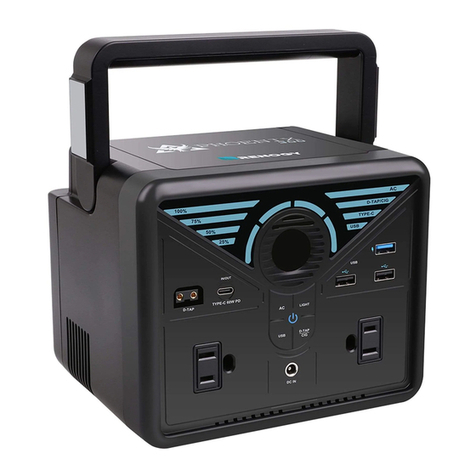
Bioenno Power BPP-M400 User manual

BPP-M400


1
This product series are designed to keep you powered while you're doing what you love. Whether
you're climbing a mountain, living in your van while you travel the world, or camping in your
backyard we will keep you powered. Welcome to the solar life.
Congrats on your solar PPS portable power supply, a plug-and play generator for emergencies,
camping, or wherever you need power. With 400 watt-hours of power, you can keep laptops, lights,
appliances, and refrigerators going for hours longer.
1. Get To Know Your Gear……………………………………………………………………………………..2
2. Unpacking…………………………………………………………………………………………………..3
3. What It Powers……………………………………………………………………………………………..4
4. Charging Your PPS………………………………………………………………………………………..4
Charge Me Now.…………………………………………………………………………………………...4
LCD Battery Display.……………………………………………………………………………………....4
Charging from Solar……………………………………………………………………………………….5
Charging from the Wall……………………………………………………………………………………6
Charging from your Car……………………………………………………………………………………..6
5. Using your PPS…………………………………………………………………………………………….7
What to power from your PPS.……………………………………………………………………….…..7
How to use your PPS.……………………………………………………………………………………..7
Best-Use Strategy.…………………………………………………………………………………………7
Cold Weather Usage.……………………………………………………………………………………...7
Storage and Downtime Maintenance.…………………………………………………………………...8
Emergency Car Jump Start……………………………………………………………………………….8
7. Frequently Asked Questions…………………………………………………………………………….10
8. Troubleshooting…………………………………………………………………………………………..11
9. Contact…………………………………………………………………………………………………...….13
TABLE OF CONTENTS
CONTENTS

2
1. Get To Know Your Gear
1. Handle
2. Solar Charging Port
3. Car/Adapter Charging Port
4. Car Jump Starter Output
5. Master Power On/Off Button
6. DC Power On/Off Button
7. AC Power On/Off Button
8. Power On/Off Indicators
9. LCD Display
10. USB Outputs
11. DC12V Output for LED Lamp
12. DC12.6V Car Cigarette Output
13. AC Outputs

3
2. Unpacking
Before opening the package, please check if the packaging is damaged. After unpacking, please
check if product appearance is damaged or there is missing parts. If so, please contact us.
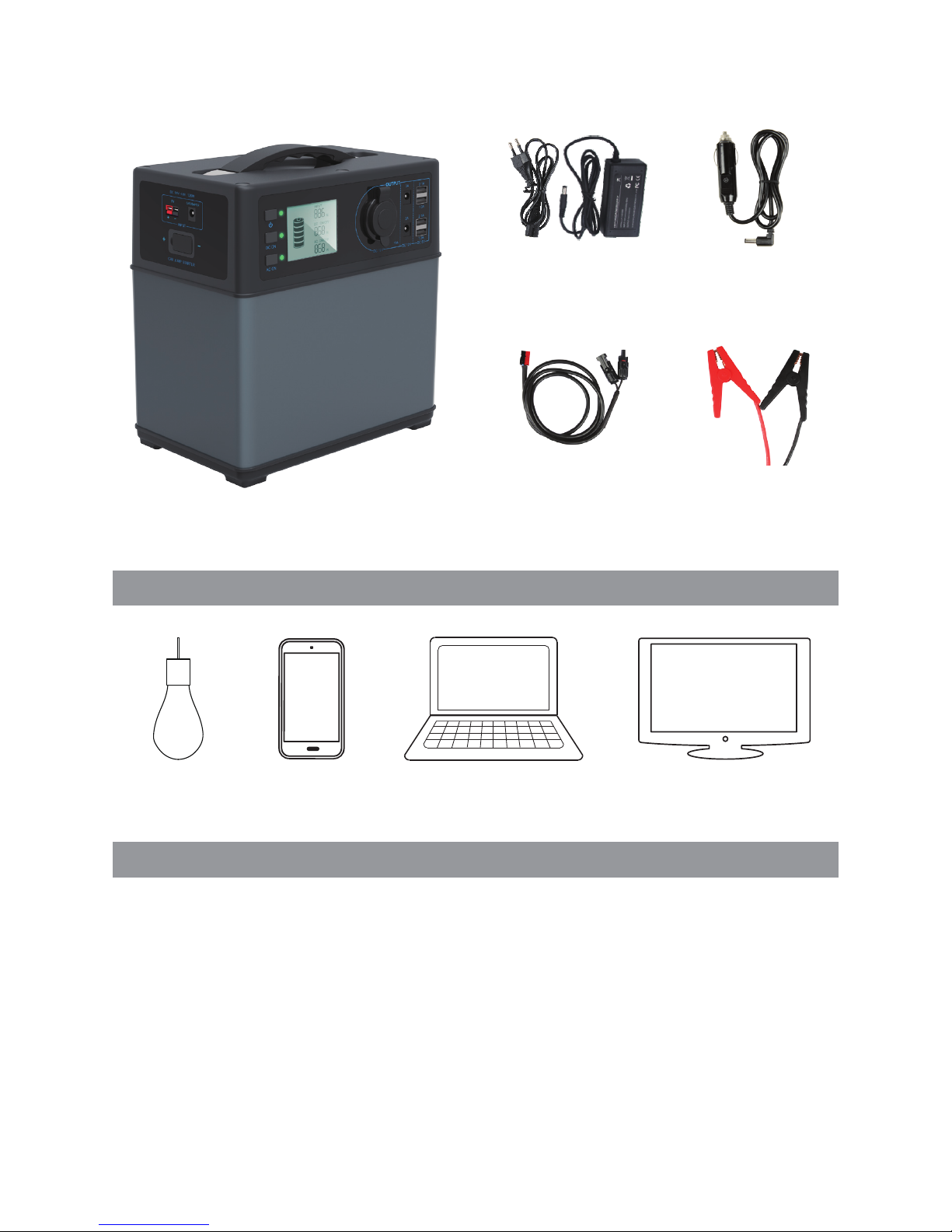
PPS accessories are as follows.
1. Master Power On/Off Button
2. DC Power On/Off Button
3. AC Power On/Off Button
4. Master Power On/Off Indicator
5. DC Power On/Off Indicator
6. AC Power On/Off Indicator
7. Battery Capacity
8. Charging Power
9. DC ON/OFF
10. DC Output Power
11. AC ON/OFF
12. AC Output Power
No. Item Quantity
1 Portable Power Supply 1
2 AC Wall Charger 1
3 Car Charging Cable 1
4 Solar Charging Cable 1
5 Jump Starter Alligator Clip Cable 1
6 User Manual 1
7 Warranty Card 1
1
2
3
8
9
5
4
67
12
11
10
4
3. What it Powers
Unpacking your PPS
LAMP
100+ Hours
Smartphone
30+ Recharges
LAPTOP 5 Recharges TV 3 Hours
AC Charger
Solar Charging
Cable
Car Charging Cable
Jump Starter Alligator
Clip Cable
4. Charging Your PPS
■ Charge Me Now
Before using or storing, plug your PPS into the wall until it is fully charged.
Note: NEVER charge your PPS with solar panels and a wall charger at the same time.
■ LCD Battery Display
The LCD Battery Display indicates the charge level. There are 5 segments of the battery,
approximating 20%-40%-60%-80%-100% capacity. During Using, segments will disappear from
the display, indicating the remaining capacity. When charging your PPS, you will notice a battery
segment blinking at a 1 second interval. This indicates the current charge status and the number

5
Charging from Solar
4-6 Hours
Solar Panel LAPTOP
3-5 Recharges
under INPUT shows the real-time charging power. Once It is fully charged, all battery segments will
be lit and remain solid.
Charge your PPS when there is only a battery segment!
1. Power on your PPS by press master power button for 2 seconds.
2. Place your solar panel where it will get as much direct sunlight as possible.
3. Connect the solar panel by solar charging cable, then insert the Anderson plug into one of the
INPUT ports on the left side of the PPS. You will know the PPS is charging when the number below
INPUT on LCD changes and the battery segments in the LCD BATTERY DISPLAY are blinking.
The PPS is fully charged when all battery segments stop blinking and remain solid.
4. You can also connect the PPS to other brands of solar panels using the Power-Pole port.
5. You can chain multiple Solar Panels together to reduce solar recharge times. Your PPS is
capable of taking in 120W of solar charging power. But the solar panel voltage should be from 14V
to 40V, like 18V, 36V, etc.
6. NEVER charge your PPS with solar panels and a wall charger at the same time.
7. The PPS will stop charging battery when it's full of energy, by the built-in advance system control
circuit module.

6
Using the included AC Wall Charger, plug your PPS into any wall outlet. You will know the PPS is
charging when battery segments in the BATTERY DISPLAY are blinking and the number below
INPUT on LCD changes.
The PPS is fully charged when all battery segments stop blinking and remain solid. The PPS should
recharge from the wall in 6-8 hours. The PPS will stop charging battery when it's full of energy.
The AC wall charger comes in two pieces. Connect the two pieces by plugging the cable into the
box.
■ Charging from the Wall
Before using or storing, plug your PPS into the wall until it is fully charged.
charging from wall outlet powering your laptop or other devices
■ Charging from Your Car
Use the car charging cable, plug one end to your car cigarette socket and the other end to your
PPS. You will know the PPS is charging when battery segments in the BATTERY DISPLAY are
blinking and the number below INPUT on LCD changes. It’s a good choice to charging your PPS
when you drive all the way.
Note: Car with 12V starting battery can't charge this PPS fully, but car with 24V battery can.
charging from your car
cigarette socket
powering your laptop or
other devices


8
Storage and Downtime Maintenance
1. Please charge your PPS fully before storage and fully recharge your PPS every 3 months and
store it in a cool, dry place.
2. If the system shuts down automatically because of lower battery capacity(10%), please
recharged it in 2 months. Otherwise, the battery capacity won’t be recovered.
3. Failure to maintain your PPS by following these steps can result in battery damage which will
void the product warranty.
If you’ll be living off-grid in sub-zero conditions, you can drain power from PPS. But never charge
your PPS in sub-zero conditions, which will damage the lithium ion battery and battery capacity
may not be recovered.
Low Temperature Charging Protection: when there is charging input in sub-zero conditions,
the system would stop charging automatically; and system starts charging function again when
temperature is over 5 .
Low Temperature Discharging Protection: in -20 conditions, the system would stop AC and
DC output and shut the product down in 15 seconds automatically; and system can output again
when temperature is over-15 .
Emergency Car Jump Start
1. Make sure the engine displacement of the vehicle (or other motor vessels, here take a car for
example) is less than 4L.
2. Make sure the power is over 60% (four battery segments on).
3. Make sure the clamps on jump start cable is not broken.
How to Jump Start
1. Clamp the red clip to car battery positive pole and the black clip to the battery negative pole.
2. Plug the other end of jump start cable into your PPS.
3. Turn the key to start your car as normal.
Table of contents