Beyond icebox countertop User manual

icebox countertop
Owner’s Manual v.1.0
icebox
CT04

Icebox, LLC and iCEBOX are registered trademarks of Icebox, LLC.
Westinghouse, (W) is a registered trademark of Westinghouse Electric Corporation and used under license by Salton,Inc.
Microsoft and Windows are registered trademarks of Microsoft Corporation.
eFast is a trademark of Young Fast Optoelectronics Co., Ltd.
Specifications subject to change without notice.
Multiple patents issued and pending.
Version 1.0 of this document
Printed in Malaysia. © Icebox, LLC, 2002–2004
Icebox, LLC
Seattle, WA
Telephone: (877) 463-7637
Telephone: (206) 448-0354
Fax: (206) 448-0359
http://www.icebox.tv
Manufactured under license from Dolby Laboratories. “Dolby” and the double-D symbol are trademarks of
Dolby Laboratories. Confidential unpublished works. © 1992–1997 Dolby Laboratories. All rights reserved.

i
Table of Contents
Important Safety Instructions
General Warnings and Cautions ............................ 1
Protection Against Electric Shock ............................. 2
Information About Repair Service ............................ 3
Getting Started
Installing the Batteries ............................................ 6
Set Up Connections ............................................. 8
Connecting a TV Cable or Antenna .................... 8
Connecting an S-Video Source ........................... 9
Connecting a Camera, VCR or Video Game. ....... 9
Connecting the FM Radio Antenna ................... 10
Connecting for Internet Access ......................... 10
Connecting Other Devices .............................. 12
Connecting the SANI Antenna ......................... 13
Connecting the Power .................................... 13
Using the iCEBOX Controls .................................. 14
Front Panel ................................................... 14
Remote and Keyboard .................................... 15
Adjusting the Image and Sound ....................... 23
Stylus & Touch Screen .................................... 23
Configuring iCEBOX Settings ............................... 25
Choose the Television Signal Source ................. 25
Autoscan for Television Channels ...................... 26
Configure an Internet Connection ..................... 27
Configure the Browser Settings ......................... 30

CounterTop Owner’s Manual
ii
Using the iCEBOX Modes
Changing Modes .............................................. 31
Television Mode ................................................ 31
DVD & CD Mode .............................................. 32
Internet Mode ................................................... 33
Radio Mode ..................................................... 39
My Kitchen Mode .............................................. 40
Video Mode ..................................................... 41
Caring for Your iCEBOX
Updating Your iCEBOX System ............................. 43
Cleaning the iCEBOX ......................................... 45
Getting Help ................................................ 45
Troubleshooting ................................................. 47
FAQs .............................................................. 48
Privacy Policy .................................................... 52
Specifications.................................................... 54
FCC Statement .................................................. 55
iCEBOX CounterTop Warranty ............................. 56
Index ............................................................... 59

1
Important Safety Instructions
When using the iCEBOX™ CounterTop, observe these basic precautions
to reduce the risk of personal injury or equipment damage.
Before using the iCEBOX
•Read and understand all iCEBOX instructions.
•Follow all warnings and cautions on the product and in these operating
instructions.
•Do not use the iCEBOX for anything other than its intended use.
Warnings and Cautions
The following examples demonstrate warning and caution statements
found within this document. Read and follow all warnings and cautions.
General
Warnings and
Cautions
The following general hazards could result in personal injury or product
damage. Specific warnings and cautions are found in relevant sections of
the operating instructions.
1. Read the instructions. All safety and operating instructions should be
read before operating the iCEBOX.
2. Retain the instructions. The safety and operating instructions should be
retained for future reference.
3. Heed warnings. All warnings on the product and in the operating
instructions should be adhered to.
4. Follow instructions. All operating instructions should be followed.
5. Cleaning. Unplug the iCEBOX from the wall before cleaning it. Do not
use liquid cleaners or aerosol cleaners. Clean the unit with a damp
cloth.
6. Attachments. Do not use attachments which are not recommended by
the manufacturer.
Warning: Warning statements warn of hazards or unsafe prac-
tices that could result in serious personal injury
or death.
Caution: Caution statements warn of hazards or unsafe prac-
tices that could result in minor personal injury or
damage to the product.
!

CounterTop Owner’s Manual
2
7. Do not use the unit near water. For example, near a bath tub, wash
bowl, kitchen sink, or laundry tub; in a wet basement; or near a swim-
ming pool; and the like.
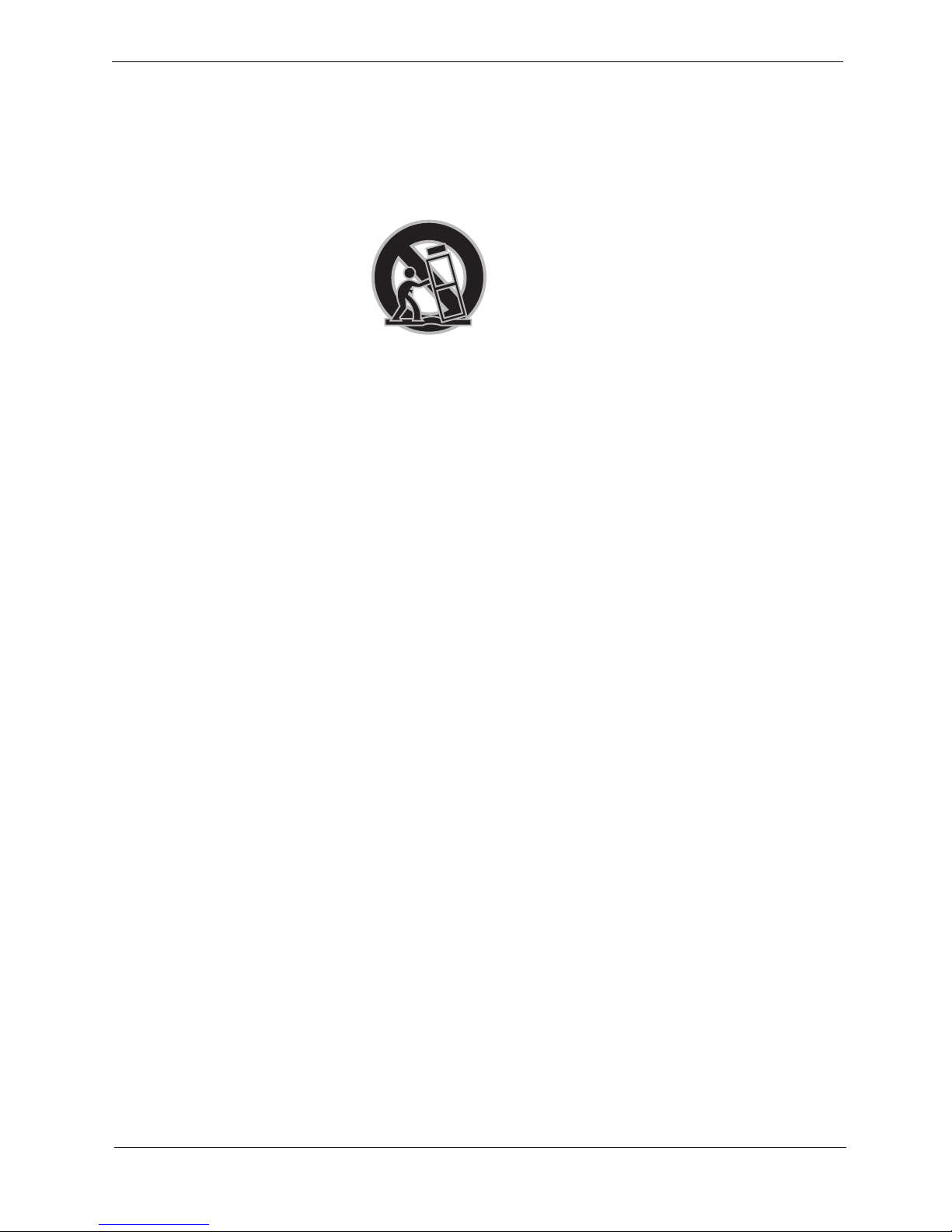
8. Carts and Stands. The iCEBOX should be placed on a cart or stand
designed to securely support the weight of the unit.
When mounted on a cart or stand, the iCEBOX should be moved care-
fully. Sudden stops, excessive force, or uneven surfaces may cause the
cart to overturn.
9. Accessories. Do not place this product on an unstable cart, stand, tri-
pod, bracket, or table. The product may fall causing serious injury to a
child or an adult and serious damage to the product.
Protection Against
Electric Shock
10.Power sources. This product should only be operated from the type of
power source indicated on the marking label. If you are not sure of the
power supply to your home, consult your product dealer or local power
company.
11.Grounding or polarization. This product is equipped with a threewire
grounding type plug, a plug having a third grounding pin. This plug
will only fit into a grounding type power outlet. This is a safety feature.
If you are unable to insert the plug into the outlet, contact your electri-
cian to replace the obsolete outlet. Do not defeat the safety purpose of
the grounding type plug.
12.Powercord protection. Power supply cords should be routed so that
they are not likely to be walked on or pinched by items placed upon or
against them, paying particular attention to cords at plugs, conve-
nience receptacles, and the point where they exit from the product.
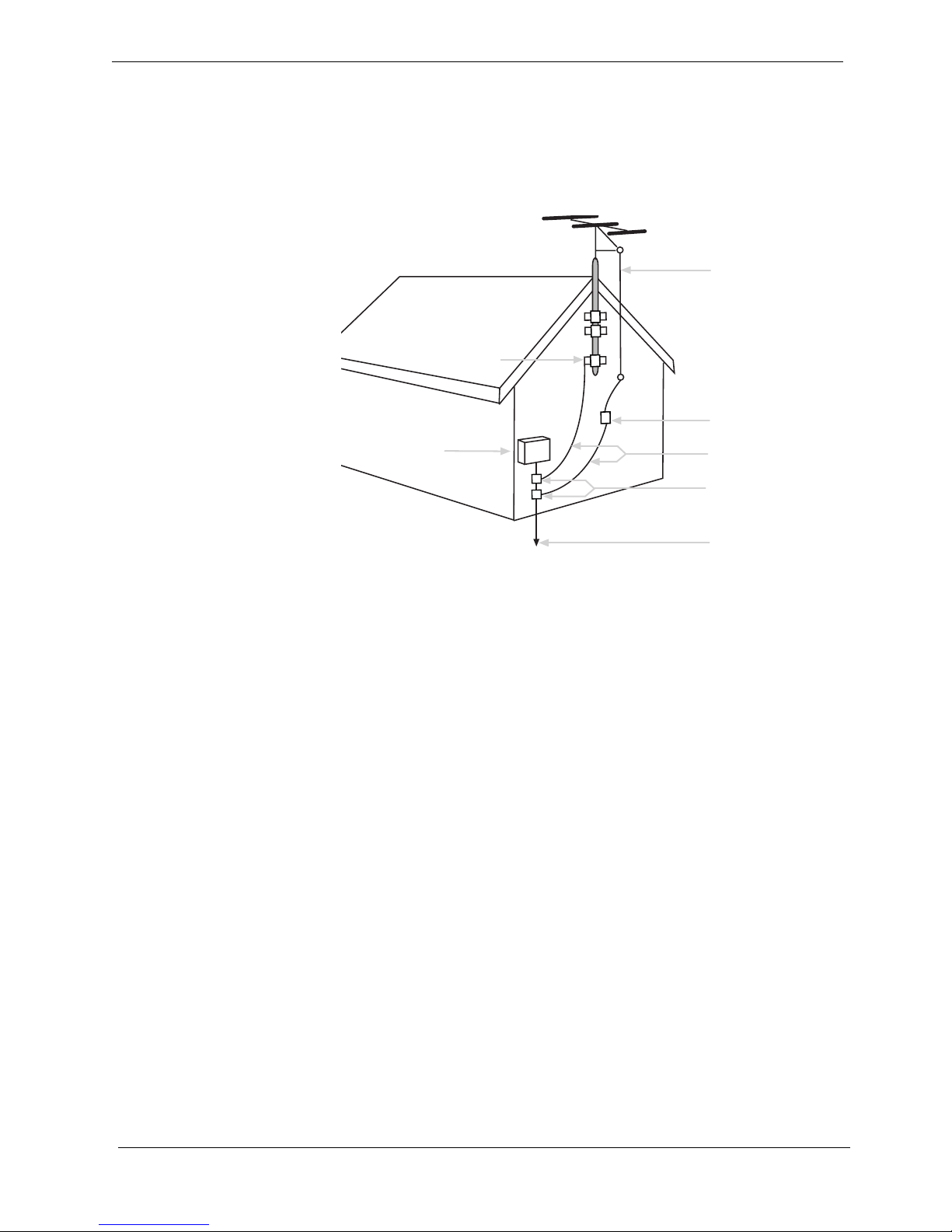
13.Outdoor antenna grounding. If an outside antenna or cable system is
connected to the product, be sure the antenna or cable system is
grounded so as to provide some protection against voltage surges and
builtup static charges. Article 810 of the National Electrical Code,
ANSI/NFPA 70, provides information with regard to proper grounding


3
Important Safety Instructions
of the mast and supporting structure, grounding of the leadin wire to an
antenna discharge unit, size of grounding conductors, location of
antenna discharge unit, connection to grounding electrodes, and
requirements for the grounding electrode.
FIGURE 1. Example of Antenna Grounding
14.Lightning. For added protection for this product during a lightning
storm, or when it is left unattended and unused for long periods of time,
unplug it from the wall outlet and disconnect the antenna or cable sys-
tem. This will prevent damage to the product due to lightning and
powerline surges.
15.Power lines. An outside antenna system should not be located in the
vicinity of overhead power lines or other electric light or power circuits,
or where it can fall into such power lines or circuits. When installing an
outside antenna system extreme care should be taken to keep from
touching such power lines or circuits as contact with them might be
fatal.
16.Overloading. Do not overload wall outlets, extension cords, or integral
convenience receptacles as this can result in a risk of fire or electric
shock.
17.Object and liquid entry. Never push objects of any kind into this prod-
uct through openings as they may touch dangerous voltage points or
shortout parts that could result in a fire or electric shock. Never spill liq-
uid of any kind on the product.
Information About
Repair Service
18.Servicing. Do not attempt to service this product yourself as opening or
removing covers may expose you to dangerous voltage or other haz-
ards. Refer all servicing to qualified service personnel.
Antenna lead wire
Antenna discharge unit
(NEC section 810-20)
Electric service
equipment
round clamps
(
NEC ART 250 Part H
)
Power service grounding
electrode system
round clamp

CounterTop Owner’s Manual
4
19.Damage requiring service. Unplug this product from the wall outlet and
refer servicing to qualified service personnel under the following
conditions:
a. When the powersupply cord or plug is damaged.
b. If liquid has been spilled, or objects have fallen into the product.
c. If the product has been exposed to rain or water.
d. If the product does not operate normally by following the operat-
ing instructions. Adjust only those controls that are covered by the
operating instructions as an improper adjustment of other controls
may result in damage and will often require extensive work by a
qualified technician to restore the product to its normal operation.
e. If the product has been dropped or damaged in any way.
f. When the product exhibits a distinct change in performance, this
indicates a need for service.
20.Replacement parts. When replacement parts are required, be sure the
service technician has used replacement parts specified by the manu-
facturer or have the same characteristics as the original part.
Unauthorized substitutions may result in fire, electric shock, or other
hazards.
21.Safety check. Upon completion of any service or repairs to this product,
ask the service technician to perform safety checks to determine that
the product is in proper operating condition.
22.Heat. The product should be situated away from heat sources such as
radiators, heat registers, stoves, or other products (including amplifiers)
that produce heat.

5
Getting Started
Getting Started
Welcome to the iCEBOX™—the ultimate Information, Communication, and
Entertainment system designed specifically for the kitchen. With the iCE-
BOX™ CounterTop, you can watch television, browse the Internet, play
DVDs or CDs, check your Email, and monitor other areas of your home, all
from the convenience of your kitchen.
The iCEBOX CounterTop can also act as the command center and informa-
tion gateway for your Beyond Connected Appliances, which includes the
Beyond Microwave, Bread Maker and Coffee Maker.
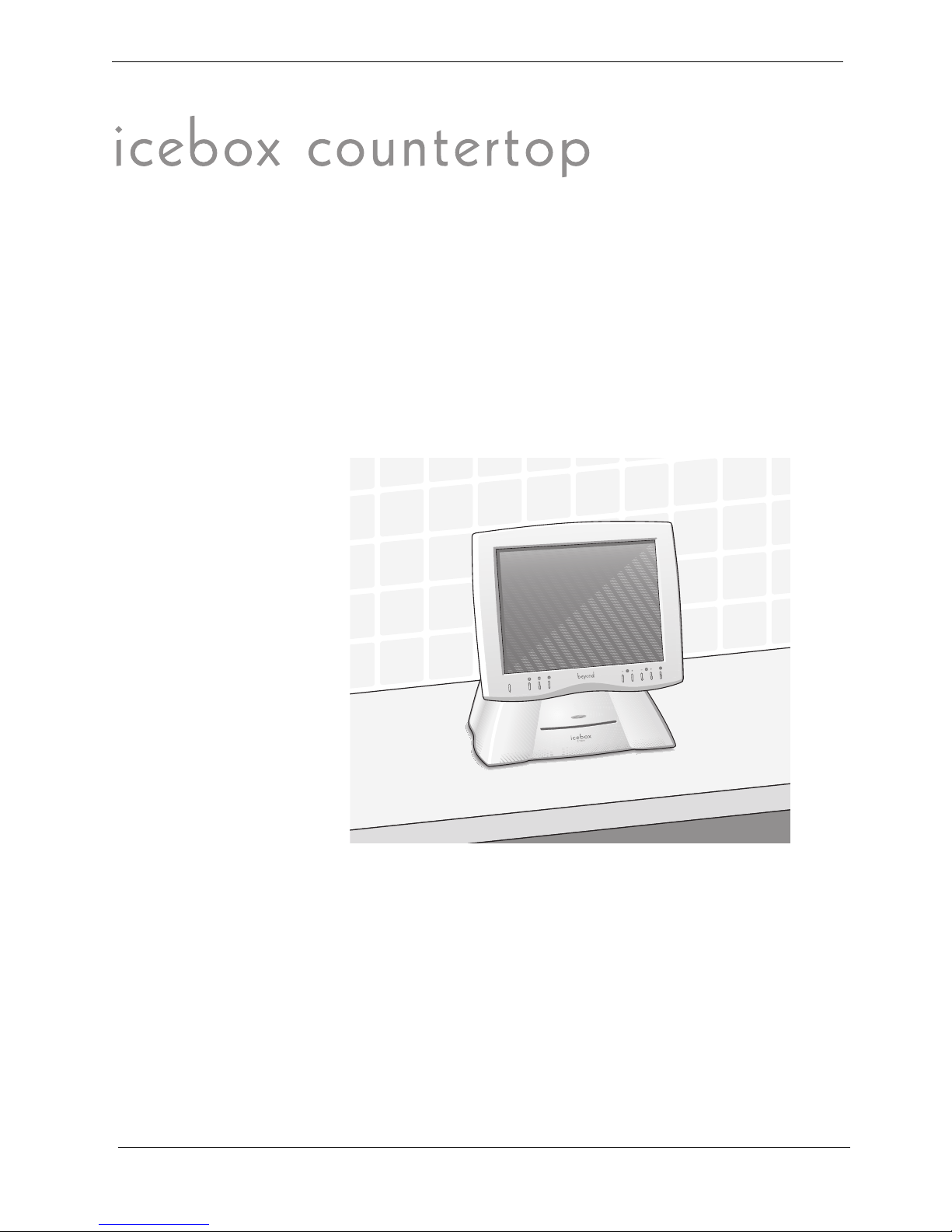
FIGURE 2. The iCEBOX CounterTop
icebox

CounterTop Owner’s Manual
6
Installing the Batteries
Before you turn on your iCEBOX, you will need to install the batteries in
the remote and keyboard. The remote requires two AAA batteries (sup-
plied), and the keyboard requires two AA batteries (supplied). Alkaline
batteries are recommended.
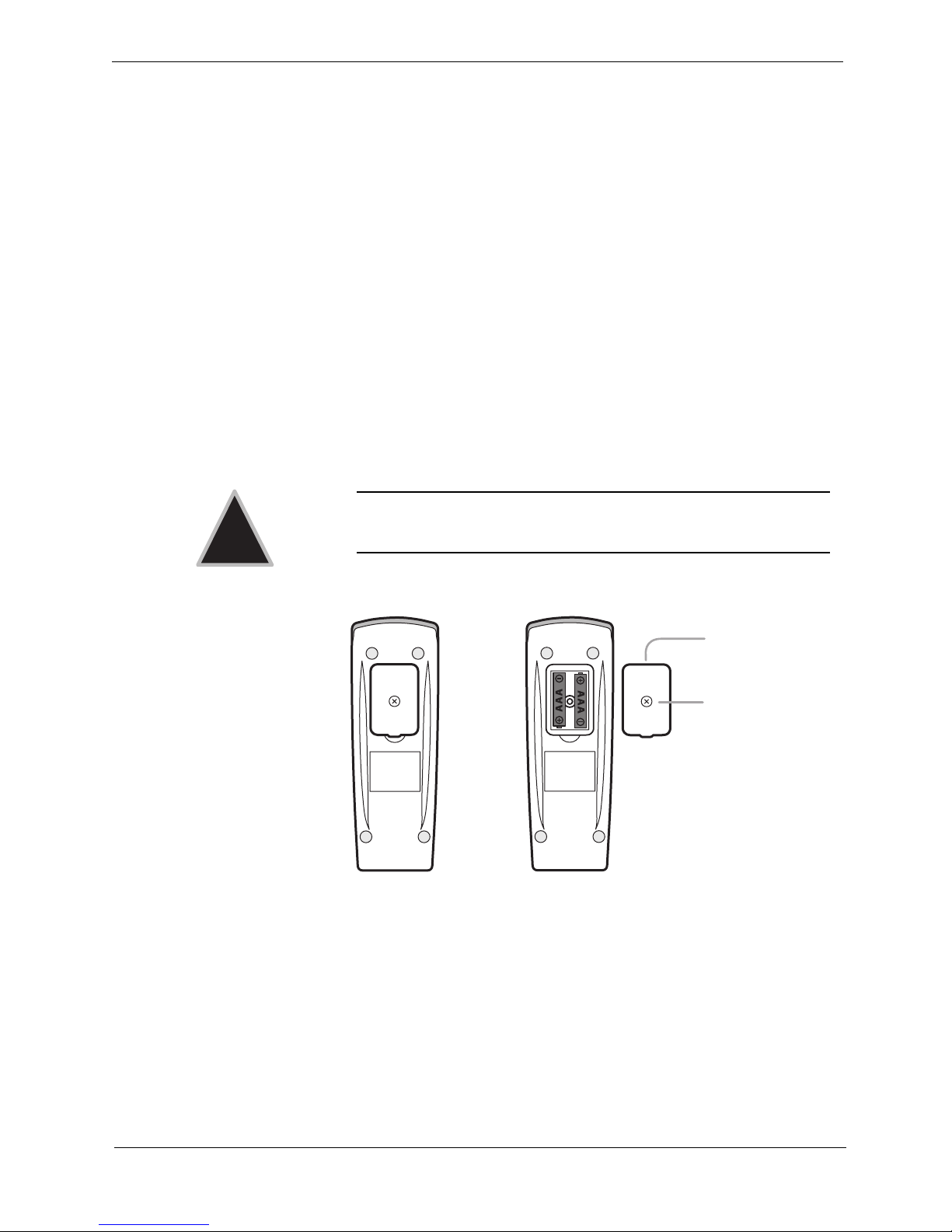
To install the batteries for your remote
1. On the back of the remote, remove the battery cover by loosening the
small screw in the center of the panel ( fig. 3). Keep the attached
washer with the screw.
2. Install two AAA batteries, ensuring that the polarity (+ and –) on the
batteries matches the + and – markings in the battery compartment.
3. Reattach the battery cover, making sure that the cover is seated
properly.
4. Insert the screw, with the washer still attached, and tighten the screw
until it is snug.
FIGURE 3. Remote Battery Installation
Caution: Do not overtighten the screw. You may damage the
washer and the remote will no longer be washable.
!
Secured Screw
Battery Cover
Other manuals for icebox countertop
1
Table of contents
Other Beyond Car Navigation System manuals