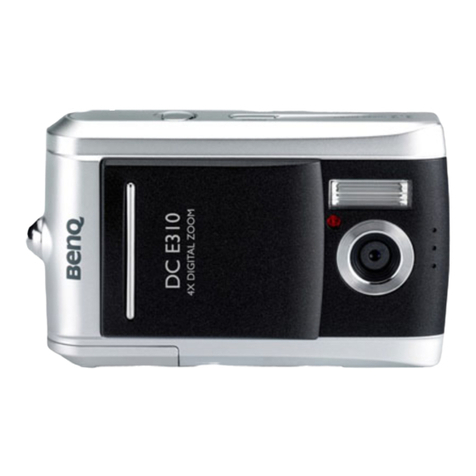
BenQ DC 4500 User manual

Digital Camera 4500
User’s Manual

Copyright
Copyright (c) 2002 by BenQ Corporation. All rights reserved. No part of this publica-
tion may be reproduced, transmitted, transcribed, stored in a retrieval system or trans-
lated into any language or computer language, in any form or by any means, electronic,
mechanical, magnetic, optical, chemical, manual or otherwise, without prior written per-
mission from BenQ Corporation.
Brands and product names are trademarks or registered trademarks of their respective
companies.
Disclaimer
BenQ makes no warranty of any kind with regard to this material, including, but not lim-
ited to, the implied warranties of merchantability and fitness for a particular purpose.
BenQ assumes no responsibility for any error that may appear in this document. BenQ
makes no commitment to update nor to keep current the information contained in this
document.
Taking care of your camera
• Do not use your camera over the following environmental range: temperature: OºC to
40ºC, relative humidity: 45% ~ 85%.
• Do not use or store your camera in environments listed below:
Direct sunlight.
High humidity and dusty places.
Next to the air conditioner, electric heater or the other heat sources.
In a closed car that is directly under the sun.
Avoid shaky places.
• If your camera becomes wet, wipe it with dry cloth as soon as possible.
• Salt of seawater may cause severe camera damage.
• Do not use organic solvents, such as alcohol, etc., to clean your camera.
• If the lens or viewfinder is dirty, please use the lens brush or soft cloth to clean the
lens. Do not touch the lens with your fingers.
• To prevent electrical shock, do not attempt to disassemble or repair your camera by
yourself.
• Water may cause a fire or electric shock. Therefore, please store your camera in a dry
place.
• Do not use your camera outdoors when it is raining or snowing.
• Do not use your camera in the water.
• If the foreign substance or water gets in your camera, please tum the power off imme-
diately and disconnect the batteries and the transformer. Remove the foreign sub-
stance or water, and send it to the maintenance center.
• Transfer the data to the computer as soon as possible to avoid losing your image data.

BenQ DC 4500 User’s Manual
I
1. Touring your DC 4500 ...............................1
1.1. Checking package contents ...............................................1
1.2. Parts of the DC 4500 and their names ...........................1
1.2.1. Front View ............................................................................................... 1
1.2.2. Rear View ................................................................................................ 2
Viewfinder ........................................................................................................... 2
Inside viewfinder ................................................................................................ 2
1.2.3. Top View .................................................................................................. 2
1.2.4. Bottom View ........................................................................................... 2
1.2.5. Mode Dial ................................................................................................ 3
1.2.6. LCD Status Display ................................................................................ 3
2. Preparing your DC 4500 for using ............4
2.1. Installing NiMH batteries ................................................... 4
2.2. Installing memory card ....................................................... 5
2.3. Turning on the power ........................................................6
2.4. Turning off the power ........................................................7
2.4.1. Power Save Mode .................................................................................. 7
2.4.2. Auto Shut Down Mode ........................................................................ 7
3. Using the DC 4500 ......................................8
3.1. Still Mode ...............................................................................8
3.1.1. Use Still Mode to take photos ............................................................ 8
3.1.2. Taking Photos ......................................................................................... 8
3.1.2.1. To take photos using the viewfinder ...........................................................8
3.1.2.2. To take photos using the LCD monitor .....................................................9
3.1.3. Hot Keys for taking photos ................................................................. 11
3.1.3.1. Hot key for selecting flash mode ..................................................................11
3.1.3.2. Hot key for zooming in or out on the object ...........................................11
3.1.3.3. Hot key for setting the macro mode ..........................................................12
............................................................................................................................................13
3.1.3.4. Hot key for setting the self-timer mode .....................................................13
3.1.3.5. Hot key for changing to playback mode .....................................................13
3.1.3.6. Hot key for LCD monitor icon display mode ...........................................14
3.1.4. The Still Mode Setting Menu on LCD screen .................................. 15
3.1.5. The Record Menu of Still Mode ......................................................... 16
3.1.5.1. Adjusting image quality (QUALITY) ............................................................16
3.1.5.2. Adjusting image resolution (RESOLUTION) .............................................17
3.1.5.3. Setting white balance (AWB) ........................................................................17
3.1.5.4. Setting date-imprinting modes (DATE) ......................................................18
3.1.5.5. Setting monochrome modes (MONOCHROME) ...................................19

BenQ DC 4500 User’s Manual
II
3.1.5.6. Setting metering modes (METERING) ........................................................19
3.1.5.7. Setting AE-Lock function (AE-LOCK) .........................................................20
3.1.5.8. Setting ISO value (ISO) ...................................................................................21
3.1.5.9. Setting Digital Zoom function (DIGITAL ZOOM) ..................................21
3.1.5.10. Setting exposure compensation value (EV) .............................................22
3.1.6. The Setup Menu of Still Mode ............................................................. 23
3.1.6.1. Setting beep sound (BEEP) .............................................................................23
3.1.6.2. Setting date and time (DATE/TIME) ............................................................23
3.1.6.3. Selecting OSD language system (LANGUAGE) ........................................24
3.1.6.4. Setting power save mode (POWER SAVE) ...............................................24
3.1.6.5. Setting LCD brightness (LCD BRIGHT) .....................................................25
3.1.6.6. Selecting TV format (TV FORMAT) ............................................................25
3.1.6.7. Formatting CF card (FORMAT) ...................................................................26
3.1.6.8. Reloading the default setting value (DEFAULT SETTING) ....................26
3.1.6.9. Software Version (VERSION) .......................................................................27
3.2. Burst Mode ............................................................................ 28
3.2.1. Use Burst Mode to take photos ......................................................... 28
3.2.2. The Burst Mode Setting Menu on LCD screen .............................. 28
3.2.3. The Record Menu of Burst Mode ...................................................... 30
3.2.3.1. Adjusting image resolution (RESOLUTION) .............................................30
3.2.3.2. Setting white balance (AWB) ........................................................................31
3.2.3.3. Setting date-imprinting modes (DATE) ......................................................31
3.2.3.4. Setting monochrome modes (MONOCHROME) ...................................31
3.2.3.5. Setting metering modes (METERING) ........................................................32
3.2.3.6. Setting ISO value (ISO) ...................................................................................32
3.2.3.7. Setting Digital Zoom function (DIGITAL ZOOM) ..................................33
3.2.3.8. Setting exposure compensation value (EV) ................................................33
3.2.4. The Setup Menu of Burst Mode ......................................................... 34
3.3. Night Scene Mode ...............................................................35
3.3.1. Use Night Scene Mode to take photos ............................................ 35
3.3.2. The Night Scene Mode Setting Menu on LCD screen .................. 35
3.3.3. The Record Menu of Night Scene Mode .......................................... 37
3.3.4. The Setup Menu of Night Scene Mode ............................................. 37
3.4. Video Mode ...........................................................................38
3.4.1. Use Video Mode to shoot videos ...................................................... 38
3.4.2. Shooting videos ...................................................................................... 38
3.4.3. Viewing videos ........................................................................................ 39
3.4.4. The Video Mode Setting Menu on LCD screen ............................. 40
3.4.5. The Record Menu of Video Mode ..................................................... 41
3.4.5.1. Setting white balance (AWB) ........................................................................41
3.4.5.2. Setting monochrome modes (MONOCHROME) ...................................42
3.4.5.3. Setting metering modes (METERING) ........................................................42
3.4.5.4. Setting exposure compensation value (EV) ................................................43

BenQ DC 4500 User’s Manual
III
3.4.6. The Setup Menu of Video Mode ........................................................ 43
3.5. Playback Mode .....................................................................44
3.5.1. Use Playback Mode on the LCD screen ......................................... 44
3.5.2. Viewing Photos or Images on the LCD screen ............................. 44
3.5.3. Viewing Videos on the LCD screen ................................................. 45
3.5.4. The Playback Mode Setting Menu on LCD screen ........................ 45
3.5.5. The Play Menu of Playback Mode ....................................................... 47
3.5.5.1. Deleting one image or video (DELETE ONE) ...........................................47
3.5.5.2. Deleting all images or videos (DELETE ALL) ............................................47
3.5.5.3. Locking and unlocking images (videos) .......................................................48
3.5.5.4. Viewing images (videos) in thumbnail mode (THUMBNAIL) ................49
3.5.5.5. Viewing images (videos) in slide show mode (Slide Show) ....................50
3.5.5.6. Setting Digital Print Order Format (DPOF) for Print Out Setting ......52
3.5.6. The Setup Menu of Playback Mode ................................................... 53
4. PC dependent features ..............................54
4.1. Preparations ..........................................................................54
4.1.1. Installing digital camera software ........................................................ 54
4.1.2. The Software of this Installation CD ................................................. 55
4.1.3. DC 4500 Driver installation instruction ........................................... 55
4.2. Connecting the DC 4500 to your PC .............................56
5. TV dependent features ..............................58
Preparations ..................................................................................58
Connecting the DC 4500 to TV .............................................. 58
6. NiMH battery charger usage .....................60
Preparations ..................................................................................60
Use Charger To Charge NiMH Battery .................................60
7. Troubleshooting .........................................61
8. Service information ....................................62

BenQ DC 4500 User’s Manual
IV
<Memo>
BenQ DC 4500 User’s Manual
1
1. TOURING YOUR DC 4500
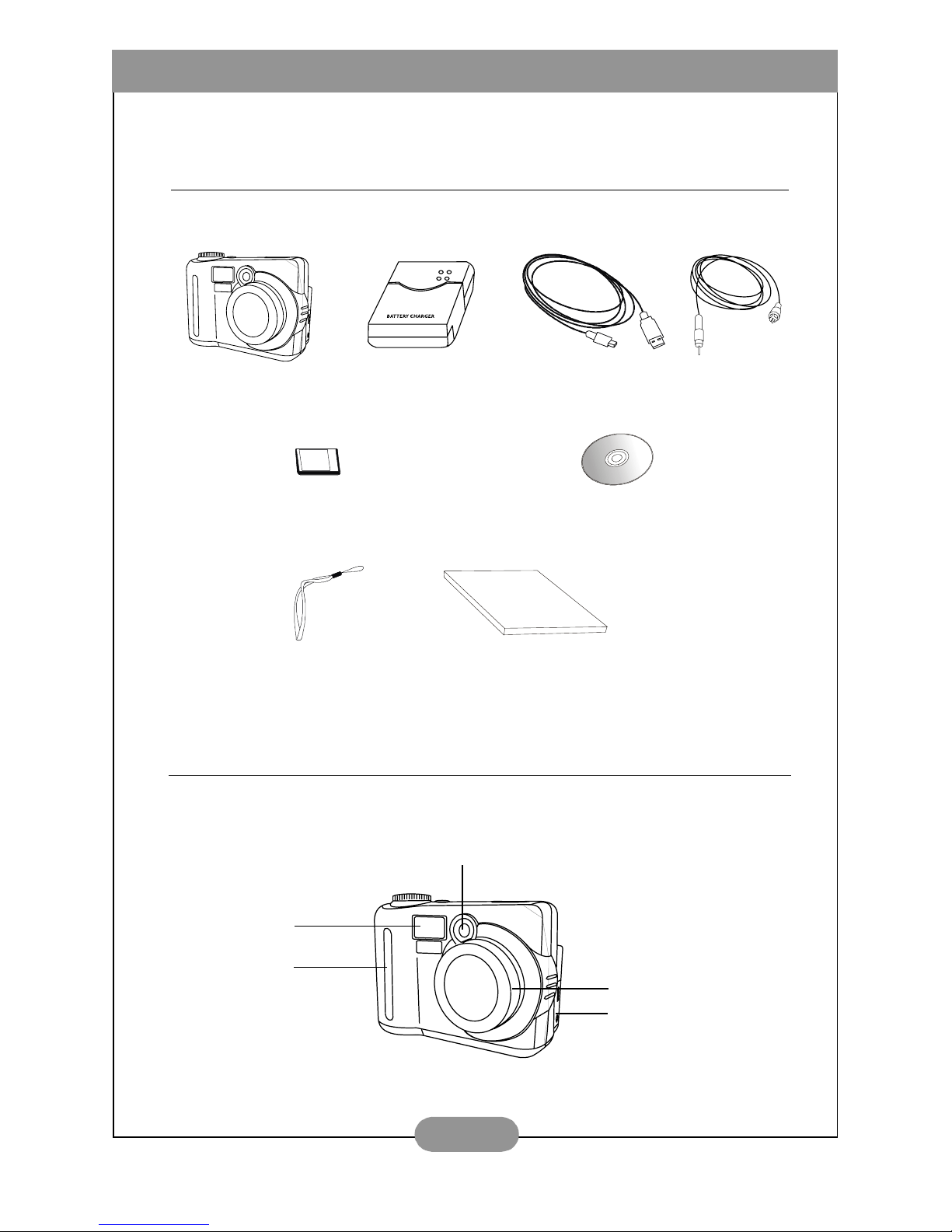
1.1. Checking package contents
The package should include the following items:
1.2. Parts of the DC 4500 and their names
1.2.1. Front View
DC 4500 digital camera Battery charger TV cable
USB cable
16MB Compact Flash memory card DC 4500 software CD-ROM
Hand Strap User’s Manaul
Strobe
Lens
Viewfinder
Hand Stop
Cover (USB, Video-out)

BenQ DC 4500 User’s Manual
2
1.2.2. Rear View
1.2.3. Top View
1.2.4. Bottom View
AF
Color LCD monitor Navigation button
(Up/Down/Right/Left)
Disp/OK button
Close-up correction
marks
Viewfinder Inside viewfinder
Strobe charging LED
(red)
Auto Focus LED
(green)
Viewfinder
Menu/ Cancel button
Strap Hitch
Memory Card Slot Cover
Zoom In/Out button
DC-jack Slot Cover
MEGA
PIXELS
4.1
S w i t c h ( V i d e o / N i g h t s c e n e / B u r s t /
Still/Play)
AF/Capture Button
Power Button
Status Display
BATT
Battery compartment cover
Tripod set

BenQ DC 4500 User’s Manual
3
1.2.5. Mode Dial
1.2.6. LCD Status Display
Night Scene Mode
Still Mode
Burst Mode
Video Mode
Playback Mode
Macro Function
Auto-exposure
Lock
Battery Status
Flash Status
Self-timer
Function
Remaining number
of photos you can
take (It depends on
the image resolution,
compression and
image background. )

BenQ DC 4500 User’s Manual
4
2. PREPARING YOUR DC 4500 FOR USING
2.1. Installing NiMH batteries
Follow the steps below to install NiMH batteries.
Press the battery cover and then slide the
cover in the direction shown.
Open the cover in the direction shown.
Place NiMH batteries in the battery
compartment until it is totally inserted.
Close battery compartment cover and
slide the cover in the direction shown.
You will hear a click sound when the
cover is firmly closed.
BATT
Other manuals for DC 4500
1
This manual suits for next models
1
Table of contents
Other BenQ Digital Camera manuals