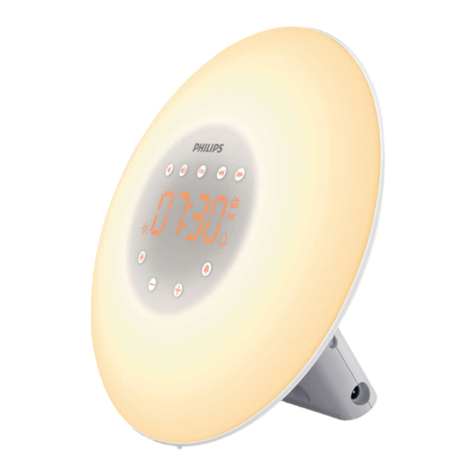
Balance 275947 User manual

IN-OUT THERMO MOOD-LIGHT CLOCK
WITH RADIO CONTROLLED CLOCK
MODEL: 275947
User’s Manual
(EN)

INSTRUCTION
Congratulations on your purchase of this new in-out thermo mood-light
clock. This unique product is designed for everyday use for the home
or ofce and is a denite asset of great use. To fully benet from all the
features and understand the correct operation of this product, please read
this instruction manual thoroughly.
FUNCTIONS OF THE IN-OUT THERMO MOOD-LIGHT CLOCK
This In-Out thermo mood-light clock measures the environment of its
surrounding area and receives temperature data transmitting from up
to 3 outdoor sensors. The data is continuously updated to bring you the
latest temperature information displayed on the LCD of the receiving unit.
Besides, it has a changeable mood light color to alert user for different
temperature range.
G
I
J
A
B
C
E
L
H
K
F
D
M
~ 2 ~
(EN)

FEATURES: MAIN UNIT
A. Low battery indicator for remote sensor
The low battery icon in the upper LCD indicates the battery condition
of the corresponding remote sensor. When low battery icon appears,
the displayed sensor temperature is no longer reliable. The user must
change batteries at once.
B. Indoor indicator
Indicates the indoor temperature is displayed.
C. Outdoor remote sensor indicator
Indicates the current outdoor remote sensor signal received. It can
display up to 3 different remote sensors which are placed in 3 different
places and within 30 meters (100 feet) distance from the main unit.
D. Auto scroll indicator
The animated rolling arrow icon is shown to indicate the auto scroll of
indoor temperature and 3 different outdoor temperatures.
E. Indoor and outdoor maximum temperature indicator
Indicate the maximum indoor temperature or the maximum outdoor
temperature in the displayed channel.
F. Indoor and outdoor minimum temperature indicator
Indicate the minimum indoor temperature or the minimum outdoor
temperature in the displayed channel.
G. Mood Light Indicator
Indicate the mood light changes according to indoor temperature or
channel #1 temperature.
H. Low battery indicator for main unit
Shown to indicate the battery in the main unit is low and all displayed
information in LCD is no longer reliable. The user needs to change the
batteries at once.
I. Alarm on icon
Appears when alarm is enabled.
J. Clock window
Displays DCF-77 radio controlled Clock, Calendar or Alarm time.
K. Radio reception tower
Indicates the condition of DCF-77 radio controlled time reception.
L. Temperature window
Displays indoor or outdoor temperature
M. Colorful mood light
The colorful mood light will be only available with the power supplied
from a plug-in DC adaptor.
~ 3 ~
(EN)

DESCRIPTION OF BUTTONS
The In-Out thermo mode-light clock has 6 major function buttons on the
front side and 1 major function buttons on the rear side.
1. [MANUAL-MOOD-ALERT] SLIDE SWITCH
This slide switch has three positions to slide: MANUAL, MOOD, and
ALERT.
- In MANUAL position, press the top of the main unit to turn on mood
light for 10 seconds. While mood light is on, every press on the key will
extend the light for another 10 seconds.
- In MOOD position, the mood light will light up permanently and change
its color continuously.
- In ALERT position, the alert light will light up permanently and change
its color according to measured ambient temperature on indoor or
channel #1 remote sensor.
Note: The mood & alert light will be only available when connecting
with the DC adaptor.
2. [MODE]
- Toggle for Clock, Calendar or Alarm display mode.
Note: The main unit will auto exit to clock display mode if no key entry
for 10 seconds.
- Press & hold 2 seconds to activate the setting mode of Clock-Calendar
or Alarm time.
3. [▲]
- Press once to increase the setting in Clock/Calendar or Alarm time
setting mode.
- Press & hold 2 seconds to manually activate or deactivate the radio
controlled function permanently.
4. [▼]
- Press once to decrease the setting in Clock/Calendar or Alarm time
setting mode.
- Toggle Daily Alarm on/off while in Alarm display mode.
5. [CH]
- Press shortly to toggle display of Indoor temperature, remote thermo
from Channel #1, Channel #2 and Channel #3 to Auto-scroll mode
which alternately display indoor temperature and the three remote
temperatures.
Note: when in the Auto-scroll mode, scrolling time for Indoor and each
channel is 4 seconds. Only registered channel(s) will be shown up in
~ 4 ~
(EN)

the Auto-scroll mode, unregistered channel(s) will be skipped.
- Press & hold 2 seconds to activate or deactivate searching mode for
remote sensor.
6. [MEM]
- Toggle to view the Max/Min reading of the Indoor & Outdoor
temperature.
- Press & hold 2 seconds to clear the Max/Min temperature memories of
Indoor & all Remote.
7. [ALERT]
- Press & hold 2 seconds to enter Mood Light setting mode, use [▲] or
[▼] button to set Mood Light alert according to Indoor temperature or
Channel #1 temperature. Press [ALERT] to conrm.
And one button on the bottom
8. [SNOOZE-LIGHT]
- Press the top of the main unit to activate [SNOOZE-LIGHT] button
to turn on backlight for 10 seconds. Meanwhile, the mood light will
be light up for 10 seconds if the main unit is connecting with the DC
adaptor and the [MANUAL-MOOD-ALERT] slide switch is in the
MANUAL position.
- Stop alarm sound temporary for 5 minutes when alarm sounds.
Note: When the clock is beeping, pressing any button will stop it
except the [SNOOZE- LIGHT] button.
BATTERY INSTALLATION FOR MAIN UNIT
1. Remove the battery door.
2. Insert 3 pieces AAA size 1.5V alkaline battery as indicate by the
polarity;
3. Close the battery door.
Note: Replace the batteries when the low battery indicator appears on
the top-middle of the lower LCD.
BATTERY INSTALLATION FOR REMOTE SENSOR
1. Remove the battery door.
2. Insert 2 pieces AAA size 1.5V alkaline battery as indicate by the
polarity;
3. Close the battery door.
Note: Replace the batteries when the low battery indicator in each
channel appears on the top-left of the upper LCD.
~ 5 ~
(EN)

GETTING STARTED
This In-Out thermo mood-light clock was designed for easy set up. For
best operation, the following steps are required to be done in the proper
sequence.
1. Insert batteries to the main unit, it will automatically search the remote
sensors (while they are in effective transmission range) for 2 minutes
and then receive RCC signal for 10 minutes.
Note: Main unit can’t be programmed manually during RF searching
and RCC reception.
2. Insert batteries to the remote sensor and set it to desired channel by
pressing [CH] button.
3. The main unit will show the temperature reading of the remote sensor
in corresponding channel if it receives the RF signal and registers the
remote sensor successfully.
4. Position the remote unit and main unit within effective transmission
range, which is, in usual circumstances, is 30 meters (100 feet). The
remote sensor should be placed away from direct sunlight, rain or
snow.
WIRELESS REMOTE SENSOR REGISTRATION PROCEDURE
Within 2 minutes of power up the main unit, activates the sensor as follows:
1. Insert the 2 AAA batteries into the sensor unit while the ‘ ’ icon in the
main unit is ashing to prompt the user that the main unit is in sensor
searching mode.
2. The LED on the front panel of the sensor will start ashing at a rate of
one time per around 2 seconds to indicate channel#1 is in use. While
the LED is ashing, press once the [CH] key will change the sensor
channel setting to #2. Keep toggle on [CH] key can change channel
setting up to #3. The LED is blinking at a frequency to indicate the
channel setting. i.e. continuous blinking 2 times indicates channel #2 is
selected.
If no key entry for 10 seconds, it will exit the channel setting mode and
transmit the RF signal of the temperature reading.
3. The main unit will show the temperature reading of the remote sensor
in corresponding channel if it receives the RF signal and registers the
remote sensor successfully.
4. The ‘ ’ icon in main unit will stop ashing after two minutes to prompt
user that it already exits sensor searching mode. In this case, the user
~ 6 ~
(EN)

must press and hold [CH] button for 2 seconds to re-enter sensor
searching mode and repeat above steps if he wants to register a new
remote sensor.
REMOTE CHANNEL AUTO-SCROLLING
This device is equipped with an Auto-scroll function. While the Auto-scroll
function is set, the main unit will automatically cycle to display the indoor
temperature and the temperature of each remote sensor for 4 seconds.
1. To manually retrieve the specic sensor temperature reading, press
[CH] key until desired channel number is displayed.
2. To enable Auto-scroll function, use [CH] button to select channel #1,
#2, ... until auto scroll icon appears beside the channel indicator.
DCF-77 RADIO CONTROLLED CLOCK
The radio-controlled time is calculated by the Cesium Atomic clock of
Braunschweig (ofcial clock of Germany). Then the time is coded and
transmitted from Mainingen - near Frankfurt - via a signal on DCF-77 (77.5
kHz). The transmitting range of the signal is 1500 km, which means that
most of Western and Central Europe is covered by this signal. Within this
range the received time is completely accurate. Once sensor signal(s) are
received, the wave icon will ash to indicate that the receiving unit starts to
receive the DCF radio controlled time signal. Radio Controlled wave icon
indicates 4 levels of signal status:
Very weak Weak Mediu Strong
As soon as the time signal is received, the wave icon will stay on the LCD,
and time and calendar will automatically be updated.
Note: During the 10-minute time signal reception, all manual key input will
be ignored. In addition, the continuous mood light or Alert light will be turn
off temporary until reception is over. You can also press and hold [▲]key
for 2 seconds to manually activate the reception in normal mode.
SET THE CLOCK, CALENDAR & TEMPERATURE UNIT
1. Press & hold [MODE] button for 2 seconds to enter clock setting mode.
Flashing 24Hr will appear.
2. Press [▲] or [▼] button to switch between 24Hr and 12Hr format, and
then press [MODE] button to conrm.
~ 7 ~
(EN)

3. The hour digits will ash. Use the [▲] button to increase by one hour
or [▼] button to decease by one hour to your desired hours. Holding
down either button will change the increment unit rapidly. Press
[MODE] button to conrm.
4. The minute digits will ash. Use the [▲] or [▼] button to set your
desired minutes. Holding down either button will change the increment
unit rapidly. Press [MODE] button to conrm.
Note: Every change of minute digit will automatically reset the seconds
to zero.
5. The year digits will ash. Use the [▲] or [▼] button to set your desired
years. Holding down either button will change the increment unit
rapidly. Press [MODE] button to conrm.
Note: Year range is from 2000 to 2099.
6. The DATE-MONTH/MONTH-DATE digits will ash. Use the [▲]
or [▼] button to choose DATE-MONTH or MONTH-DATE, press
[MODE] button to conrm. Then use the [▲] or [▼] button to set your
desired months and days. Holding down either button will change the
increment unit rapidly. Press [MODE] button to conrm.
7. The °C/ °F digits will ash. Press [▲] or [▼] button to switch between
°C(Centigrade) and °F(Fahrenheit) temperature format, and then press
[MODE] button to conrm.
Note: If no key press during setting mode for 10 seconds, it will
automatically keep the setting and exit to normal display.
SET THE DAILY ALARM
1. In Alarm time display mode, press & hold [MODE] button for 2
seconds, the hour digits will ash. Use the [▲] or [▼] button to set
your desired alarm hours, then the minute digits will ash. Use the [▲]
or [▼] button to set your desired alarm minutes. Holding down either
button will change the increment unit rapidly. Press [MODE] button to
conrm.
2. In alarm time display mode, press [▼] button once to toggle between
enable or disable the daily alarm.
3. When alarm is beeping, press any button will stop it except the
[SNOOZE-LIGHT] button. Press the [SNOOZE-LIGHT] button will stop
alarm sound temporary for 5 minutes.
~ 8 ~
(EN)

HOW TO READ INDOOR/OUTDOOR TEMPERATURE
1. When it displays the indoor temperature (not Auto-scrolling), press
[CH] button once to switch to channel #1 and display the channel #1
temperature, press [CH] button again will switch to next channel. The
sequences are: Indoor→ Channel #1→ Channel #2 →Channel #3
→Auto-Scrolling→ (repeat).
2. In Auto-scroll mode, the upper LCD will alternately display indoor
temperature and the registered remote temperatures for 4 seconds.
Note: Only registered remote channel(s) will be shown up in the Auto-
scroll mode and unregistered channel(s) will be skipped. The “--._°C”
or “--._°F” will display to prompt the user for a RF loss link in a specic
sensor channel.
3. When received indoor temperature is over +60°C (+140.0°F) or
outdoor temperature is over +70°C (+158.0°F), “HH.H” will appear on
the upper LCD. When received indoor temperature is below -10°C
(+14.0°F) or outdoor temperature is below -50°C (-58.0°F), “LL.L” will
appear on the upper LCD.
HOW TO SET ALERT LIGHT ON INDOOR/CHANNEL #1
Press & hold [ALERT] button for 2 seconds to enter Alert Light setting
mode. Press [▲] or [▼] button to select Alert Light monitor according to
Indoor temperature or Channel #1 temperature. Press [ALERT] to conrm.
Note: The channel #1 Alert light is available only if the channel #1 has been
registered successfully.
1. While the Alert lighting color is set to monitor indoor temperature,
the color of Alert light and LCD backlight will change according to
temperature as in Table 1.
Table 1:
Indoor temperature Over 25.0 °C 20.0°C~ 24.9°C Below 19.9°C
(77.0°F) (68.0°F~76.8°F) (67.8°F)
Mood Light color red purple blue
LCD backlight color red purple blue
2. While the Alert lighting color is set to monitor the external sensor
channel #1, the color of Alert light and LCD backlight will change
according to temperature as in Table 2.
~ 9 ~
(EN)

Table 2:
Channel #1 temperature Over 25.0 °C 15.0°C~24.9°C 5.0°C~14.9°C Below 4.9°C
(77.0°F) (59.0°F~76.8°F) (41.0°F~58.8°F) (40.8°F)
Mood Light color red Orange purple blue
LCD backlight color red Red purple blue
If the backlight ashes, it indicates that channel #1 losses link.
Specications
Main Unit
Displayed IN temperature range : -10.0°C to +60.0°C (+14.0°F to
+140.0°F)
Proposed operating range : 0°C to +50.0°C (+32.0°F to +122.0°F)
Temperature resolution : 0.1°C (0.2°F)
Remote Temperature measurement
Displayed OUT temperature range : -50.0°C to +70.0°C (-58.0°F to
+158.0°F)
Temperature resolution : 0.1°C (0.2°F)
Power : Use 3 pieces UM-4 or AAA size 1.5V
alkaline battery and 4.5V AC/DC
adaptor
Remote Unit
Displayed range : -50.0°C to +70.0°C (-58.0°F to
+158.0°F)
Proposed operating range : -10.0°C to +50.0°C (+14.0°F to
+122.0°F)
Temperature resolution : 0.1°C (0.2°F)
RF Transmission Frequency : 433 MHz
RF Transmission Range : Maximum 30 meters (100 feet)
Temperature transmitting cycle : 60 - 75 seconds
Power : Use 2 pieces UM-4 or AAA size 1.5V
alkaline battery
~ 10 ~
(EN)
Table of contents
Languages:
Other Balance Alarm Clock manuals