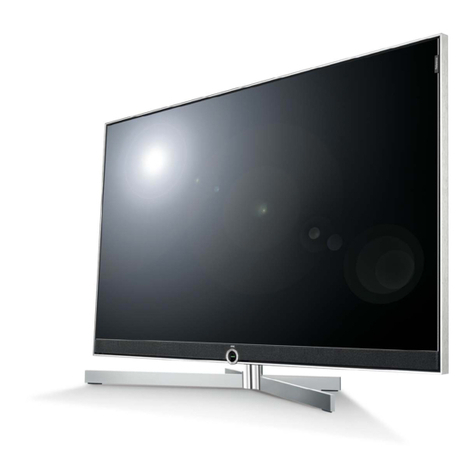
Baird B42HDTV User manual

Baird
B42HDTV
(MST9E88)
@(2007)(Haier Electronic Company Limited)
All rights reserved. Unauthorized copying and distribution is a
violation of law.

2
WARNING
This service information is designed for experienced repair technicians only and is not designed for use
by the general public. It does not contain warnings or cautions to advise non-technical individuals of
potential dangers in attempting to service a product. Products powered by electricity should be serviced
or repaired only by experienced professional technicians. Any attempt to service or repair the product
deal with in this service information by anyone else could result in serious injury or death.
CONTENT
1. SPECIFICATIONS………………………………………………………………………….. 3
2. WARNING…………………………………………………………………………………….3
3. LOCATION OF CONTROLS AND COMPONENTS………………………………………5
3.1.Board Location……………………………….. ………………………………….…….5
3.2 Main Board……………..……………………………….. ……………………………..6
3.3 DVB-T Board……………………………….. ………………………………………….7
3.4 Power Board…………………………….…………………….. ……………………….8
3.5 LCD Panel……………………………….. ……………………………………………..9
4. FEATURES AND TECHINICAL DESCRIPTION………………………………………….11
5. INSTALLATION INSTRUCTIONS………………………………… ………………………13
5.1 External Equipment Connections………………………………….. ……… ………..13
5.2 HDMI Connections……………………………….. ……………………………………14
6. OPERATION INSTRUCTIONS…………………………………………………………….15
6.1 Front Panel Controls……………………………….. ………………………………….15
6.2 Back Panel Controls……………………………….. ………….………………………16
6.3 Setting Up Your Remote Control ………………………….. …..…………………….16
7. DISASSEMBLY INSTRUCTIONS……………………………………..……………….….18
7.1 Whole Machine………………………………………………...……………….……….18
7.2 Connection Sketch Interpretat ………………………………..…….……………….18
8. MEASUREMENTS AND ADJUSTMENTS……………………………………………..…19
8.1 The Way to Factory Mode Menu…………… ……………...……………….………19
8.2 The default of Factory Mode Menu ………………………………..…….………….20
9. BLOCK DIAGRAM AND CIRCUIT DIAGRAM…………………………… …………….22
9.1 Block Digram…………………………………………………………… ……………..22
9.2 Circuit Digram…………………………………………………………… …………….22
10. WIRING CONNECTION DIAGRAM………………………………………………… …24
11. TROUBLESHOOTING GUIDE…………………………………………………..…….….25
11.1. Simple check…………………………………………………………..……………..25
11.2. Main board failure check……………………………………………..……………. 25
11.3. Pannel failure ……………..………………………………………………………….27
12. MAINTENANCE……………………………………………………………….……………28

3
1. Specification
Model B42HDTV
Screen size 42
Aspect ratio 16:9
Resolution 1366 x 768
Response Time(ms) 5ms
Angel of view H:178°/V:178°
Color display 16.7M
NO.of preset channels 100
OSD language Multiple
Color system PAL/SECAM
Audio system DK/BG/ I /L/L'
Audio output power(Built-in)(W) 5W X2
Audio output power(outer)(W) NO
Total power input(W)220
Voltage range(V)150-240
Power frequency(Hz)50/60
Time of sleep timer(MINS) 240
Net weight(KG) 24.9Kg
Gross weight(KG) 31.6Kg
Net dimension(MM) 1023/328/730
Packaged dimension(MM) 1115/375/830
2.Warning
WARNING
RISKELECTRIC SHOCK
DONOT OPEN
WARNING:To reduce the risk of electric shick don’t remove cover or back.
No user-serviceable parts inside refer service to qualified service personnel.
Safety of operators has been taken into consideration at the design and manufacture phase, but
inappropriate operation may cause electric shock or fire. To prevent the productfrom being damaged,
the following rules should be observed for the installation, use and maintenance of th product. Read the
following safety instruction before starting the operation.
The User Manual uses the following symbols to ensure a safe operation and prevent any damage to

4
operators or properties:
THIS SYMBOL INDICATES THAT HIGH VOLTAGE IS PRESENT INSIDE . IT IS
DANGEROUS TO MAKE ANY KING OF CONTACT WITH ANY INSIDE PART OF THIS
PRODUCT.
THIS SYMBOL INDICATES THAT THERE ARE IMPORTANT OPERATING AND
MAINTENANCE INSTRUCTIONS IN THE LITERATURE ACCOMPANYING THE
APPLIANCE.
IMPORTANT SAFETY INSTRUCTIONS
Read all of the instructions before using this appliance. When using this appliance, always
exercise basic safety precautions, including the following:
1)Save these Instructions ---the safety and operating instructions should be retained for future
reference.
2)All warning on the appliance and in the operating instructions should be followed.
3)Cleaning --- Unplug from the wall outlet before cleaning. Do not use liquid cleaners or aerosol
cleaners. Use only dry cloth for cleaning.
4)Attachments ---do not use attachments not recommended by the manufacturer as they may cause
hazards.
5)Water and moisture -- do not place this product near water, for example, near a bathtub, wash bowl,
kitchen sink, laundry tub, in a wet basement, or near a swimming pool.
6)Accessories ---do not place this unit on an unstable cart, stand, tripod, bracket, or table. Use only with
a cart, stand, tripod, bracket, or table recommend by the manufacture, or sold with the unit.
7)Ventilation ---Slots and openings in the cabinets and the back or bottom are provided for ventilation.
These openings must not be blocked. In a built in installation such a bookcase or rack do not install
product unless proper ventilation is provided.
8)Power Source ---this TV should be operated only from the type of power source indicated on the
rating label. If you are not sure of the type of power supply to your home, consult your appliance dealer
or local power company.
9)Do not defeat the safety purpose of the polarized or grounding-type plug. A polarized plug has two
blades with one wider than the other. A grounding type plug has two blades and a third grounding prong.
The wide blade or the third prong are provided for your safety. If the provided plug does not fit into your
outlet, consult an electrician for replacement of the obsolete outlet. To prevent electric shock, ensure
the grounding pin on the AC cord power plug is securely connected.
10)Power cord protection ---Power supply cords should be routed so that they are not likely to be
walked on or pinched by items placed upon or against them. Pay particular attention to cords or plugs,
convenience receptacle, and the point where they exit from the appliance.
11)Lighting precaution ---for added protection for this product during a lighting storm or when it is left
unattended for long period of time, unplug it from the wall outlet and disconnect the antenna or cable
system. This will prevent damage to the product due to lighting and power line surges.

5
12)Never push objects of any kind into this product through openings as they may touch dangerous
voltage point or short out parts that could result in a fire or electric shock. Avoid spilling liquid of any kind
on the product.
13)Servicing ---do not attempt to service the product by yourself, as opening or removing covers may
expose you to dangerous voltage or other hazards. Refer all servicing to authorized service personnel.
14)Unplug this unit from the wall outlet and refer servicing to qualified service personnel under the
following conditions:
a. When the power supply cord or plug is damaged or frayed.
b. If liquid has been spilled, or objects have been fallen into the unit.
c. If the unit has been exposed to rain or water.
d. If the unit does not operate normally by following the operating instructions. Adjust only those
controls that are covered by the operating instructions, as improper adjustment of other controls
may result in damage and will often require extensive work by a qualified technician to restore
the unit to its normal operation.
e. If the unit has been dropped or damaged in any way.
f. When the unit exhibits a distinct change in performance; this indicates a need for service.
15) Heat --- The product should be situated away heat source such as radiators, heat registers,
stoves, or other products (Including amplifiers) that product heat.
16)Overloading ---Do not overload wall outlets and extension cord as this can result in a risk of fire
or electric shock.
SAVE THESE INSTRUCTIONS
Thank you for using our Haier product. This easy-to-use manual will guide you in getting the best use of
your product. Remember to record the model and serial number. They are on label in back of the unit.
Staple your receipt to your manual. You will need it to obtain warranty service.
3. LOCATION OF CONTROLS AND COMPONENTS
3.1.Board Location

6
No. Parts number Description
A Board 0094000731 Power Board
B Board 0090712160A Main board
C Board 0094000961 LCD Panel
D Board 0090712161A DVBT Board
3.2 Main Board
3.2.1 Function Description:

7
Process signal which incept from exterior equipment,then translate into signal that panel can display.
3.3 DVB-T Board
3.3.1 Function Description:
Process signal which incept from Tunner,then translate into signal to the main board.

8
3.4 Power Board

9
3.4.1 Function Description:
Supply power for Main board, Panel and DVB-T Board.
3.4.2 Connector definition
CN4:
PIN NUMBER DESIGNATION
1 ON/OFF
2 GND
3 5V
4 GND
5 GND
6 12V
7 12V
CN5:
PIN NUMBER DESIGNATION
1 GND
2 12V
CN6:
PIN NUMBER DESIGNATION
1 16.5V
2 16.5V
3 GND
4 GND
CN2:
PIN NUMBER DESIGNATION
1 24V
2 24V
3 24V
4 24V
5 24V
6 GND
7 GND
8 GND
9 GND
10 GND
3.5 LCD PANEL

10
3.5.1 Function Description:
Display the signal.
3.5.2 Connector defination
LVDS:
This manual suits for next models
1
Table of contents
Other Baird TV manuals